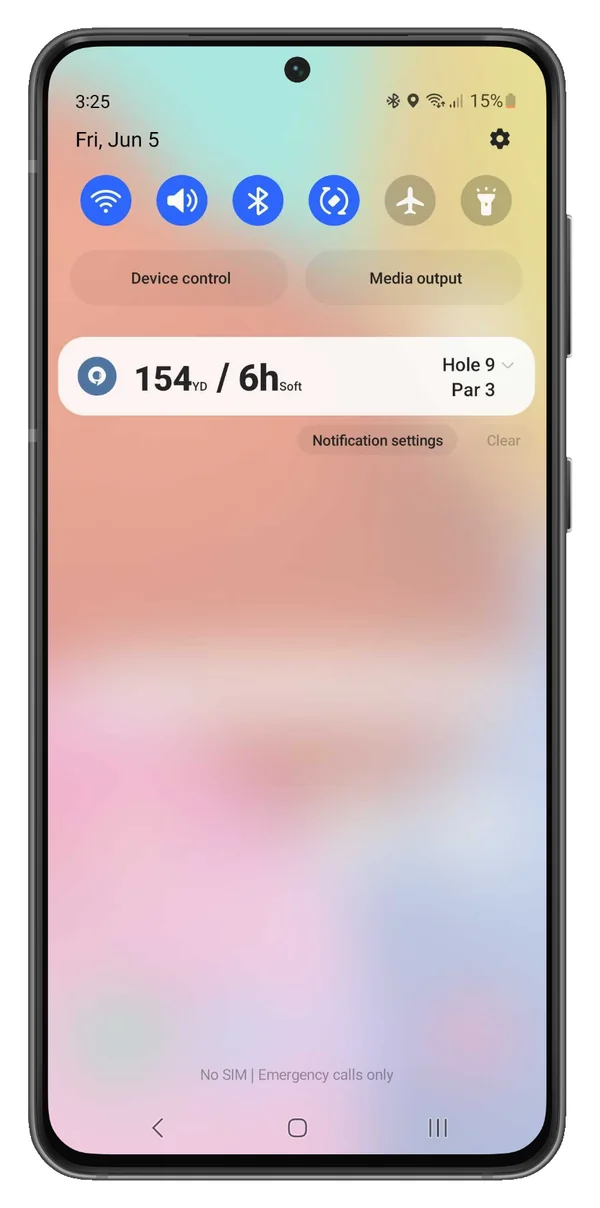
Golf Pad allows you to view GPS distance directly in your phone's notification area without unlocking your phone. This feature is available on Android phones.
How to access rangefinder distances without unlocking the phone
- Start a new round: Open Golf Pad and begin a new round as you normally would.
- Pull down the status bar: To view the GPS distances, pull down the notification area (status bar) at the top of your screen.
- View the data: In the notification, you'll see important details for the current hole, including:
- Distance to the front of the green
- Hole number
- Par for the hole
- Club recommendations
- Open Golf Pad app: Tap the distance shown in the notification to easily open the Golf Pad app for more details.