Advanced Filters in the Playing History

The new advanced filters in Playing History make it easier to quickly find and organize past rounds. You can filter rounds by:

  • Date
  • Partners
  • Course
  • Holes played

Filter by date

Want to see rounds from a specific day, week, or time period? Tap the Date filter and select the range you want to view.
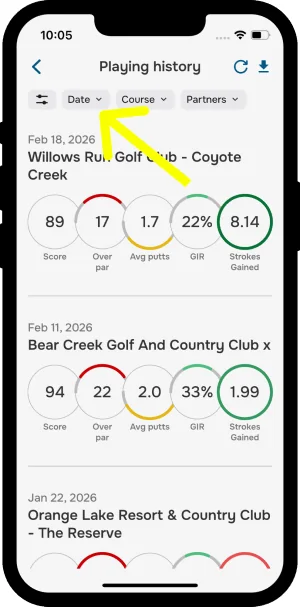
Playing history with the Date filter highlighted
Date filter

This makes it easier to track playing history without scrolling through everything.

Filter by course

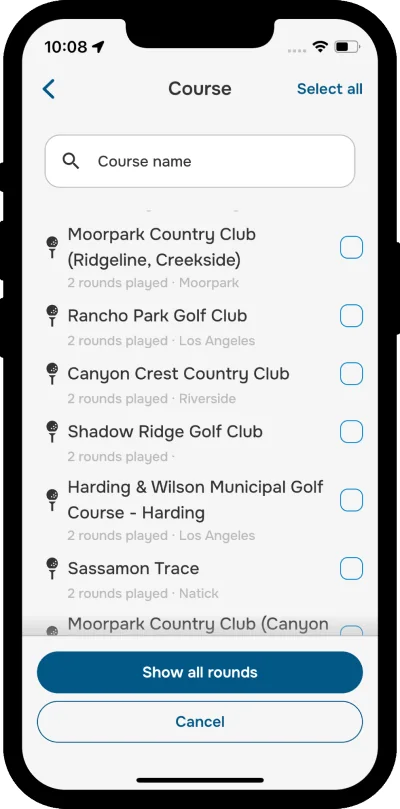
Want to remember how you performed on a particular course? Tap the Course filter and select the course you want.
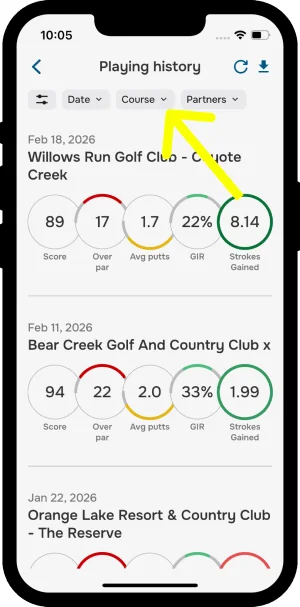
Playing history with the Course filter highlighted
Course filter
Course filter with a list of courses to select
Select a course

This is a quick way to review past performance and compare rounds at the same location.

Filter by playing partners

You can also search rounds by playing partners. Tap the Partners filter and select the golfers whose rounds you want to view.
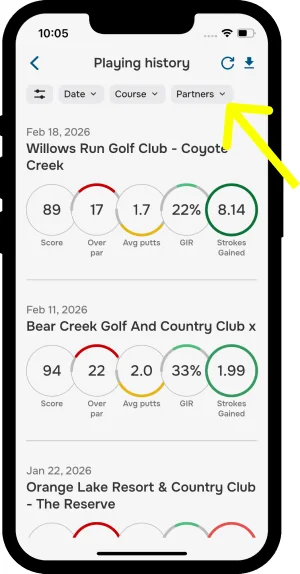
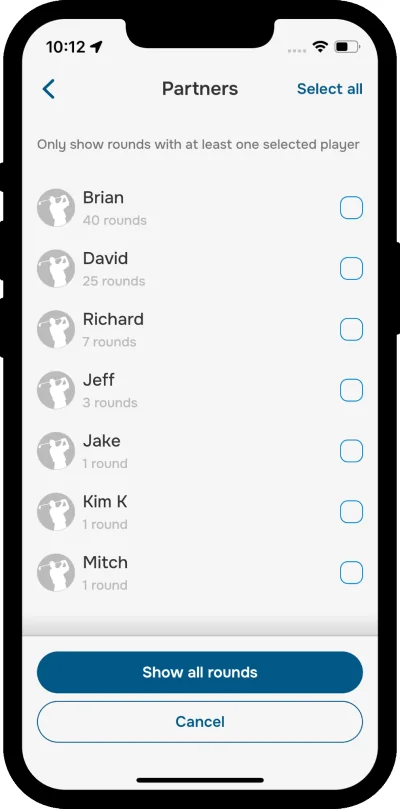
Playing history with the Partners filter highlighted
Partners filter
Partners filter with a list of golfers to select
Select golfers

Filter by holes played

Want to see only your full rounds, or just your 9-hole outings? Tap the Holes Played filter and choose 9 holes, 18 holes, or Any.

Advanced filtering

Tap the Filters icon to open all available filters and combine them for a faster, more personalized search experience.
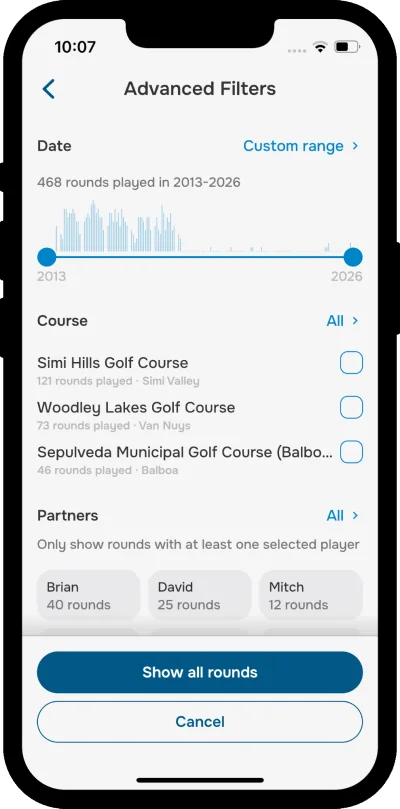
Advanced filters screen with date, course and partners
All filters
Was this article helpful?
Thank you for your feedback!

Sorry we couldn’t help

Tell us what was wrong, and our support team will look into it.

What was wrong?

Thank you! Your submission has been received!
Oops! Something went wrong while submitting the form.
advanced-filters-in-the-playing-history
during-a-round
getting-started
August 31, 2026

Didn’t find an answer?

Send us a message and our support team will reply by email.

Contact support
Data source for the script: all help articles (for More in…). Hidden on the live page.