No items found.

Golf Pad Events is the free golf tournament management platform that syncs with the Golf Pad app for live tournament scoring.
The Events button is where golfers can manage all upcoming tournaments, view details, start scoring, and eventually join nearby events!
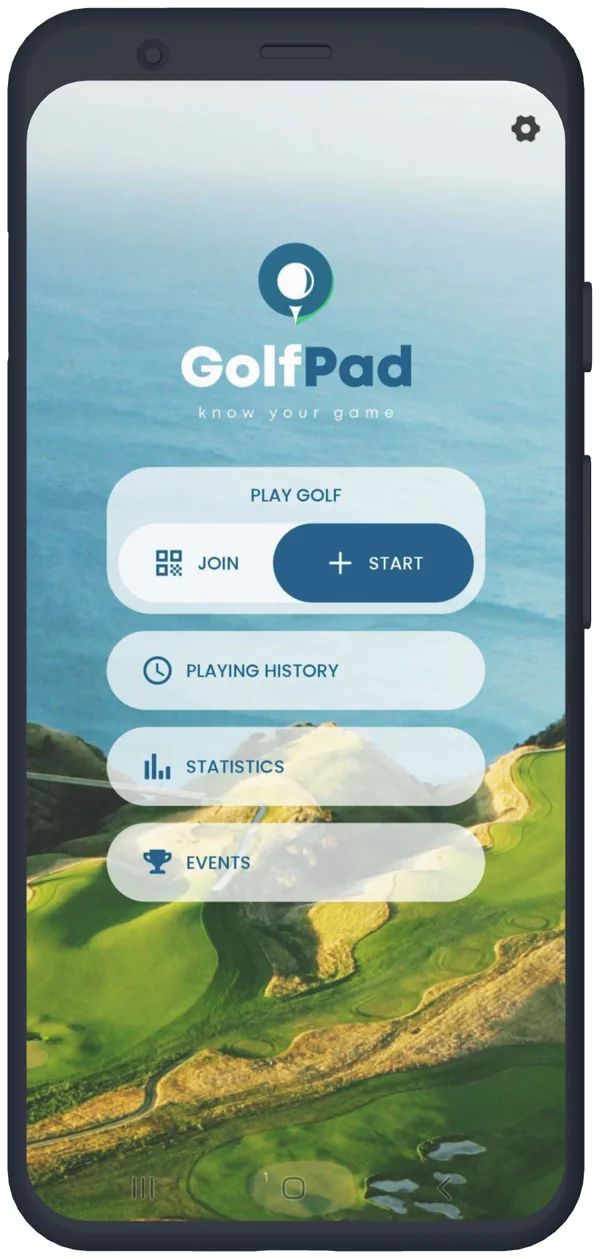
Right now the Events button appears when you have accepted an invite for an upcoming Golf Pad Events tournament. On the right side of the button a number will display indicating the number of upcoming tournaments.
Within you will find your events list where you can manage upcoming and access past events.
We understand that not all golfers play in tournaments. So, if the Events button is unused by you and you'd prefer it removed from your home screen, you can do just that.
Navigate to Preferences -> Golf Pad Events here you will see the screen below.
On this screen is an option to slide off the enabling of Events. This will remove the button from your app home screen. Rest assured, if you decide to use this feature in the future you can return to turn it on, or accepting an Events invite from a tournament organizer will automatically turn this on and return the button to your home screen.
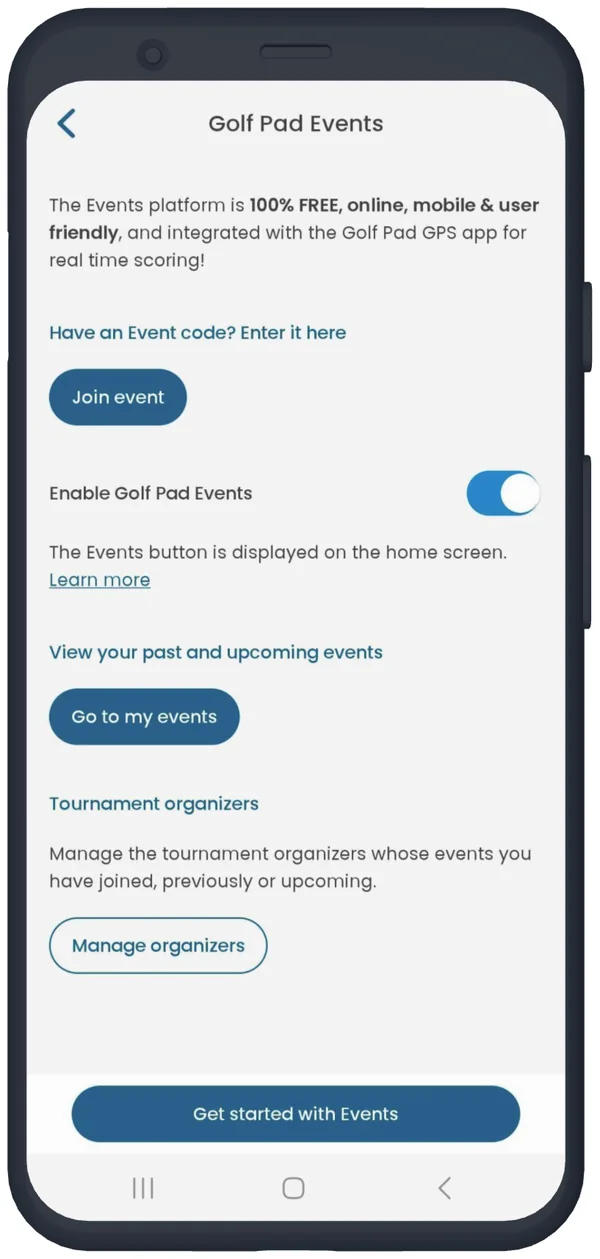
There is also an option here to manage the organizers whose tournaments you've previously played in. If you've played in one or two events but prefer not to see or join upcoming events for a particular organizer, you can hide them from your view. Tap Manage Organizers -> you will see a list of previous organizers -> tap hide next to their name, and you will no longer see their events listed.
Learn more about Golf Pad Events and setting up your tournament today!


Subscribe for early access to promotions, feature announcements & more.