Help Center
›
Golf Pad Click
›
About Golf Pad Click

Golf Pad Click: About, Setup & Pairing

Meet Golf Pad Click! Golf Pad Click is a small Bluetooth button that connects to the Golf Pad app and lets you control it hands-free while you play. With one press you can hear your distances, get AI advice, or track your shots - through your phone speaker, earbuds, or any connected Bluetooth speaker - without taking your phone out of your pocket. Think of it as your remote control for a smarter on-course experience.

What you'll need
  • The Golf Pad app installed
  • Bluetooth turned on
  • Your Golf Pad Click nearby
  • A way to hear audio (phone speaker, earbuds, or Bluetooth speaker)

Pair your Golf Pad Click

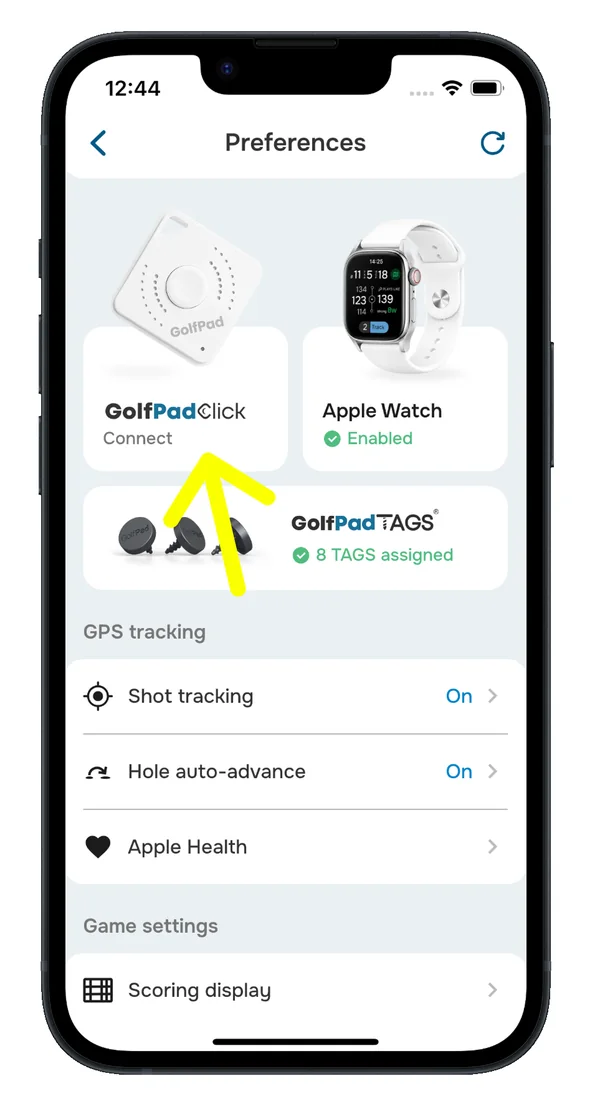
  1. Open Preferences > Golf Pad Click.
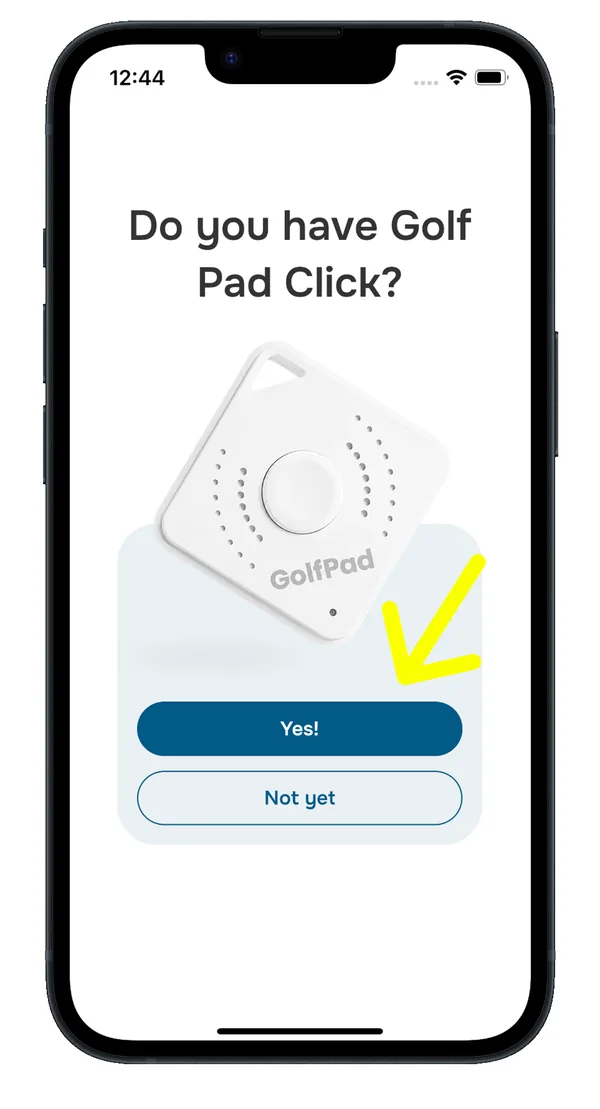
  2. When asked “Do you have Golf Pad Click?”, tap Yes.
  3. If prompted, allow Bluetooth access.
  4. Press and hold the button on your Golf Pad Click so the app can discover it.
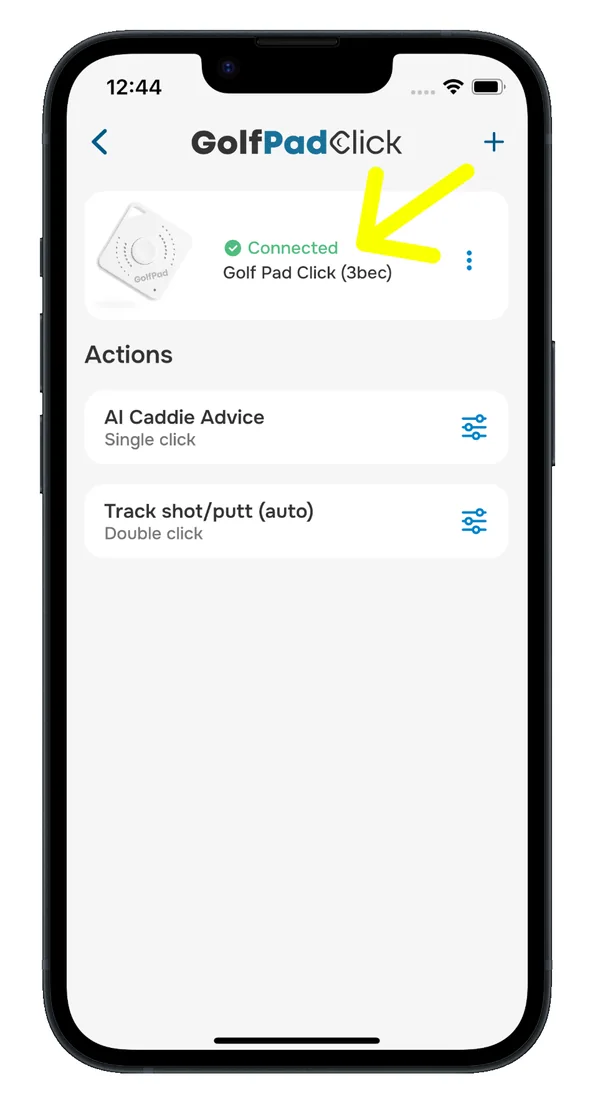
  5. Your device should now show a Connected status.
Golf Pad app Preferences screen with the Golf Pad Click tile highlighted
Step 1. Preferences > Golf Pad Click
Do you have Golf Pad Click? prompt with the Yes button
Step 2. Tap Yes
Golf Pad Click settings showing the Connected status
Step 5. Connected

Next steps

Was this article helpful?
Thank you for your feedback!

Sorry we couldn’t help

Tell us what was wrong, and our support team will look into it.

What was wrong?

Thank you! Your submission has been received!
Oops! Something went wrong while submitting the form.
golf-pad-click-about-setup-pairing
about-golf-pad-click
golf-pad-click
October 26, 2026

Didn’t find an answer?

Send us a message and our support team will reply by email.

Contact support
Data source for the script: all help articles (for More in…). Hidden on the live page.