Help Center
›
App features
›
Shot Tracking

How Do I Change the Lie Type of My Shot in Golf Pad?

Here are simple steps to select or edit lie types for your shots when using Golf Pad.

Does Golf Pad auto-detect lie type?

Yes for fairway and left/right rough.

No for sand, recovery, or other — these must be selected manually.

Why should I track lie types for all shots?

Tracking lie types for all shots lets the app generate much more accurate Strokes Gained statistics.

Here's how to select lie types.

You'll make your selection after tapping on "Track shot" at the bottom menu.
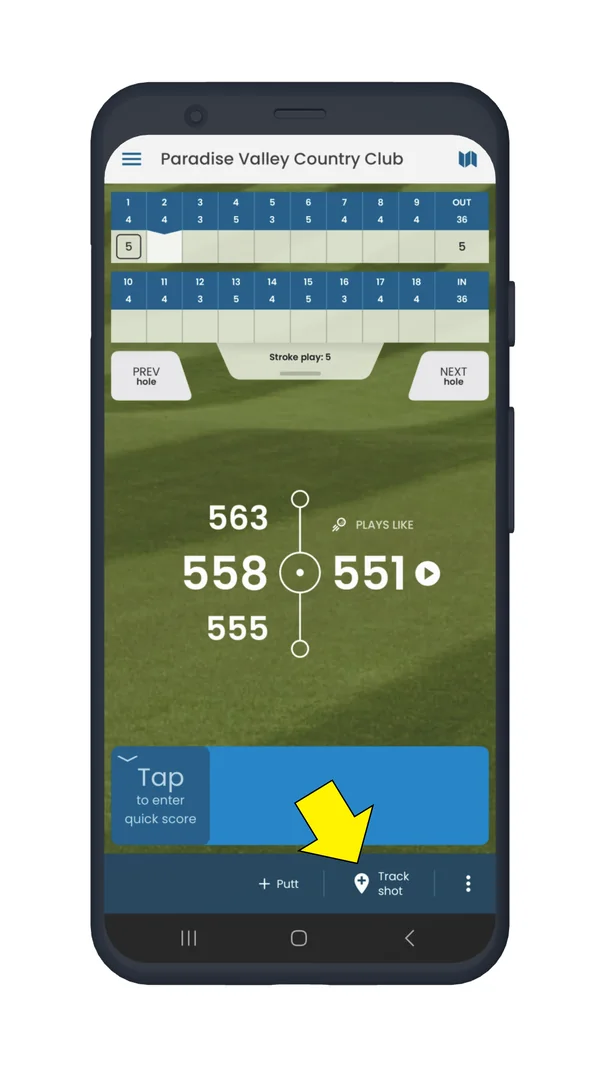
Golf Pad hole screen with Track shot in the bottom menu highlighted

Select the club and lie type for your shot.
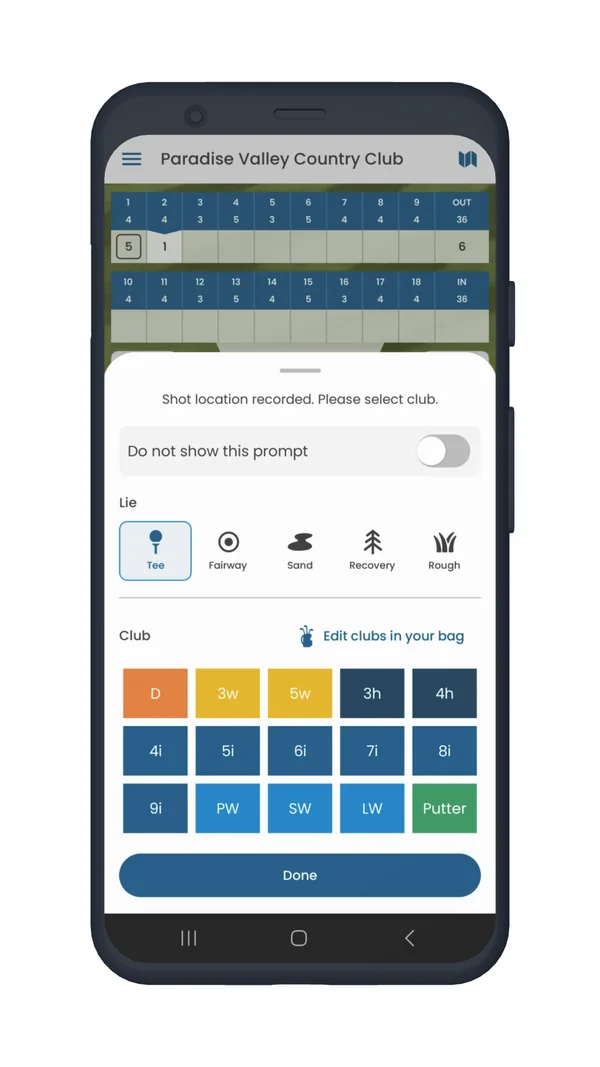
Golf Pad prompt to select the lie type and club for a shot

Note

For putts specifically, see here.

Was this article helpful?
Thank you for your feedback!

Sorry we couldn’t help

Tell us what was wrong, and our support team will look into it.

What was wrong?

Thank you! Your submission has been received!
Oops! Something went wrong while submitting the form.
how-do-i-change-the-lie-type-of-my-shot-in-golf-pad
shot-tracking
app-features
September 11, 2025

Didn’t find an answer?

Send us a message and our support team will reply by email.

Contact support
Data source for the script: all help articles (for More in…). Hidden on the live page.