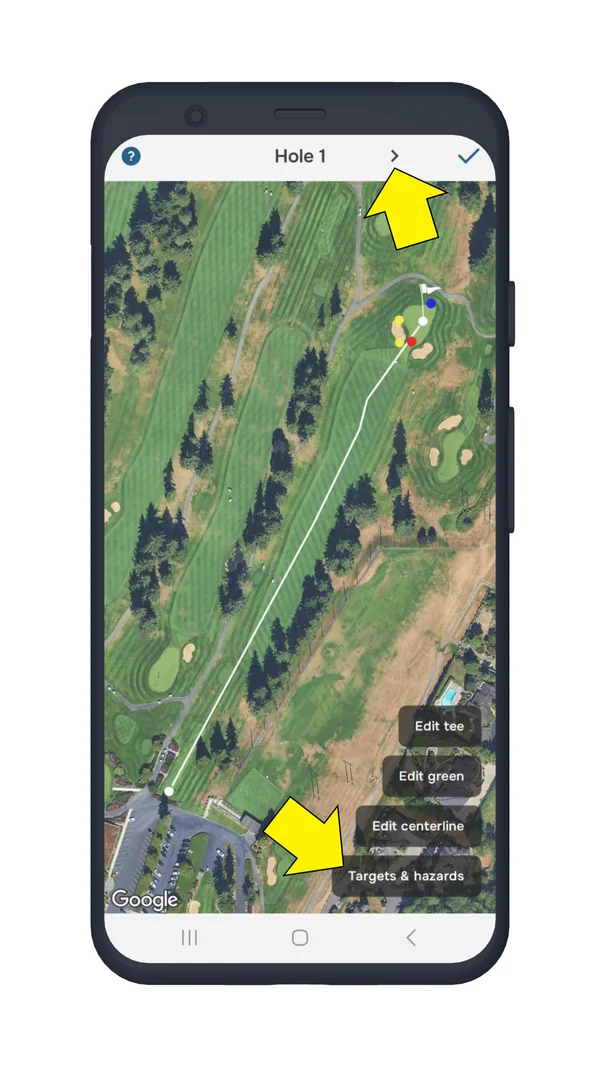
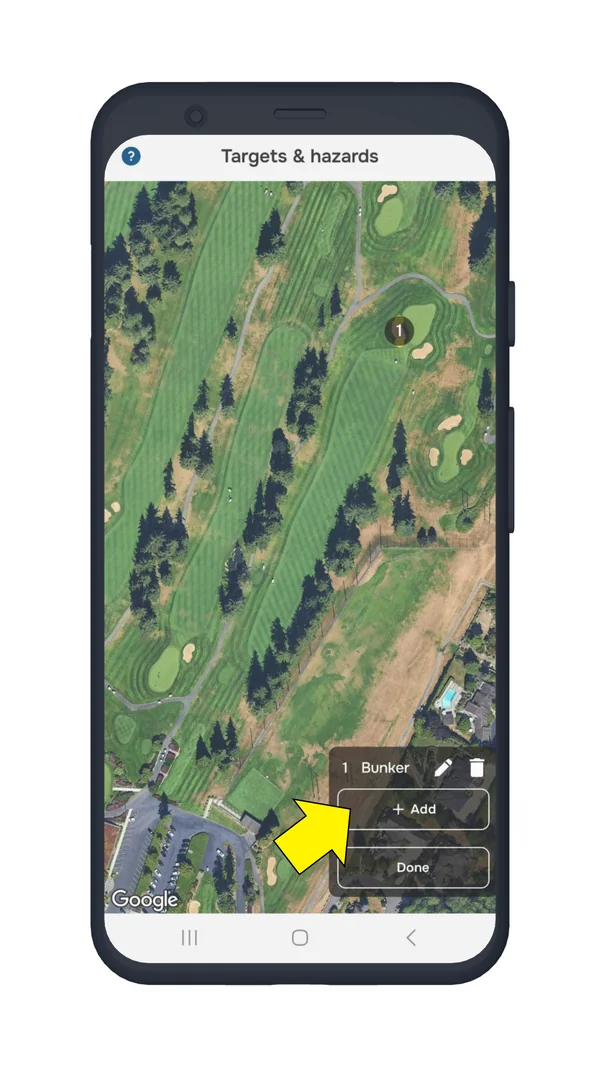
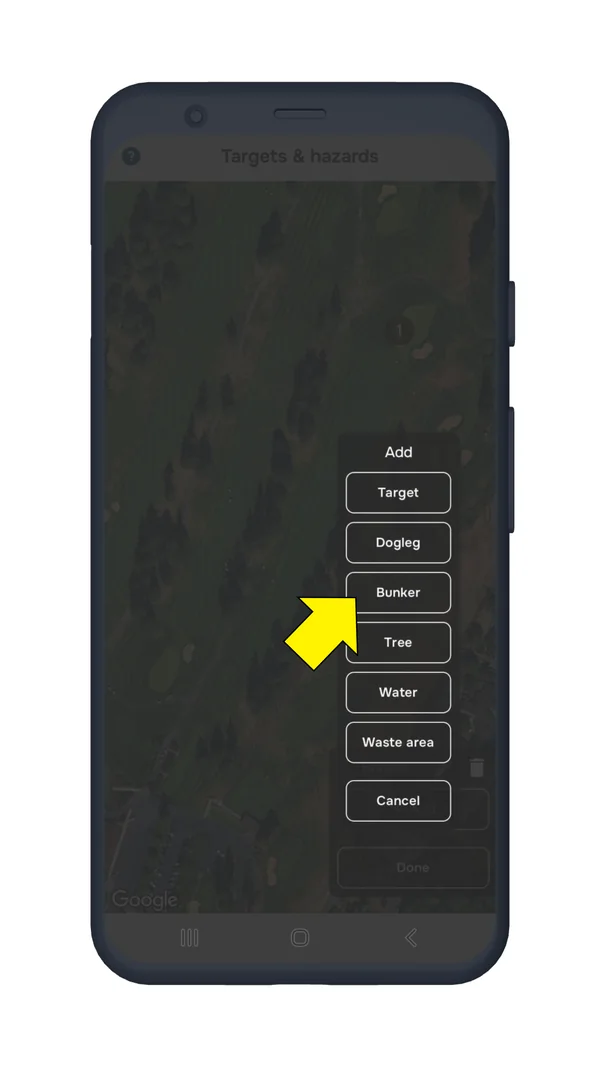
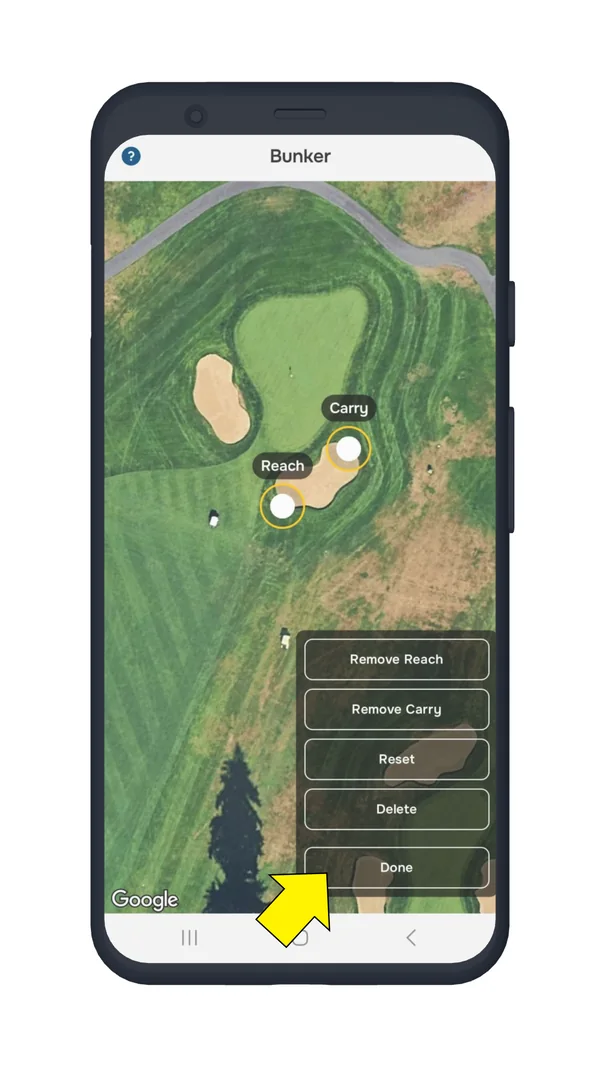
Adding hazards to the course map helps improve accuracy and ensures a better golfing experience. You can easily add hazards while playing a round.
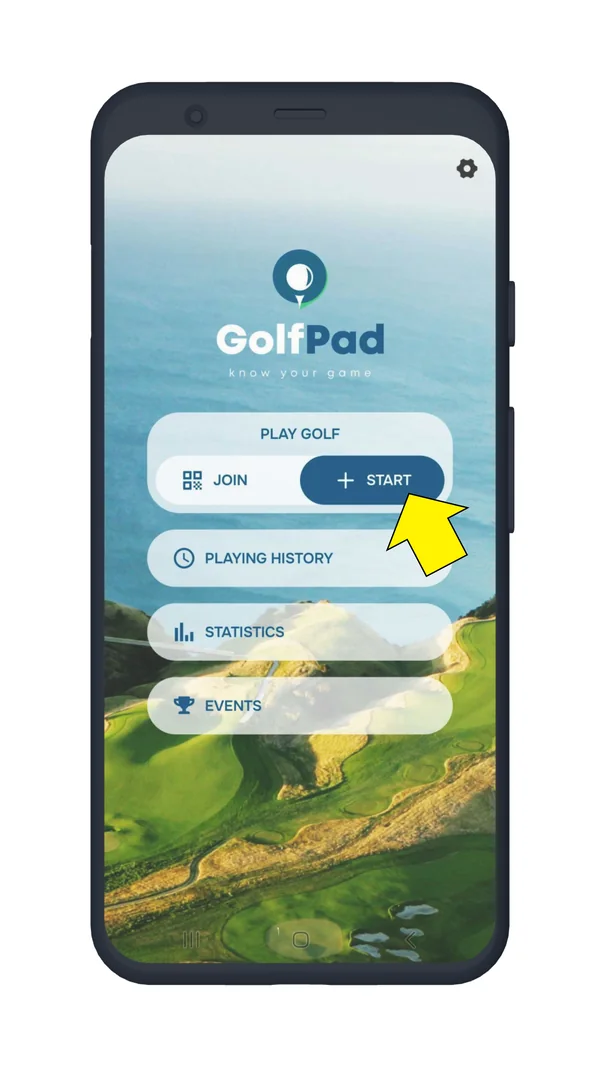
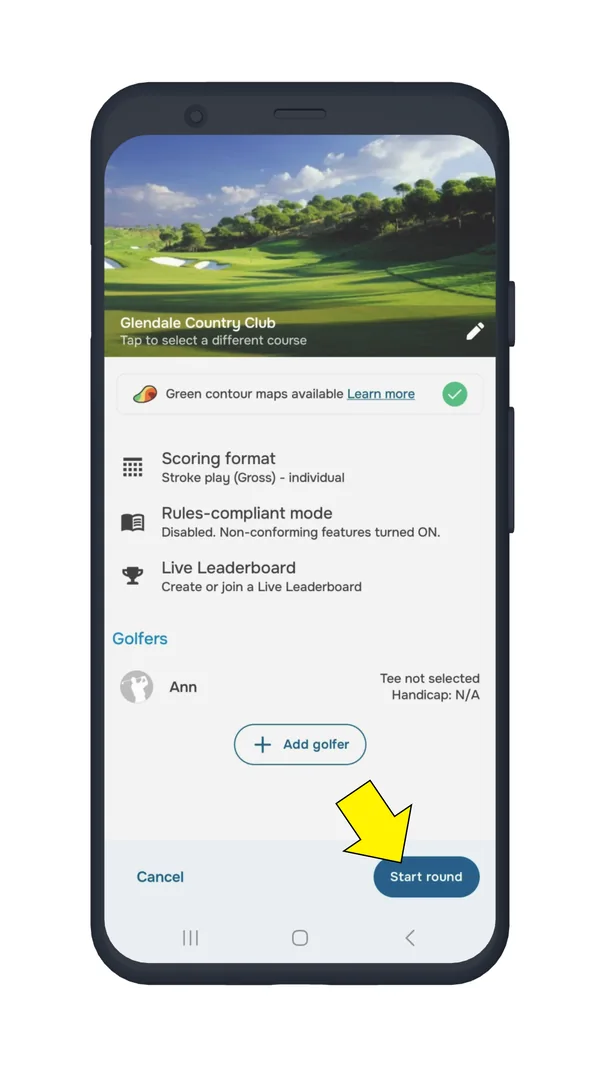
Start a round on your home course.
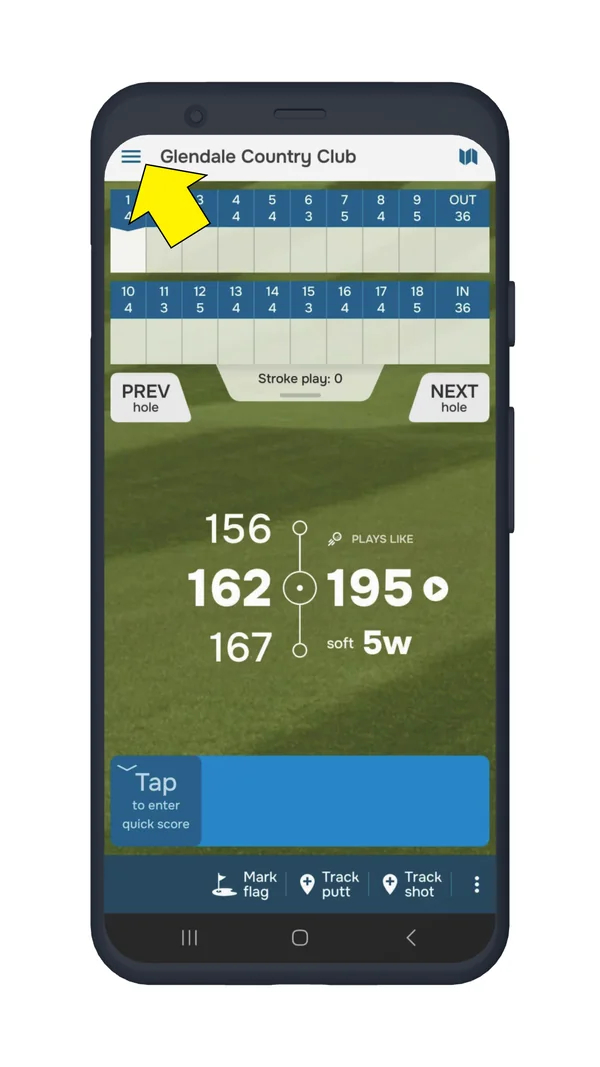
Tap the menu button in the upper left corner.
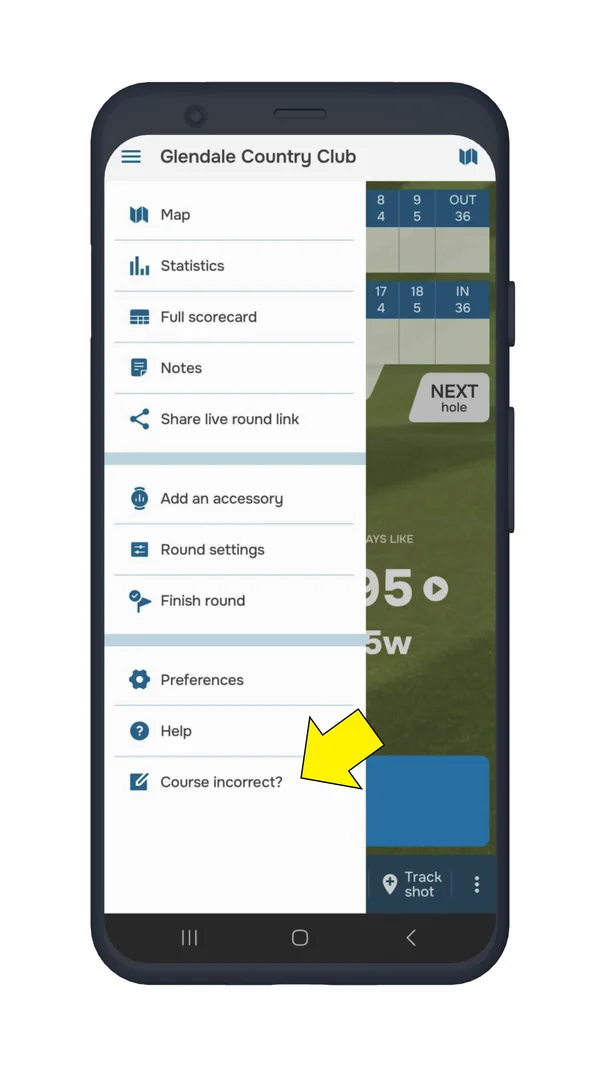
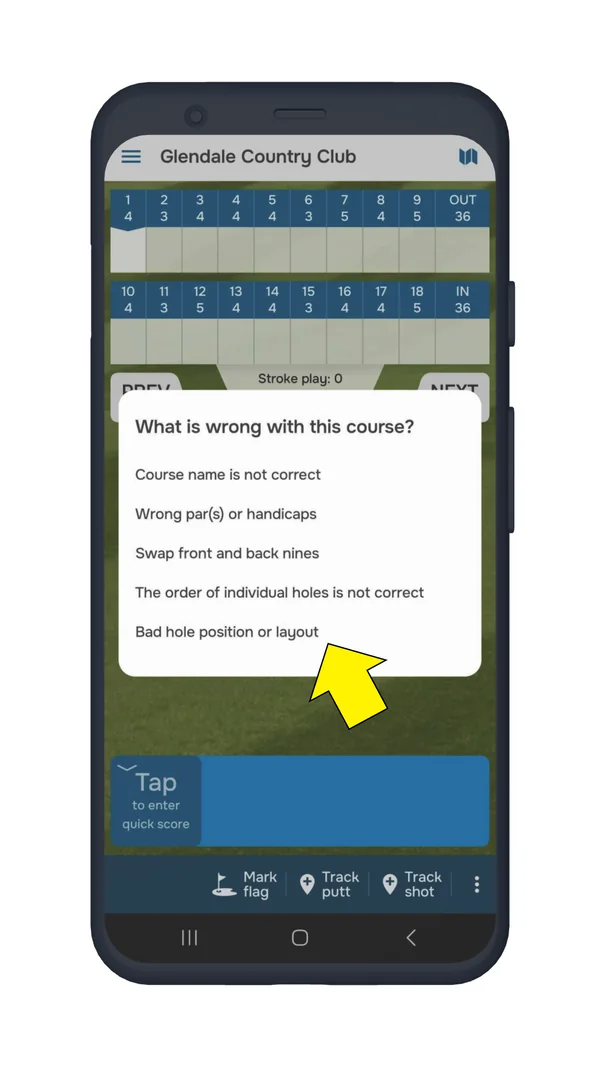
Select "Course incorrect" > "Bad hole position or layout".
Select a hole and tap "Targets & hazards".
Tap "+ Add" and select a hazard type.
Save the changes.
Step 1. Tap + StartStep 1. Start roundStep 2. Open the menuStep 3. Course incorrect?Step 3. Bad hole position or layoutStep 4. Targets & hazardsStep 5. Tap + AddStep 5. Select a hazard typeStep 6. Save the changes
What happens next?
Your added hazards will be immediately available to you for shot tracking.
Our team will review your changes and update the course information in the main database.
Once approved, the hazard will be visible to all Golf Pad users playing that course.