Help Center
›
Golf Pad TAGS
›
Using Golf TAGS

How to Assign a Custom Action Like Adding Penalty or Marking Flag for TAGS?

Add penalty, record sand or mark flag position directly with TAGS, without using the phone!
How to configure

  • Open Golf Pad preferences in the upper right of the start screen.
  • Next, select Golf Pad TAGS, make sure Golf Pad TAGS settings are enabled.
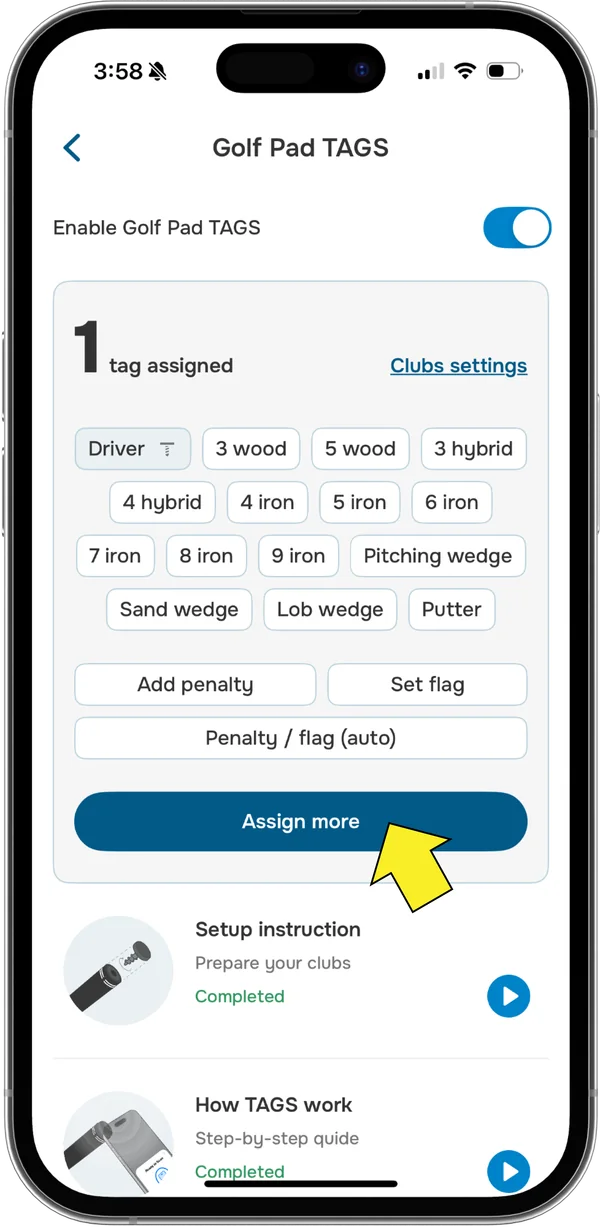
  • Tap "Assign more" and scan a TAG.
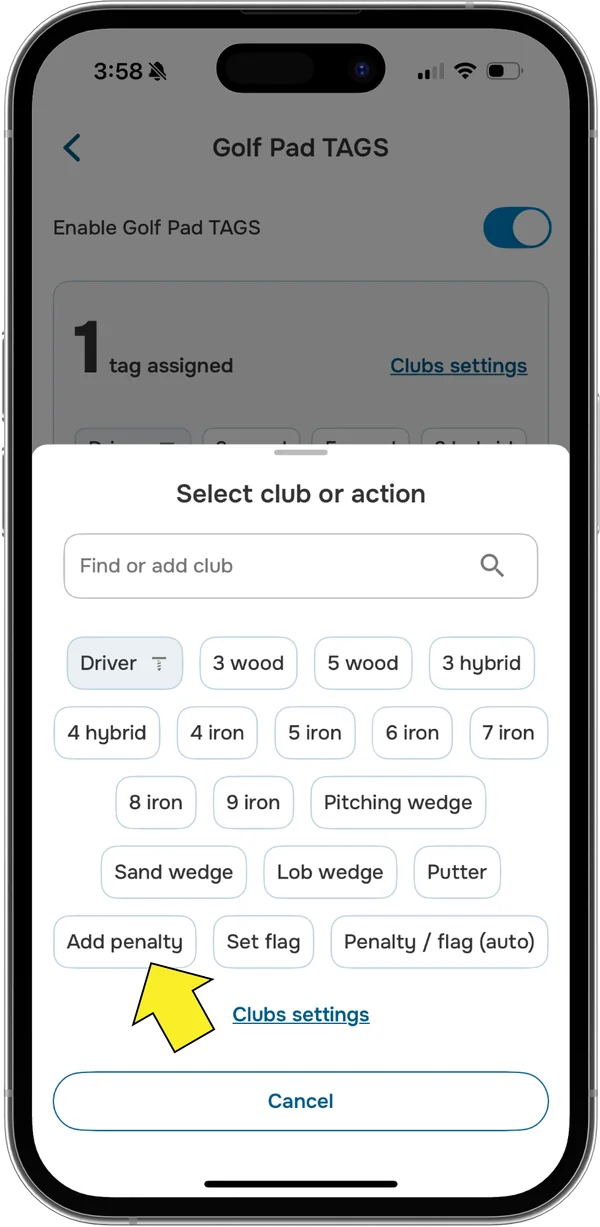
  • Select one of the options from the list.
Golf Pad TAGS settings on iPhone with Assign more highlighted
Golf Pad Select club or action list on iPhone with Add penalty highlighted

How to use

Just scan a TAG with a phone during the round to perform the custom action you've chosen.

What does penalty / flag (auto) do?

This feature uses your location on the course to determine which action. If you are on the green, the flag will be marked, otherwise, a penalty will be added.

Troubleshooting and feedback

Please contact us and we'll be happy to help!

Was this article helpful?
Thank you for your feedback!

Sorry we couldn’t help

Tell us what was wrong, and our support team will look into it.

What was wrong?

Thank you! Your submission has been received!
Oops! Something went wrong while submitting the form.
how-to-assign-a-custom-action-like-adding-penalty-or-marking-flag-for-tags
using-golf-tags
golf-pad-tags
June 1, 2026

Didn’t find an answer?

Send us a message and our support team will reply by email.

Contact support
Data source for the script: all help articles (for More in…). Hidden on the live page.