Help Center
›
Golf Pad Click
›
About Golf Pad Click

How to Attach and Wear Golf Pad Click

Golf Pad Click comes with a clip so you can keep it within easy reach throughout your round - your phone can stay in your pocket.
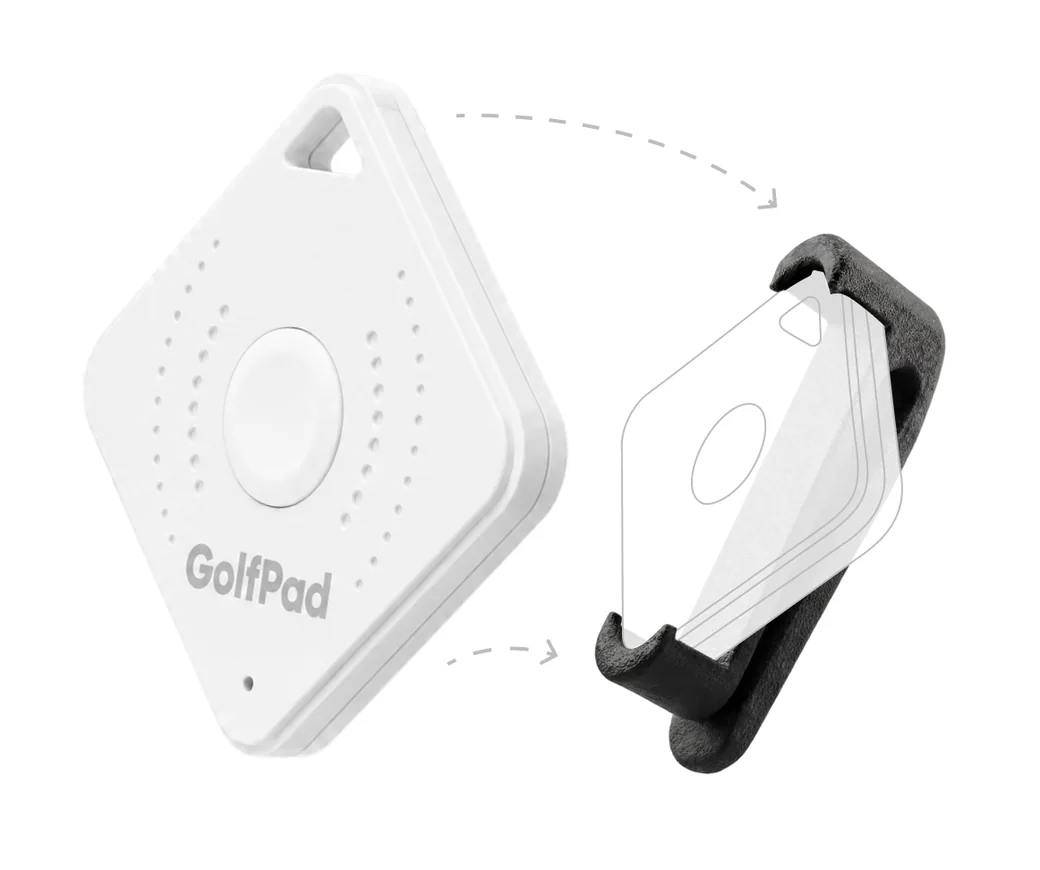
Golf Pad Click sliding into its clip holster

What's included

  1. Your Golf Pad Click - the white button device.
  2. A clip holster - the rubber clip your Click slides into.

Attaching your Click

  1. Slide your Golf Pad Click into the included clip holster until it's seated securely.
  2. Clip it onto your belt, waistband, pocket, or bag - wherever the button is easy to reach.
  3. Prefer a lanyard? Use the lanyard hole in the top corner of the Click to attach a lanyard or keyring.

On the course

Position the Click where you can comfortably reach the button. A single or double press triggers your assigned action - hear your distances, get AI Caddie Advice, or track your shots - all announced through your connected audio device, without taking your phone out.

Was this article helpful?
Thank you for your feedback!

Sorry we couldn’t help

Tell us what was wrong, and our support team will look into it.

What was wrong?

Thank you! Your submission has been received!
Oops! Something went wrong while submitting the form.
how-to-attach-and-wear-golf-pad-click
about-golf-pad-click
golf-pad-click
October 26, 2026

Didn’t find an answer?

Send us a message and our support team will reply by email.

Contact support
Data source for the script: all help articles (for More in…). Hidden on the live page.