Help Center
›
General
›
Golf Pad account

How to Change the Email or Password on My Golf Pad Account?

How to change my social media log in to email/password credentials or update my email address?

This article explains how to update the email address on your Golf Pad account, merge accounts and/or change your password.

Here are the steps to change your account credentials (how you log in to the Golf Pad app).
  1. Open the app.
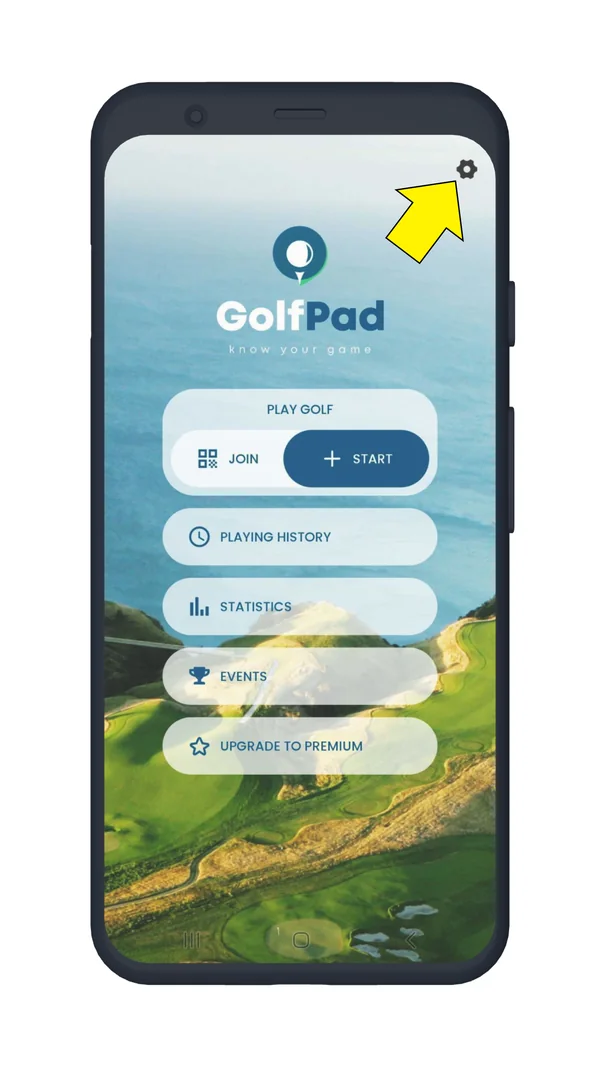
  2. Go to Golf Pad Preferences (gear icon in upper right of the start screen).
  3. Select User profile > Manage account > Change account.
Golf Pad start screen with the preferences icon highlighted
Open Preferences
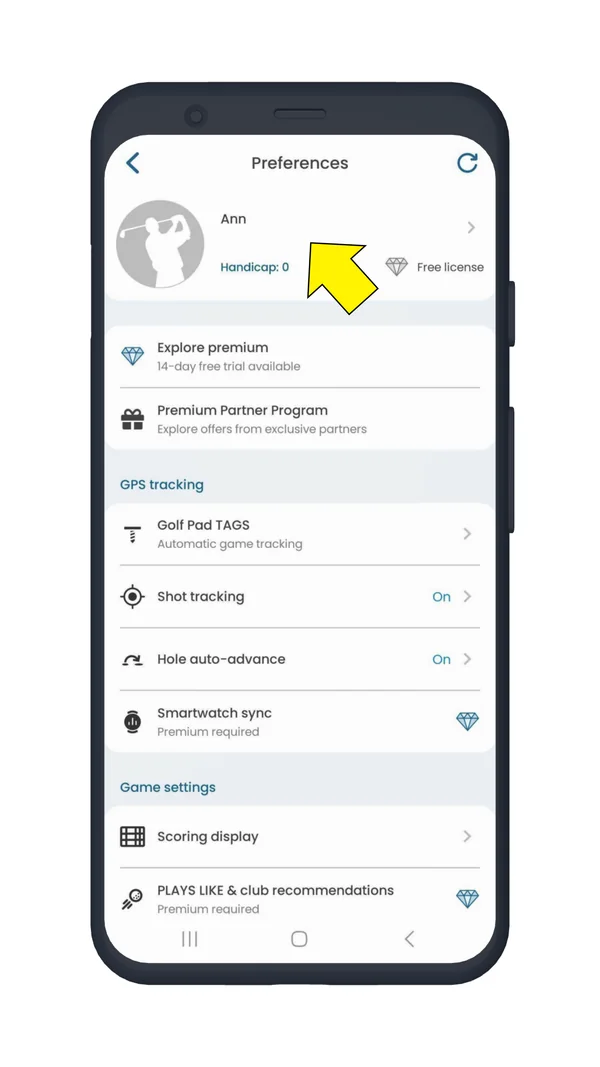
Preferences screen with the user profile highlighted
Open User profile
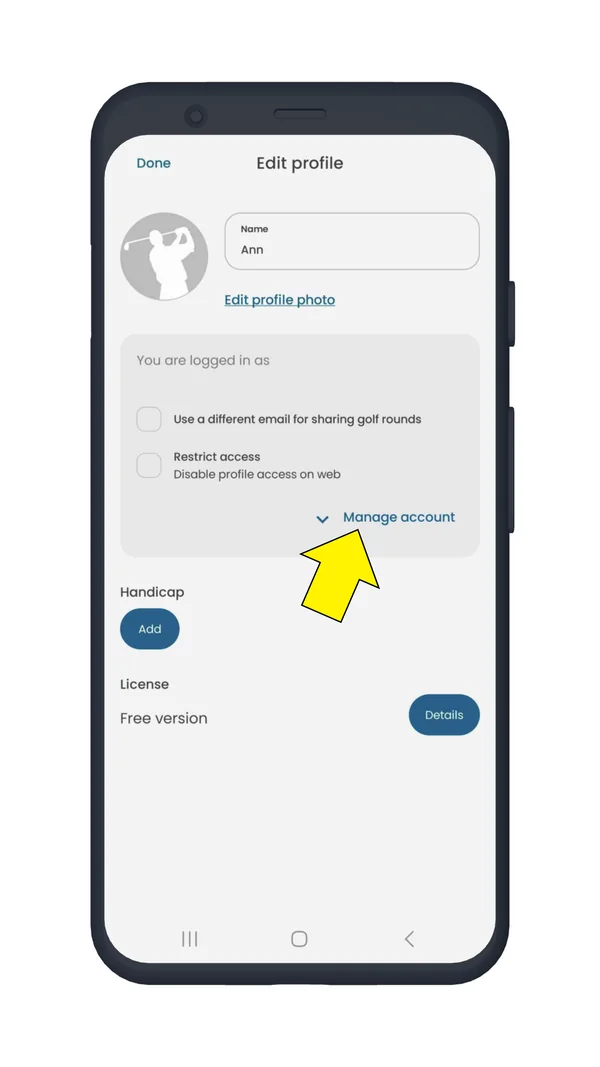
Edit profile screen with Manage account highlighted
Tap Manage account
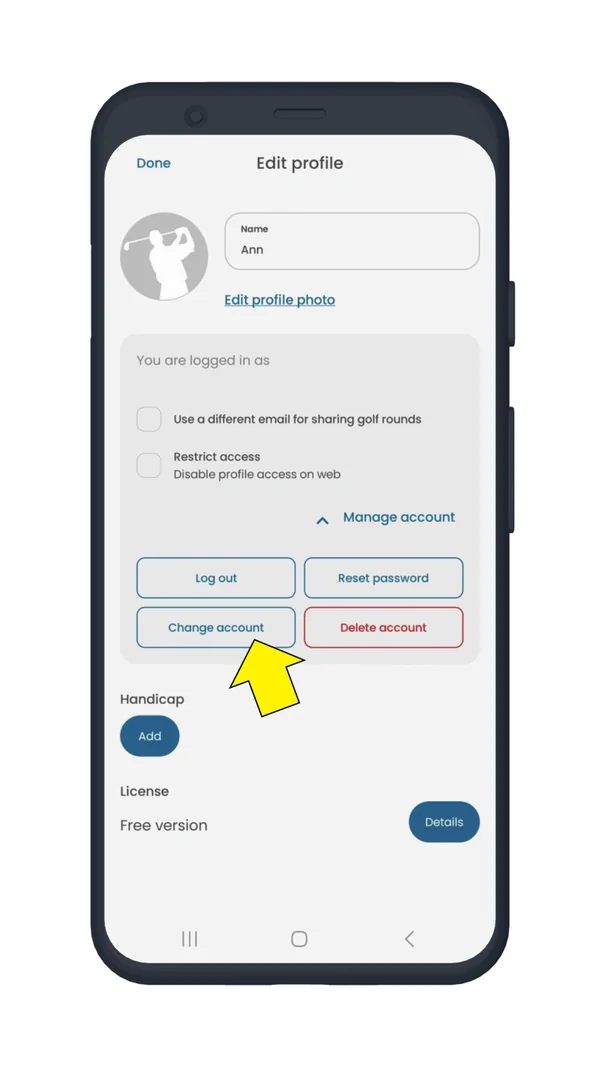
Edit profile screen with the Change account button highlighted
Tap Change account
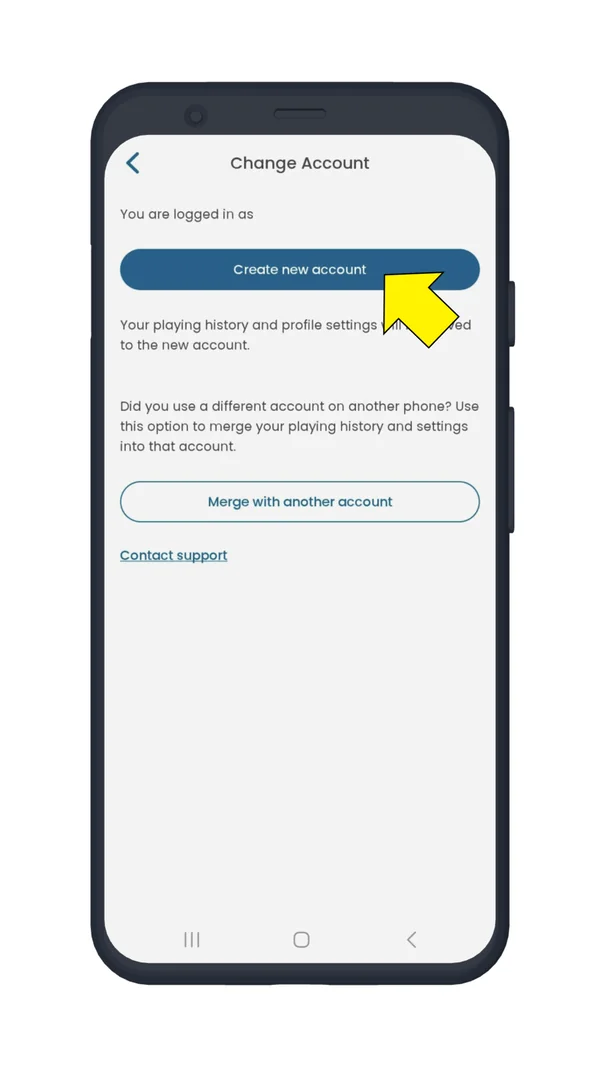
Change account screen with Create new account and Merge with another account
Choose an option
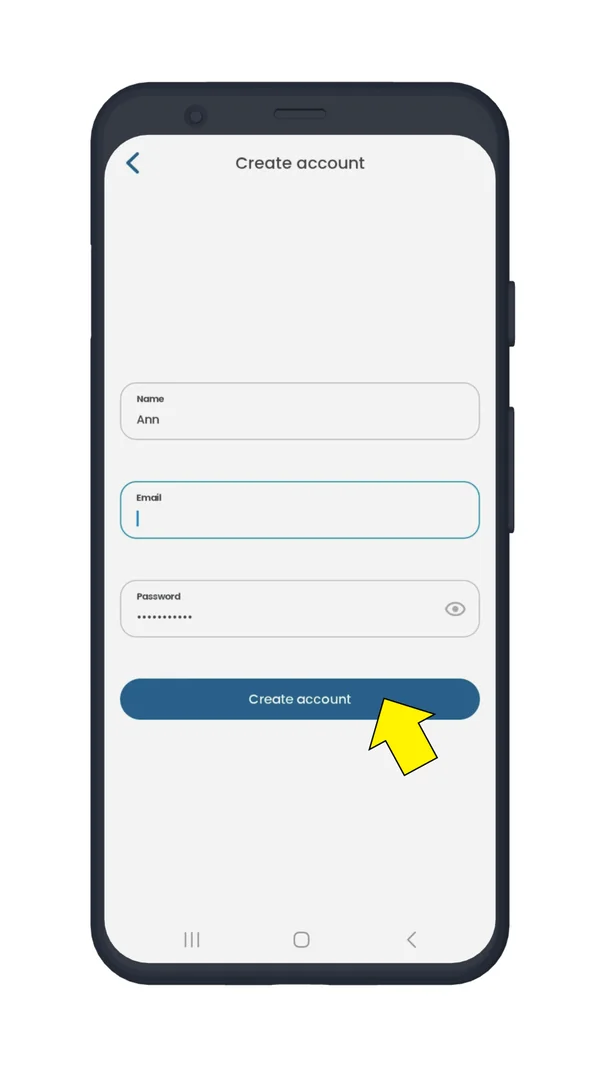
Create account screen for the new email and password
Create New Account

There are two options

Choose Create New Account to create a new email and password combination. Your playing history, preferences and premium status will be transferred into the new account automatically.

Choose Merge with Another Account to transfer your playing history, preferences and Premium status into an existing Golf Pad account. This option may be useful if you used two different accounts on different devices and want to combine everything together.

How do I change my Golf Pad password?

If you just want to change the password on your account without changing the email, navigate to https://dashboard.golfpadgps.com/login/ and tap 'Forgot password'. You will receive an email with a special link to reset your password online. If you don't receive an email, your account may be using a different email. Check this under Preferences > User profile. If you can't access your User Profile, please contact support for help.

Any questions? Click here to contact us.

Was this article helpful?
Thank you for your feedback!

Sorry we couldn’t help

Tell us what was wrong, and our support team will look into it.

What was wrong?

Thank you! Your submission has been received!
Oops! Something went wrong while submitting the form.
how-to-change-the-email-or-password-on-my-golf-pad-account
golf-pad-account
general
April 10, 2026

Didn’t find an answer?

Send us a message and our support team will reply by email.

Contact support
Data source for the script: all help articles (for More in…). Hidden on the live page.