Help Center
›
Getting Started with GolfPad
›
Getting a Round Started

How to Delete a Player Permanently?

To remove a player from your golfers' list, follow these steps:

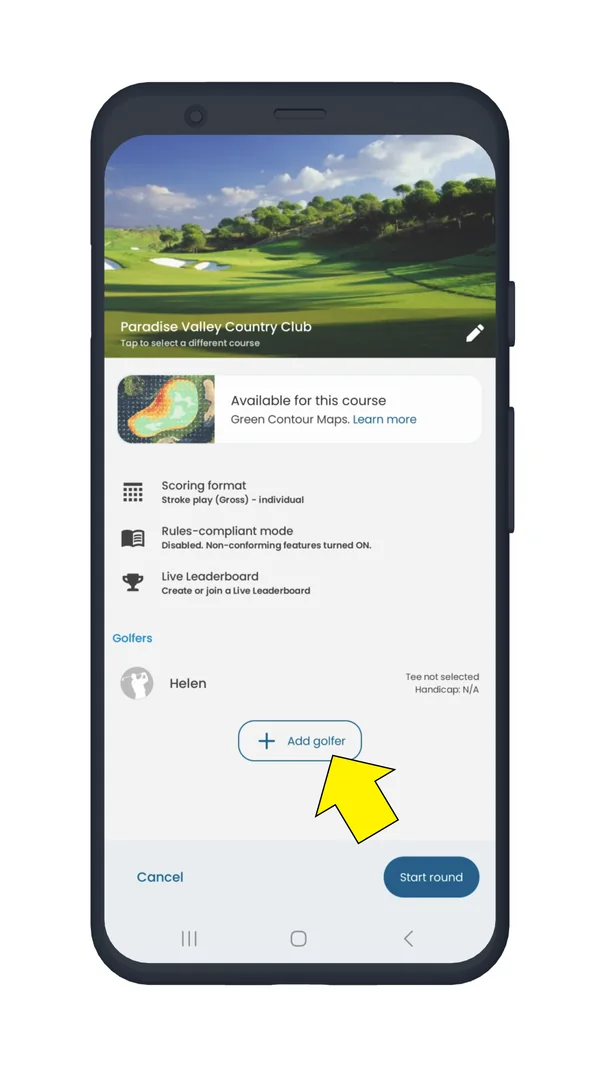
  • Add this player to a round
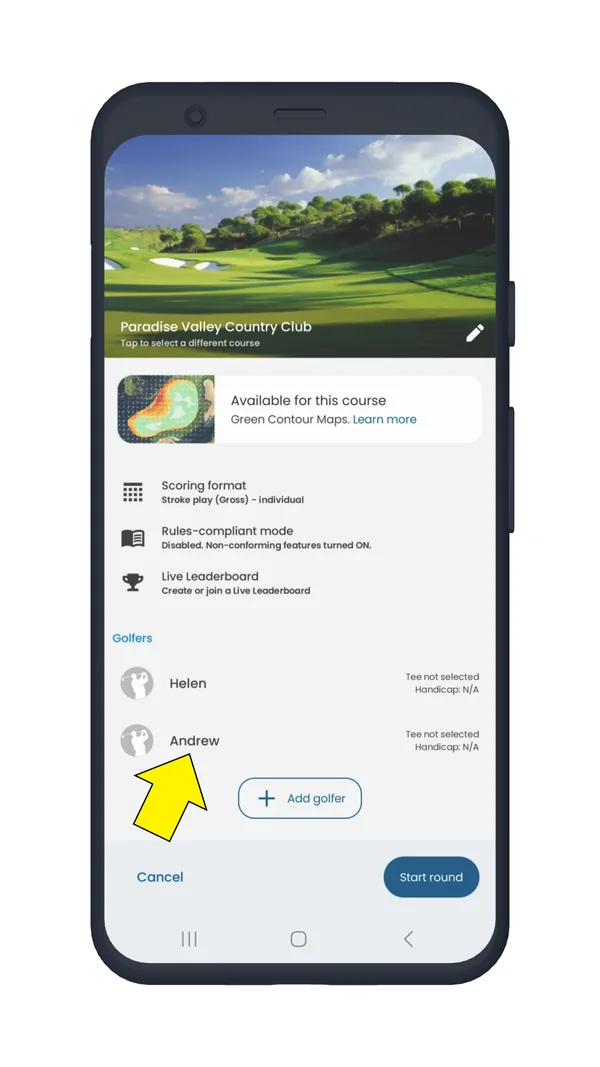
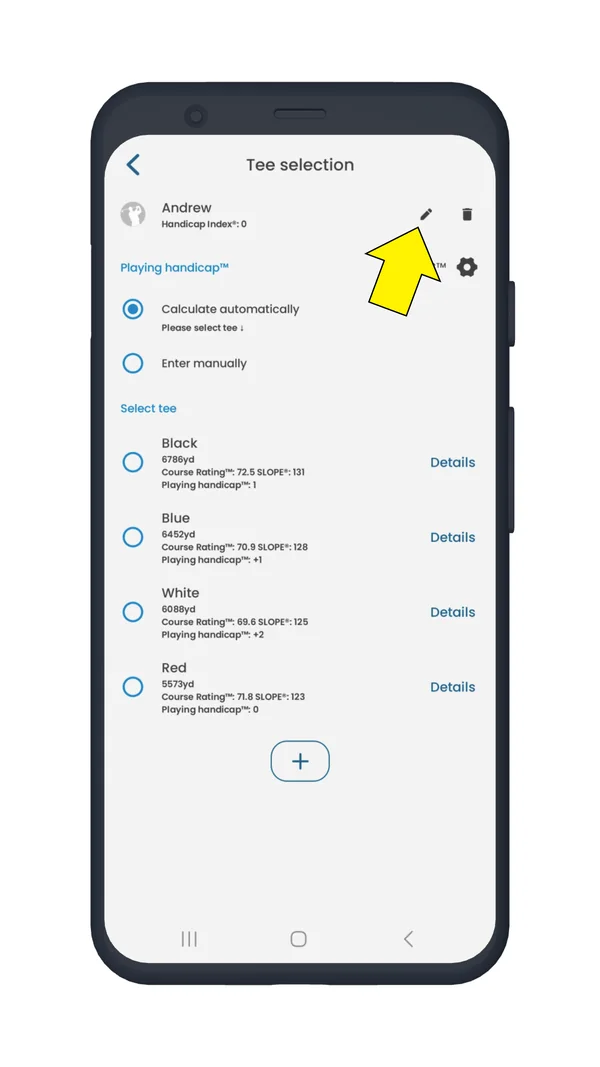
  • Tap on the player’s name to open their details
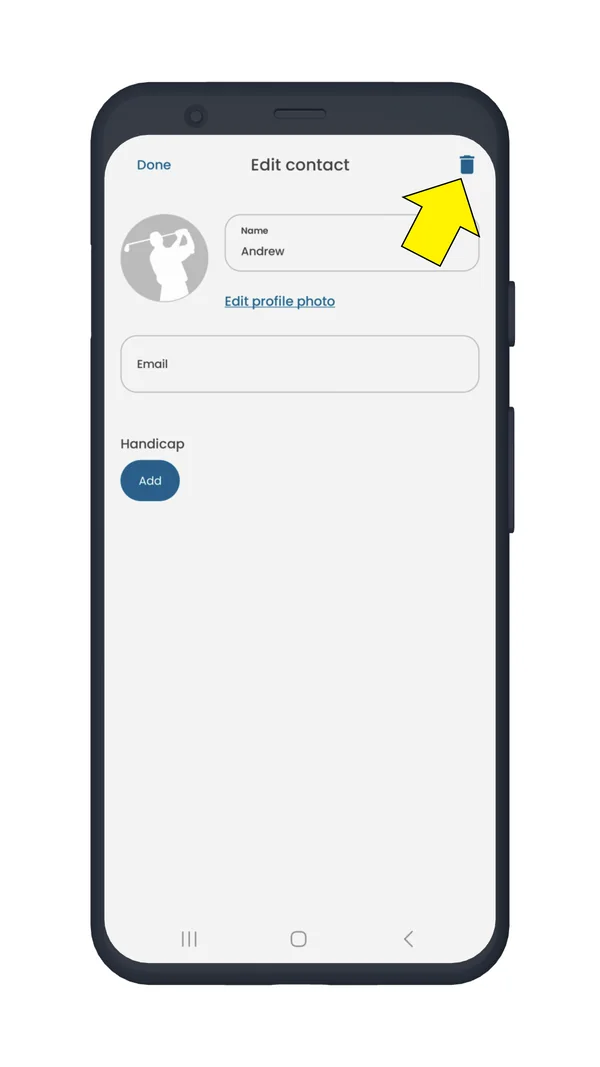
  • Delete the contact by tapping the bin (trash) icon to remove the contact permanently
Round settings screen with the Add golfer button highlighted
Add the player to a round
Round settings screen with a player name highlighted
Tap the player’s name
Tee selection screen with the edit pencil next to the player name highlighted
Open the player’s details
Edit contact screen with the trash icon highlighted
Tap the bin icon

Once deleted, the player will no longer appear in your golfers' list.

Was this article helpful?
Thank you for your feedback!

Sorry we couldn’t help

Tell us what was wrong, and our support team will look into it.

What was wrong?

Thank you! Your submission has been received!
Oops! Something went wrong while submitting the form.
how-to-delete-a-player-permanently
getting-a-round-started
getting-started
September 10, 2025

Didn’t find an answer?

Send us a message and our support team will reply by email.

Contact support
Data source for the script: all help articles (for More in…). Hidden on the live page.