Help Center
›
General
›
Golf Pad account

How to Delete My Golf Pad Account?

If you want to permanently delete your Golf Pad account, follow these steps:
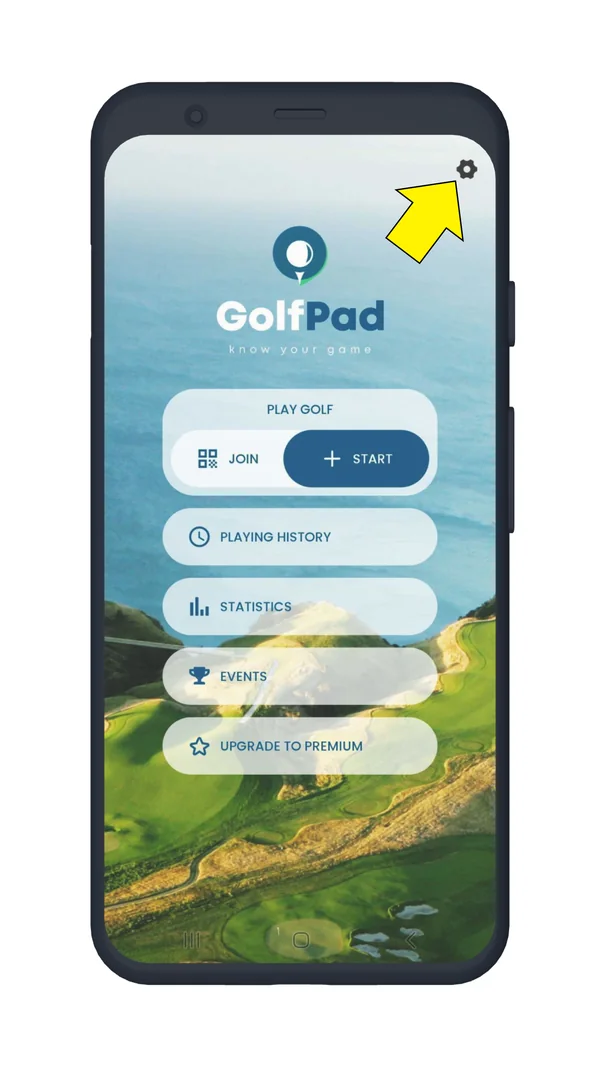
  1. Open Golf Pad on your phone and tap the "Preferences" icon in the upper right corner.
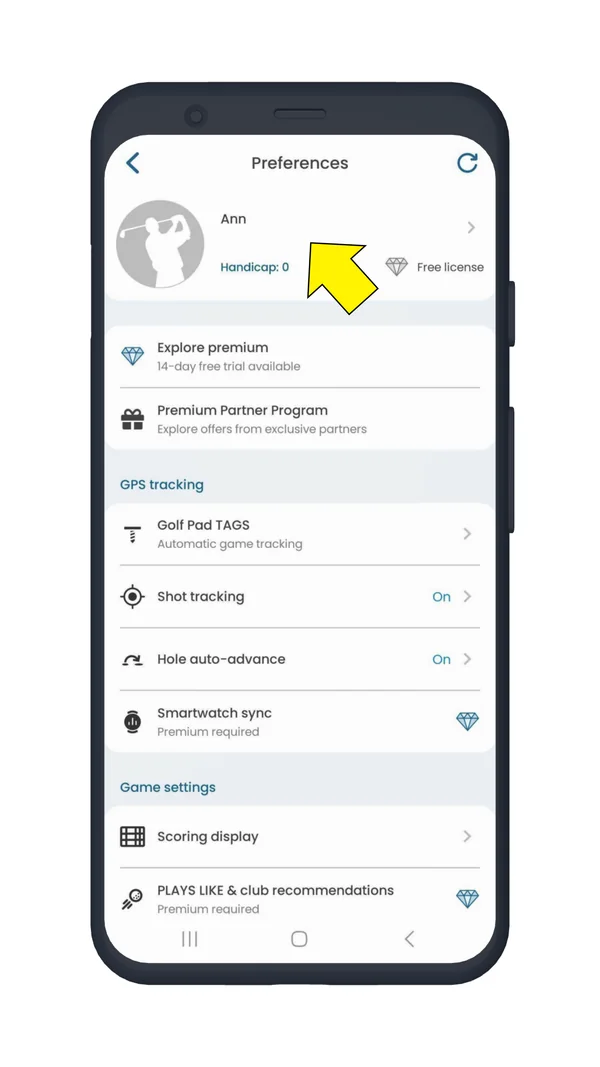
  2. Open User profile.
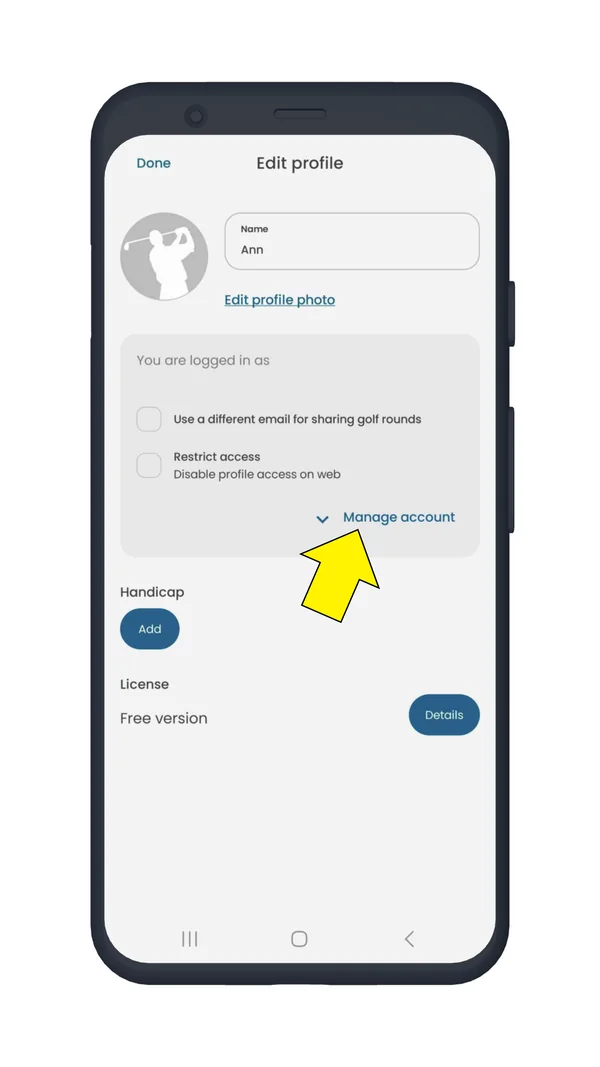
  3. Tap "Manage account".
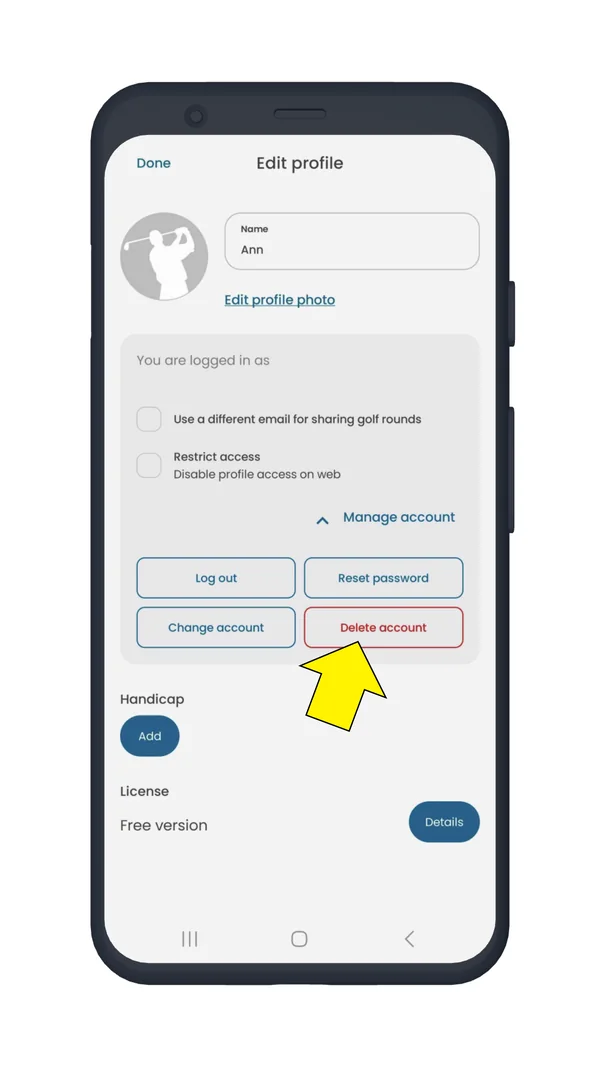
  4. Select the "Delete account" option.
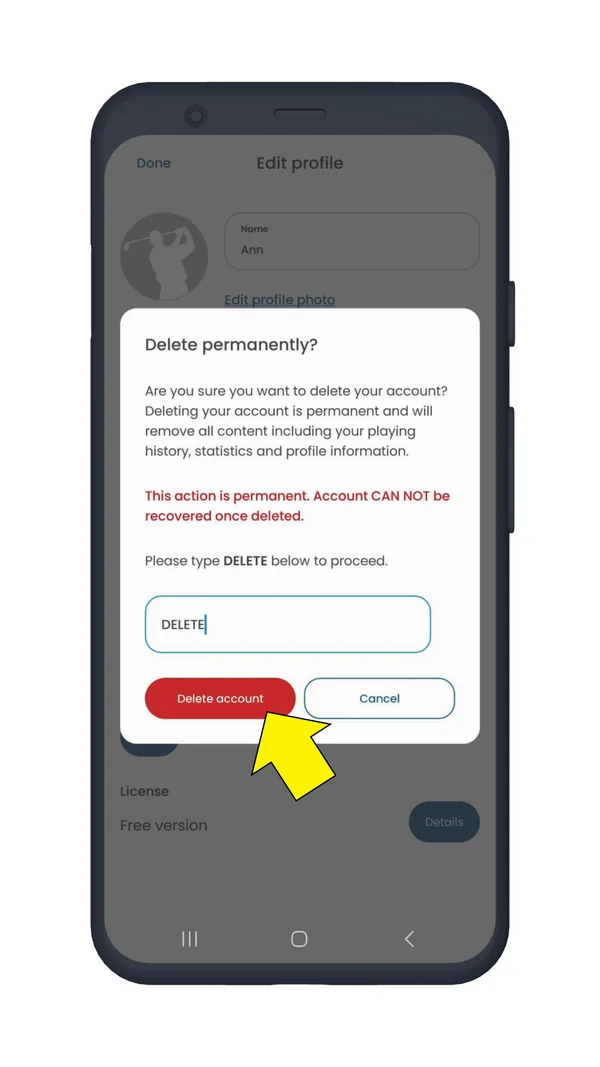
  5. Type DELETE when prompted, then confirm by tapping DELETE ACCOUNT.
Golf Pad start screen with the preferences icon highlighted
Step 1. Tap the Preferences icon
Preferences screen with the user profile highlighted
Step 2. Open User profile
Edit profile screen with Manage account highlighted
Step 3. Tap Manage account
Edit profile screen with the Delete account button highlighted
Step 4. Delete account
Delete permanently dialog with DELETE typed and the Delete account button highlighted
Step 5. Type DELETE and confirm

Once the deletion process is complete, the app will close automatically.

NOTE: This action is permanent – Your profile data, playing history, and statistics will be removed.

NOTE 2: If you're a Premium user, you must cancel your subscription before deleting your account, as account deletion does not automatically cancel your Premium license. See this article for details on canceling your subscription.

If you need any help deleting your account, feel free to contact us.

Was this article helpful?
Thank you for your feedback!

Sorry we couldn’t help

Tell us what was wrong, and our support team will look into it.

What was wrong?

Thank you! Your submission has been received!
Oops! Something went wrong while submitting the form.
how-to-delete-my-golf-pad-account
golf-pad-account
general
September 11, 2025

Didn’t find an answer?

Send us a message and our support team will reply by email.

Contact support
Data source for the script: all help articles (for More in…). Hidden on the live page.