No items found.

Golf Pad Events allows you to export competition & side game results along with the money list, in .CSV/Excel format. Follow the steps below once your event is completed and all scores have been entered.
Export results - On the scoring page there is an export drop down button. Select the results you would like to export and the file will begin downloading.
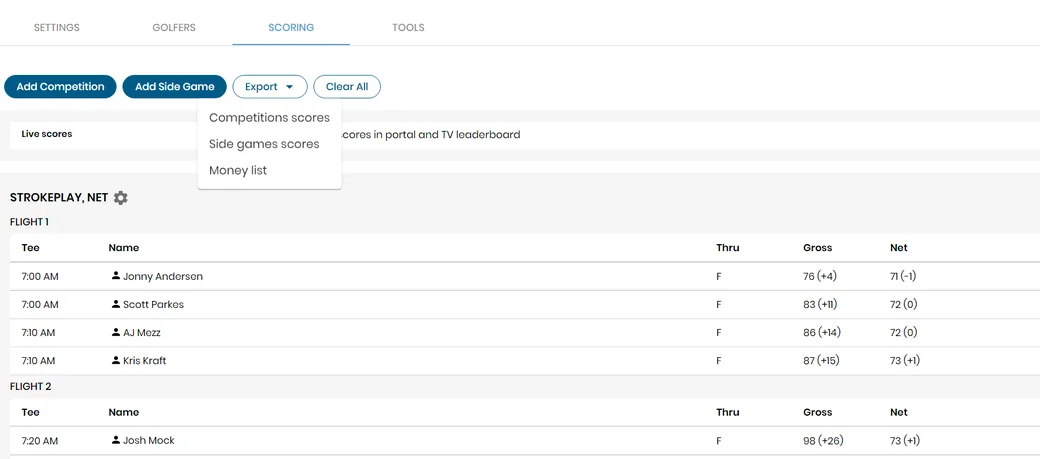
Export file - When you open the export document you will see the results listed by golfer.

You can now modify, sort, or store this information however it best suits you.
If you would like to learn how to export golfer information see this article.


Subscribe for early access to promotions, feature announcements & more.