Help Center
›
Golf Pad Premium
›
Premium subscription

How to Find My Order Number?

If you purchased a subscription via Google Play

Your subscription is linked to your Google Play Store account. Please send us the receipt from Google Play, which looks like this:
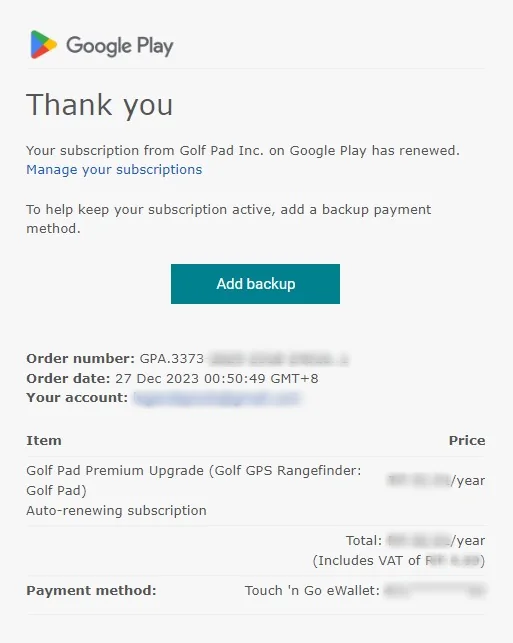
Google Play receipt email with the order number

We'll need the order number to locate your purchase. If you can't find the email, follow these steps:
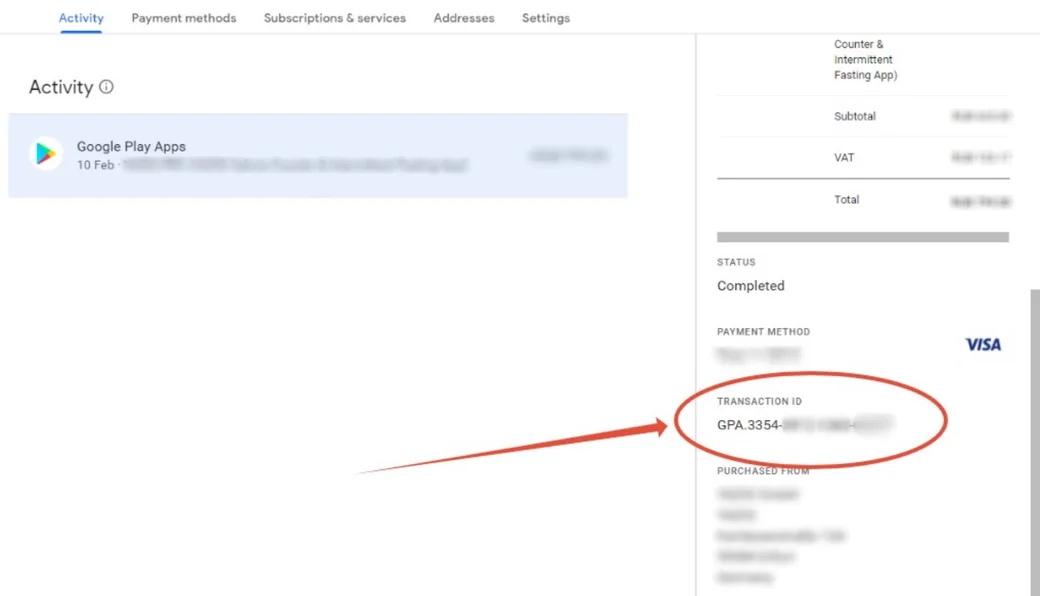
  1. Go to pay.google.com.
  2. Find "Activity".
  3. Click on Golf Pad subscription.
  4. On the right side, you'll see the transaction details.
  5. Scroll down until you see "Transaction ID".
  6. Send us the Transaction ID.
Google Pay activity with the transaction ID highlighted

If you purchased a subscription in the Golf Pad Player Dashboard

Please send us your receipt from Golf Pad GPS. We'll need either the receipt number or invoice number to locate your subscription.
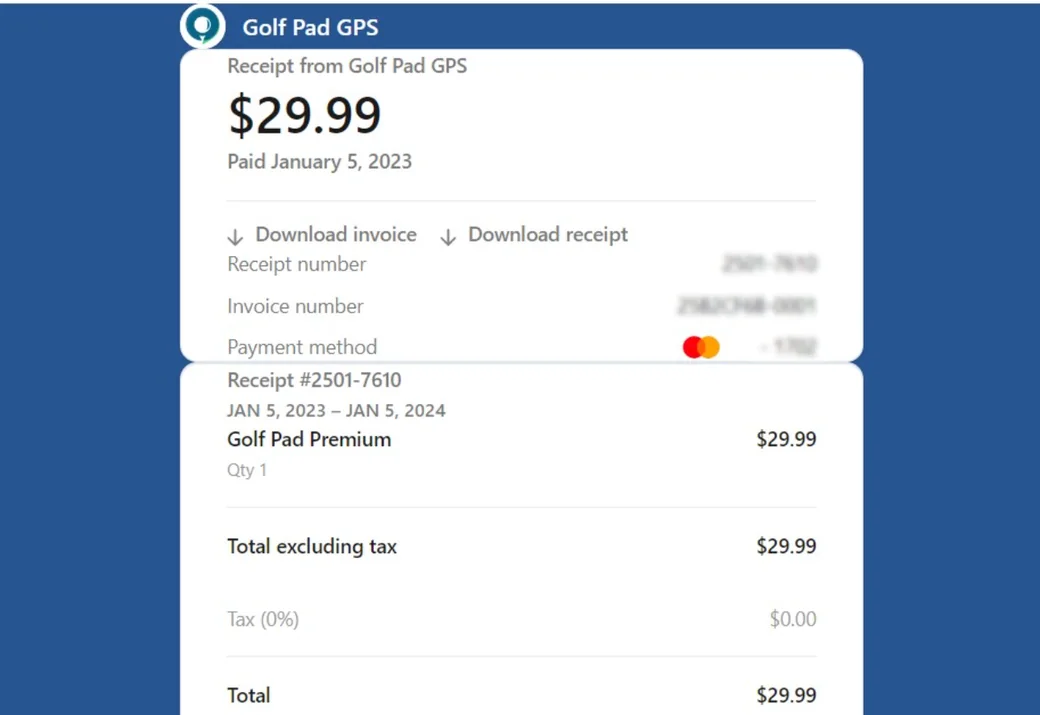
Golf Pad receipt with the receipt number and invoice number

If you purchased a subscription via Apple App Store

Subscriptions on your iOS device are managed through your Apple Account so only Apple has the ability to process refunds for this subscription. The only thing Apple provides us is the status and expiration date. Refunds are made at the discretion of Apple. Contact Apple to request a refund.

Was this article helpful?
Thank you for your feedback!

Sorry we couldn’t help

Tell us what was wrong, and our support team will look into it.

What was wrong?

Thank you! Your submission has been received!
Oops! Something went wrong while submitting the form.
how-to-find-my-order-number
premium-subscription
golf-pad-premium
September 11, 2025

Didn’t find an answer?

Send us a message and our support team will reply by email.

Contact support
Data source for the script: all help articles (for More in…). Hidden on the live page.