No items found.

When submitting a request for technical support, it’s important to include your Support ID. This unique identifier helps our support team quickly access information related to your Golf Pad account, allowing us to assist you more efficiently.
1. To locate your support ID, first click on the preferences icon as shown below.
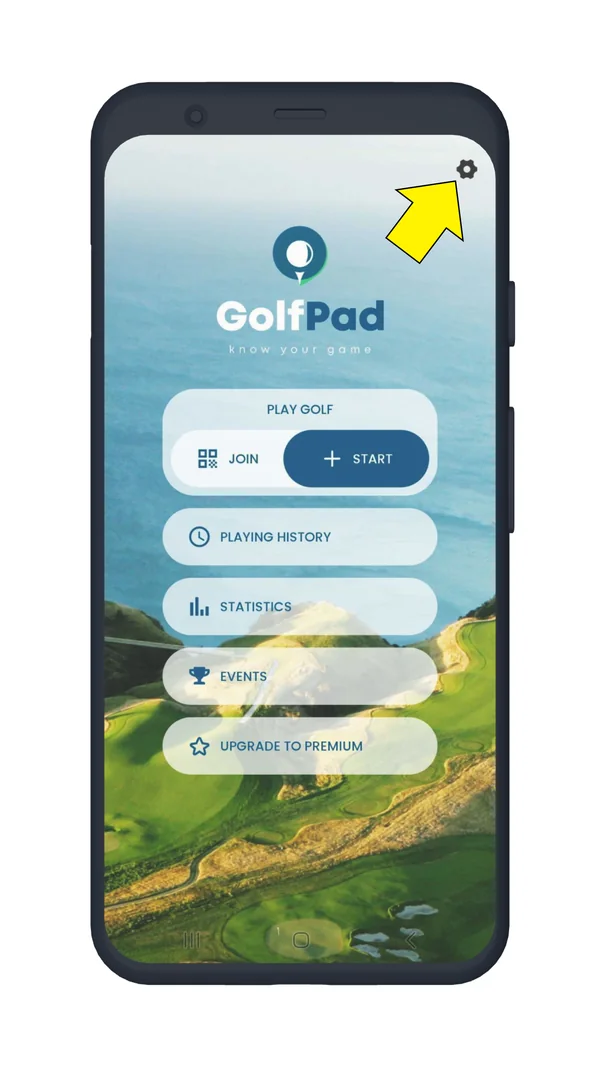
2. Scroll to the bottom of the preferences list. Please open "Help and support", you'll see your Support ID there.
3. Tap it and it will automatically be copied to your clipboard, so you can paste it into your email.


Subscribe for early access to promotions, feature announcements & more.