No items found.

Golf Pad Premium users can now access their USGA® Handicap Index® directly within the app, eliminating the need to switch between different platforms. The index will be updated automatically and always current. Follow the steps below to enter your USGA® Handicap ID to ensure you have instant access to your latest Handicap Index®.
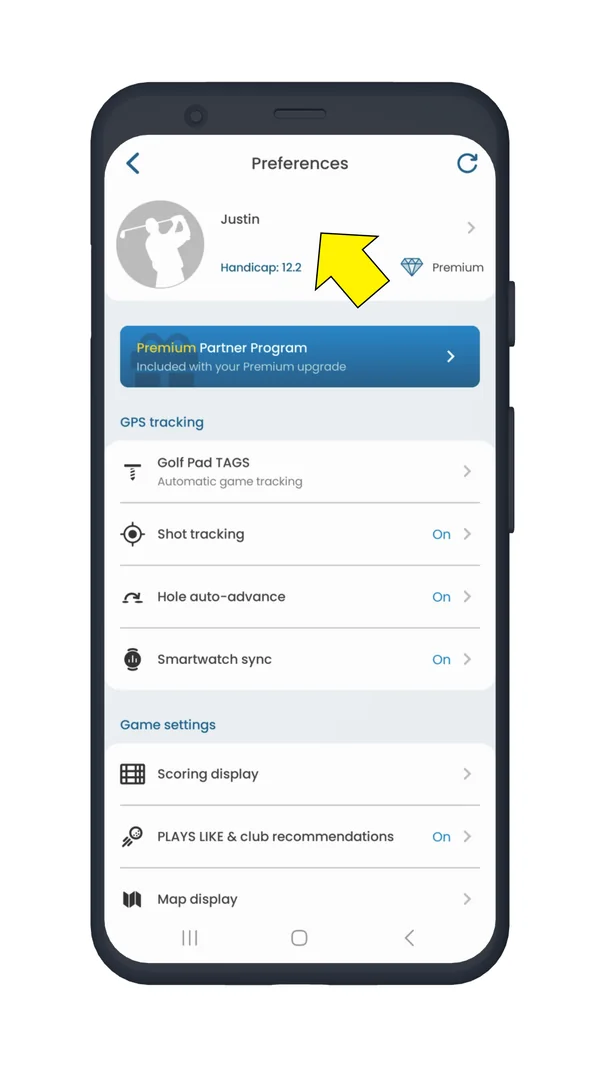
From preferences select User Profile.
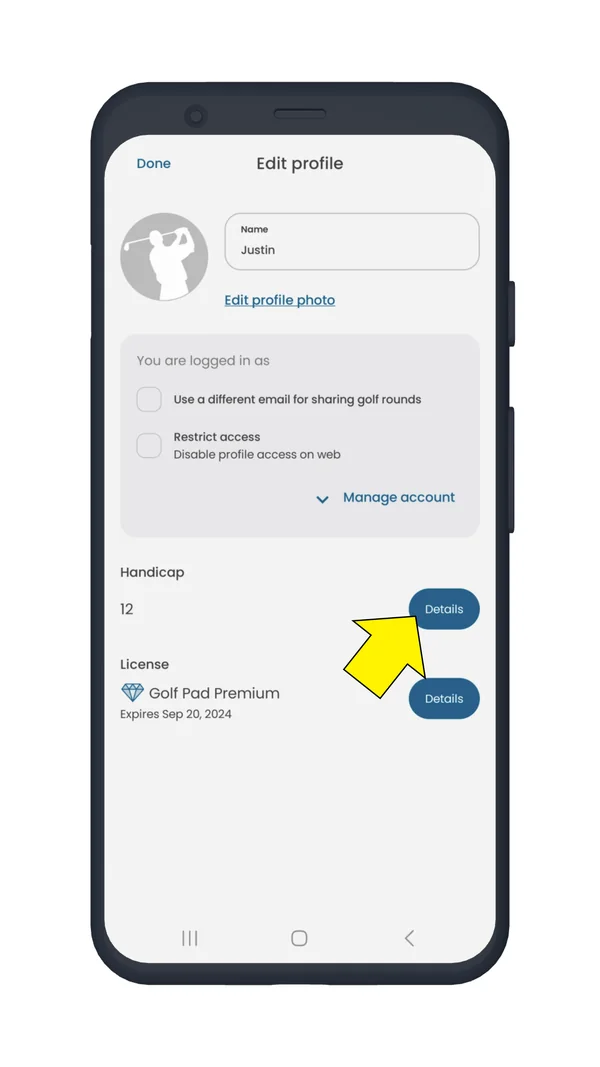
Select handicap details.
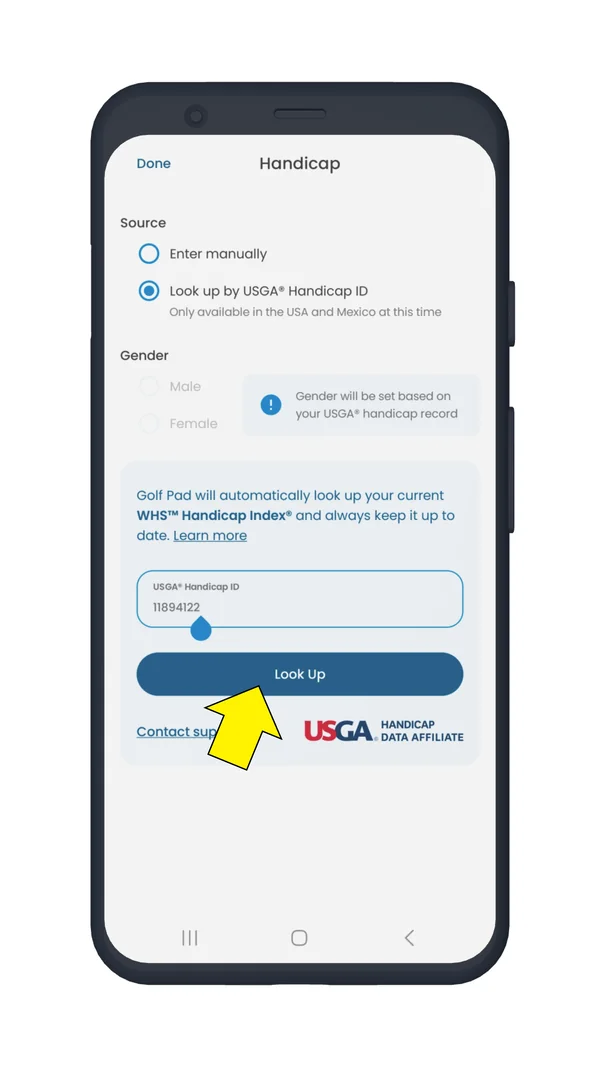
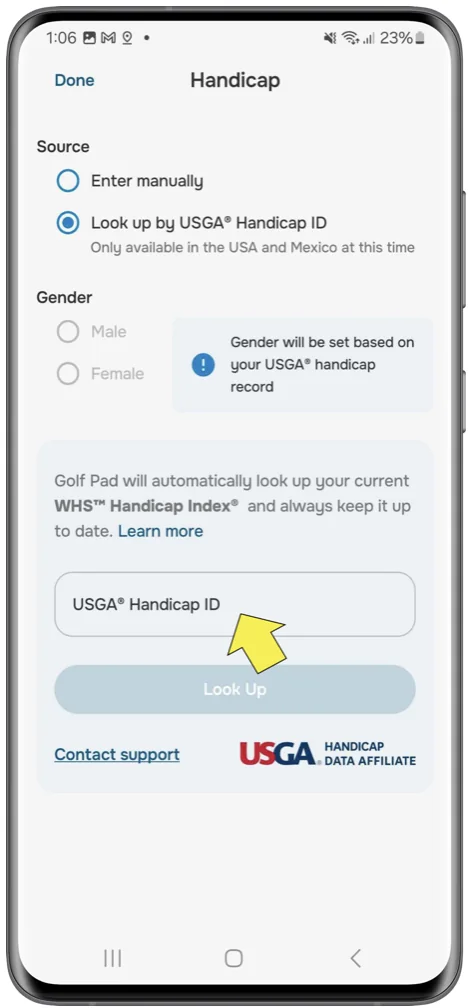
Under handicap source select look up by USGA® Handicap ID. Enter your Handicap ID, and then tap the look up button.
Your updated Handicap Index® information will be visible.
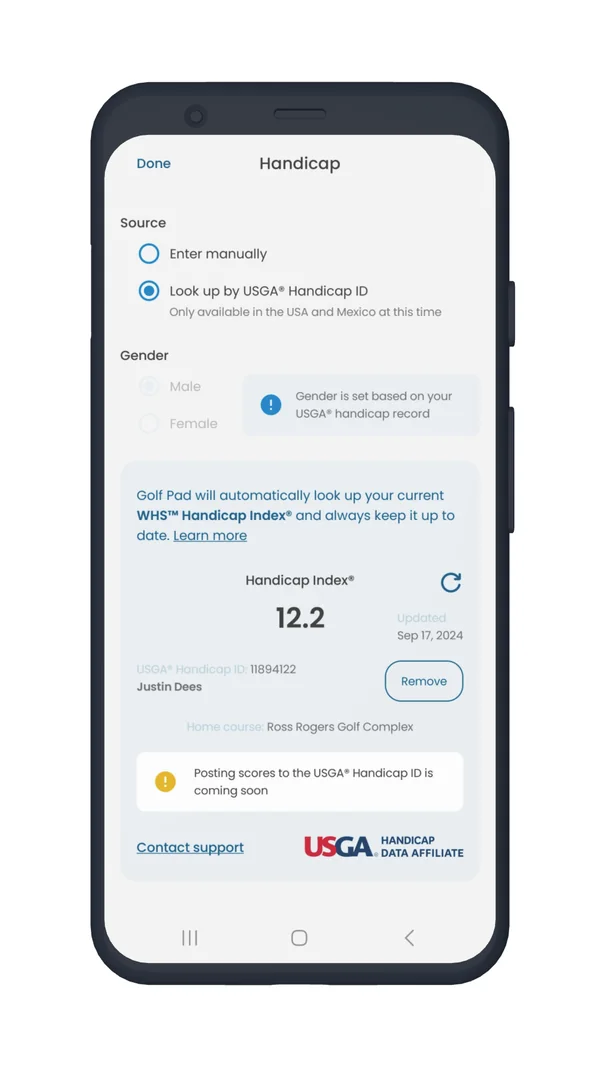
In profile you can see your updated Handicap Index® and status.
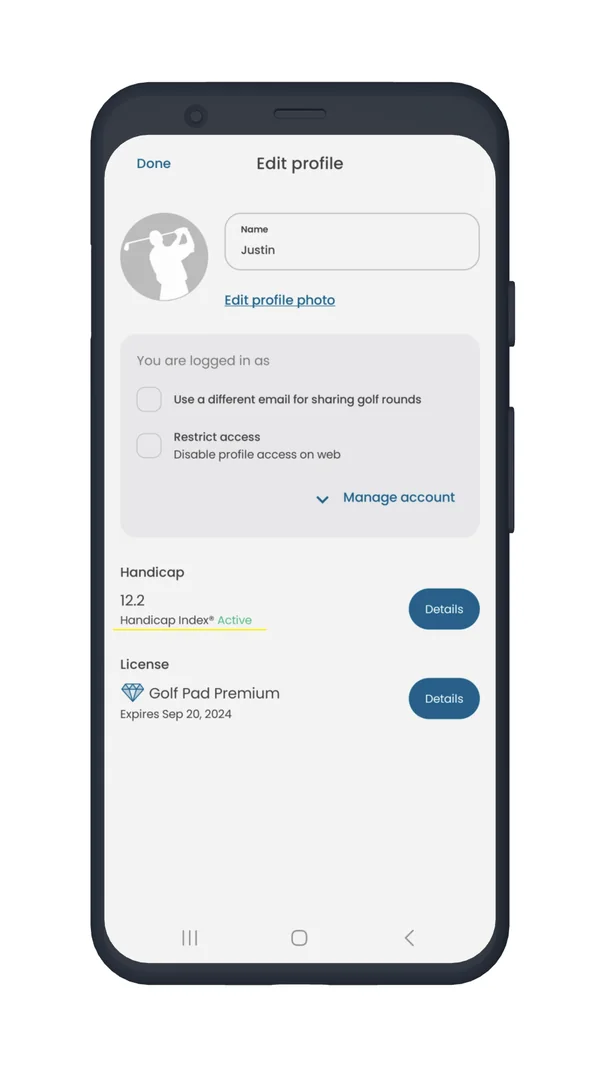
Your Handicap Index® will now always be up-to-date when you need it for your next Net competition.
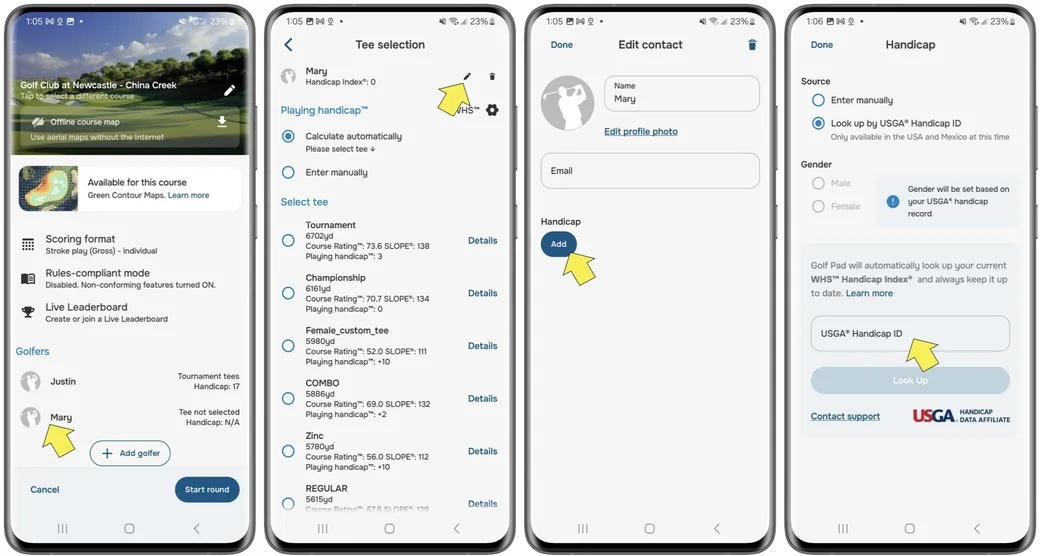
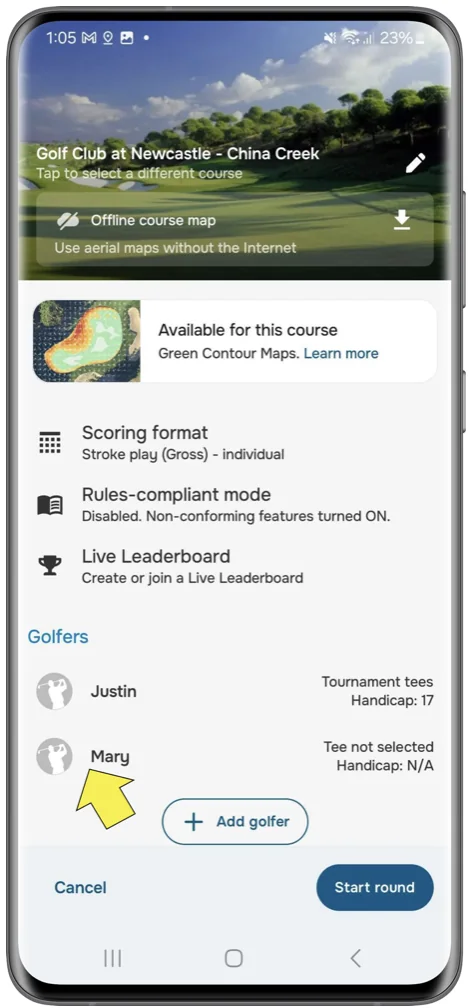
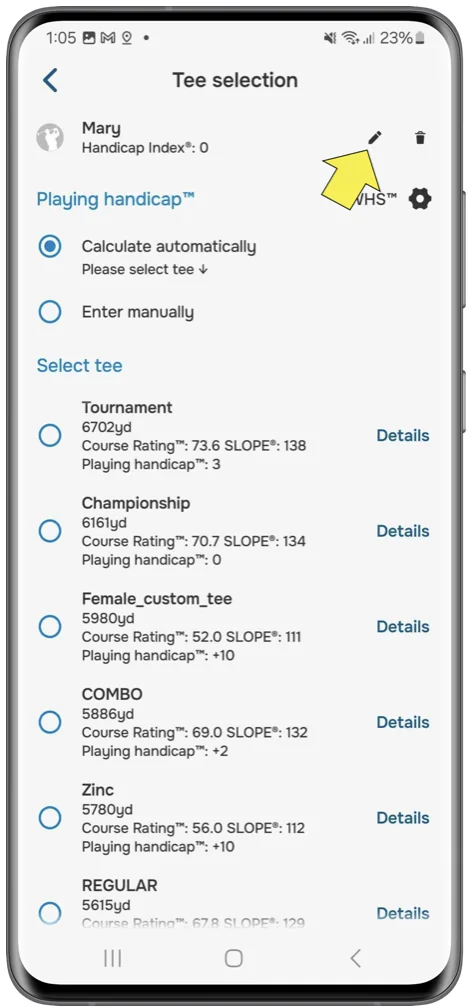
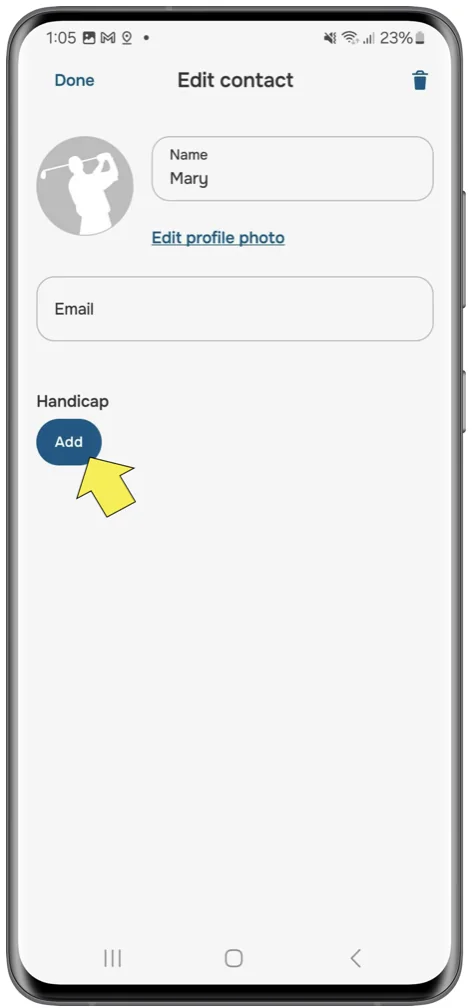
You can also look up USGA® Handicap Index® for your playing companions. To do so, add a new golfer to your round and go to user editing, where you can add their handicap.


Subscribe for early access to promotions, feature announcements & more.