Help Center
›
App features
›
PLAYS LIKE distances and club recommendations

How to Provide Feedback About PLAYS LIKE and Club Recommendations?

If the PLAYS LIKE & club recommendation or information seems incorrect, please send us a report and include a detailed description of the issue. You can submit a report by going to Preferences > Help & Support > Question or problem? > Contact us via email. Your input helps us continually fine tune the algorithm and provide the most precise recommendations.

You can also use the "Give feedback" button located at the bottom of the PLAYS LIKE analysis page, as shown in the image below.
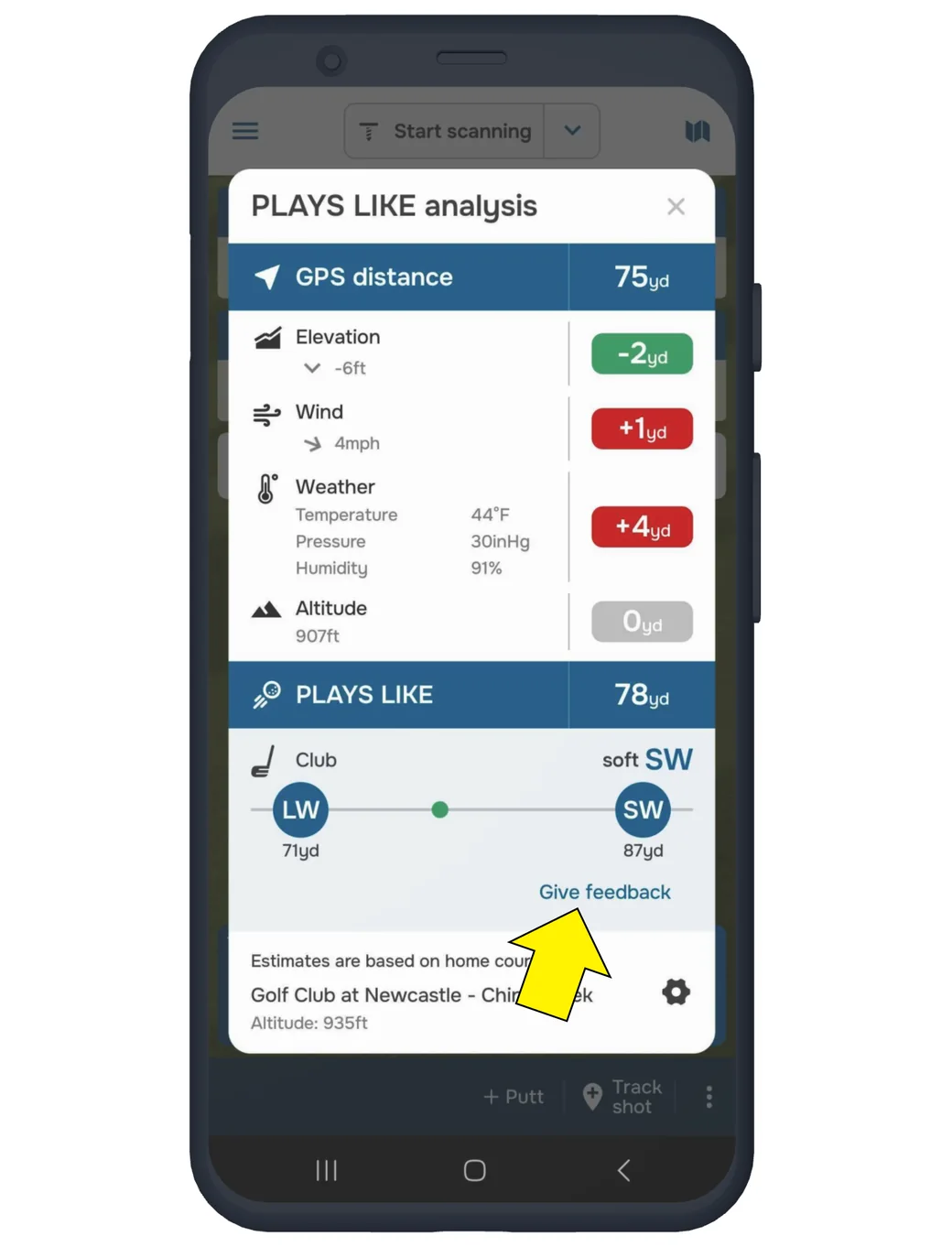
Golf Pad PLAYS LIKE analysis with the Give feedback button highlighted
Was this article helpful?
Thank you for your feedback!

Sorry we couldn’t help

Tell us what was wrong, and our support team will look into it.

What was wrong?

Thank you! Your submission has been received!
Oops! Something went wrong while submitting the form.
how-to-provide-feedback-about-plays-like-and-club-recommendations
plays-like-distances-and-club-recommendations
app-features
November 13, 2026

Didn’t find an answer?

Send us a message and our support team will reply by email.

Contact support
Data source for the script: all help articles (for More in…). Hidden on the live page.