How to Share or Stop Sharing Your Round With Golf Pad

Sharing Your Round of Golf with Golf Pad

Golf Pad makes it easy to share your golf round in real time! Select who you'd like to share with when you start your golf round. Even choose social media sharing. Now your fans, friends, coach (even your mom) can follow the round as you play.
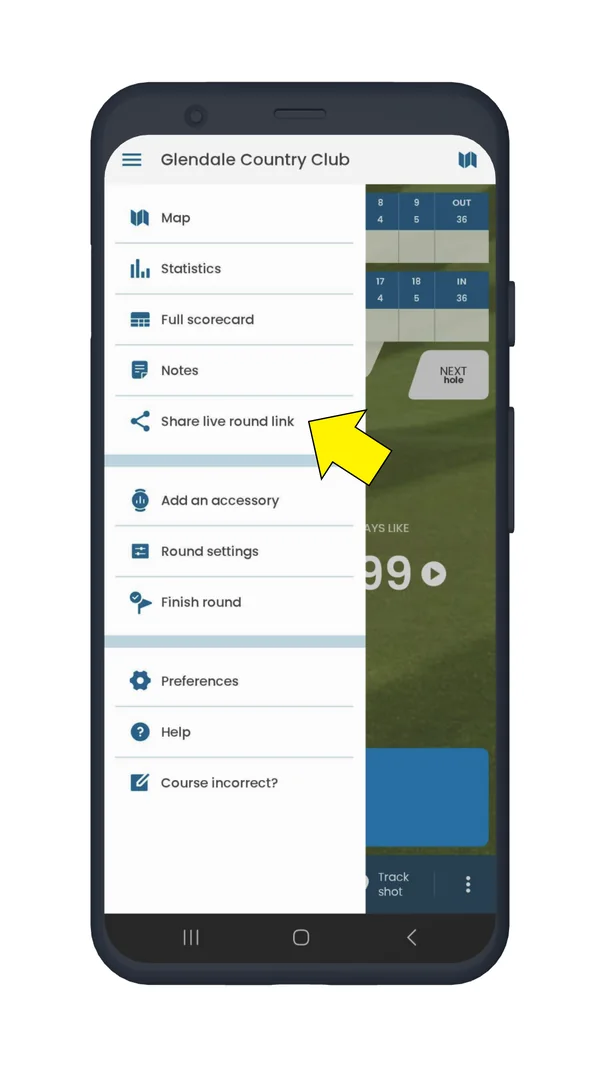
  • Start a round, open the menu and share a live round link:
Round menu with Share live round link highlighted
Share live round link

If you don't want to share your golf round in real-time, use the standard Golf Pad sharing feature. When your round is completed, you’ll see a menu like this.
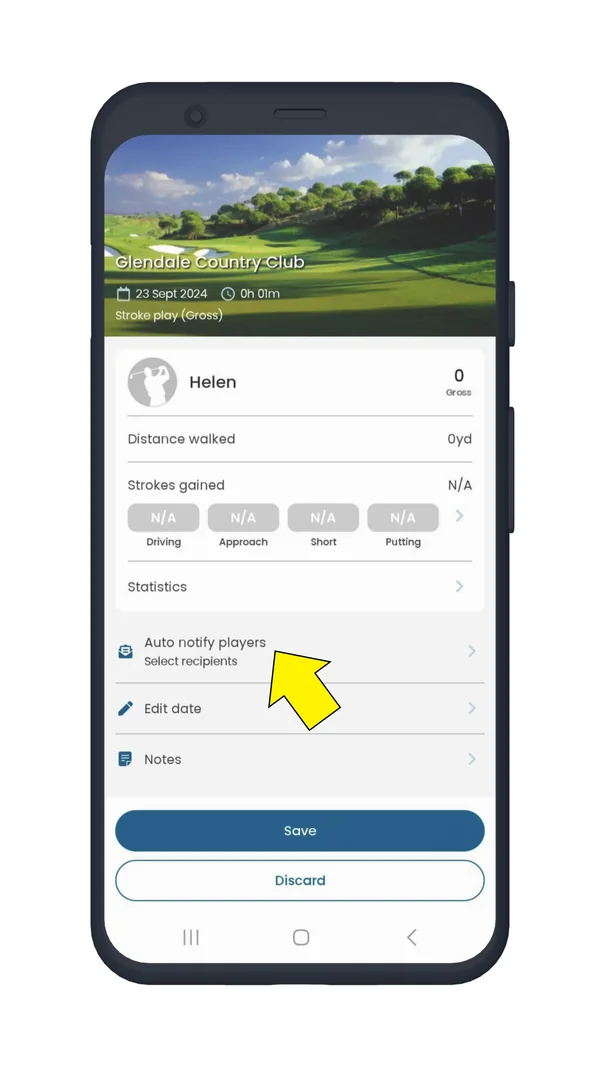
  • Tap "Auto notify players" and choose who you'd like to share with. Select or deselect players, add email and save your round. The players selected will receive an email with a link to the round. You can also choose to share round with golfers and selected contacts by default.
Finish round screen with Auto notify players highlighted
Auto notify players
  • After you tap "Save", you'll see another screen where you can choose to share with social media.

If you choose to share via live sharing your round with people, they will be able to see your scores and shots on the map view updated as you play your round.
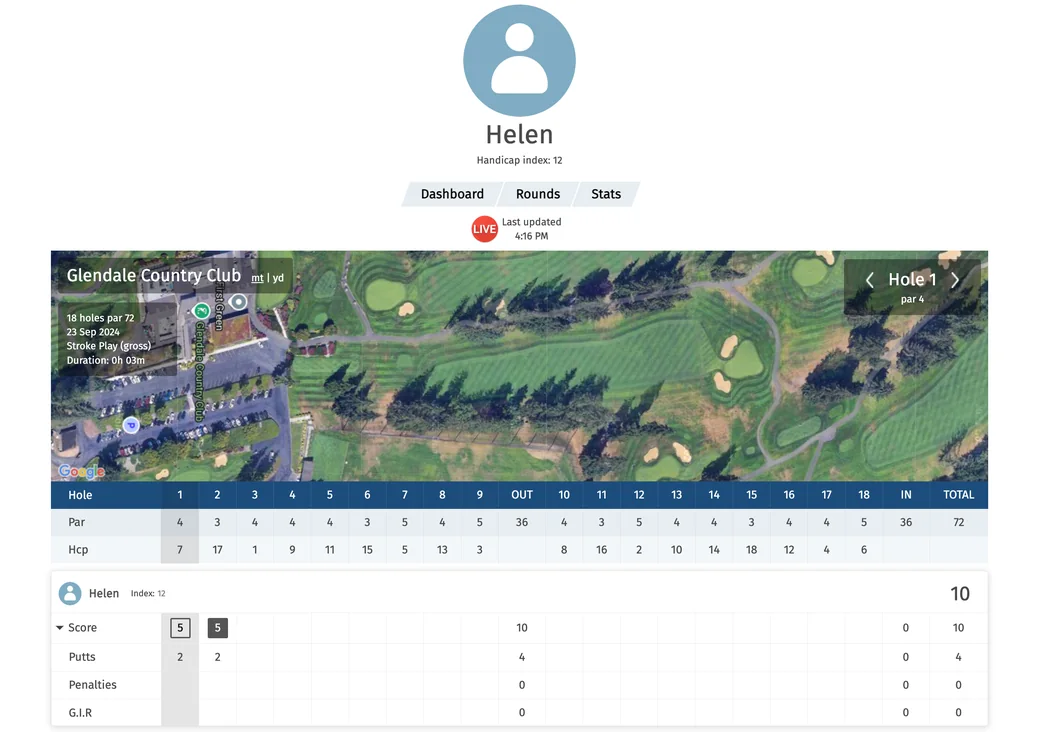
Shared live round page with the map and the scorecard

To STOP Sharing Rounds

If you need to stop sharing rounds with someone you previously shared with, follow these steps:

  • Start a round (doesn't have to be a real round)
  • Finish the round
  • Tap the "Auto notify players" option on the next screen
  • You'll see a list of people you've shared with in the past
  • Deselect the check box to turn off sharing with that person.

That’s it! Once you update your settings, those players will no longer receive notifications about your rounds.

Enjoy your game and share your rounds using Golf Pad! ⛳

Was this article helpful?
Thank you for your feedback!

Sorry we couldn’t help

Tell us what was wrong, and our support team will look into it.

What was wrong?

Thank you! Your submission has been received!
Oops! Something went wrong while submitting the form.
how-to-share-or-stop-sharing-your-round-with-golf-pad
during-a-round
getting-started
August 31, 2026

Didn’t find an answer?

Send us a message and our support team will reply by email.

Contact support
Data source for the script: all help articles (for More in…). Hidden on the live page.