No items found.

With Live Leaderboard you can invite other golfers day of to join and see real-time standings and players' scorecards, in one online location. For existing Golf Pad app users this feature is an improvement on our previous "group rounds" option.
Invited golfers will be prompted to confirm joining your Leaderboard. During the round golfers can access the standings page and see real-time scoring and scorecard information.
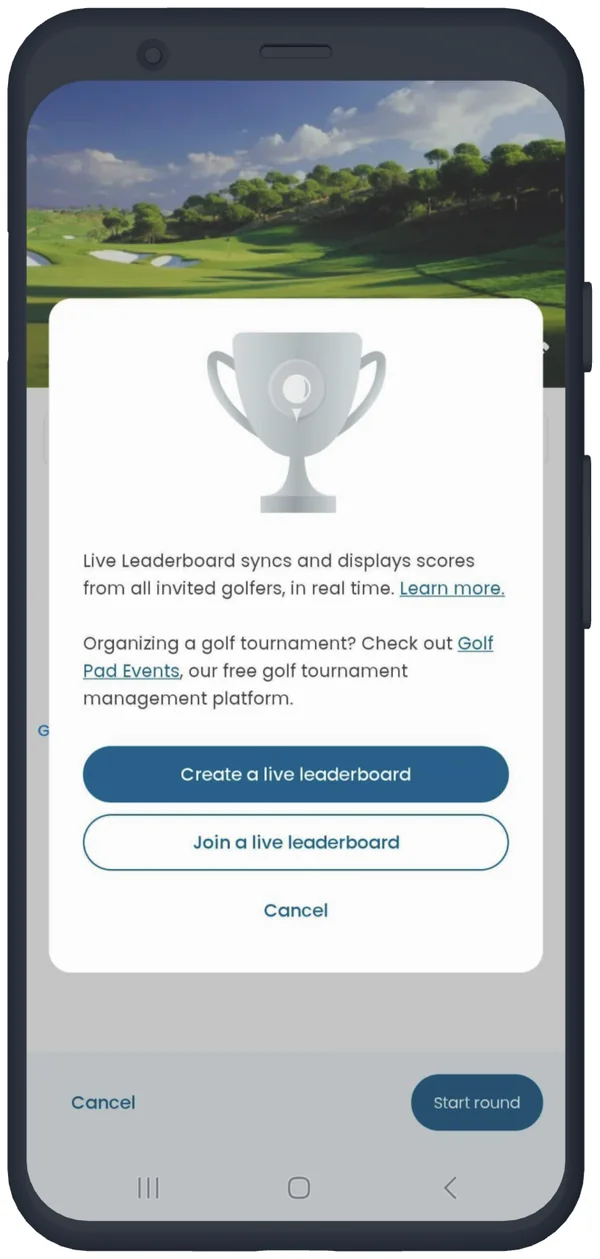
Live Leaderboard settings can be found on the round settings screen.
When you send an invitation to others there will be two links provided. The first link will take golfers to the Google Play or App Store to download Golf Pad GPS. The second link is a confirmation message to join your live leaderboard.
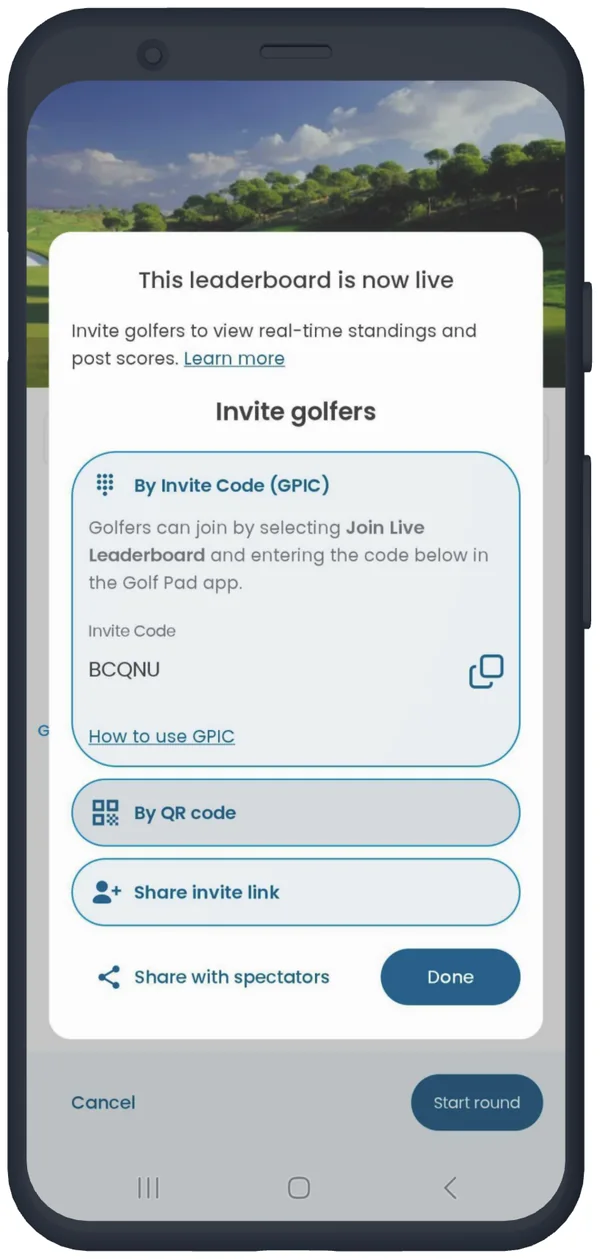
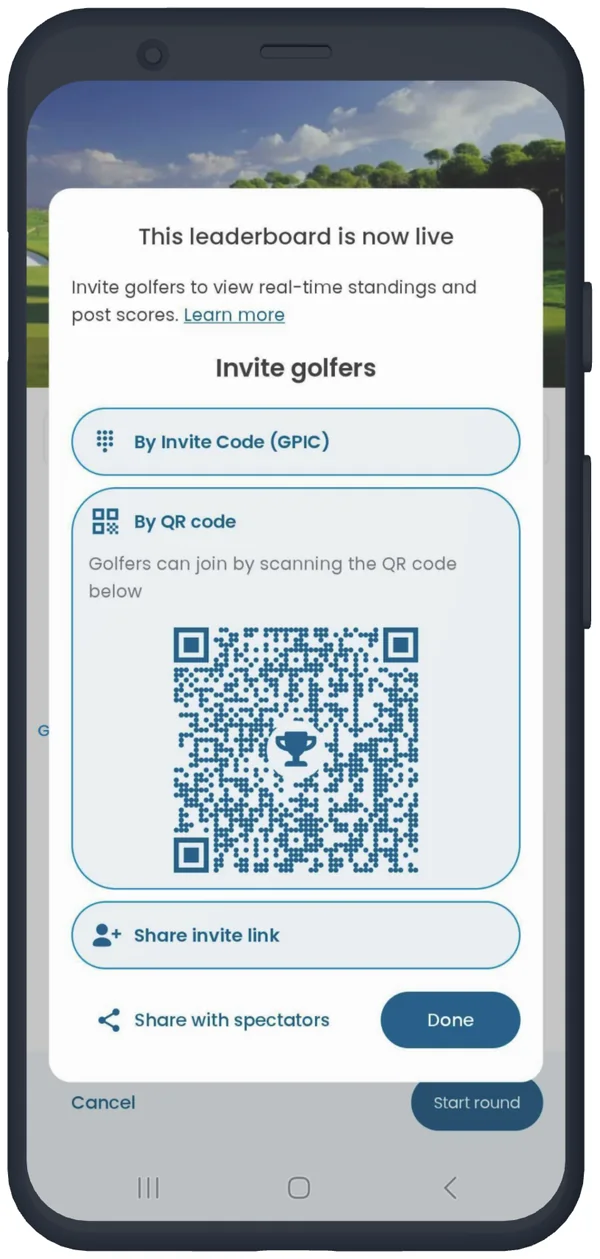
The invite button in the Live Leaderboard settings will launch system sharing on your device, and allow you to choose your preferred method (text, email, Facebook messenger, etc.) We also show Golf Pad Invite Code (GPIC) that you can copy to your clipboard or QR code, that can be scanned by the phones of other round participants.
The Live Leaderboard feature currently supports Stroke play, Stableford, Modified Stableford and Skins gross or net. We will be working on adding other formats.
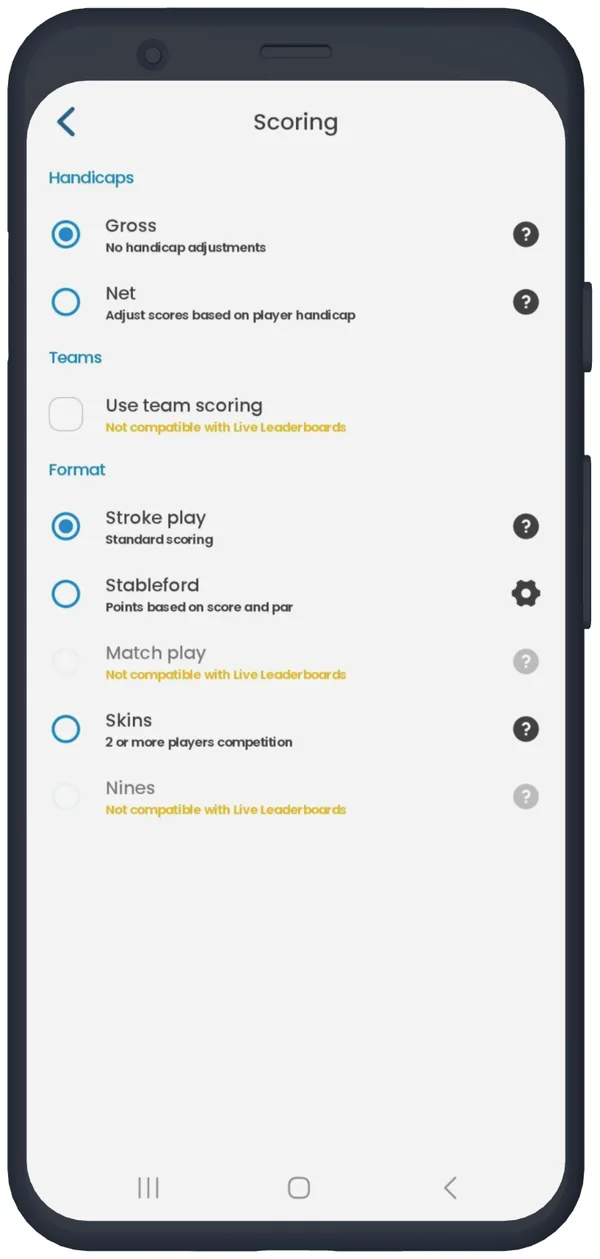
Yes, in order for you and your friends to have a fair Leaderboard, all golfers will be playing the format chosen by the organizer.
No, once the scoring mode has been selected and shared with other golfers, the scoring mode can't be changed. Users can create a new Leaderboard and link to share, by ending any current rounds and starting over.
Yes, joining golfers' names, tees and handicap will be taken from the round settings screen. Whatever information is there or changed when editing a golfer will be synced with the Live Leaderboard.
No, once golfers have been added or accepted invitation they will be placed on the Leaderboard. Golfers without scores or those who quit will be listed last on the Leaderboard.
The Live Leaderboard feature is designed for golfers to sync rounds together, day of, and create a communal Leaderboard.
Golf Pad now offers a free fully featured golf tournament management platform. To learn more about Golf Pad Events please check out this article. You can get started today at golfpad.events.


Subscribe for early access to promotions, feature announcements & more.