How are scores entered in Golf Pad Events?
There are two methods of score entry:
- Tournament organizers can enter scores, usually from the scorecards turned in by golfers at the end of a tournament. These scores will be displayed traditionally in black and white.
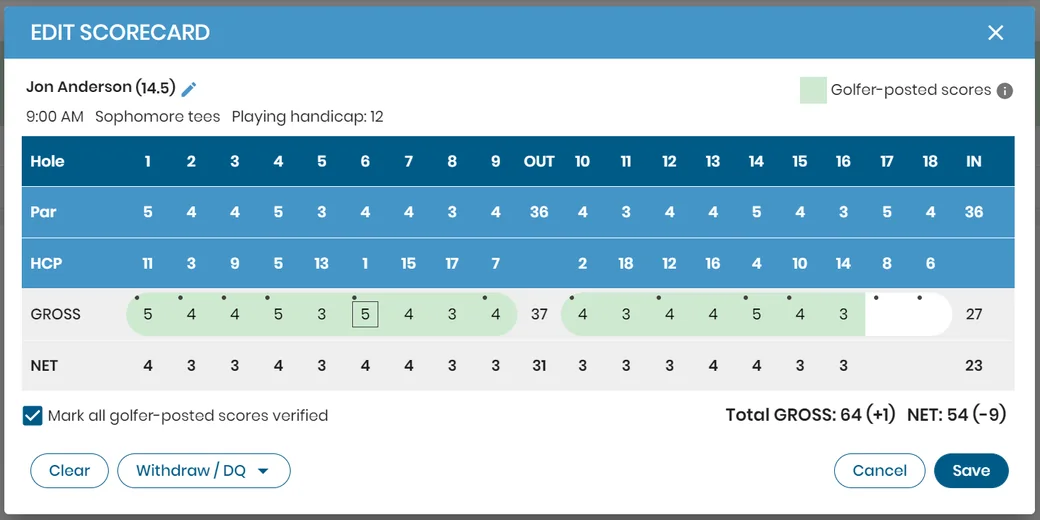
- Golfer-posted scores. Golfers can use the Golf Pad GPS to post scores in real-time as they play the round. Golfer-provided scores will be shown highlighted in green, so the tournament organizer knows they came directly from golfers.
Settings for live scores
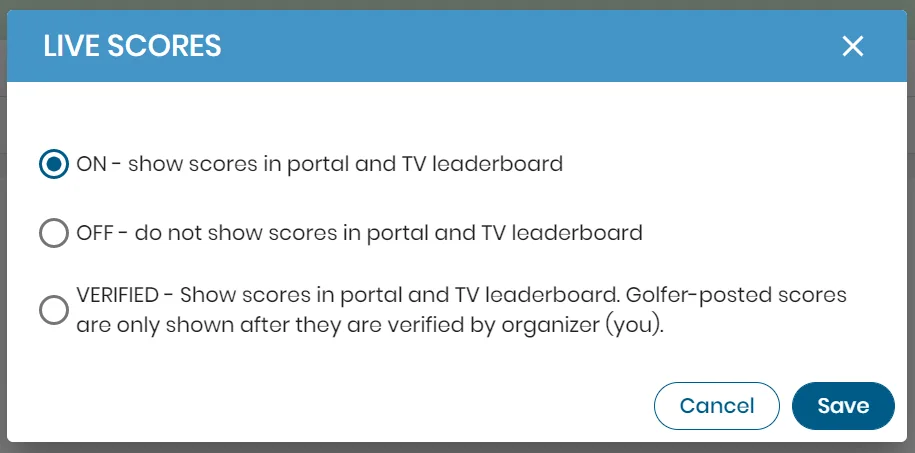
Tournament organizers can select from these settings regarding live scores shown on Event site and TV leaderboard:
Verifying scores
- Tournament organizers can verify or edit golfers' scores by opening the golfer's scorecard from the scoring page.
- There is an option to mark all scores verified.
- Scores that have been verified or edited by the organizer will change from the highlighted green to a traditional black and white display. This way the organizer knows which scores have been verified vs those that have not.
Tournament organizer scoring edits always supersede any golfer-posted scores.