No items found.

Several users have reported that they stopped receiving emails with their round results after updating to the latest versions of the app.
To resolve this issue, after tapping "Finish round", please select "Auto notify players" - you will see a list of golfers and their email addresses. Please select yourself and/or other golfers you would like to share your results with. Detailed instructions can be found below.
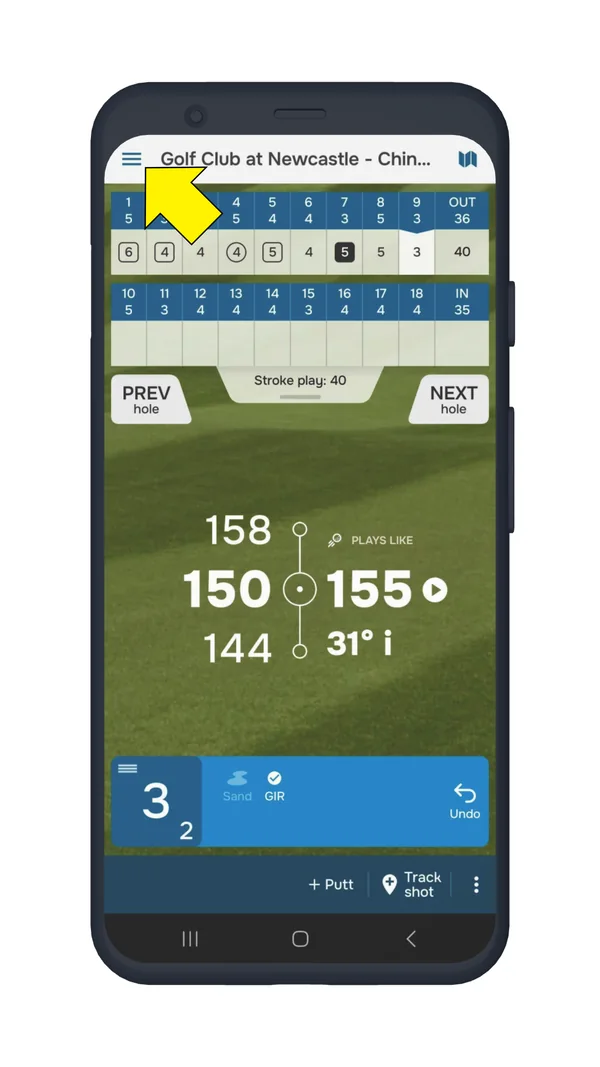
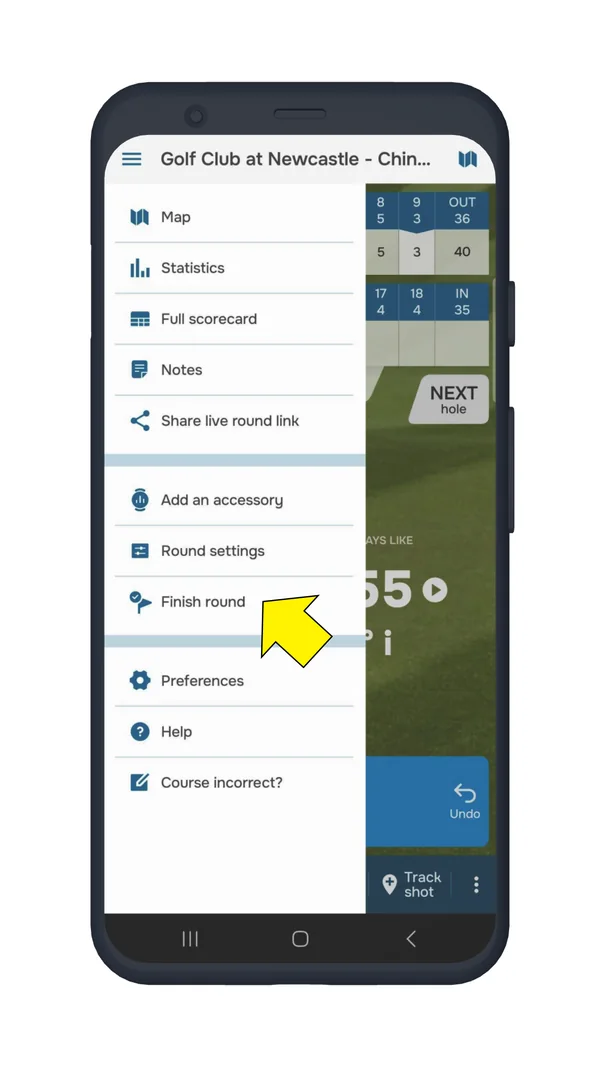
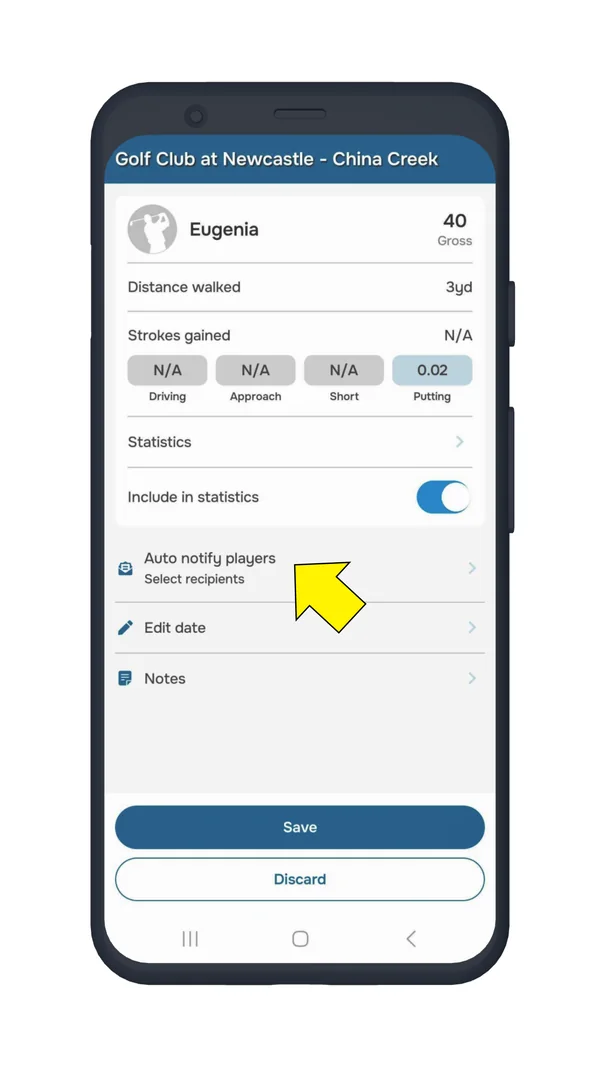
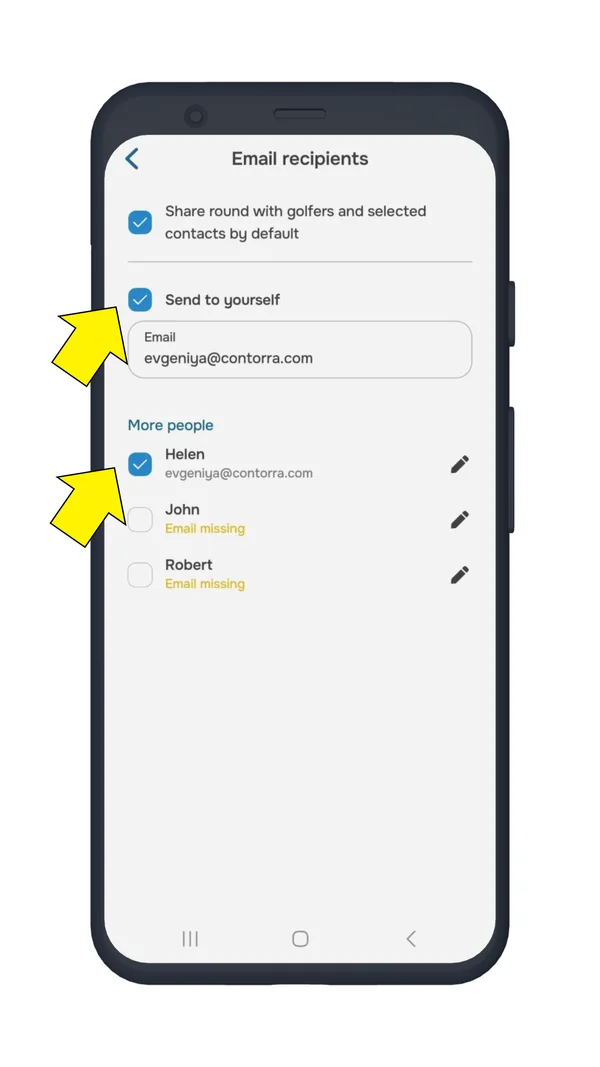
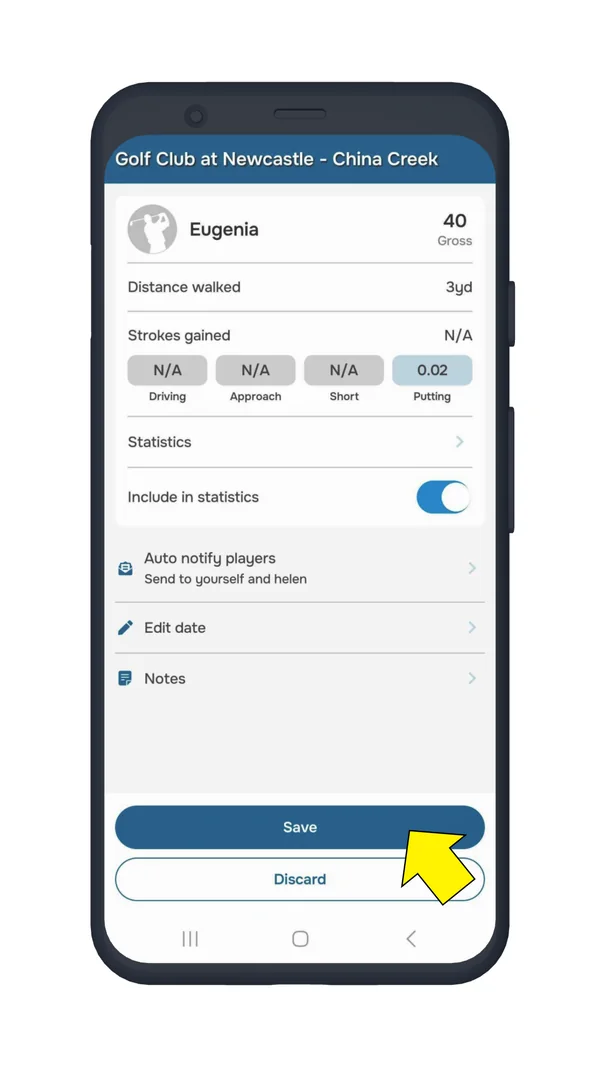
We also recommend that you enable automatic round sharing - this way you will receive emails after each completed round.
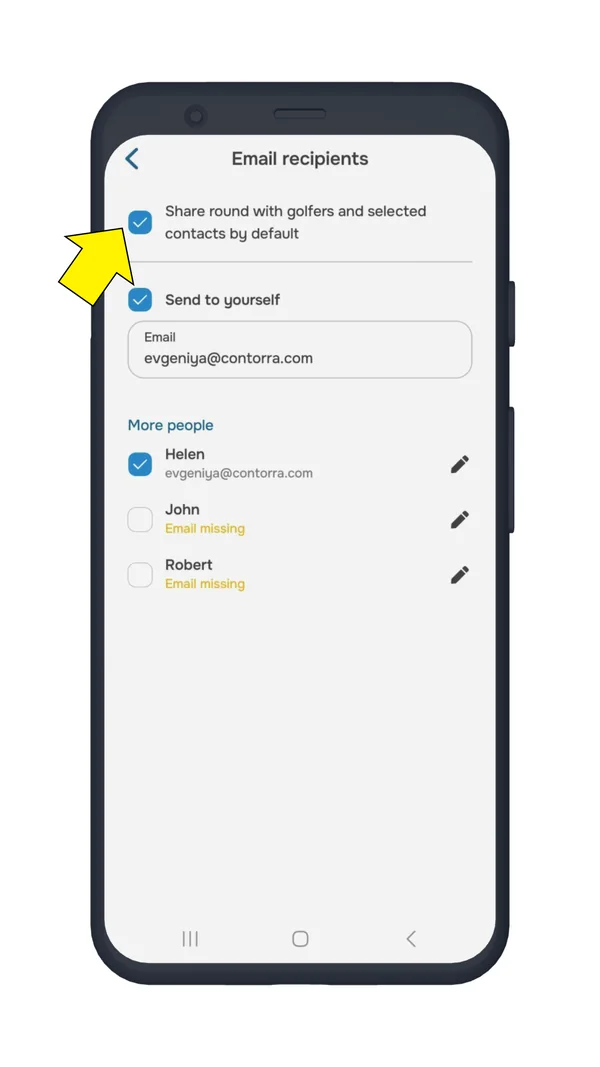
On Android, please select "Share round with golfers and selected contacts by default" at the top of the screen.
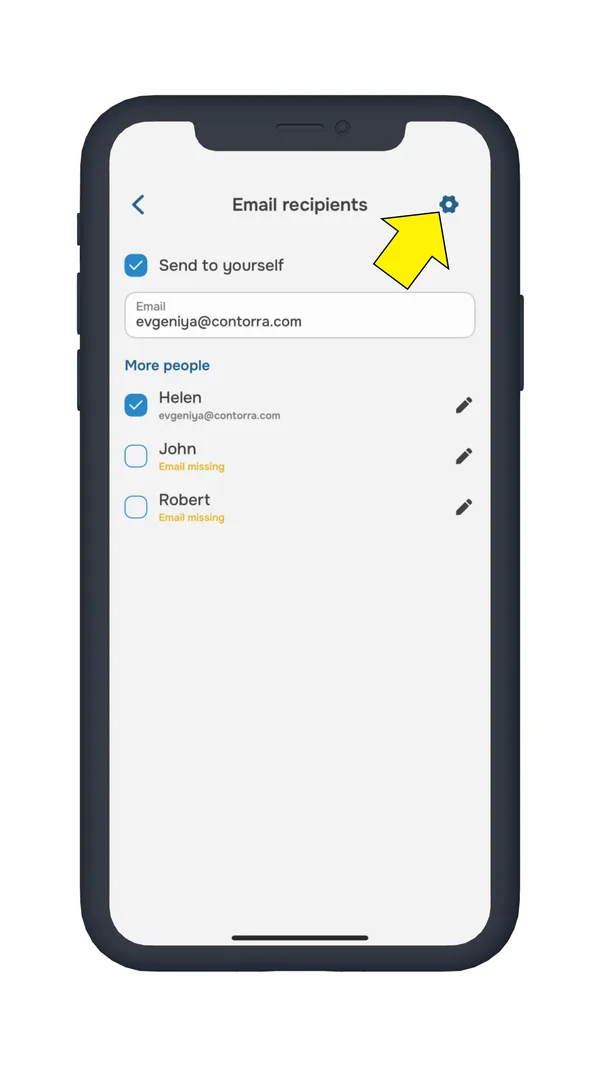
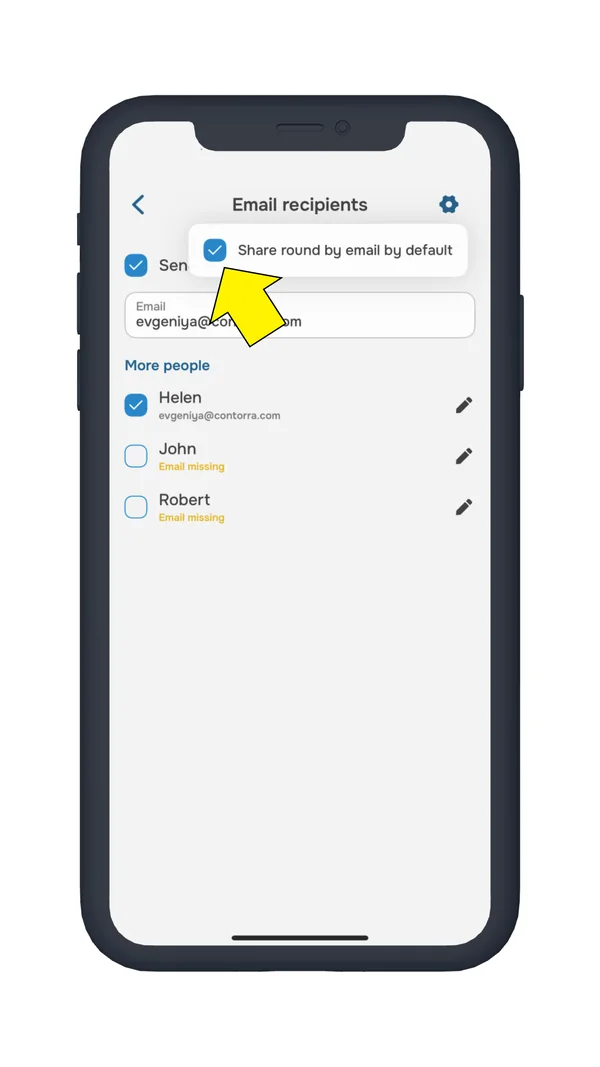
On iPhone, please tap the settings icon in the top right corner and check the box "Share round by email by default".


Subscribe for early access to promotions, feature announcements & more.