No items found.

Starting with version 20.4.0 on Android and version 21.0.2 on iOS, offline maps are now supported! This feature is part of the Premium subscription and allows you to access course layout and aerial maps on both your phone and smartwatch without an Internet connection. This comes in handy when playing at a course with no or poor reception, or when traveling internationally.
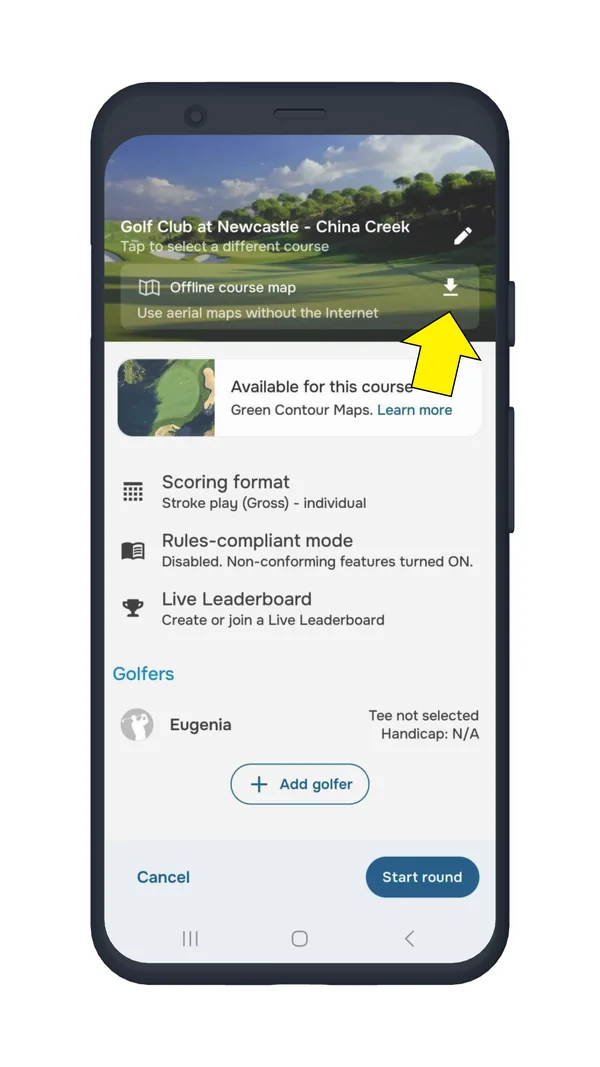
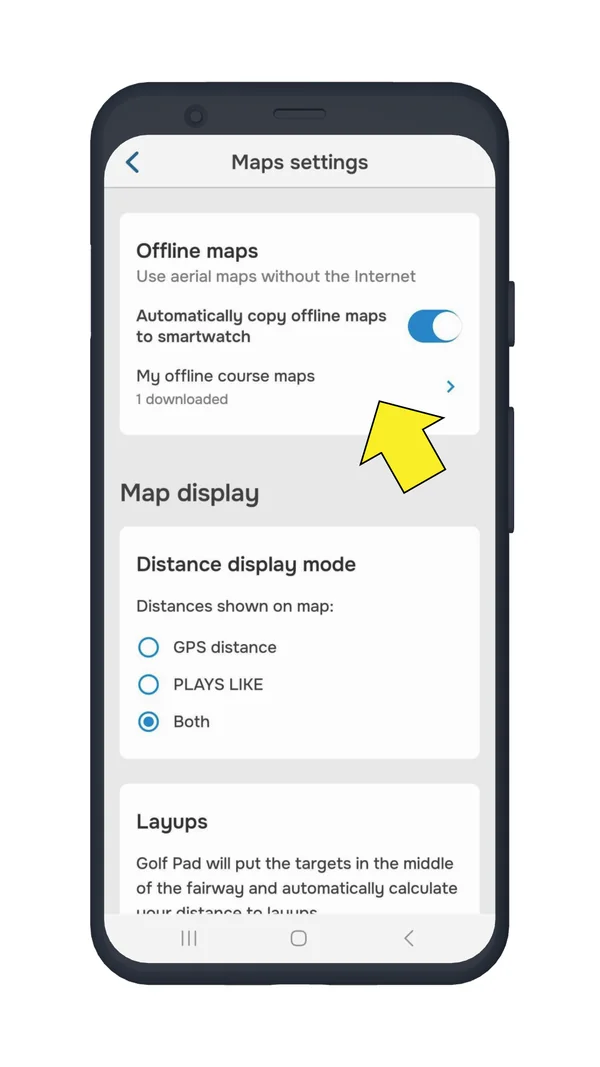
Once downloaded, your offline maps will appear under Preferences > Maps settings. From there, you can also enable the option to automatically copy offline maps to your smartwatch. When your watch app connects to the phone app, the offline map will begin downloading to the watch.
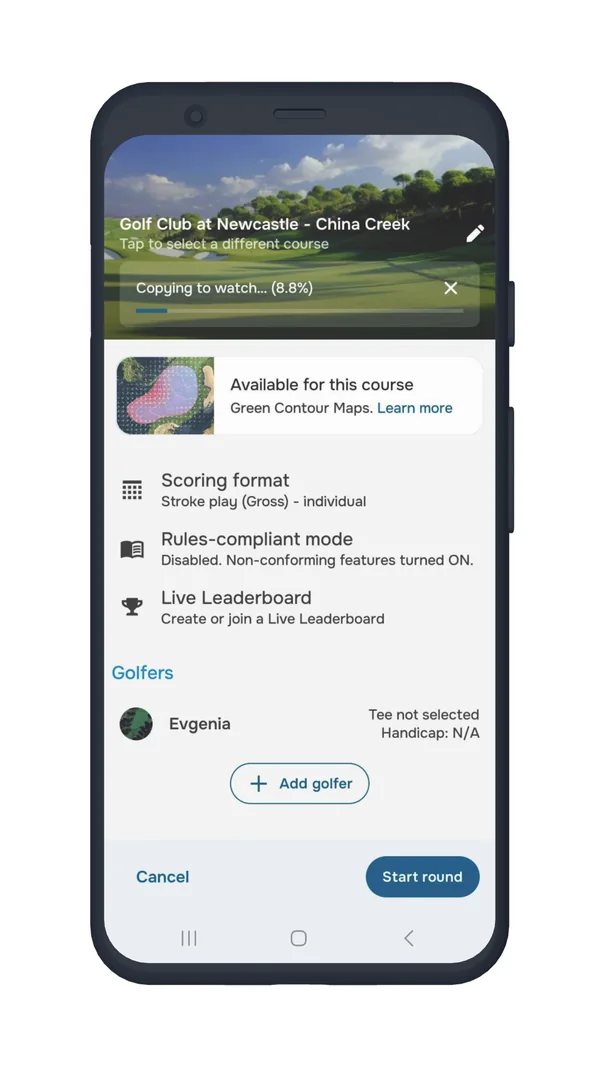
You can play your round as usual with the offline map downloaded - it will function seamlessly. Please note that you only need to download the offline maps once. After that, you'll have ongoing access to them anytime.
If you run into any issues, please reach out to our support team, they'll be happy to help!


Subscribe for early access to promotions, feature announcements & more.