No items found.

Golf Pad Events has added a feature to help you plan, calculate, and display payout results.
Events Pro feature
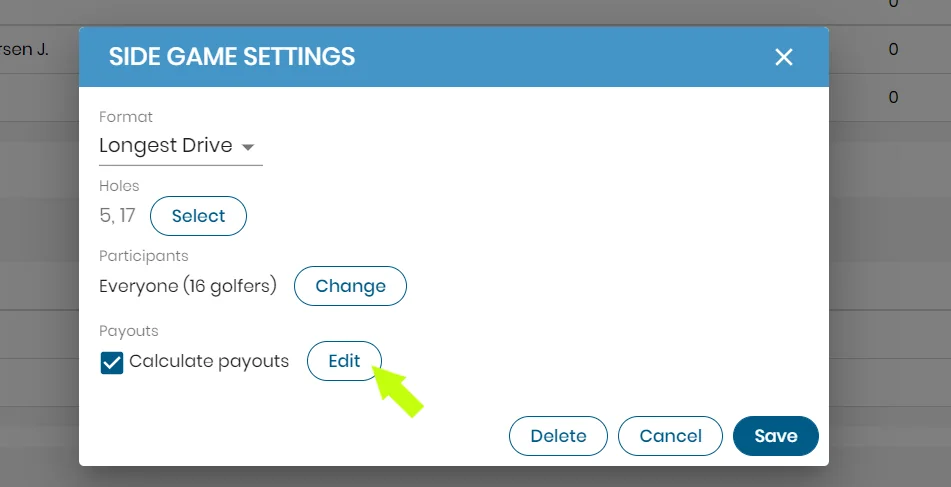
Side game payouts - When setting up a side game the payout option can be found in the lower left-hand corner of the settings window. When the payouts option is checked, you can select edit and it will open the side game payout settings window.
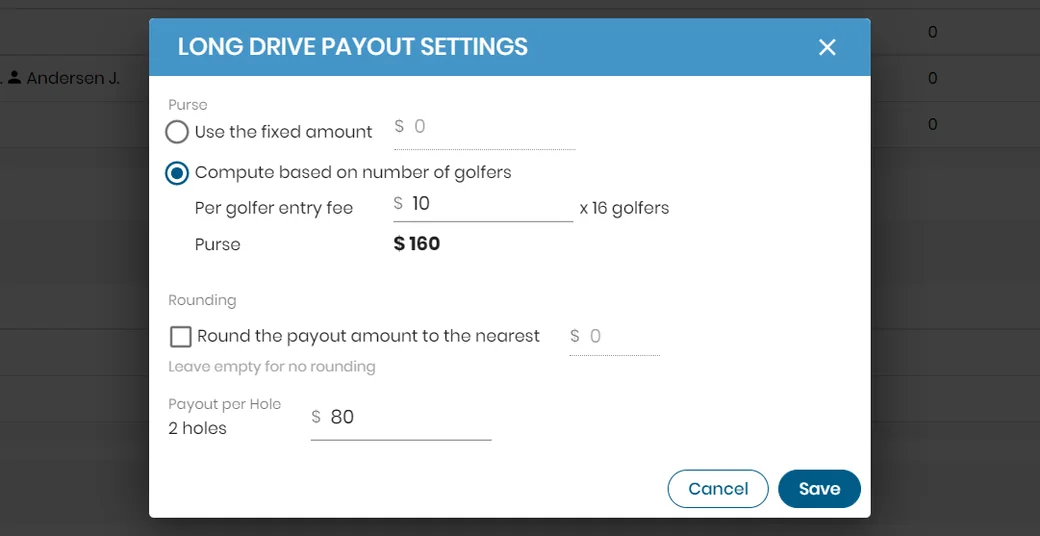
In the side game payout settings window, there are two options to determine the purse. You can enter a fixed amount for the total purse, or have it calculated based on the number of golfers (or teams) in the side game. Rounding is also an option to help simplify uneven numbers. For closest to the pin or long drive the payout amount will be the purse divided by the number of winning holes available.
To learn more about where the payout results will be displayed, please see this article.


Subscribe for early access to promotions, feature announcements & more.