No items found.

Golf Pad Premium is required for PLAYS LIKE distances and club recommendations.
PLAYS LIKE distances help you make critical decisions on the golf course and lower your scores. The feature is available on Android and iPhone. The enhanced data is also available on the golfer's smartwatch. In addition to GPS range, Golf Pad displays PLAYS LIKE distance. PLAYS LIKE refers to the distance you would normally need to hit to reach the target under 'regular conditions' at your home course. This gives golfers critical data to improve club selection.
PLAYS LIKE distances are based on:
If you are playing golf on a hot day or at a higher altitude above the sea level, the ball travels longer than it normally would. So, your PLAYS LIKE distance will be lower than the actual GPS distance, meaning you can use less club to reach the green. On the other hand, if you play on a cold humid day or if the green is elevated, the PLAYS LIKE distance will be greater than GPS distance, so you need more club.
PLAYS LIKE distance and golf club recommendations are displayed next to the GPS distance in the Golf Pad scorecard view:
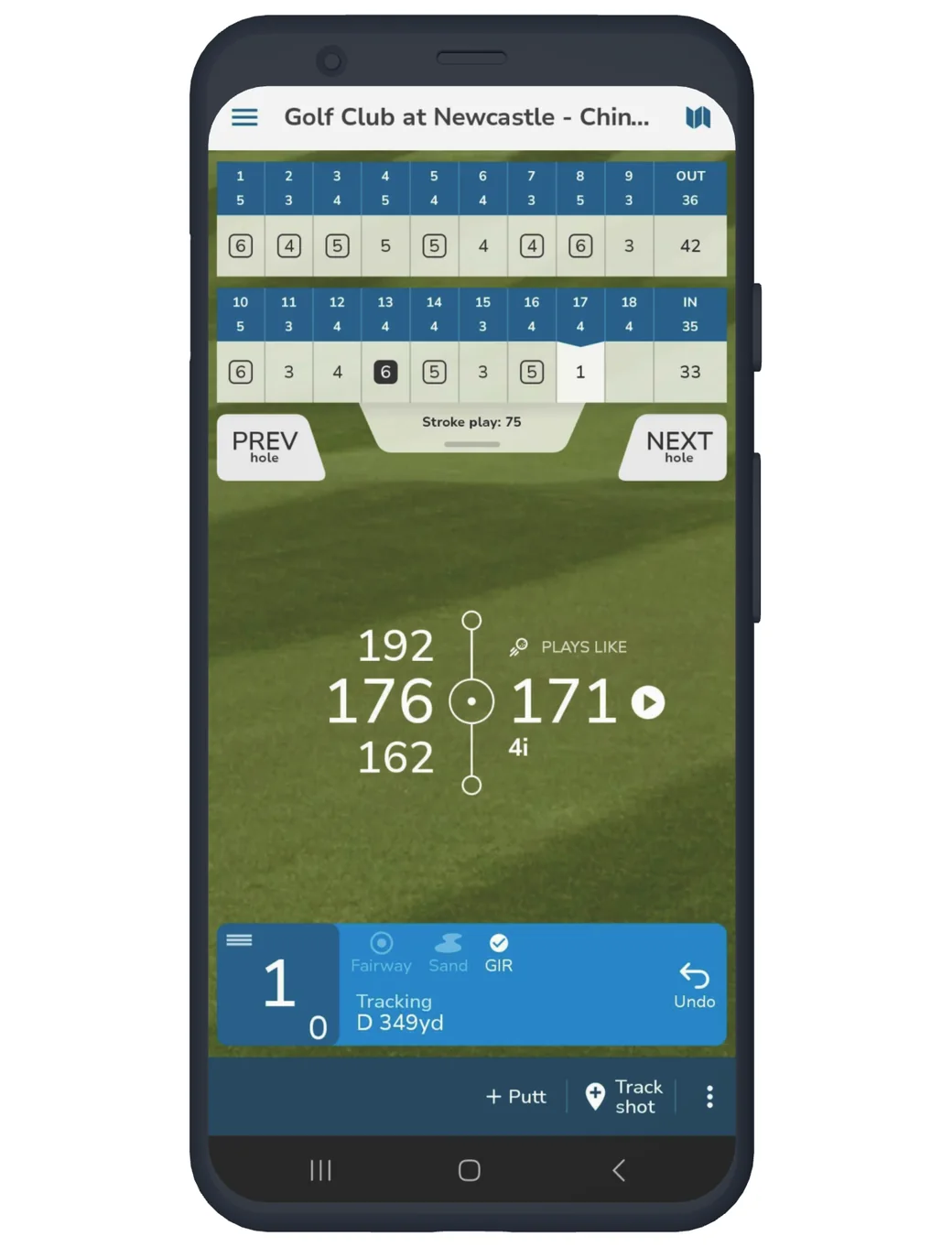
Tap the PLAYS LIKE distance to see details about how it's calculated. You will see a screen that looks like this:
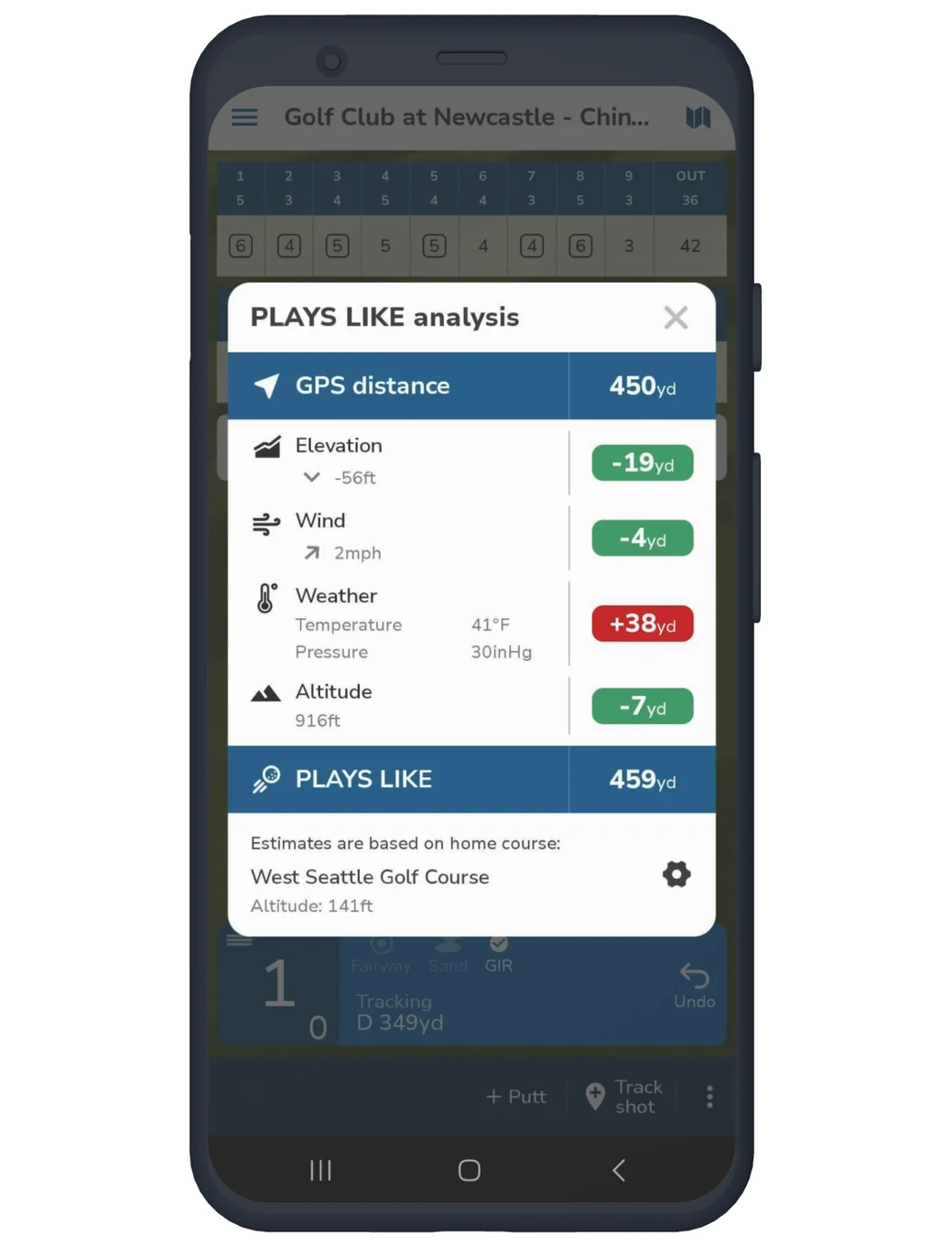
It includes the detailed effect of each variable and information about how the recommended club is picked. Tap the gear icon in the lower right to set or update your home course for the PLAYS LIKE feature.
You can use PLAYS LIKE even when your phone is offline. We update weather information every hour. As a result, if you are using the app without a connection, the recommendations may not be as accurate.
Note
If playing a conforming round, be sure to enable the rules-compliant mode. PLAYS LIKE distances and club recommendations can't be used in conforming rounds per the USGA rules.


Subscribe for early access to promotions, feature announcements & more.