Help Center
›
Golf Pad Classic
›
Samsung Tizen OS watches

What Features are available on Samsung Galaxy/Gear?

Please note

The new version of Golf Pad does not support Tizen OS smartwatches. Please make sure to install the Golf Pad Classic app on your phone to continue using your smartwatch.

For a quick on-course review of the app functionality on Samsung Galaxy/Gear watches, please see this video. Detailed information and screenshots are available below.
While using Gear/Galaxy watch out on the course you will be able to

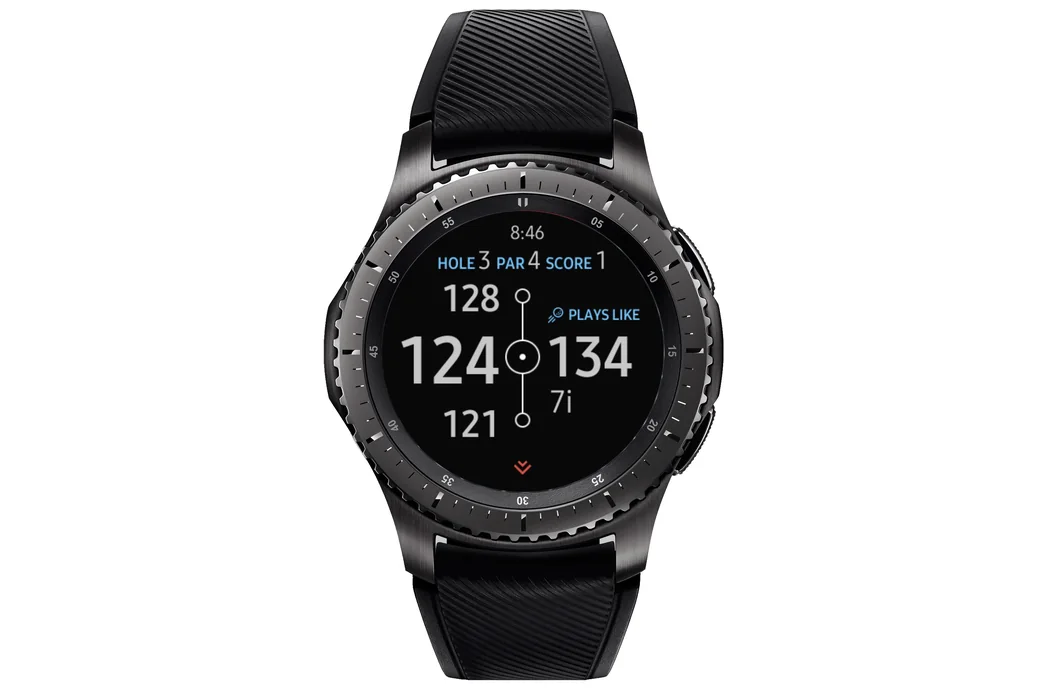
  • See the distance to the green (front, middle and back), your score, club recommendations and switch between holes:
Golf Pad on a Samsung Gear watch showing distances to the green, score and a club recommendation
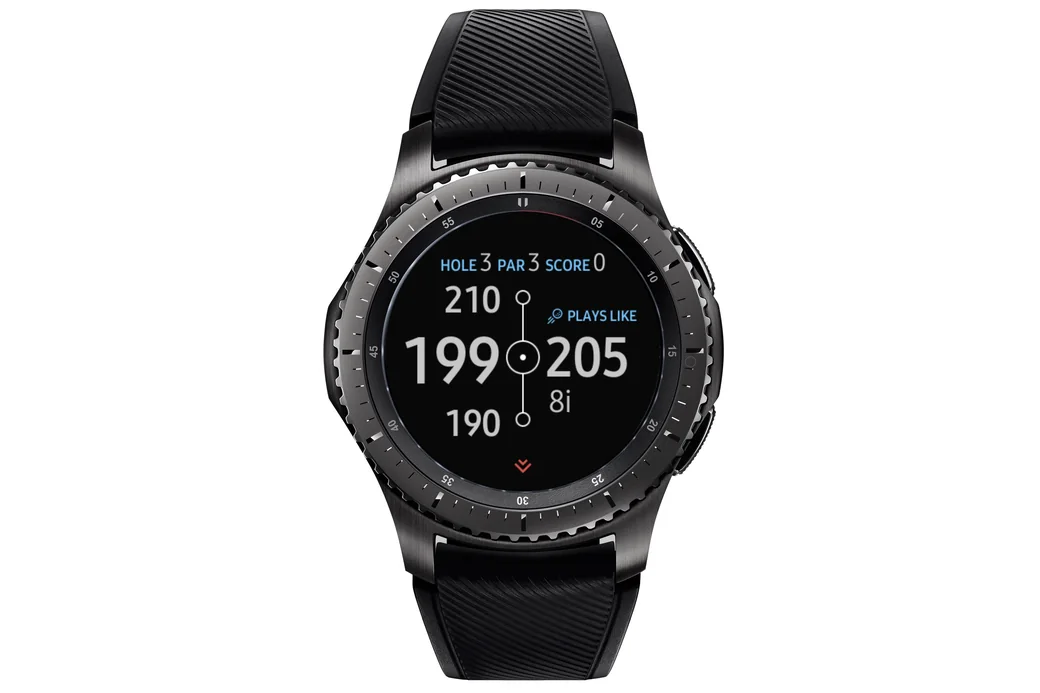
  • See shot tracking distance, layups and elevation.
Golf Pad on a Samsung Gear watch cycling through shot distance, layup and elevation screens

Swipe left or right to change current hole. Swipe up or down or use bezel to navigate between the information screens shown above.

Keeping score

You can keep score in 3 ways. Select the scoring mode in Golf Pad Classic Preferences > Smartwatch sync on your phone:
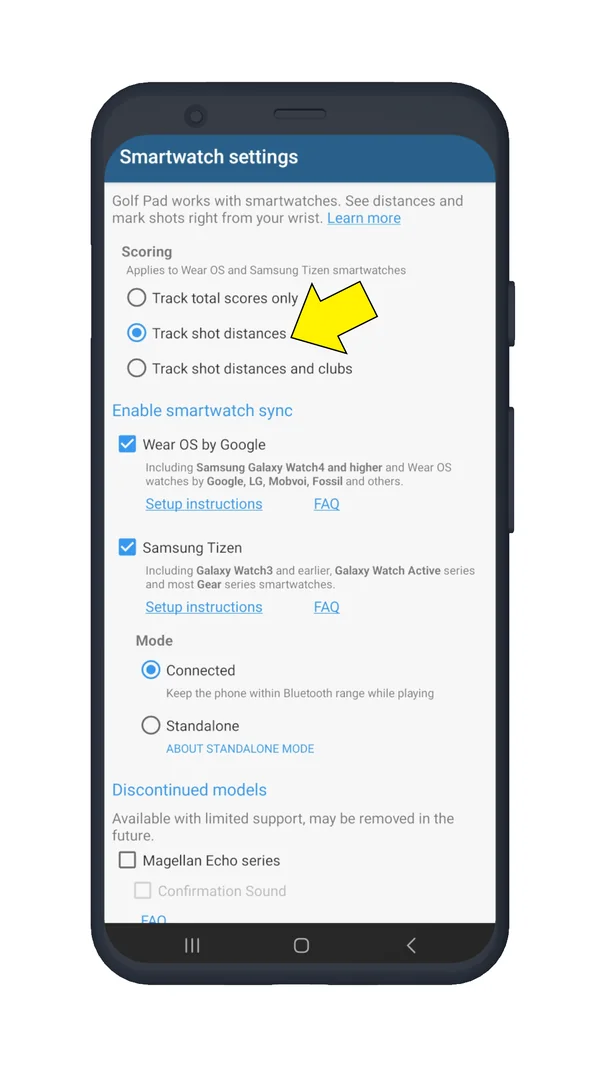
Golf Pad Classic Smartwatch settings on Android with the scoring options
  • Select 'Track total scores only' to keep your total score for each hole. Just tap the screen to show the scoring page:
Golf Pad total score entry on a Samsung Gear watch
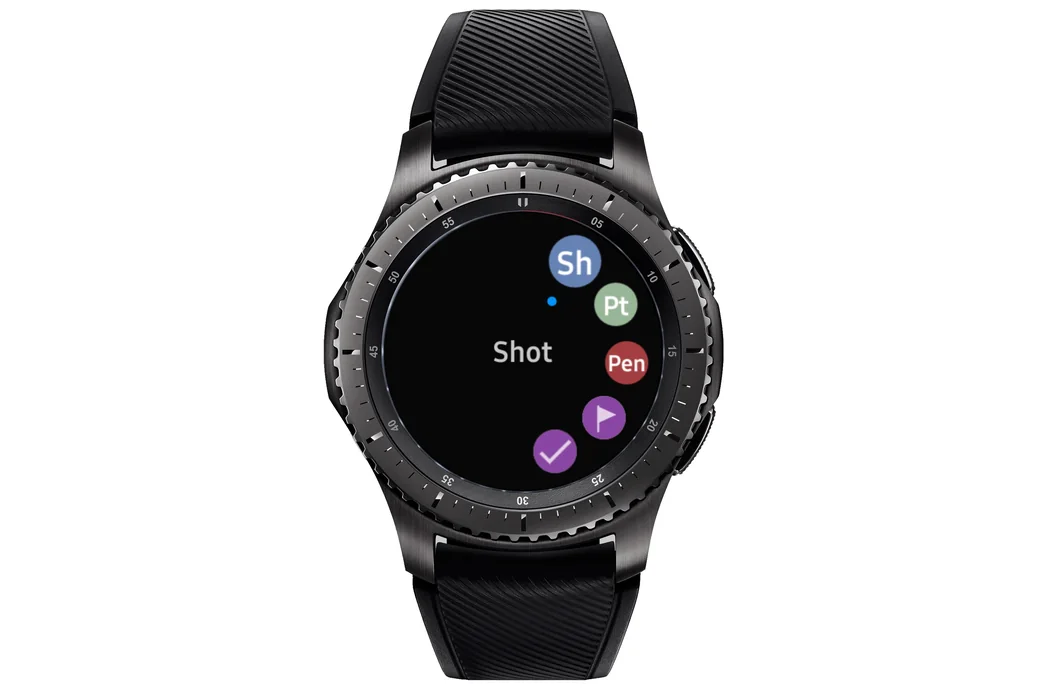
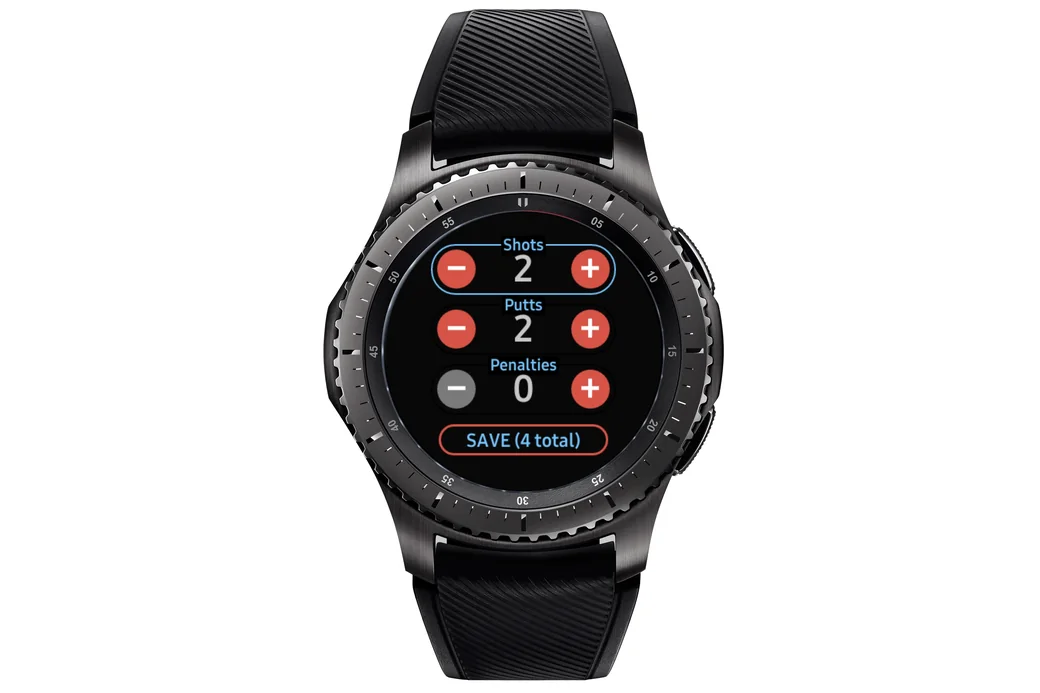
  • Use 'Track shot distances' mode to add individual shots/putts/penalties. Tap the screen to add a shot. Golf Pad will automatically pre-select 'Add putt' if you are on the green. You can also add a penalty, mark flag (note that by adding the flag position the app tracks your current location, so it is more convenient to mark it when you finish the hole) or putt out from the same view.
Golf Pad add shot menu on a Samsung Gear watch
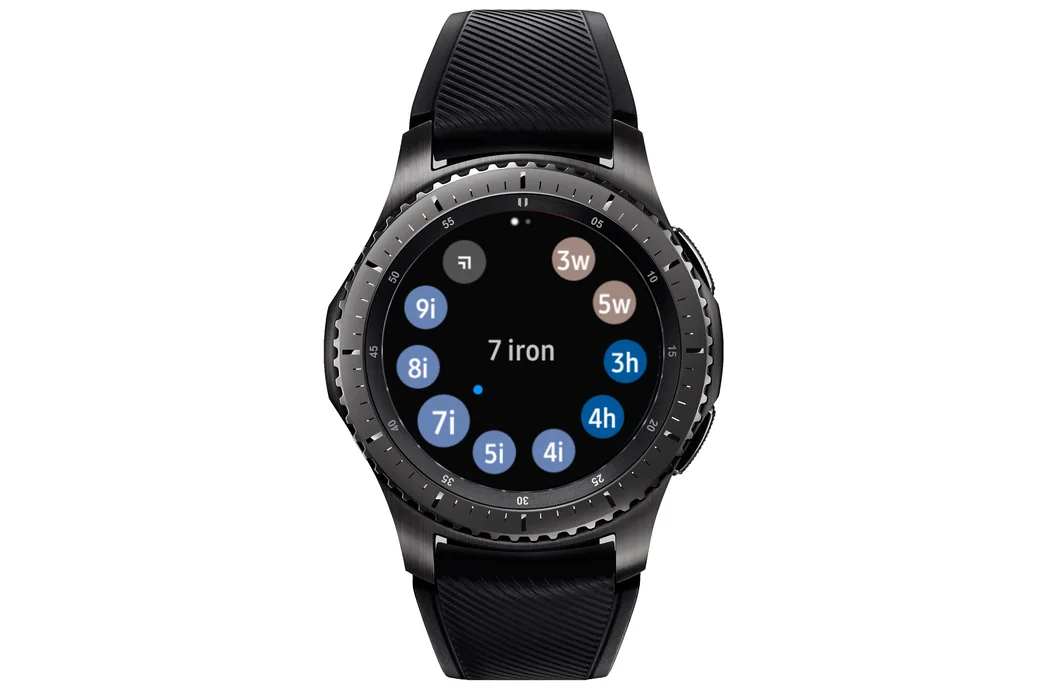
  • If you prefer to track shots and select clubs, use 'Track shot distances and clubs'. Tap on the dot in the center to enter scores. When you add a shot, the app will show the club selection screen. Tap on a club and it'll be added to your shot. You will also see the options to mark flag, add penalty, undo last action or putt out in the menu.
Golf Pad distances on a Samsung Gear watch with the dot in the center to enter scores
Golf Pad club selection on a Samsung Gear watch

Tip

If you normally track individual shots, but occasionally need to finish the hole and enter total score without tracking shots or putts, select the 'Putt out' option. You will be able to add up the total score on the hole. Any shots you tracked before putting out will be saved with their clubs and locations.
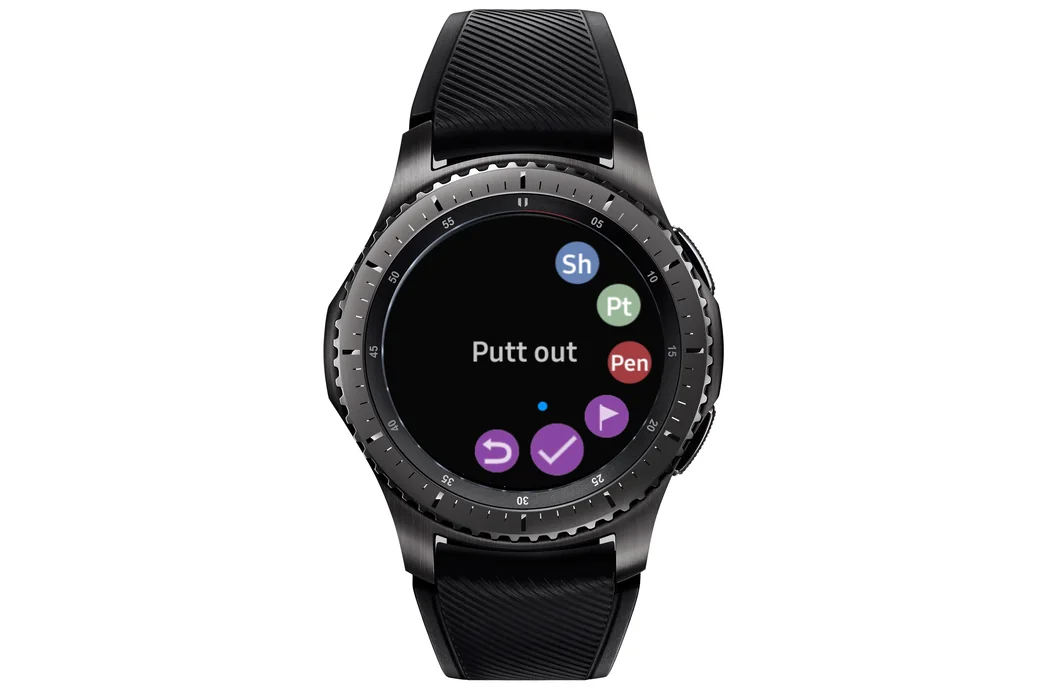
Golf Pad Putt out option on a Samsung Gear watch
Was this article helpful?
Thank you for your feedback!

Sorry we couldn’t help

Tell us what was wrong, and our support team will look into it.

What was wrong?

Thank you! Your submission has been received!
Oops! Something went wrong while submitting the form.
what-features-are-available-on-samsung-galaxy-gear
samsung-tizen-os-watches
golf-pad-classic
November 13, 2026

Didn’t find an answer?

Send us a message and our support team will reply by email.

Contact support
Data source for the script: all help articles (for More in…). Hidden on the live page.