

If you've ever finished a round, stared at your scorecard, and thought “I shot 92… but I have no idea why”? Strokes Gained is the answer you've been waiting for.
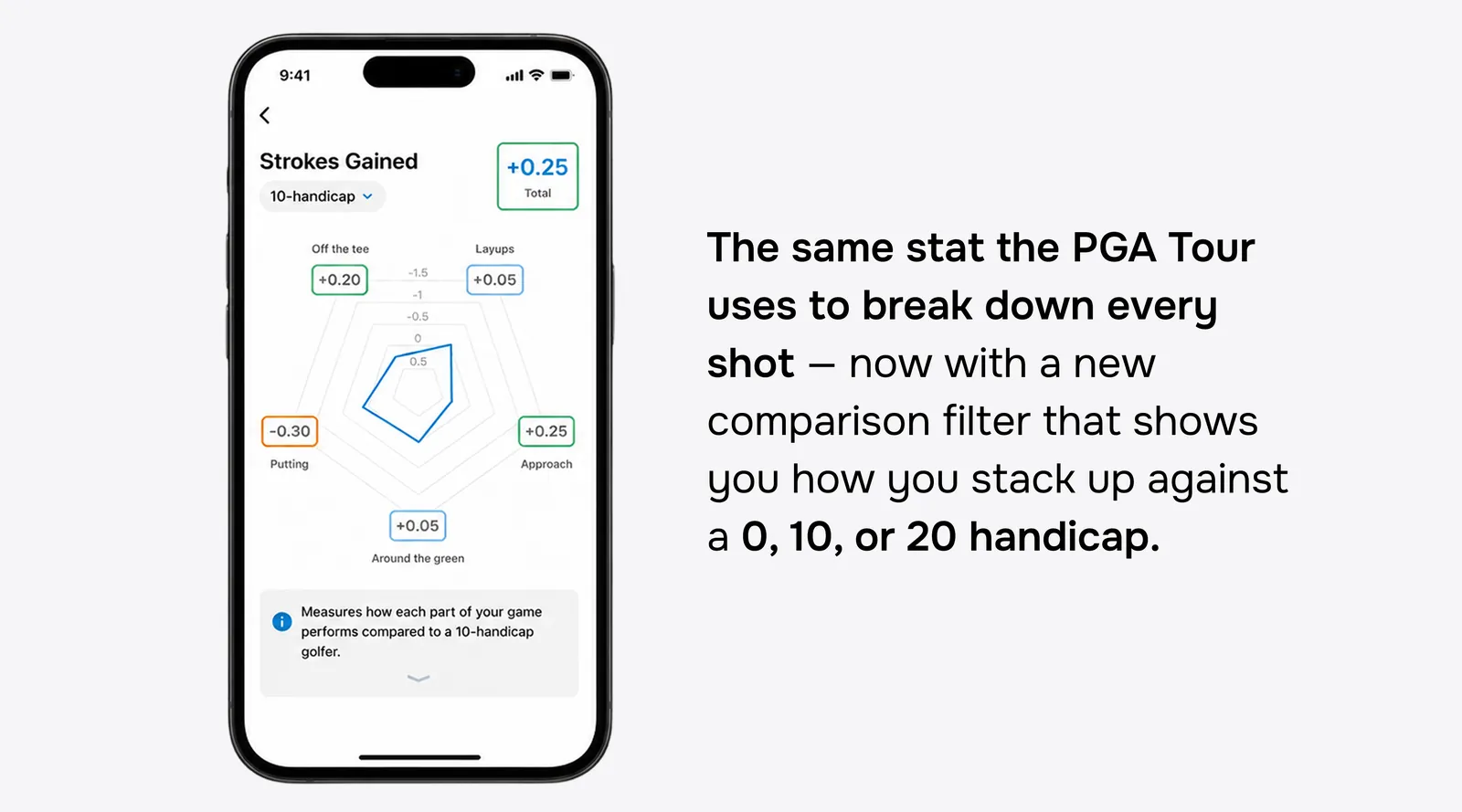
It's the same stat the PGA Tour uses to break down every player's performance into the pieces that actually built their score. It tells you whether your driver is helping or hurting, whether your wedges are sneaking strokes back, or whether putting is the silent killer of your card. And now, with our brand-new handicap comparison filter, you can stack your numbers against a 0, 10, or 20 handicap, not just the Tour average, to see how you really measure up against golfers like you (or the golfer you're trying to become).
Here's how to read it, what each category really means, and how to turn those numbers into a sharper game.
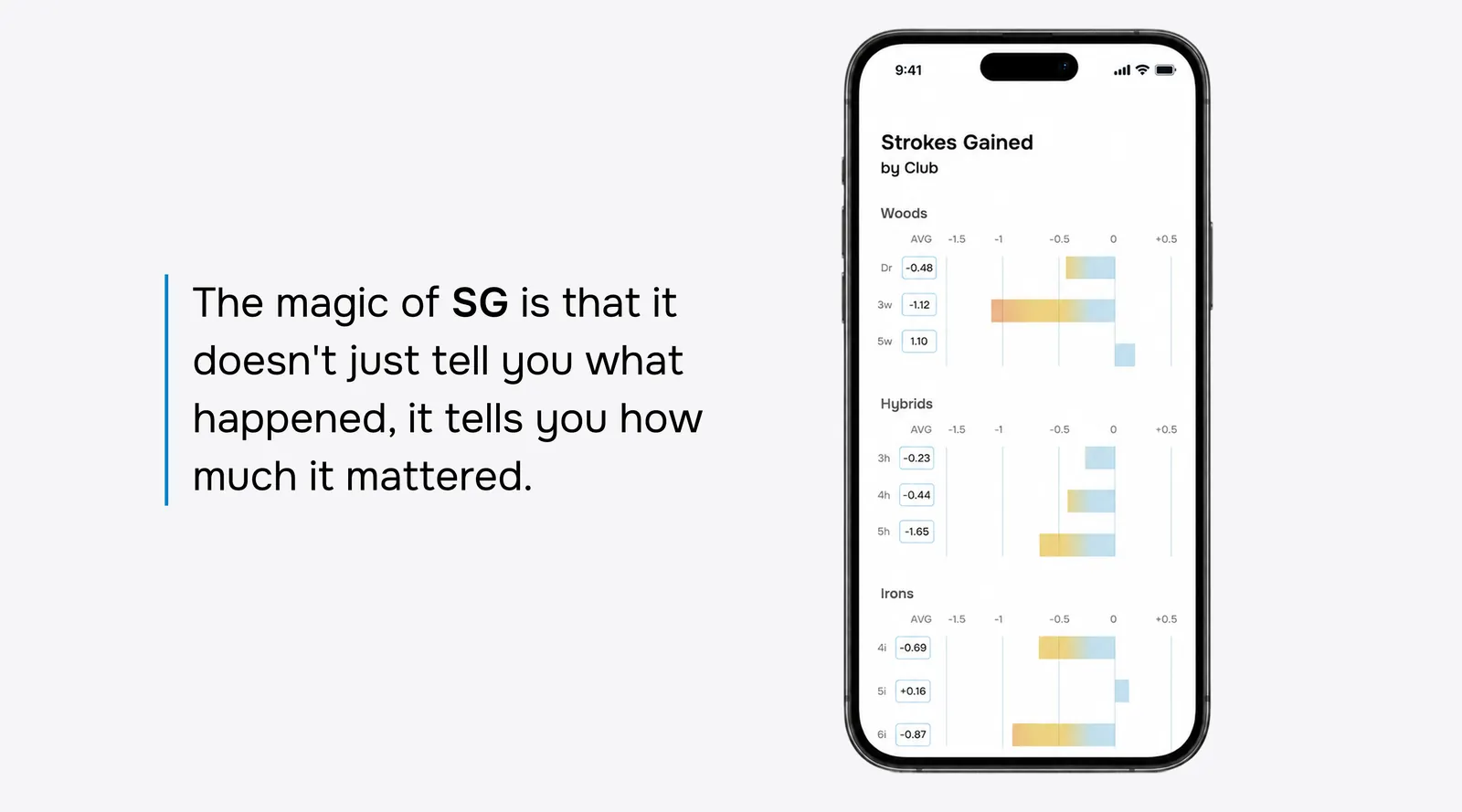
Strokes Gained (SG) measures every shot you hit against a benchmark: what an “average” player would have done from the same spot. If you hit a great drive that leaves you closer to the hole than expected, you gain strokes. If you chunk a chip into a bunker, you lose strokes.
Add all those gains and losses up across a round (or a season's worth of rounds), and you get a precise, honest picture of where your game is shining and where it's costing you.
Open the Strokes Gained card in your stats and you'll see a radar chart with five points, plus your overall total at the top. Here's what each one is really telling you.
Off the tee. How well your tee shots are setting up the rest of the hole. A positive number means your drives are leaving you in better positions than the benchmark: closer, in the fairway, with a clear look. Negative? Your tee shot is putting you behind before you get a chance at that approach shot.
Layups. Your strategy and execution on shots where you're not going for the green: the second shot on a long par 5, or the smart play after a bad drive. Big positive numbers mean you're choosing the right distances and executing them. Negatives mean your “safe” shots aren't actually that safe.
Approach. Iron play into the green. This is the category that quietly separates good rounds from great ones. Tour data has shown for years that approach shots are the single biggest driver of score, so a positive number here is gold.
Around the green. Chips, pitches, bunker shots: anything inside roughly 30 yards that isn't a putt. A positive number means you're saving pars when you miss greens. Negatives mean small mistakes are turning into double bogeys.
Putting. The flat stick. The benchmark is smart enough to know that a 30-footer and a 3-footer are wildly different expectations, so SG handles all of that for you. You just see the result.
Three rules cover 90% of what you need to know.
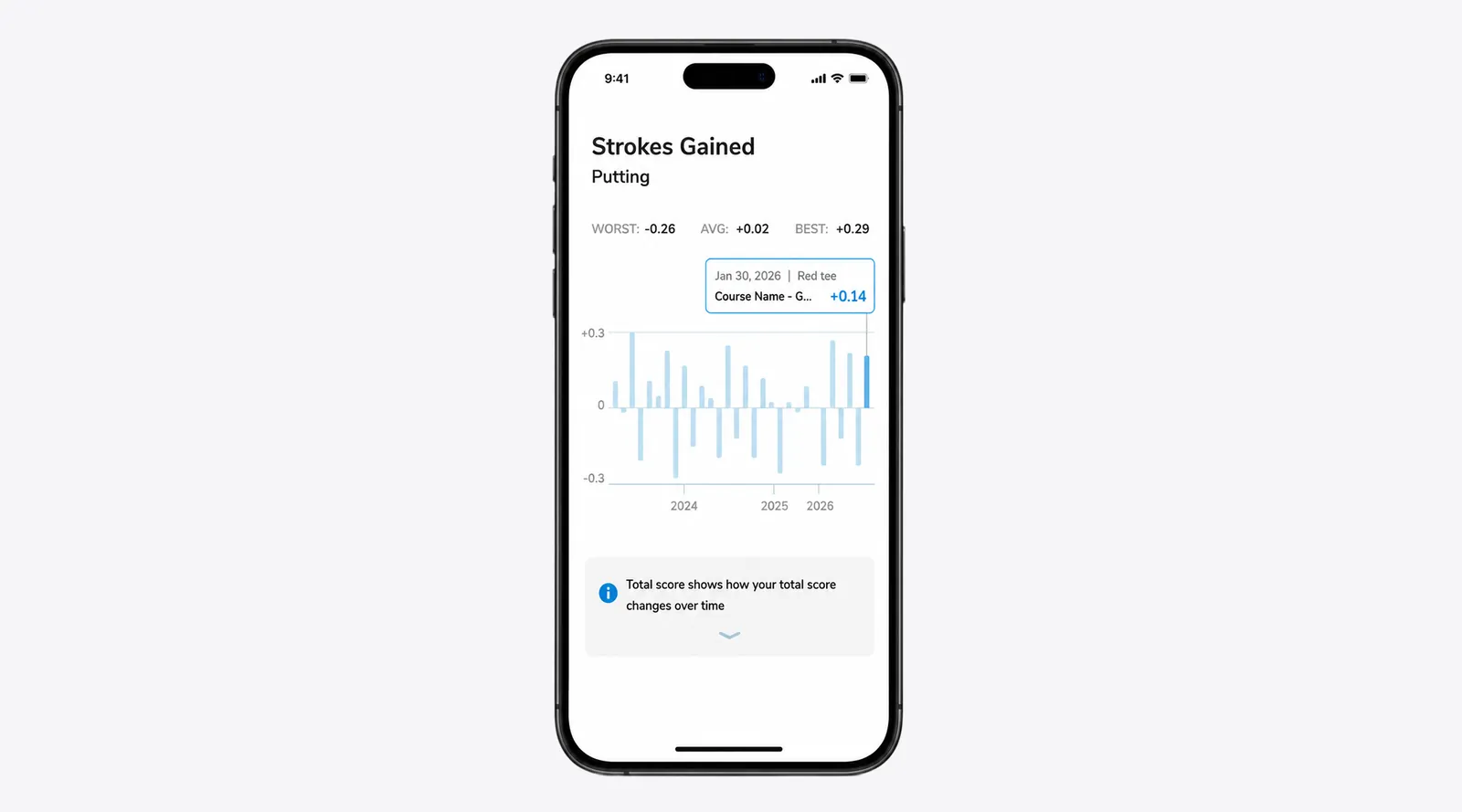
Positive is good, negative is bad. A +0.45 in Around the green means you're gaining nearly half a stroke per round on your comparison group in that area. A −0.10 means you're losing a tenth of a stroke. Small numbers add up fast over a season.
The total tells you the bottom line. Look at the big number at the top of the chart. That's your overall Strokes Gained against the benchmark you've selected. Positive means you're beating that group on average; negative means there's room to grow.
The shape of the chart tells you the story. A perfectly even chart means you're a balanced player. A spike in one direction, say, big positives in putting and around the green, but a hole punched out toward “off the tee”, tells you exactly where you're winning and where strokes are leaking out.
This is the change we're most excited about.
Until now, Strokes Gained in Golf Pad compared you to the PGA Tour average — which, let's be honest, is a brutal benchmark for most of us. You'd see a string of negative numbers and shrug. Of course you're not gaining strokes on Matt Fitzpatrick.
Now you can filter your comparison to the player who actually matters to you:
The numbers change. The story changes. And suddenly your stats become genuinely useful.
If you're a 14-handicap and your approach SG is +0.3 against a 20-handicap but -0.4 against a 10-handicap, you've just learned the exact part of your bag that's holding you back from the next level. Set the comparison to your goal, not your starting point, and your stats become a roadmap to the player you want to become.
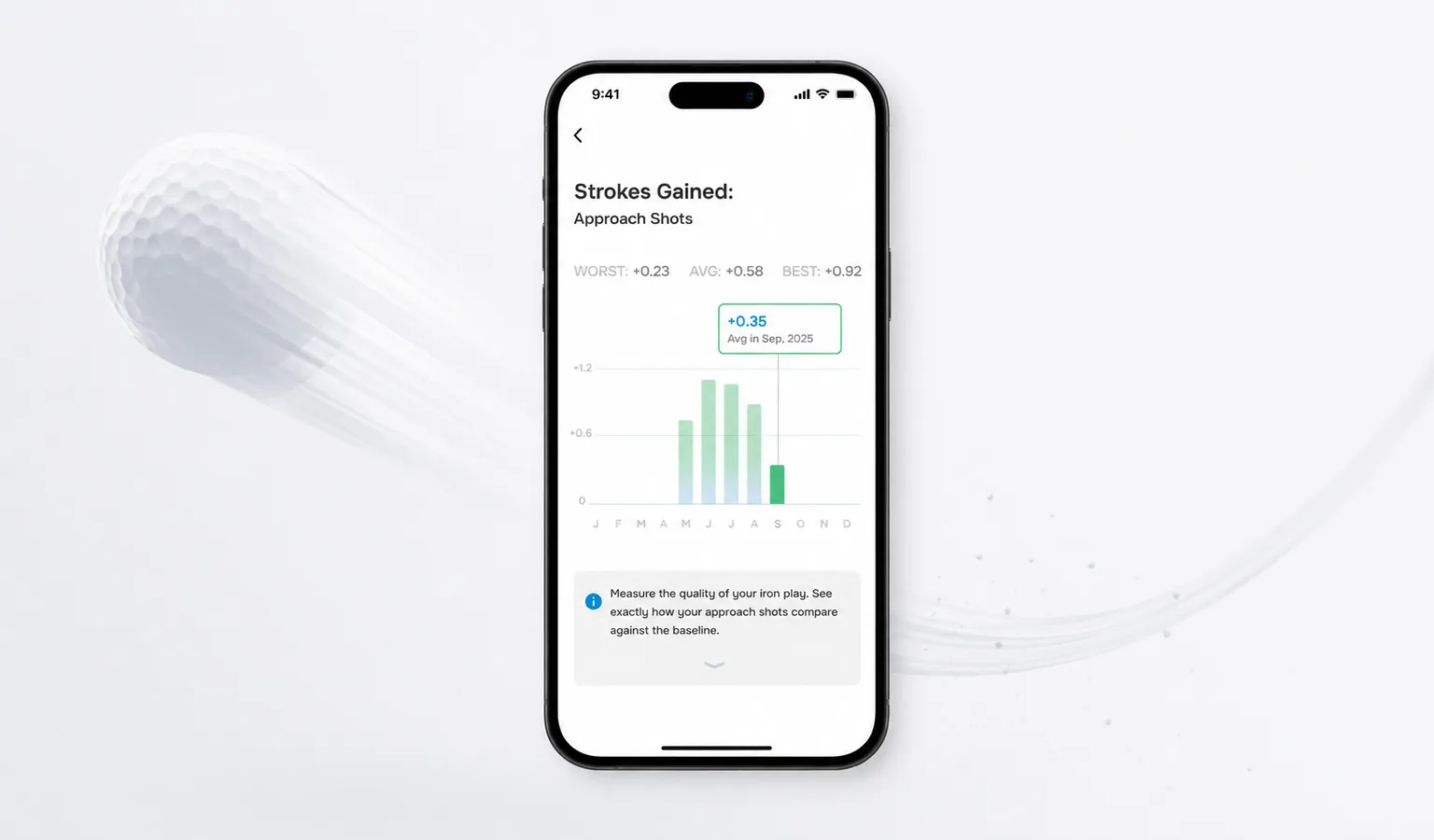
This is the step most golfers miss. Strokes Gained isn't a scoreboard, it's a to-do list.
After every round (or every few rounds, once you have a stable sample), open your SG card and ask three questions:
Then build your next range session around that answer. If approach is the leak, practice your irons until the number moves (or double check those lie angles!). If putting is the culprit, ditch the driver for a session and live on the practice green. The data tells you where to spend your time, all you have to do is listen.
Strokes Gained gets meaningful around 5–10 tracked rounds. A single round can swing dramatically based on one or two outlier holes (one lost ball off the tee can wreck your “off the tee” number for a week). Track consistently, and the chart will settle into a true picture of your game within a few weeks.
Strokes Gained takes the guesswork out of “what should I work on?” And with the new handicap comparison filter, it stops being a stat that humbles you and becomes a stat that guides you.
Open the app, pull up your stats, and try setting the comparison to a 10 handicap, or whatever your goal handicap is. The picture you see will tell you, in numbers, exactly what to do next.
Your best round of the season is hiding in that chart. Go find it.


Subscribe for early access to promotions, feature announcements & more.

