No items found.

There are a couple of different options when adding golfers to Events.
Add golfer
When you are on the golfers tab, under list, select the blue +Add button.
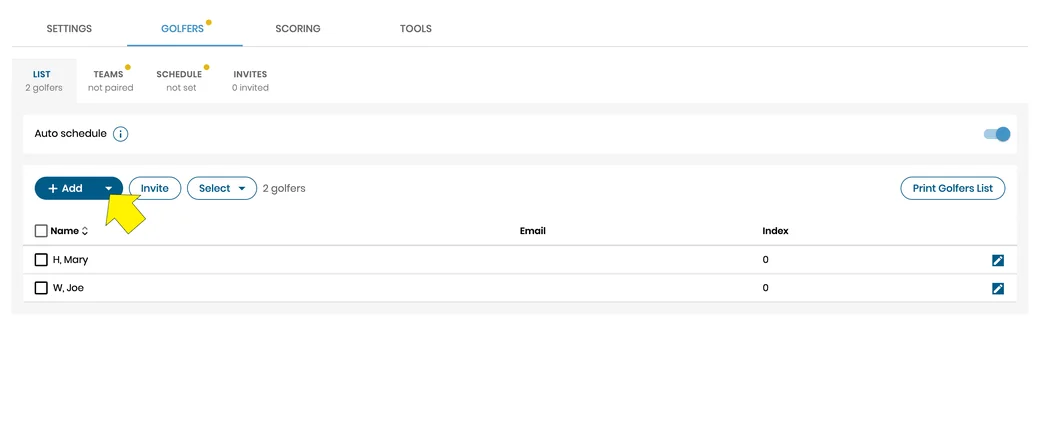
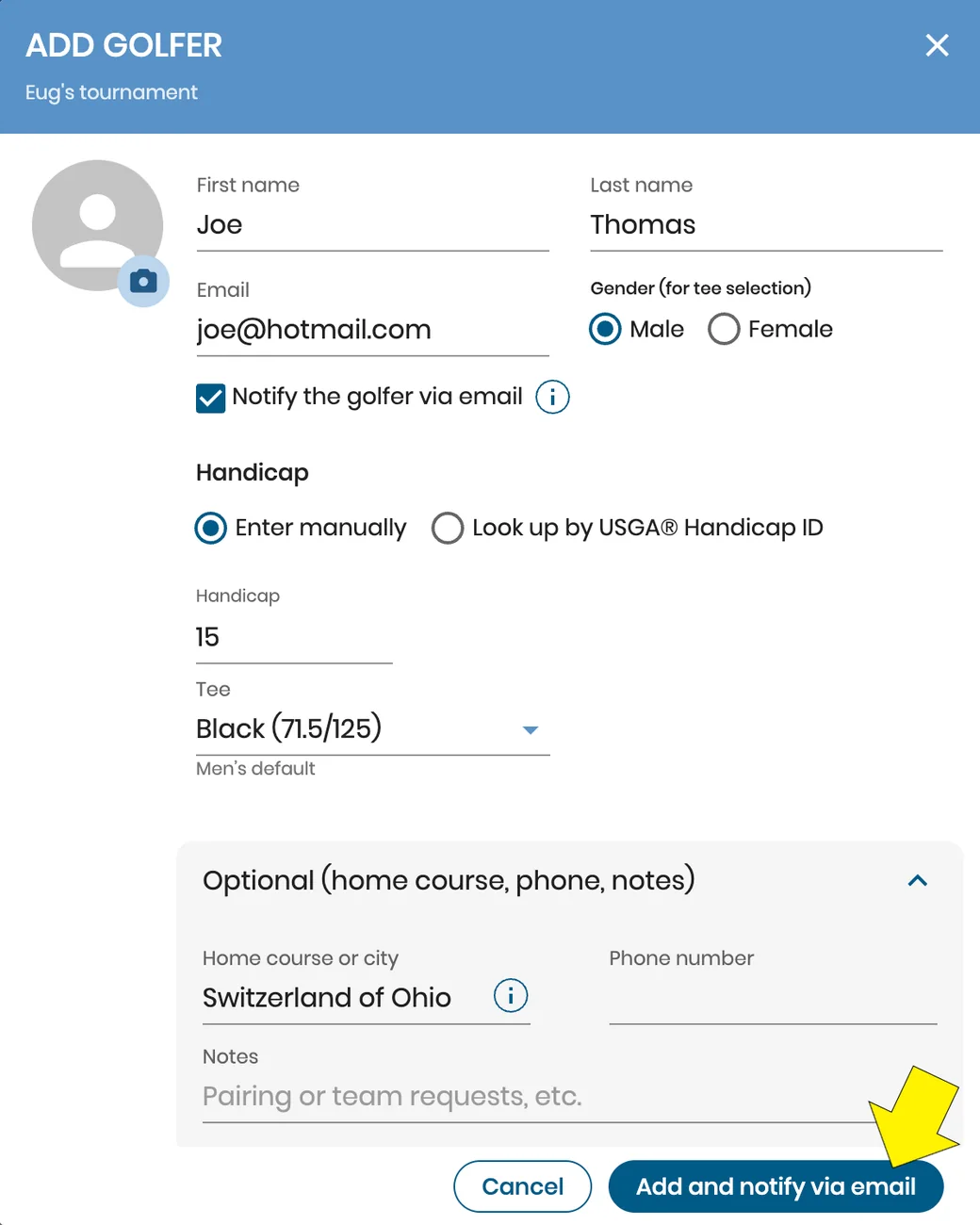
This add button allows you to manually input the following information: First name, Last name, Email, Handicap index, Gender. When you select the More button you can add a Golfer's Phone number and any Notes.
Clicking the 'Add and notify via email' button will save the golfer and their information to the event.
Import golfers
You can import golfers from previous events and also from a spreadsheet. Please click importing golfers to learn more about this feature.
Important
Golfer last name and gender are required fields to add a golfer to your list.


Subscribe for early access to promotions, feature announcements & more.