No items found.

Yes! You can preview courses from home before you play. Here is a quick walkthrough of what you will see when previewing from home.
Start a round at a course you want to preview. You will probably see the yardage as "999" if you are not near the course - this just indicates it's out of range for a live round.
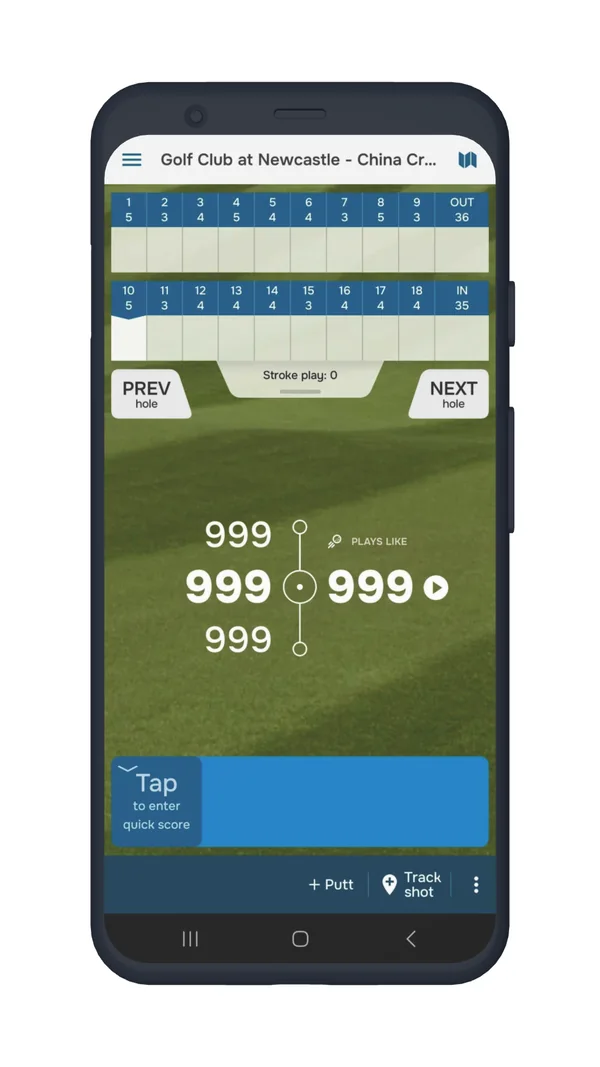
The next step is to open up the map view of the course. You can view distances from tee to green, layups and hazards here. You can also switch to the "Green" mode to view green contour maps (layups, hazards and green contours are available in Golf Pad Premium).
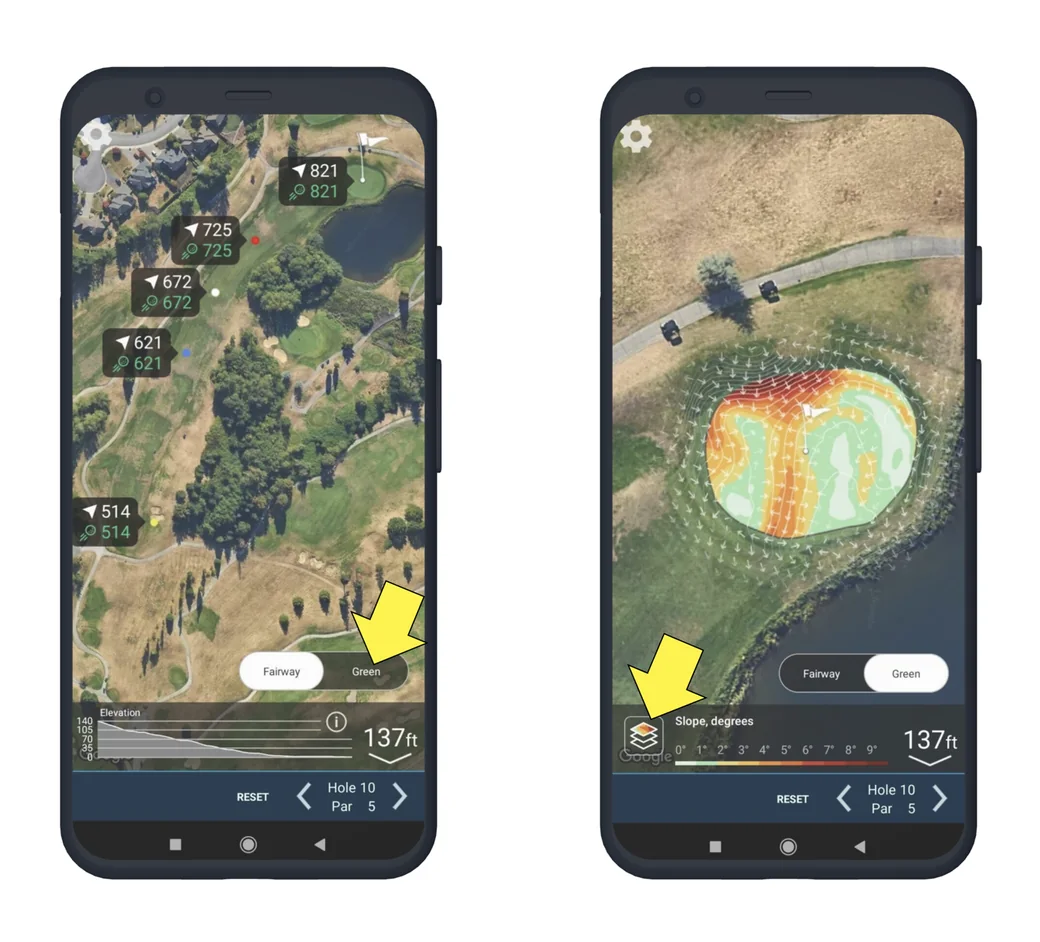
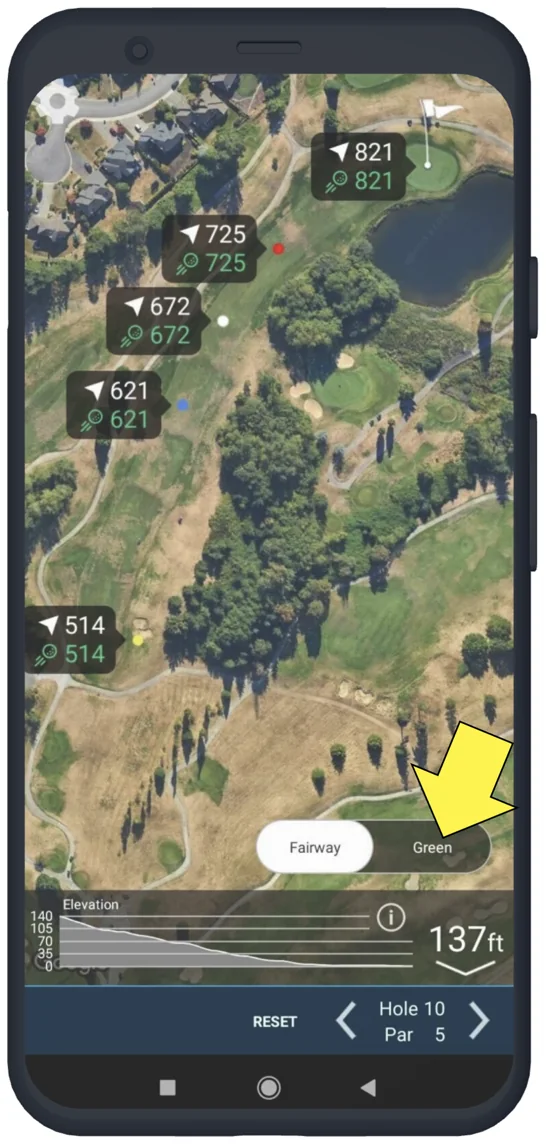
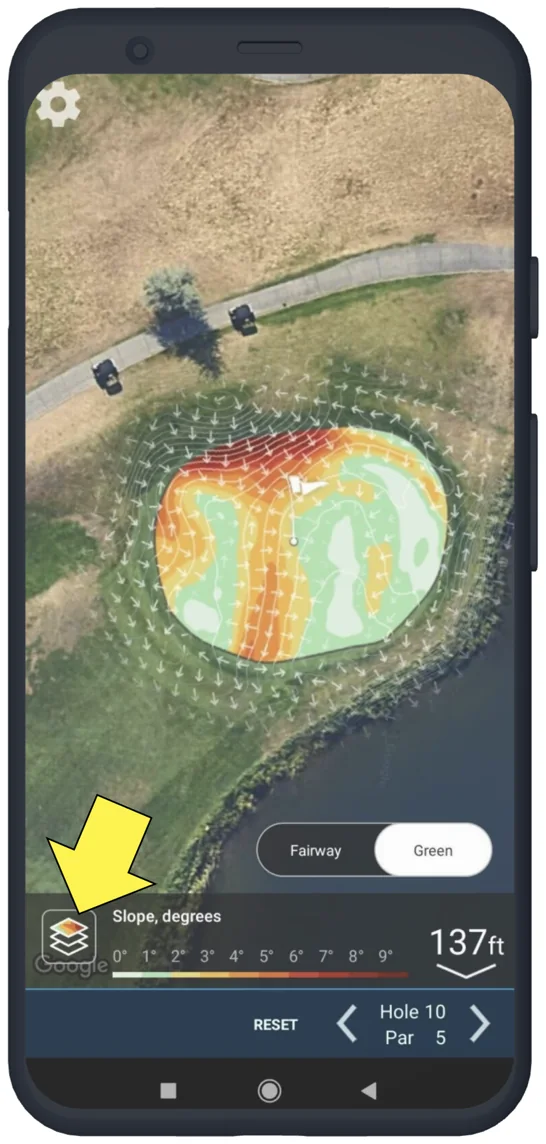
You can tap any position on the map you would like to measure to. You will be given a measurement from the furthest back tee box and a measurement from the position you tapped to the center of the green. If you have a premium upgrade on your account you will also see Plays Like and club recommendations for these distances.
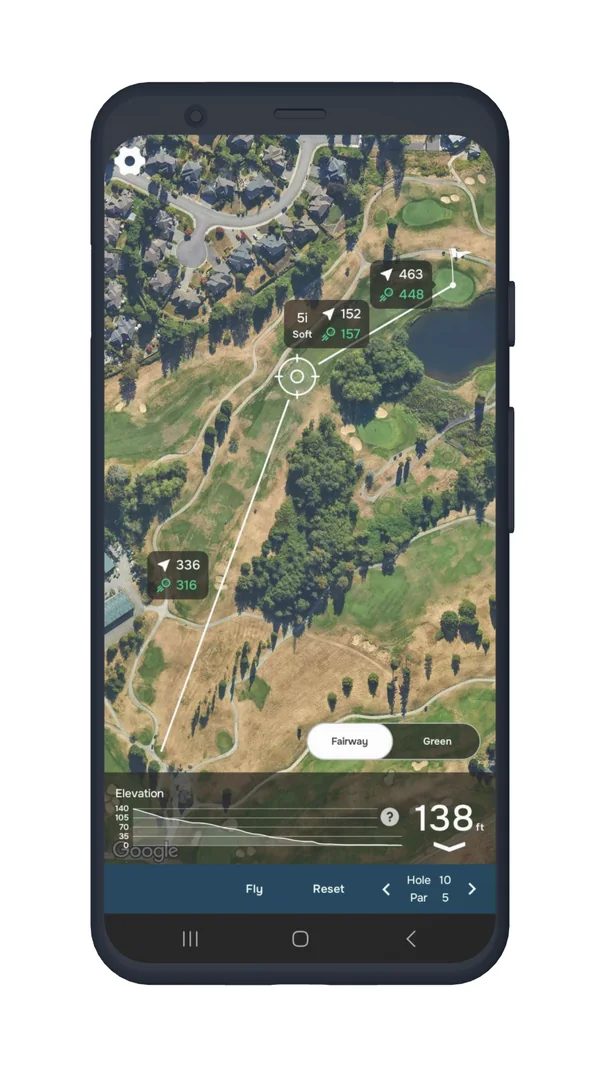
You can navigate between holes using the arrows in the lower right corner.
By previewing the course, you can plan your strategy, get familiar with hazards, and improve your game before stepping onto the fairway!
Need help? Feel free to contact us.


Subscribe for early access to promotions, feature announcements & more.