No items found.

Please make sure you have set the schedule including starting holes, tee times, etc. This is important as schedule information for your event will be displayed in the app. When golfers begin scoring they will see other golfers in their group, and have the option to keep score for them. If your event schedule has not been established, golfers will not be able to proceed with the scoring option in the app, instead they will be directed to contact the tournament organizer about scheduling.
With your event schedule set, please follow the steps below:
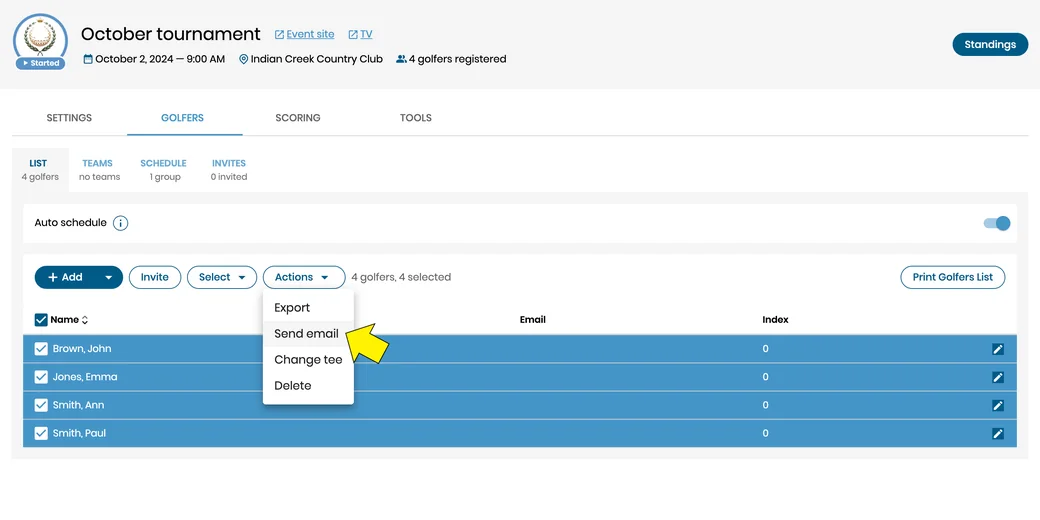
From the golfers list select some or all golfers, then under actions select the option to send email.
You can draft your email and attach any items you choose.
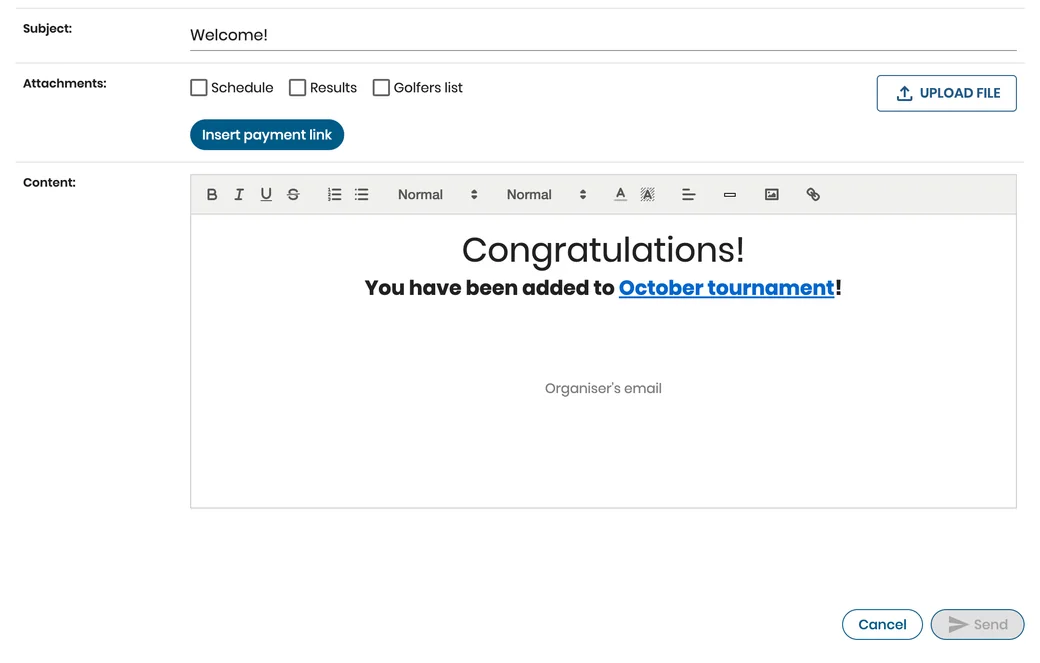
Golfers receiving your email should follow the steps in the email:
Step 1 Download the free Golf Pad GPS app, unless it is already installed.
Step 2 Open the invitation link (specifically for the email recipient) on their mobile device. Golfer confirms they are playing in the event.
To learn more about receiving Golf Pad Events invitation links click here


Subscribe for early access to promotions, feature announcements & more.