Help Center
›
Golf Pad Events
›
Real-time scoring in Golf Pad app

How to Accept an Event Invitation on the Golf Pad App

Open the email sent to you from the event organizer

There are links included in the email:
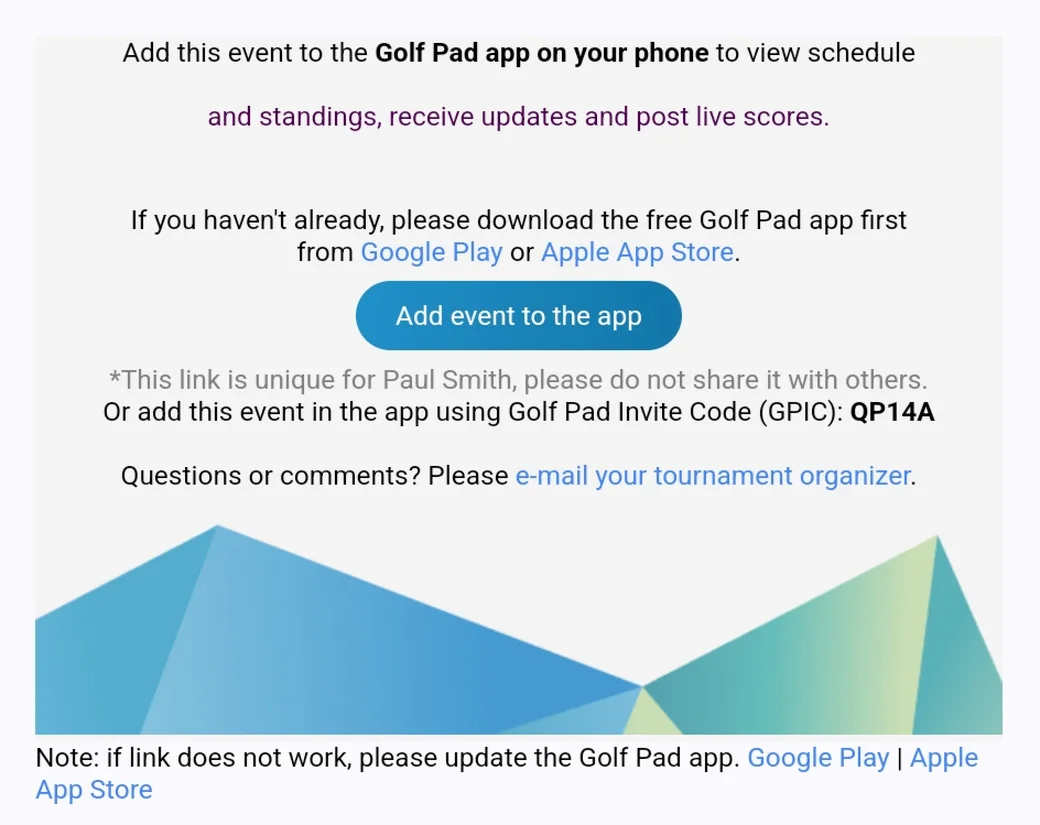
  1. Google Play and Apple App Store links to download the Golf Pad app, provided you don't already have it.
  2. Once you have the Golf Pad app installed, select the "Add event to the app" link for the Event.
Invitation email with the Add event to the app button and the invite code

Tap the invite link

Tapping the invitation link will open the Golf Pad GPS app, and ask you to confirm you're playing in the Event.

It is important to remember that when you receive this email from the organizer, your invitation link is specific to you. You will be asked to confirm your name to establish the connection between your app and the Events platform. Invitation links should not be forwarded or shared with other golfers.
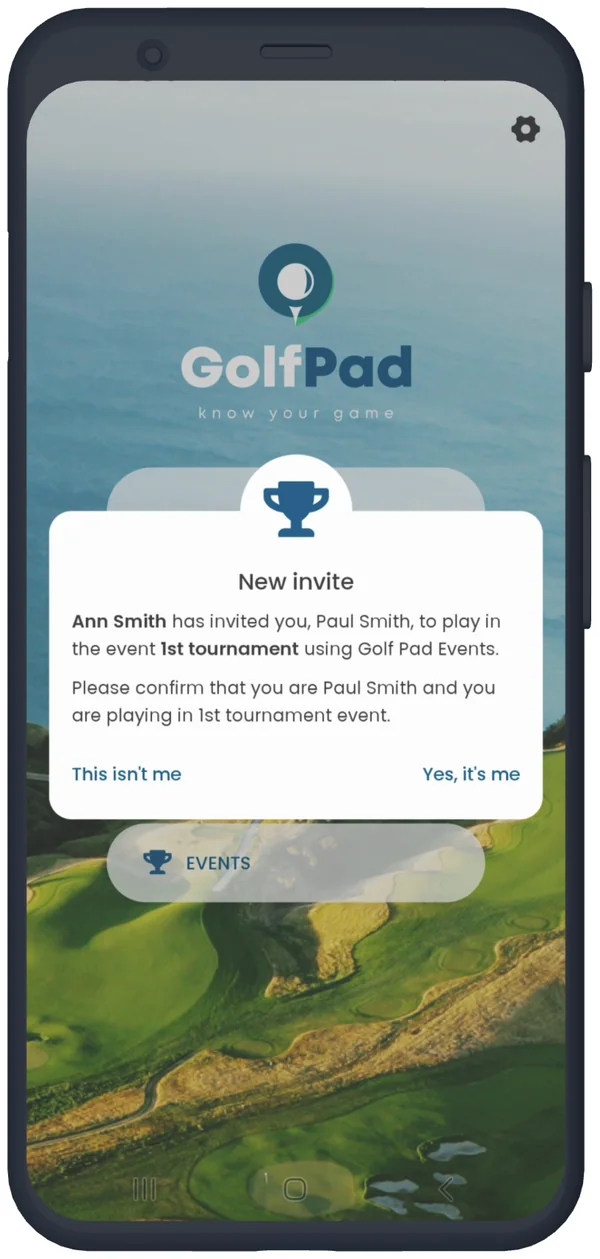
New invite message in the Golf Pad app: confirm it is you
Confirm the invitation

Event confirmation

After accepting the invitation, you can now view the event information.

Following confirmation

A list of golf tournaments you are participating in can be found by selecting the Events button on the Golf Pad GPS app home screen.

To learn more about your events in the app click here

Was this article helpful?
Thank you for your feedback!

Sorry we couldn’t help

Tell us what was wrong, and our support team will look into it.

What was wrong?

Thank you! Your submission has been received!
Oops! Something went wrong while submitting the form.
how-to-accept-an-event-invitation-on-the-golf-pad-app
real-time-scoring-in-golf-pad-app
golf-pad-events
November 17, 2026

Didn’t find an answer?

Send us a message and our support team will reply by email.

Contact support
Data source for the script: all help articles (for More in…). Hidden on the live page.