Help Center
›
Golf Pad Events
›
Real-time scoring in Golf Pad app

View and Manage Events List in Golf Pad App

A list of your events can be found by selecting the Events button on the Golf Pad app home screen.
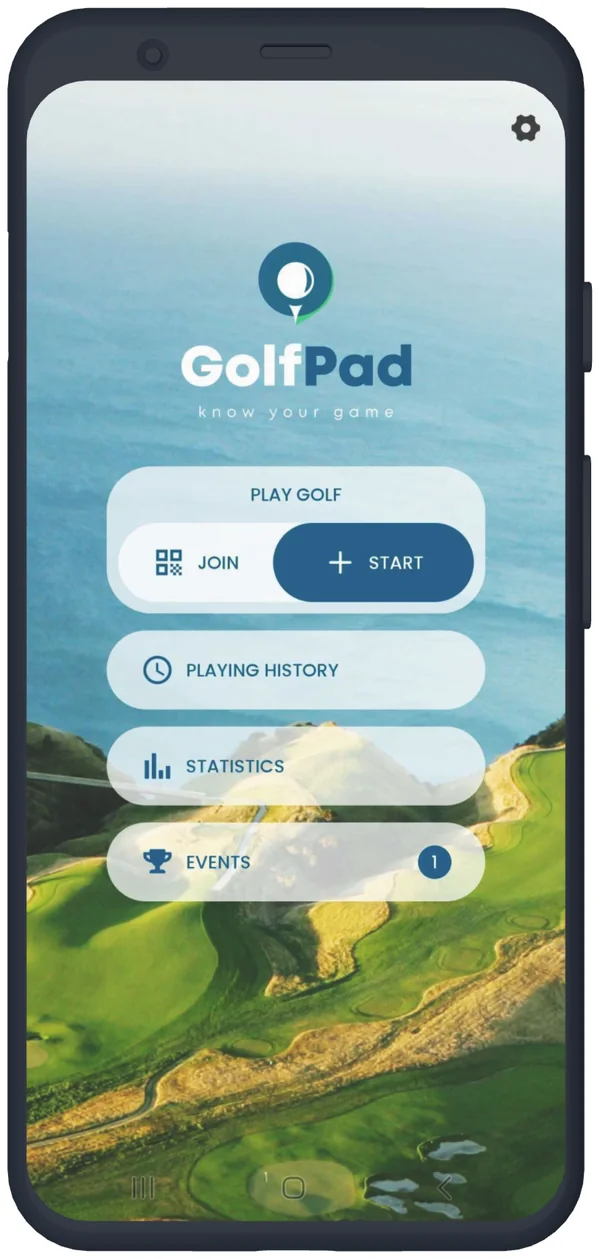
Golf Pad app start screen with the Events button
Tap Events

Events will be separated into the following categories: today, upcoming, or past. Choose a specific event to open the event summary page.
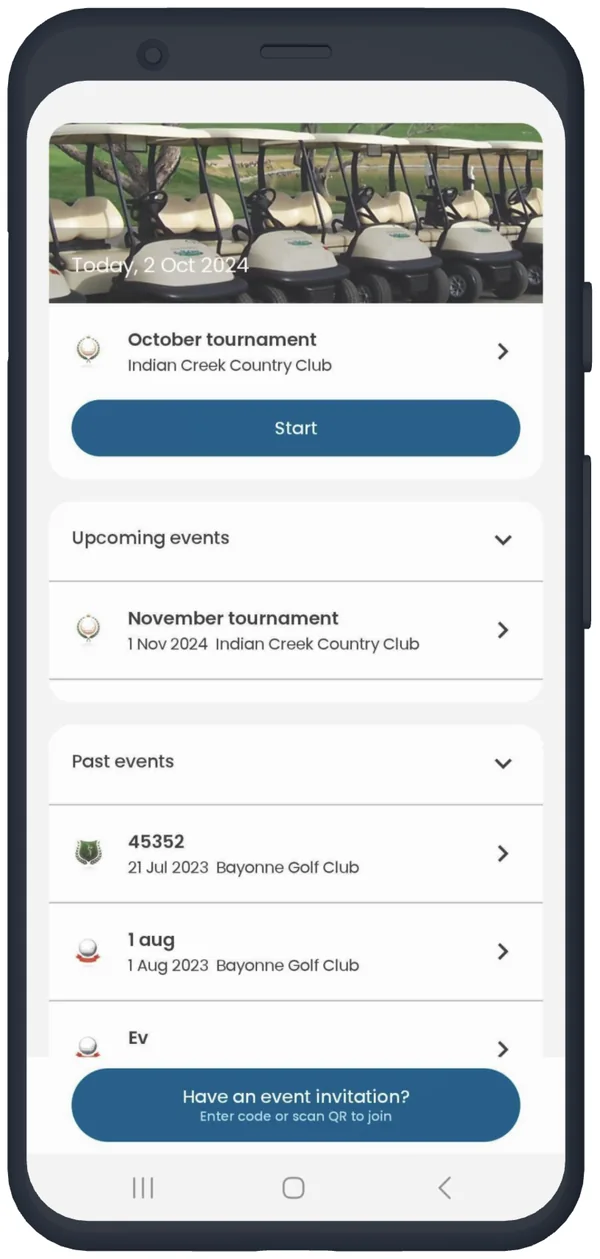
Events list in the Golf Pad app: today, upcoming and past events
Today, upcoming and past events

The Event summary page will allow you to see and access all the information about the tournament.
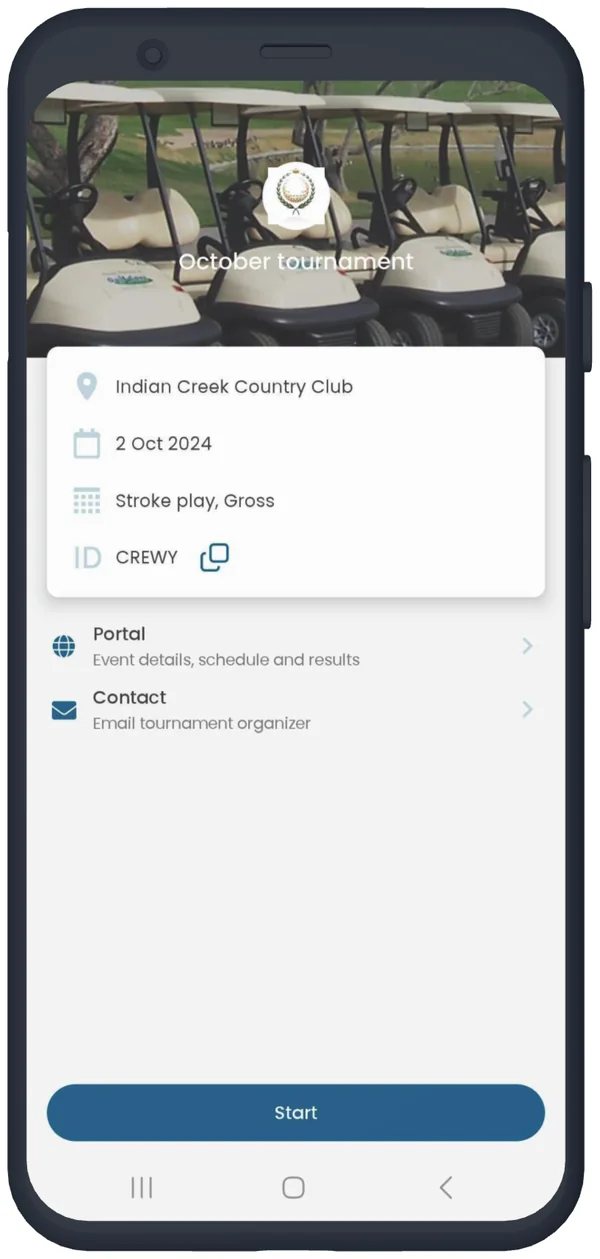
  • Start will allow you to select other golfers to keep score for, and begin your round. This scoring option is disabled until the day of the event.
  • Event site will launch the event website for additional information, standings.
  • Contact allows golfers to message the event organizer via email.
Event details in the Golf Pad app with portal and contact links
Event summary

To learn more about day of the event scoring in the app click here.

Was this article helpful?
Thank you for your feedback!

Sorry we couldn’t help

Tell us what was wrong, and our support team will look into it.

What was wrong?

Thank you! Your submission has been received!
Oops! Something went wrong while submitting the form.
view-and-manage-events-list-in-golf-pad-app
real-time-scoring-in-golf-pad-app
golf-pad-events
September 12, 2025

Didn’t find an answer?

Send us a message and our support team will reply by email.

Contact support
Data source for the script: all help articles (for More in…). Hidden on the live page.