Help Center
›
Smartwatch Sync
›
Android Wear OS

Golf Pad Android Wear OS User Guide

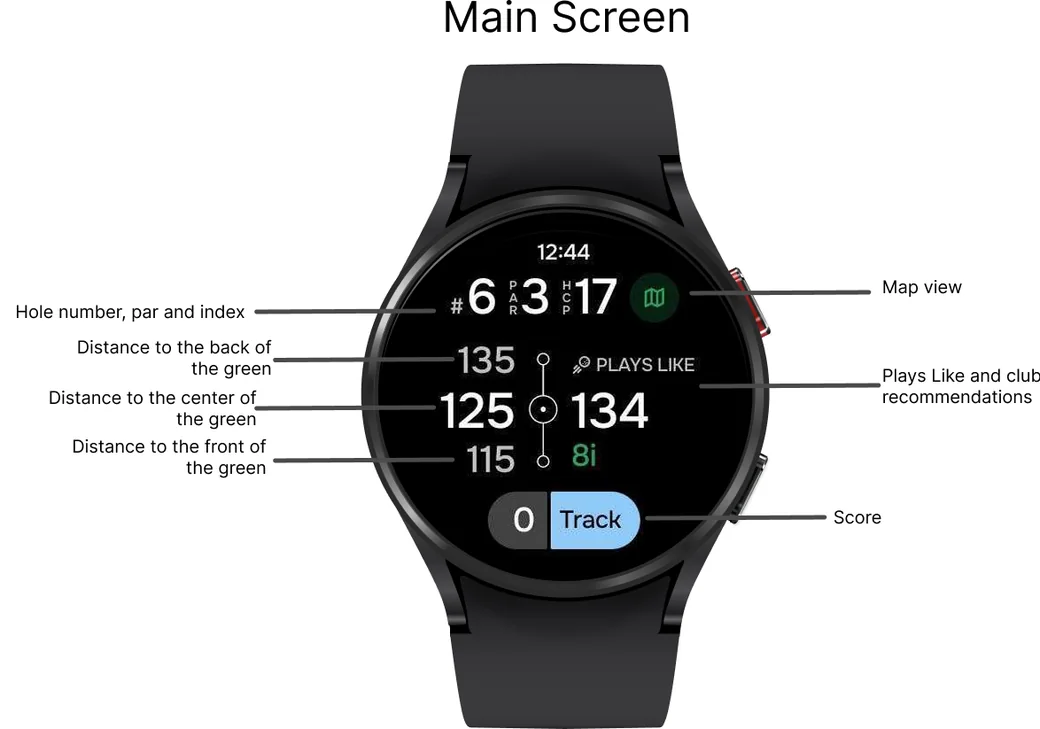
Wear OS watch main screen with hole info, distances and Plays Like explained
Wear OS watch scrolling through hazards, layups, Plays Like and round stats
Wear OS watch switching to another hole
Wear OS watch adding a stroke
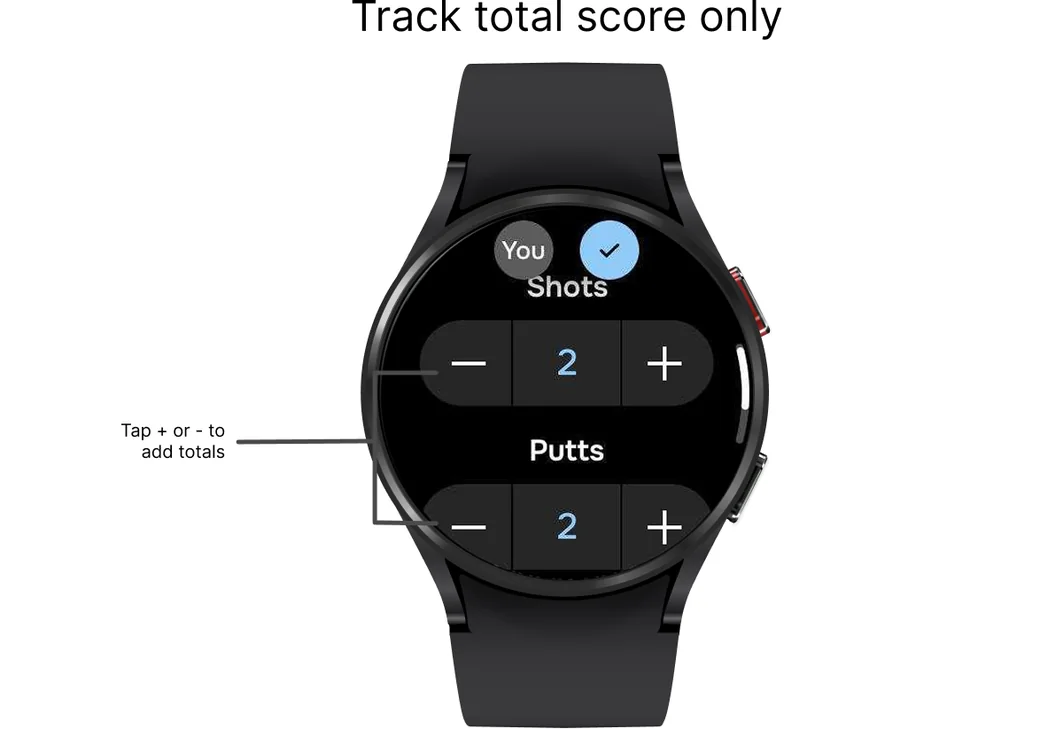
Wear OS watch total score screen for shots and putts
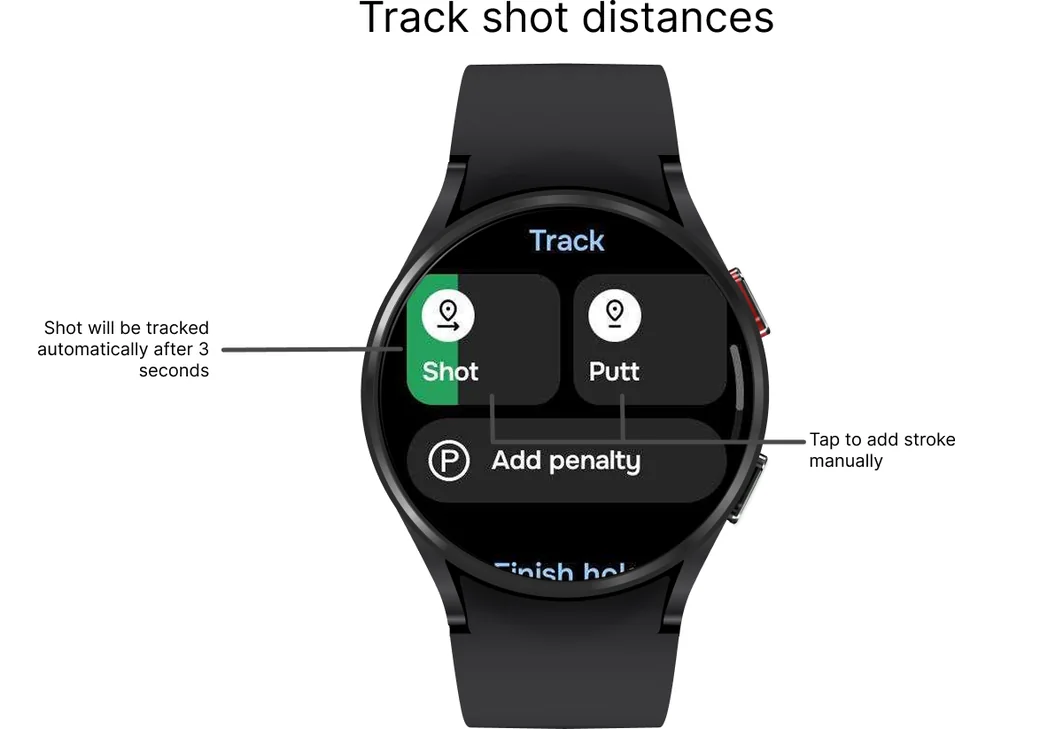
Wear OS watch Track screen with Shot, Putt and Add penalty
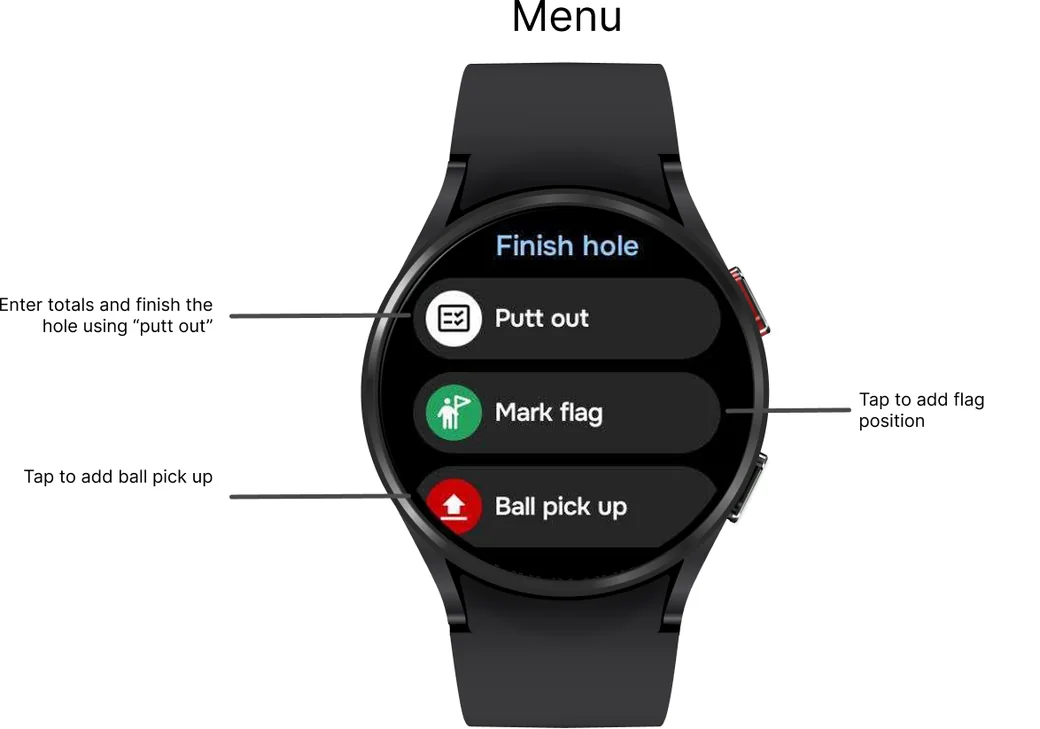
Wear OS watch menu with Putt out, Mark flag and Ball pick up
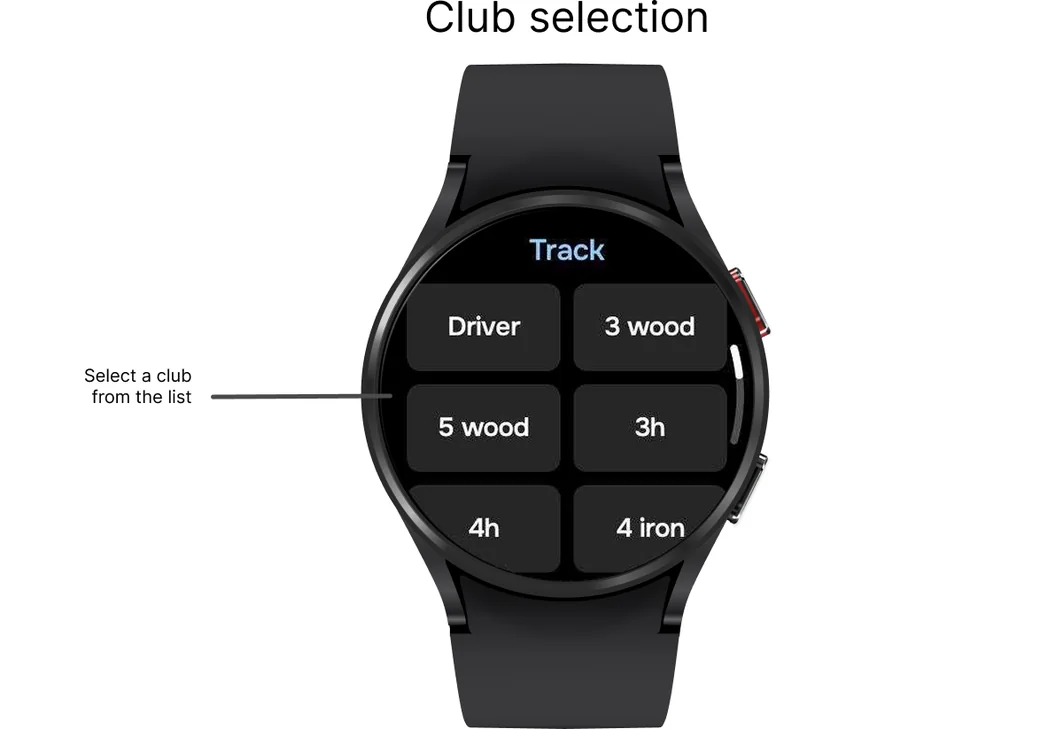
Wear OS watch club list for selecting a club

NOTE 1: Select a scoring mode in the phone app: go to Preferences > Smartwatch sync.

NOTE 2: Select 'Track shot distances and clubs' in Preferences > 'Smartwatch sync' to enable club selection.

Multiplayer mode

If you're playing with multiple players, you can track everyone's score directly on your watch. Simply tap "Score" and enter each player's totals to keep the game updated in real time.
Wear OS watch entering scores for several players

Sending a report

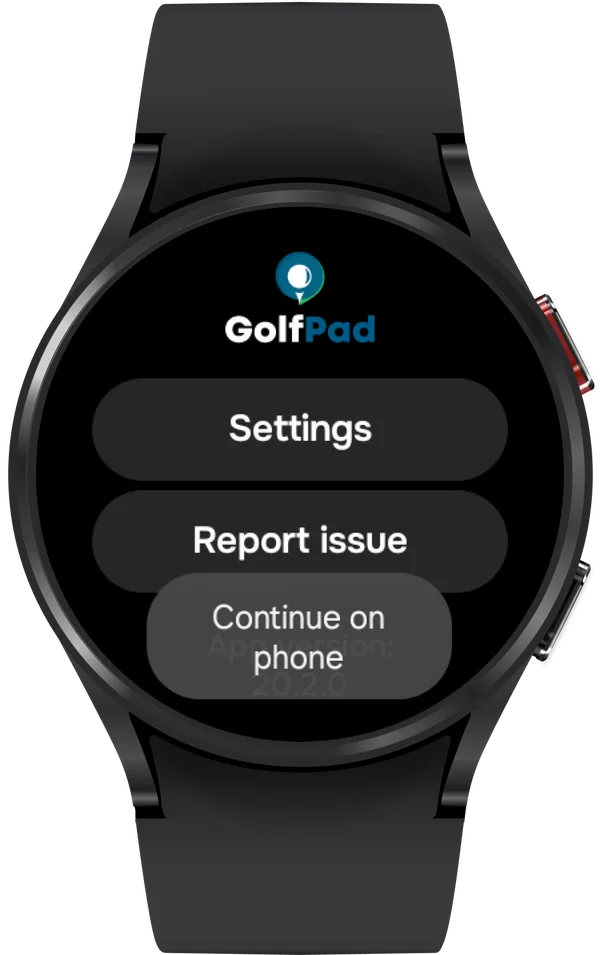
If you encounter a problem, or if the support team asks you to send a report from your watch, please scroll down on the watch screen and tap "Report issue". This will open the support portal on your phone, and the report will be sent to us automatically. To ensure the report was sent correctly, please close the watch app and then reopen it.
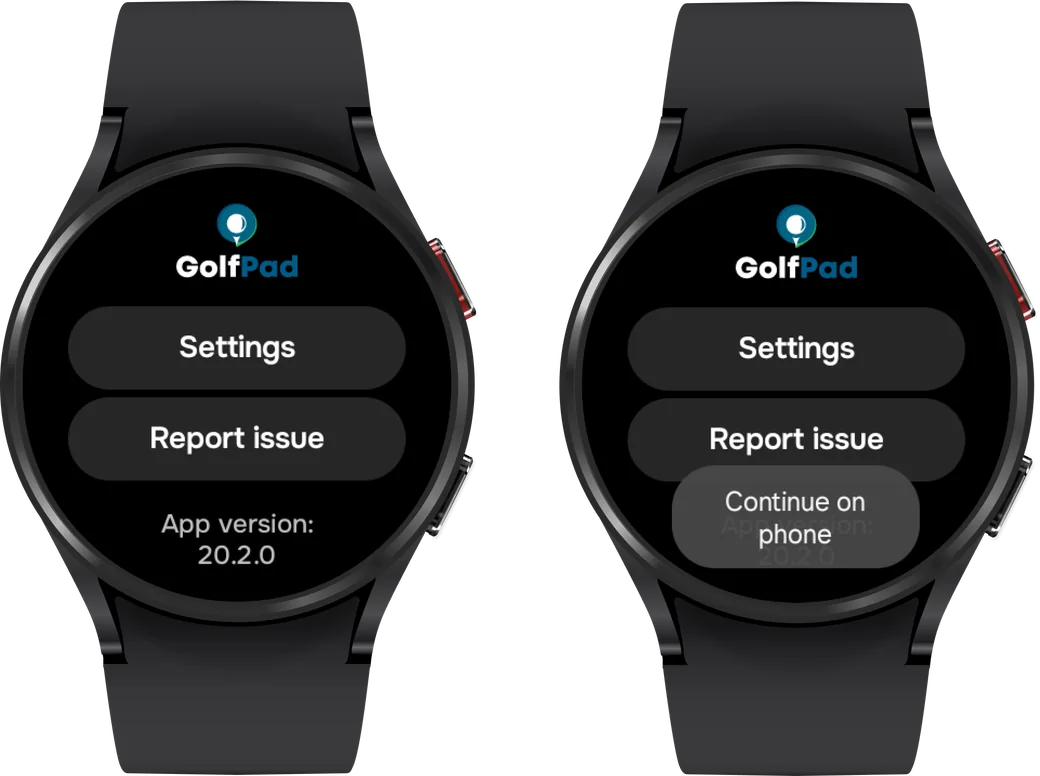
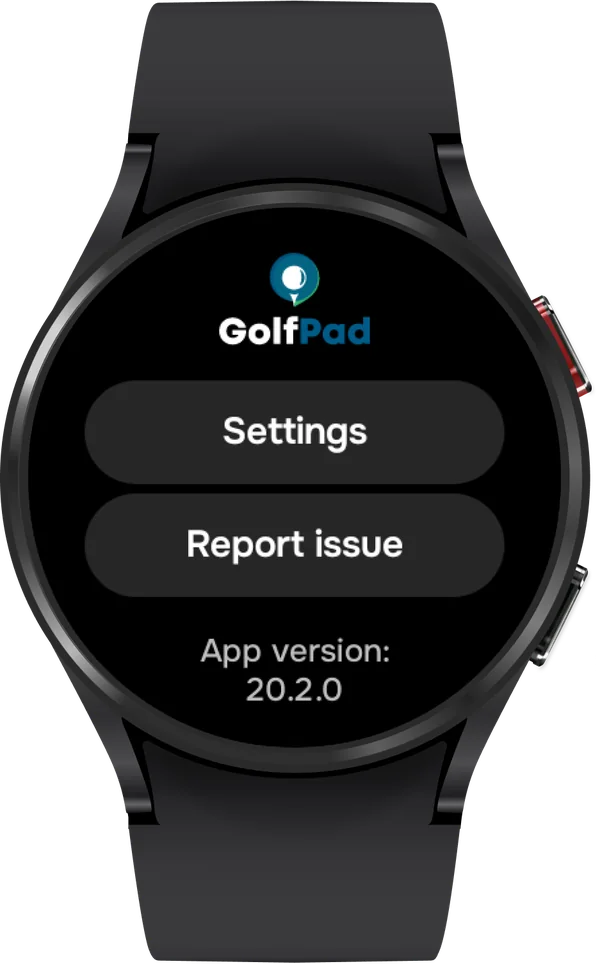
Wear OS watch Golf Pad menu with Report issue
Golf Pad on a Wear OS watch with Settings and Report issue
Report issue on a Wear OS watch with the Continue on phone button

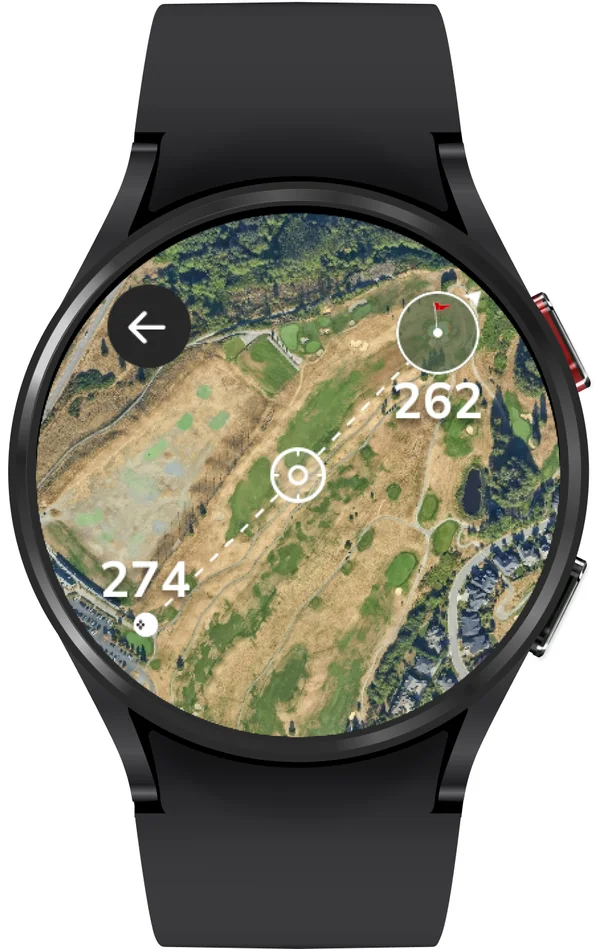
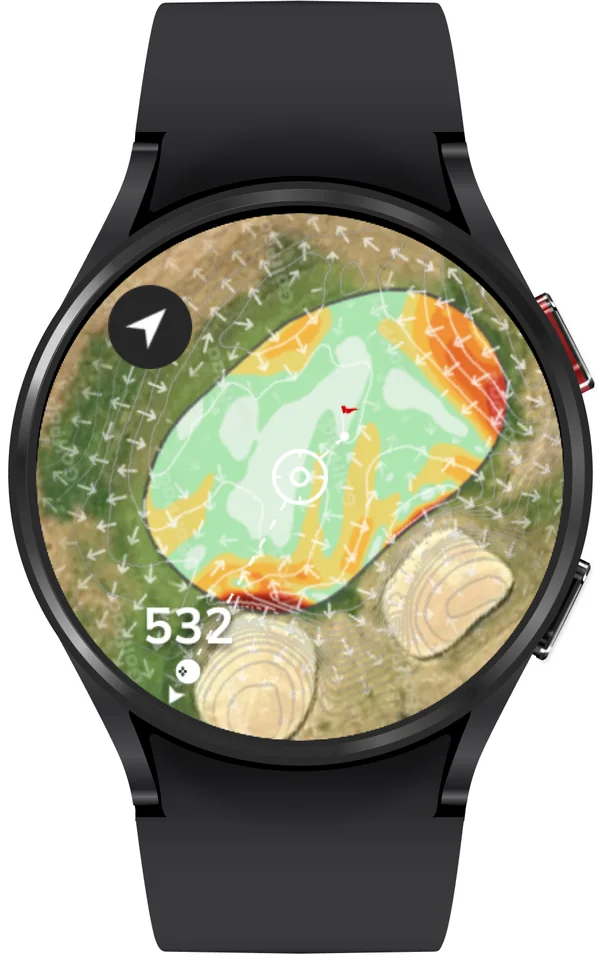
As of version 20.1.12, maps are now available on your watch! More information about the new feature can be found here.
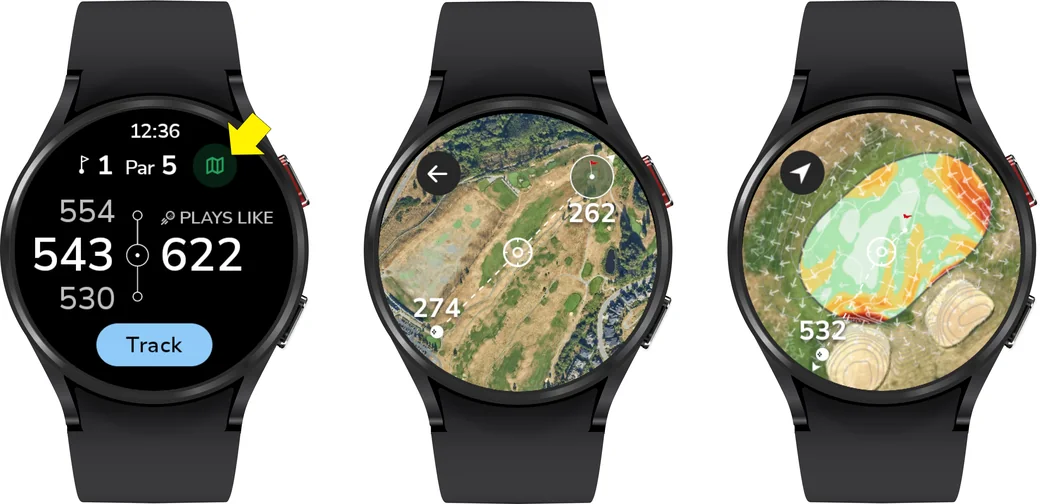
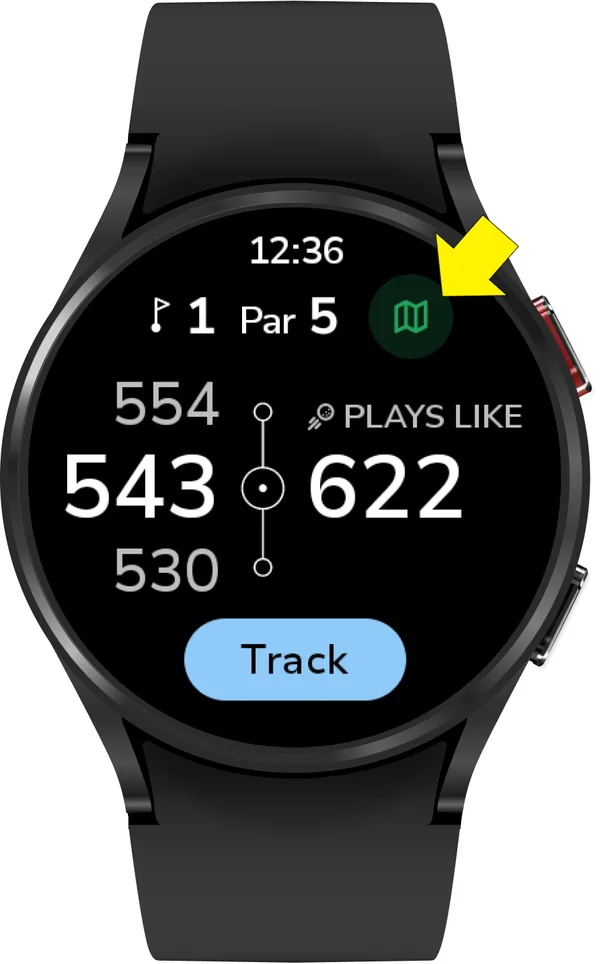
Wear OS watch with the map button and two map views
Golf Pad main screen on a Wear OS watch with the map button marked
Hole map on a Wear OS watch
Green map with contours on a Wear OS watch
Was this article helpful?
Thank you for your feedback!

Sorry we couldn’t help

Tell us what was wrong, and our support team will look into it.

What was wrong?

Thank you! Your submission has been received!
Oops! Something went wrong while submitting the form.
golf-pad-android-wear-os-user-guide
android-wear-os
smartwatch-sync
November 6, 2026

Didn’t find an answer?

Send us a message and our support team will reply by email.

Contact support
Data source for the script: all help articles (for More in…). Hidden on the live page.