Help Center
›
App features
›
Aerial maps

Maps on the Watch

As of February 10, 2025, one of the most requested features is now live: interactive course maps on smartwatches! Available for both Android Wear OS and Apple Watch, this feature gives you real-time access to hole layouts, distances, and club recommendations - right on your wrist.

Make sure you're up to date:

  • Android phones: version 20.1.12 or later
  • iPhones: version 20.1.14 or later

Update the app on both your phone and smartwatch.

Note

Smartwatch sync is a Premium feature. Follow these instructions to upgrade to Premium.

How to access the map view?

To access the map, please start a round on the watch as you usually do. Tap the green map icon in the top right corner. You will see the hole map with distances and club recommendations.
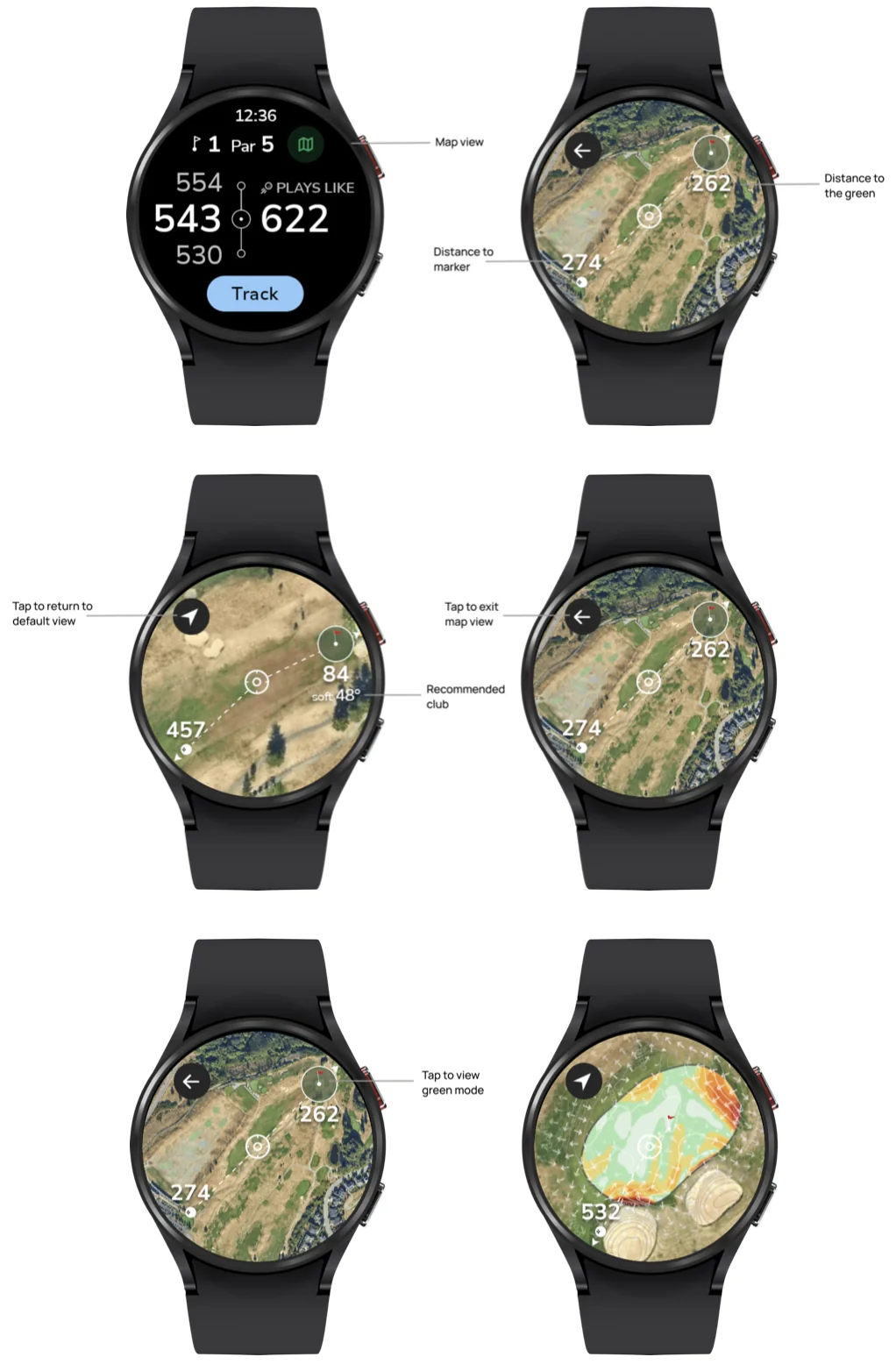
  • You can zoom in/out or move the map. To return to the default view, just tap the arrow in the top left corner.
  • To exit the map view, tap the back arrow.
  • Tap the flag in the circle to switch to the green mode.
Golf Pad map view on a smartwatch with its controls explained

How to edit the map settings?

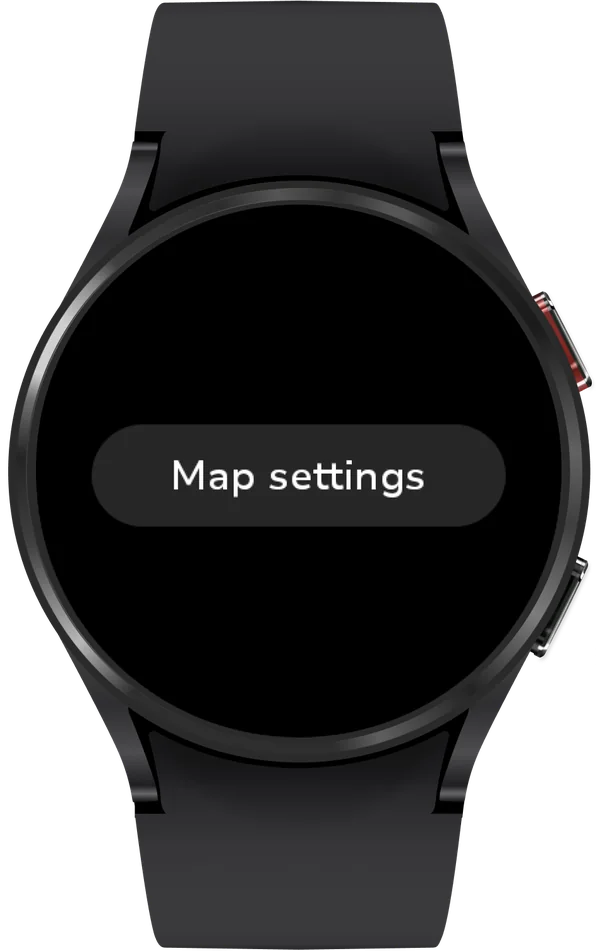
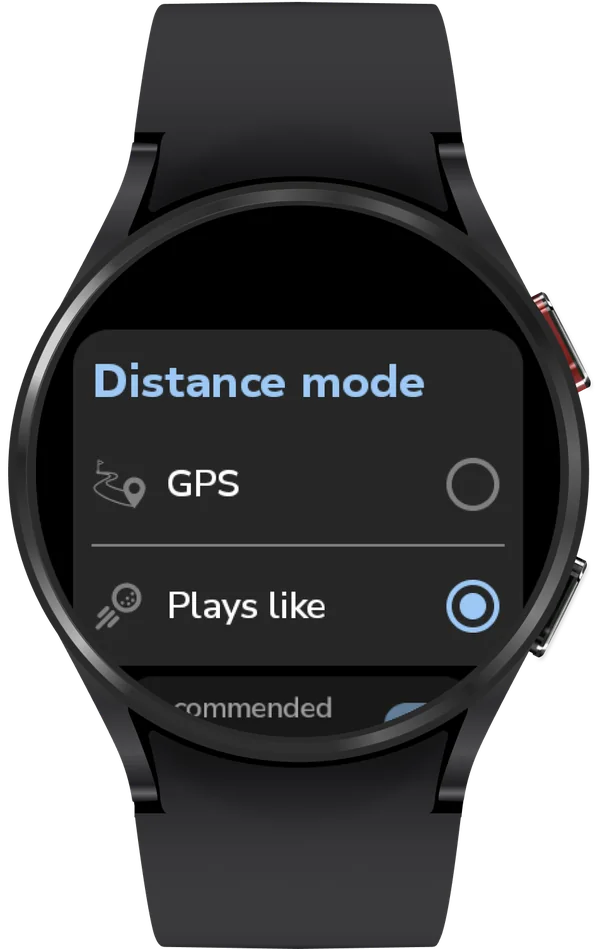
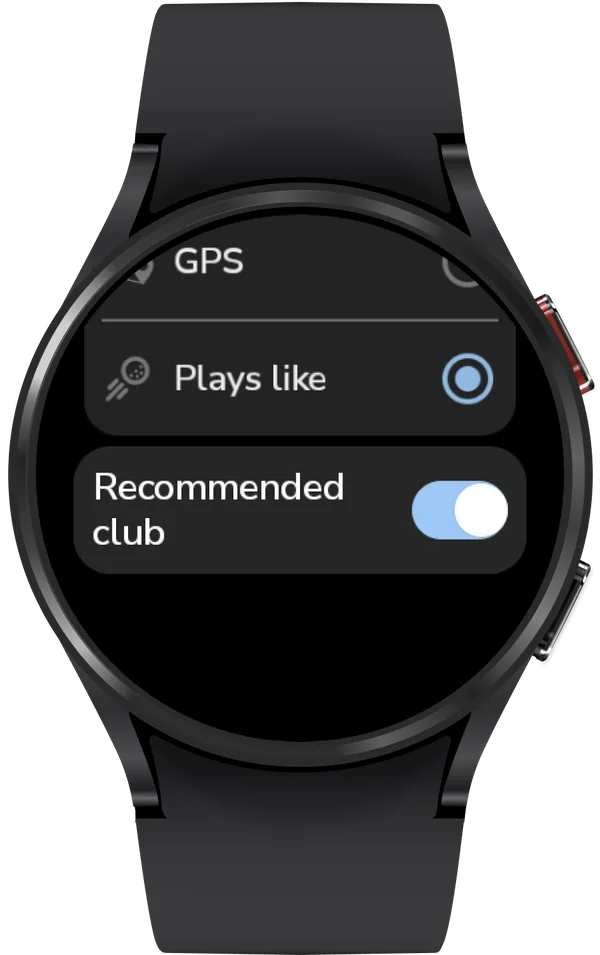
To edit the map settings, please scroll down the watch screen, open Settings -> Map settings. There you can select the distance mode and enable/disable club recommendations.
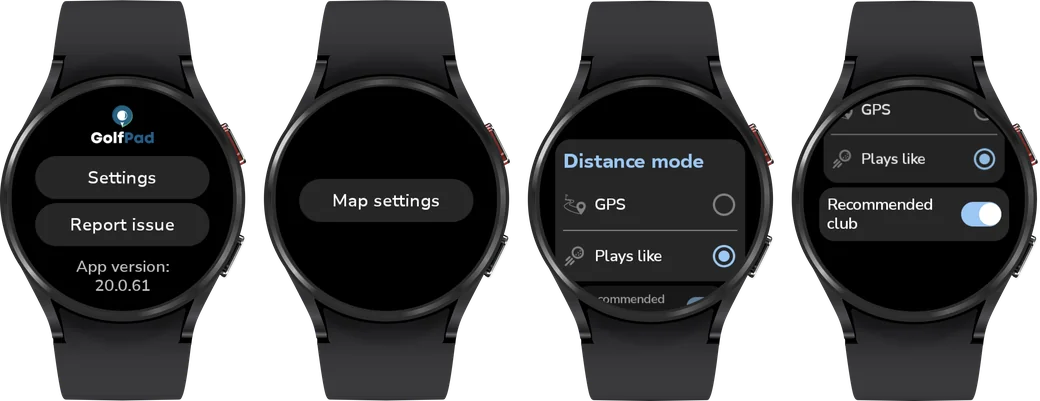
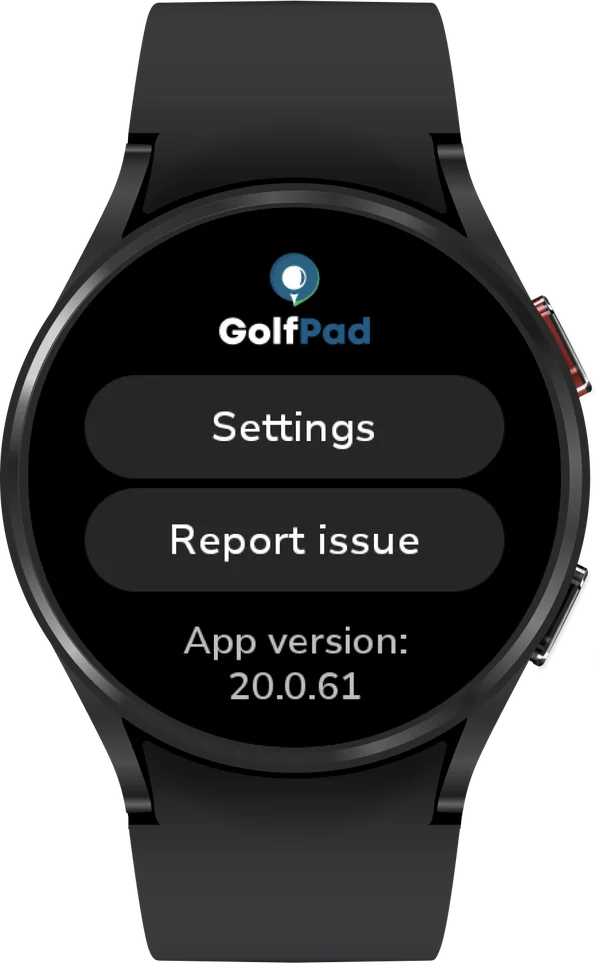
Golf Pad watch screens for opening Map settings and choosing the distance mode
Golf Pad watch menu with Settings
Watch settings with Map settings
Distance mode on the watch: GPS or Plays like
Watch map settings with the Recommended club switch

If you have questions that are not answered here, please submit a support ticket here.

Was this article helpful?
Thank you for your feedback!

Sorry we couldn’t help

Tell us what was wrong, and our support team will look into it.

What was wrong?

Thank you! Your submission has been received!
Oops! Something went wrong while submitting the form.
maps-on-the-watch
aerial-maps
app-features
November 13, 2026

Didn’t find an answer?

Send us a message and our support team will reply by email.

Contact support
Data source for the script: all help articles (for More in…). Hidden on the live page.