No items found.

Upgrading to Golf Pad Premium is quick and easy. You can upgrade from your computer or directly through the app.
The easiest way to upgrade is by logging in to the Player Dashboard.
If you don't have an account created already, follow these steps to create an account.
Next, click the Upgrade button on the screen. You'll get a pop-up window with simple steps to follow to complete the process.
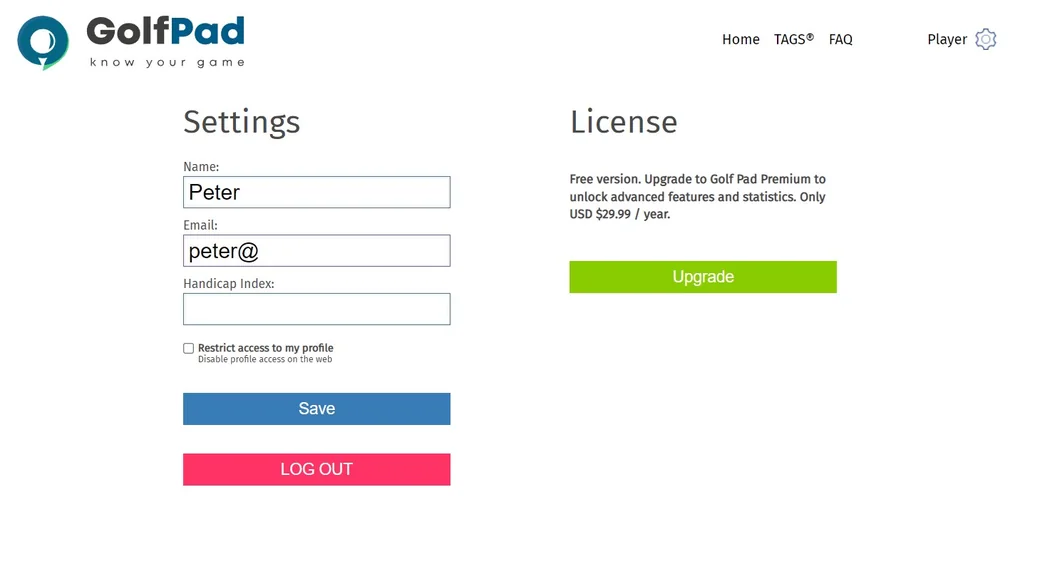
NOTE: If you don't see the pop-up, make sure your browser isn't blocking them.
If you aren't near a computer and need to upgrade from your phone, open the app and select the "Upgrade To Premium" tab at the bottom of the screen.
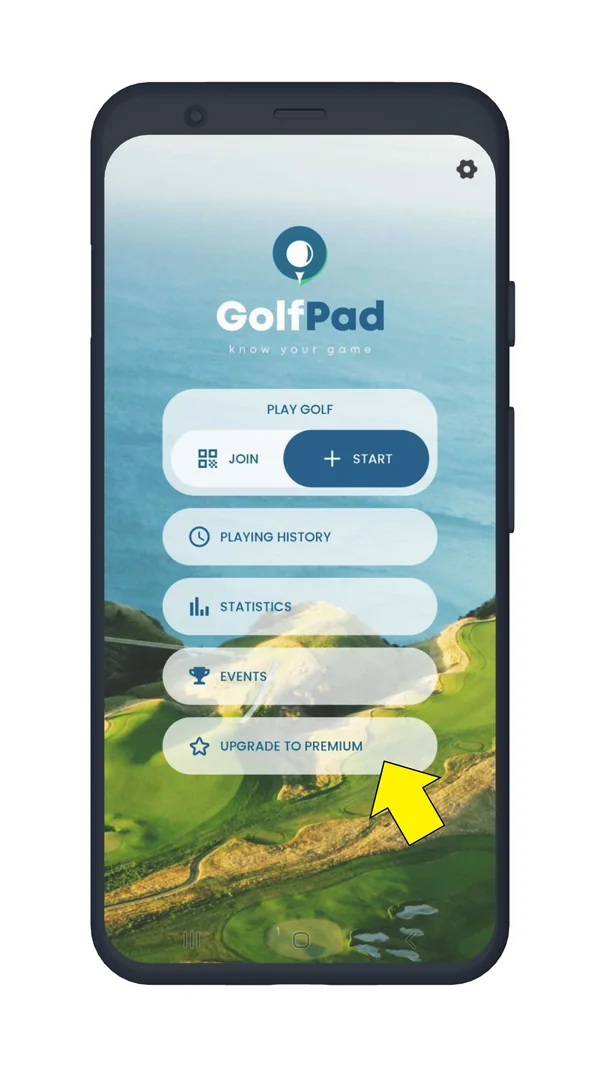
Your payment will be processed through the Google Play Store or the Apple App Store.
NOTE: If you've upgraded to Premium, but your account is still showing the free version, try these steps.
Your playing history is associated with the account you use to log in. You can safely upgrade and maintain your data as long as you create an account as indicated in the first section of this article.
When you upgrade using the app, the purchase is handled by the Apple App Store / Google Play Store. Golf Pad Inc. does not get access to your credit card information. If you want to manage your subscription or update payment information, you will do it within the app.
When you upgrade via the Player Dashboard, payments are processed with Stripe, a secure payment processor. Golf Pad does not receive your full credit card details. Click to view more information about Stripe.
Yes! A free trial is available in the app! Tap "Upgrade to Premium" and try Premium for free for 14 days. This way you can review the Premium features, including smartwatch integration.
Note: After 14 days, you'll be automatically charged unless you cancel before the trial ends.


Subscribe for early access to promotions, feature announcements & more.