No items found.

Golf Pad supports three types of codes/keys: Premium license keys, Premium license discount codes, and Golf Pad TAGS promotional codes. Below, you'll find instructions for applying each type of code.
When you purchase Golf Pad TAGS, you'll receive a license key for a complimentary year of Premium access. Occasionally, Golf Pad also offers special Premium license keys in the form of an eGift Certificate. Here's how to enter your license key and upgrade to Golf Pad Premium:
If you buy TAGS and are already a Premium subscriber, follow these steps instead.
First, install and open the Golf Pad GPS app. Then enter the preferences icon on the start screen.
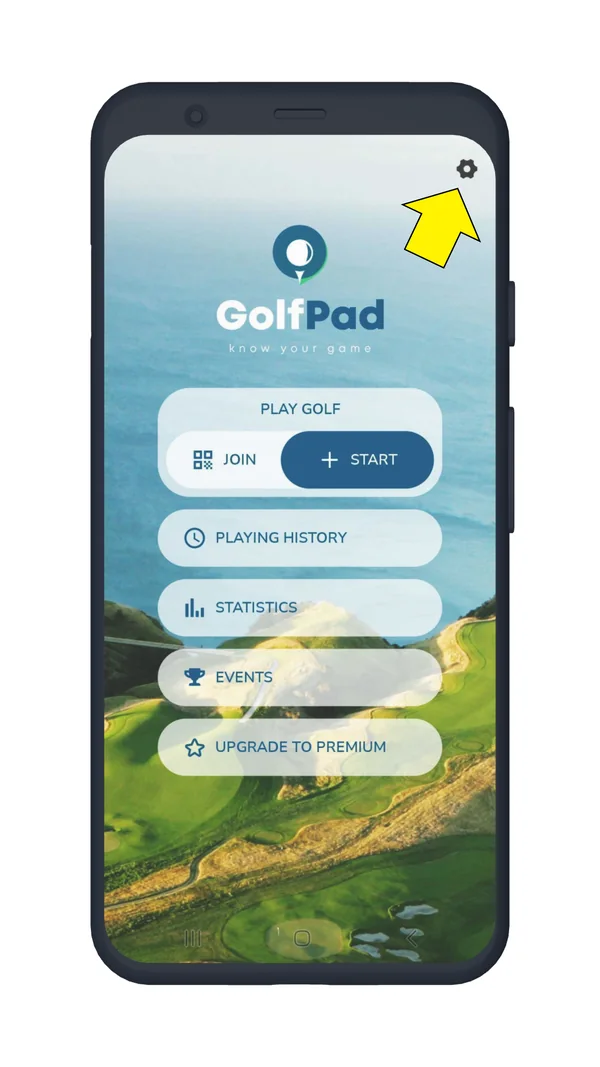
Next, tap User profile.
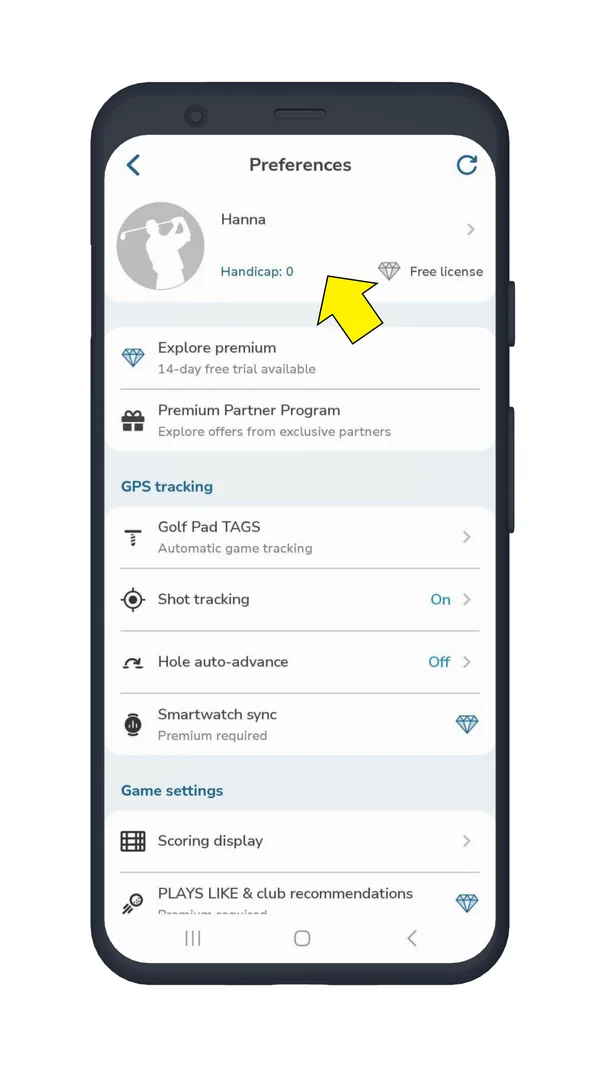
Select License > Details.
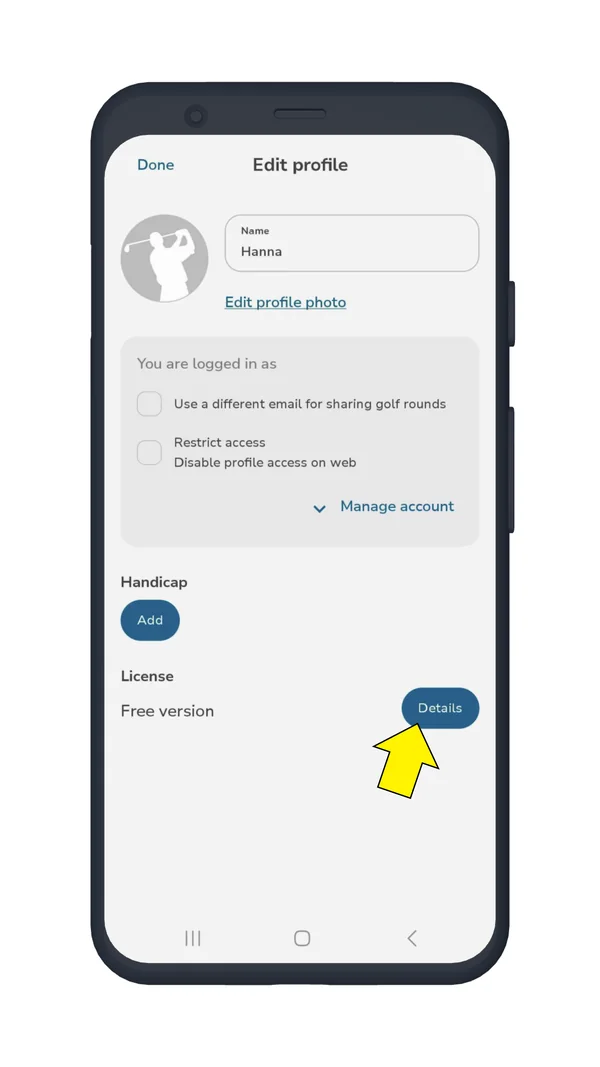
Tap Apply Code.
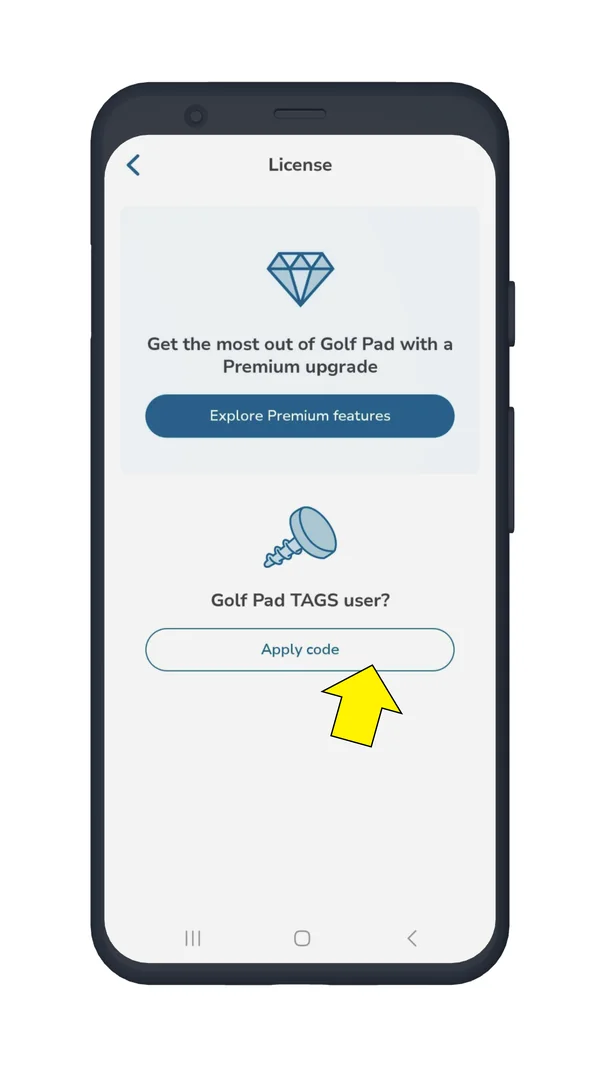
Enter your code on the next screen. Please be sure to create an account and log in to enjoy all the Golf Pad Premium features.
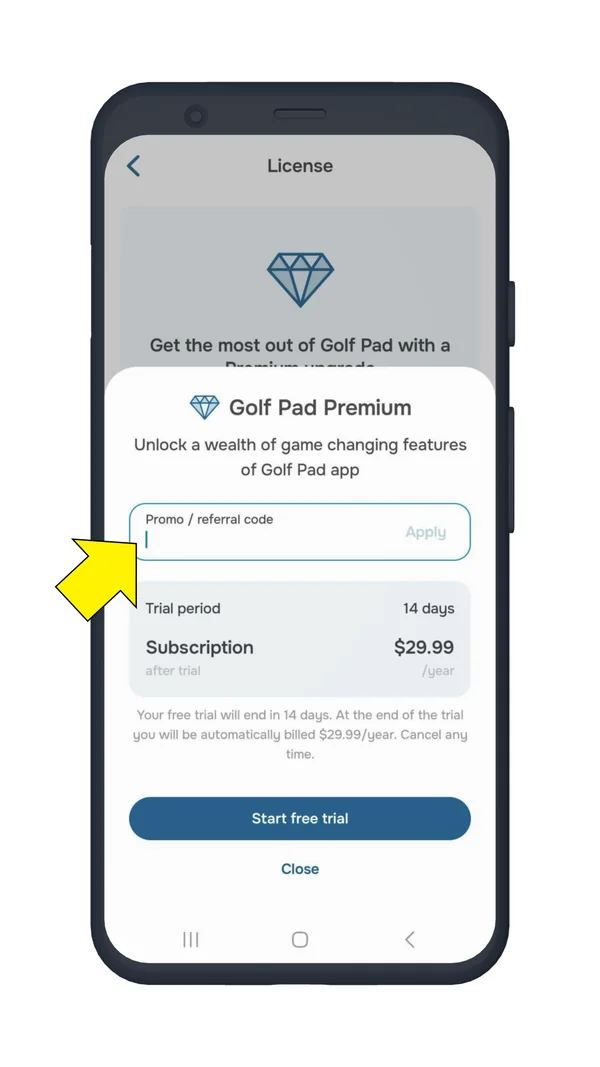
Tap Apply to apply the code.
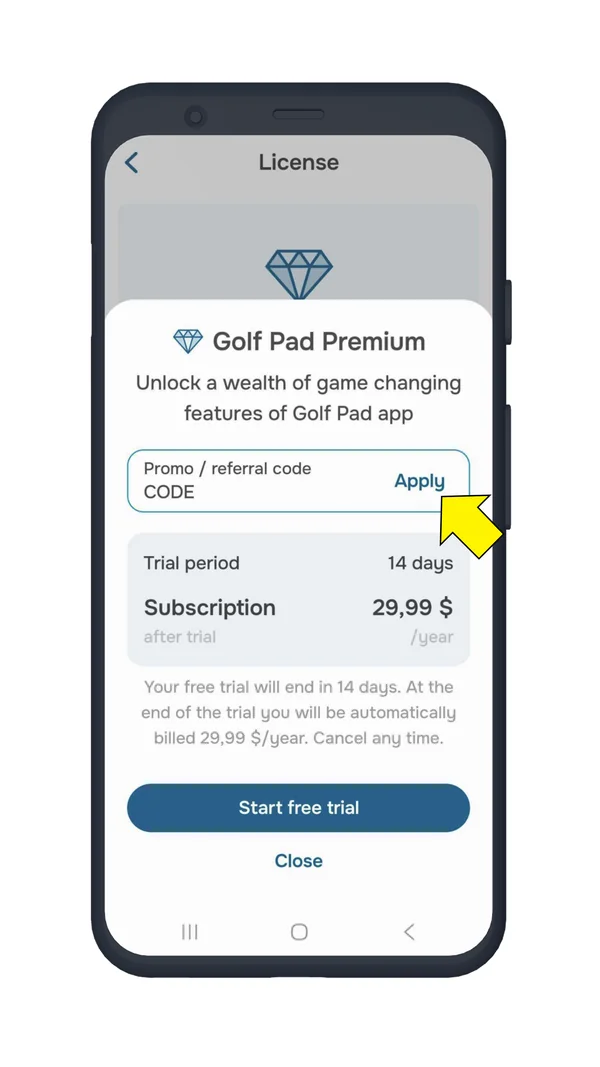
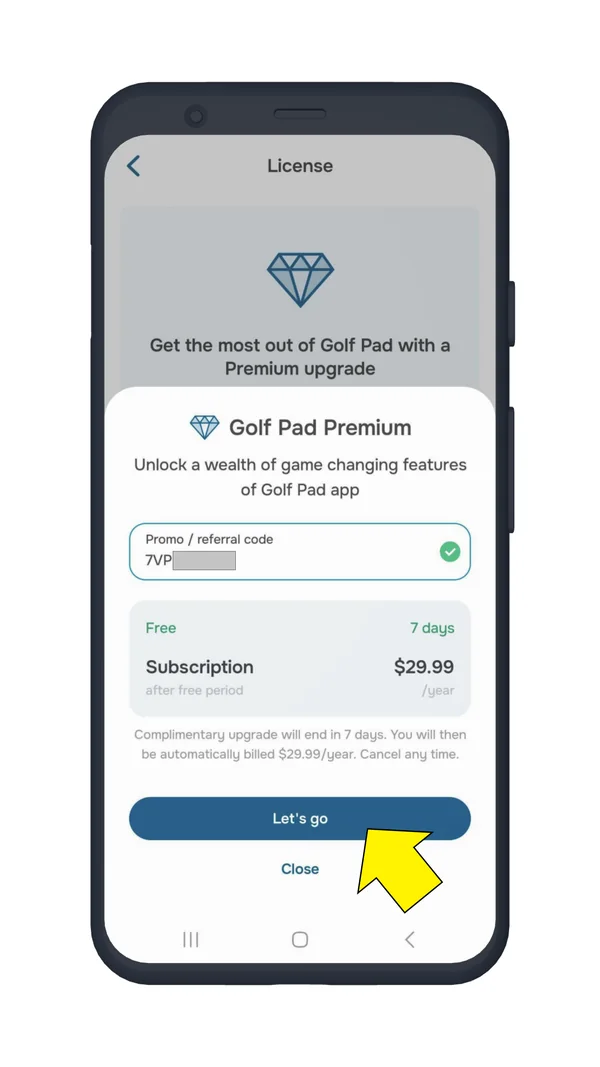
NOTE 1: You can use a link on the start screen that says "enter code". Tap that link to enter your code.
NOTE 2: If you purchased Premium via App Store/Google Play or on the website, then subscription upgrade is applied automatically in the app. If changing phone or reinstalling the app, just log in with the same Golf Pad account.
If you received an upgrade code with TAGS but already have paid subscription, see this article: What do I do with the code that came with Golf TAGS if I already have a premium subscription?
NOTE 3: As of version 20.2.13 on Android and 20.2.21 on iPhone, all codes now require a Play Store subscription (or an App Store subscription for iPhone). For example, if you use a 1-week code, after the 7-day free period ends, the Premium subscription will start automatically. You can cancel it at any time (How to cancel a subscription?).
There are special coupons which give you a discount on Premium upgrade. These coupons are included with certain partner products or available as limited time offers. Scan QR code to apply a coupon or enter it manually on the website and follow further instructions:
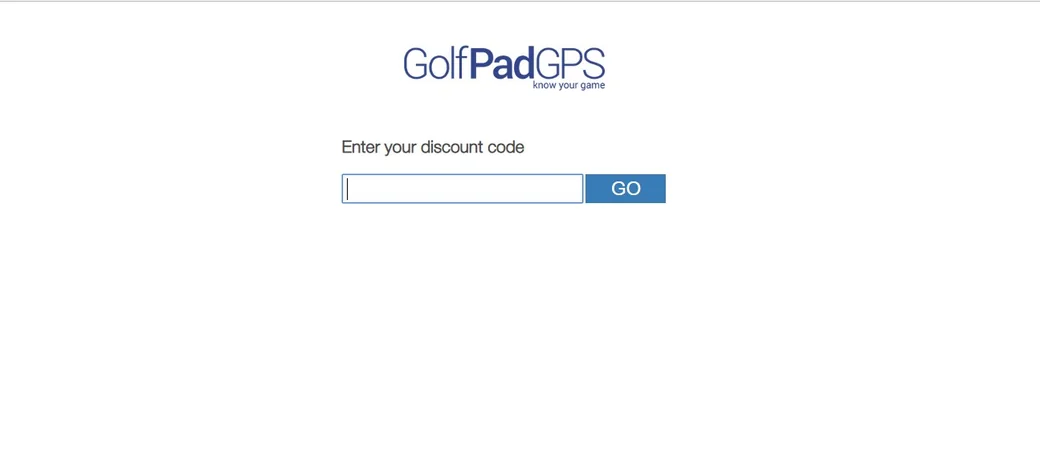
Promo codes provide a discount on Golf Pad TAGS purchase. We make promotion codes available during limited time sales or by invitation. If a discount becomes available, you will receive an email (be sure to sign up at golfpadgps.com) or see an offer on the start menu in the app. To apply promo code to your purchase, add Golf Pad TAGS to cart here.
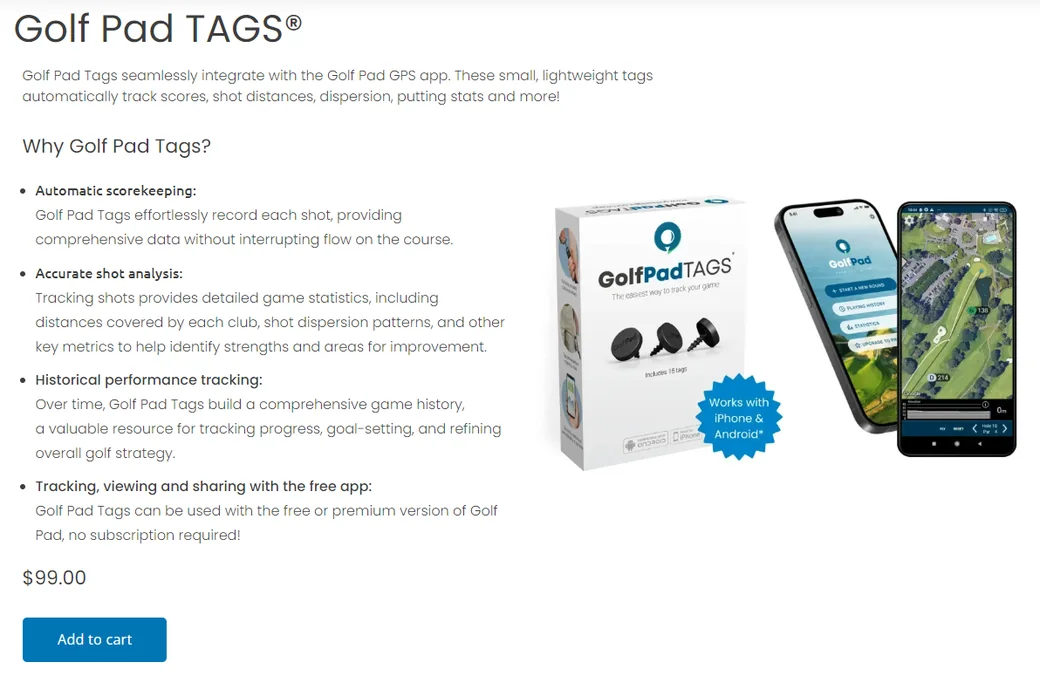
Select a payment method and fill in the required information. Enter code at checkout step and click on "Apply":
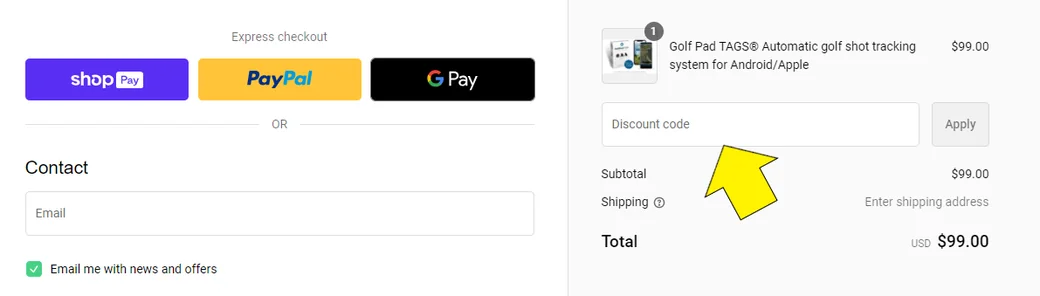
Now you have a discount on your order! Follow the next steps to get your order placed.


Subscribe for early access to promotions, feature announcements & more.