No items found.

Make sure you are logged in or create a Golf Pad account if you'd like to use the Live Leaderboard feature.
Setting up a Live Leaderboard can be done from the round settings screen. You have the option of creating the Live leaderboard as you begin your round, or during. If you would like to start a Live Leaderboard after your round is started, navigate to round settings in preferences and follow the steps below.
Prior to selecting the 'Live Leaderboard' option make sure you have selected your preferred golf course and scoring mode.
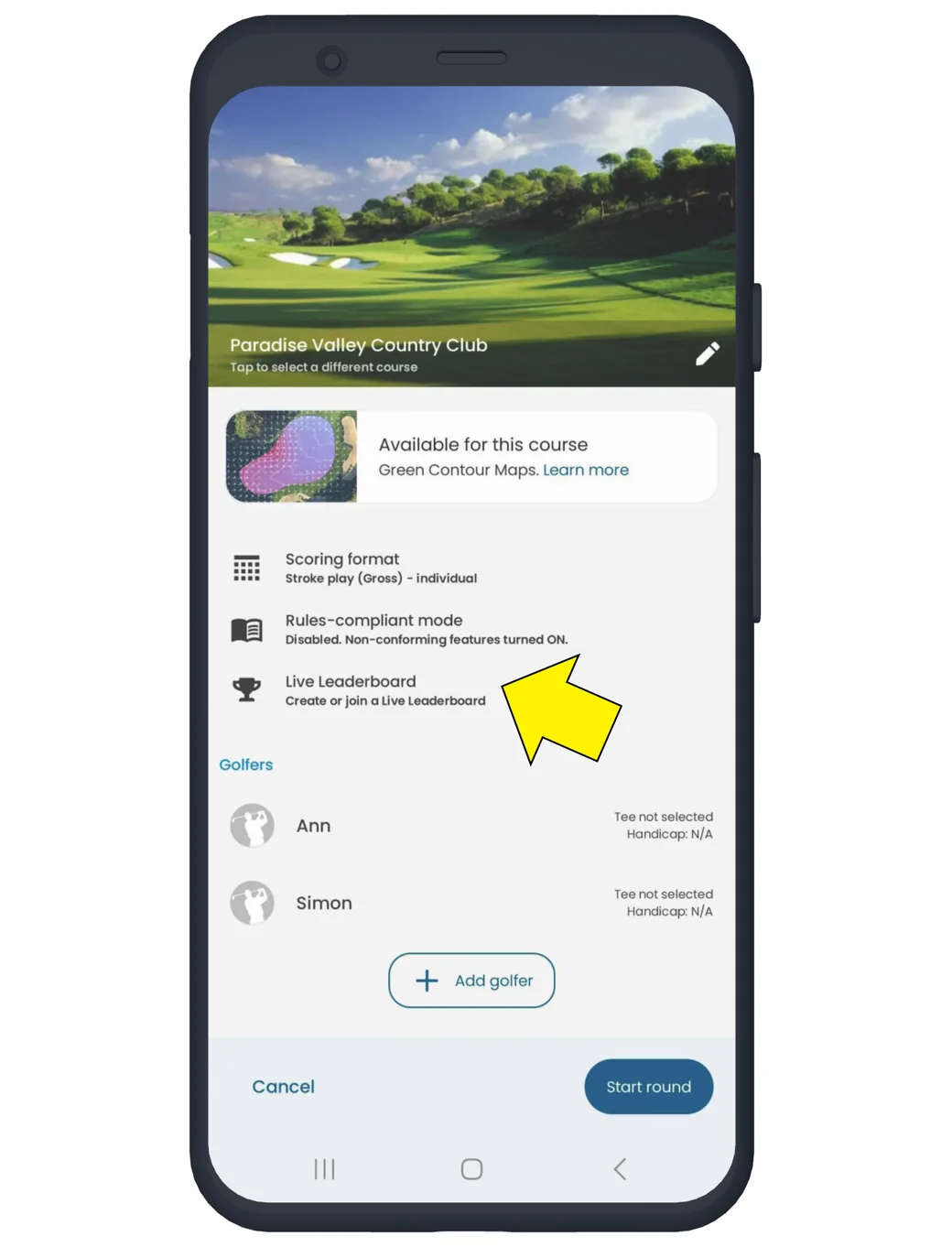
Select the 'Live Leaderboard' option on the round settings screen.
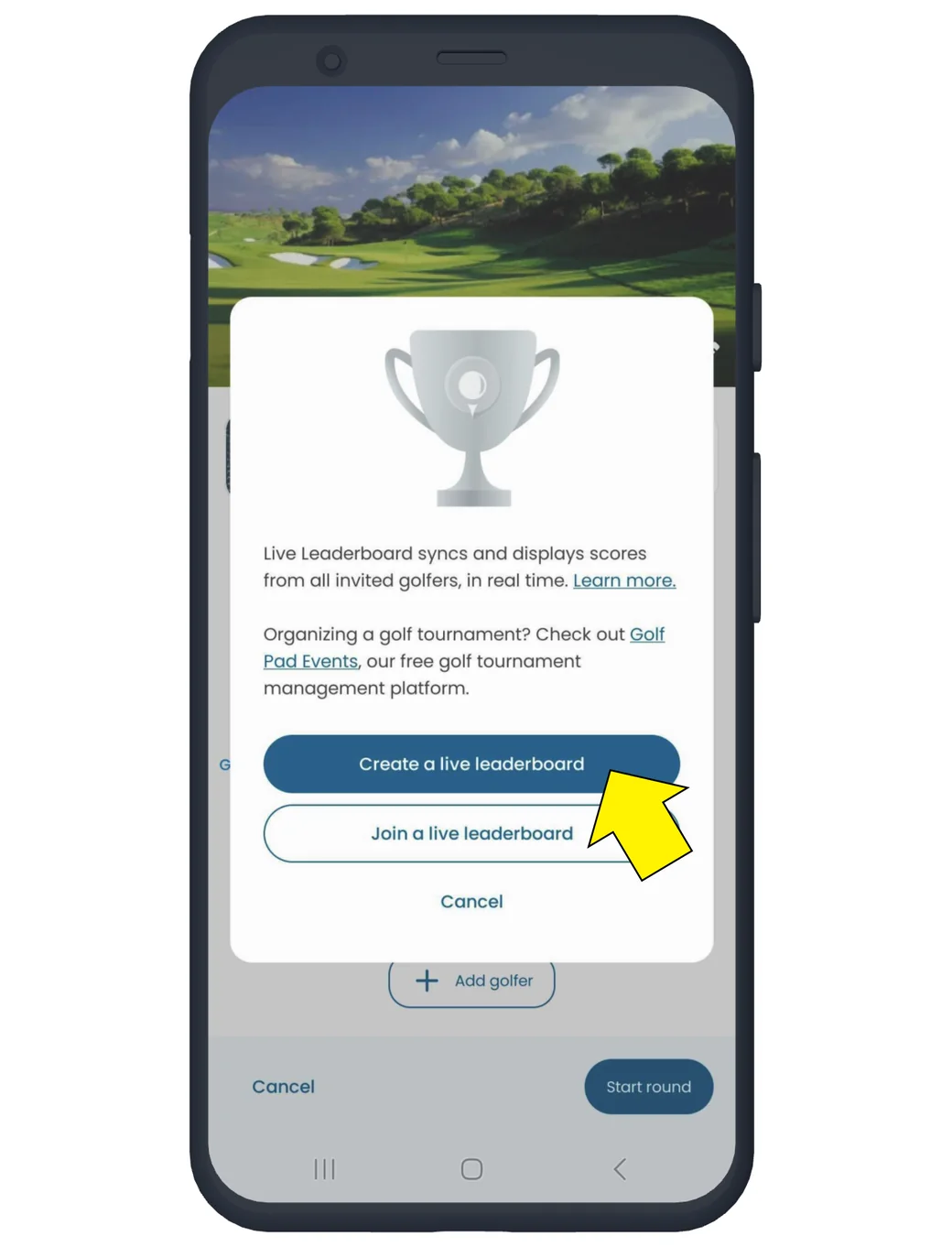
Select 'Create a Live Leaderboard'.
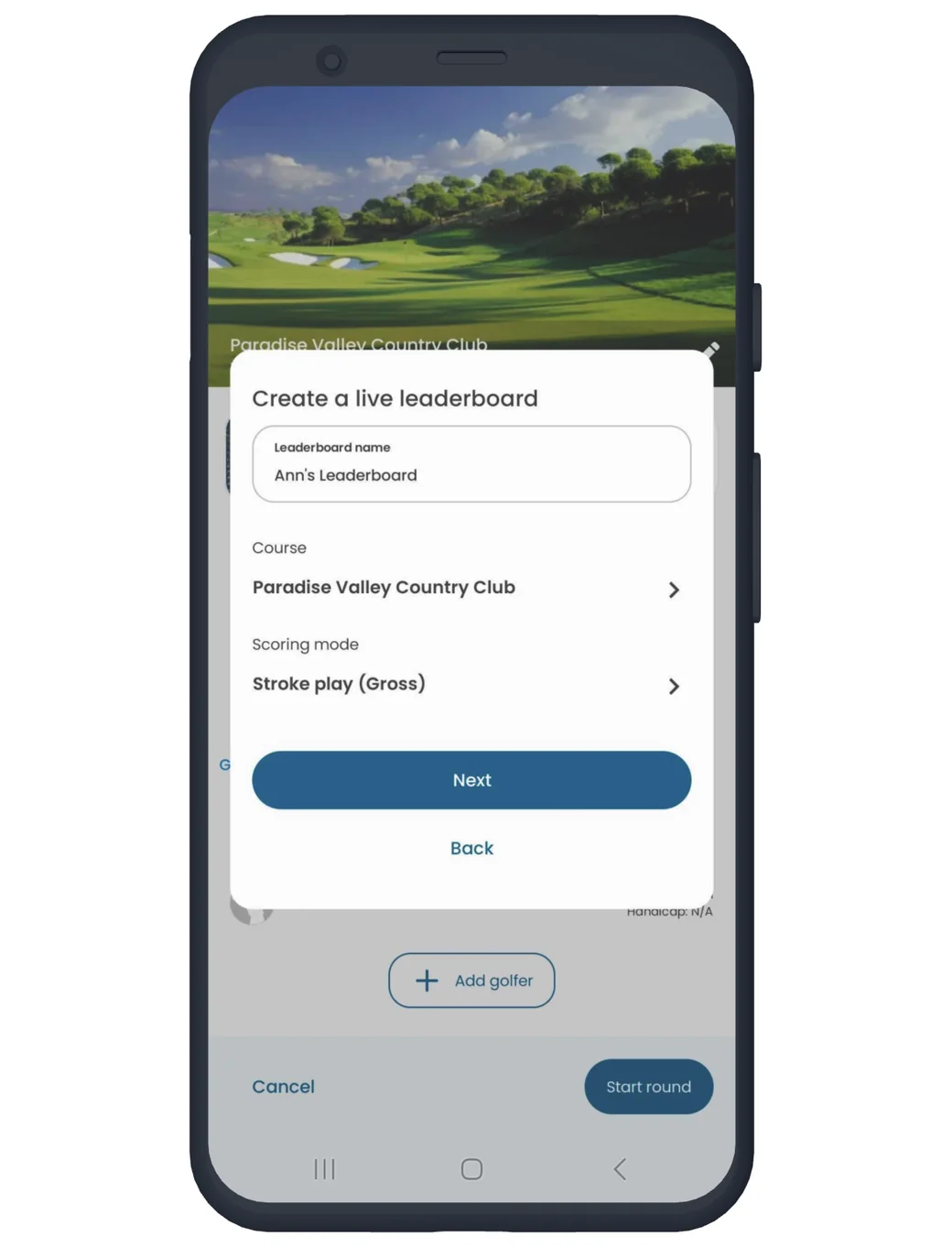
Confirm or edit the name of your Live Leaderboard. Any adjustments to golf course or scoring format can be made here. Tap Next to proceed.
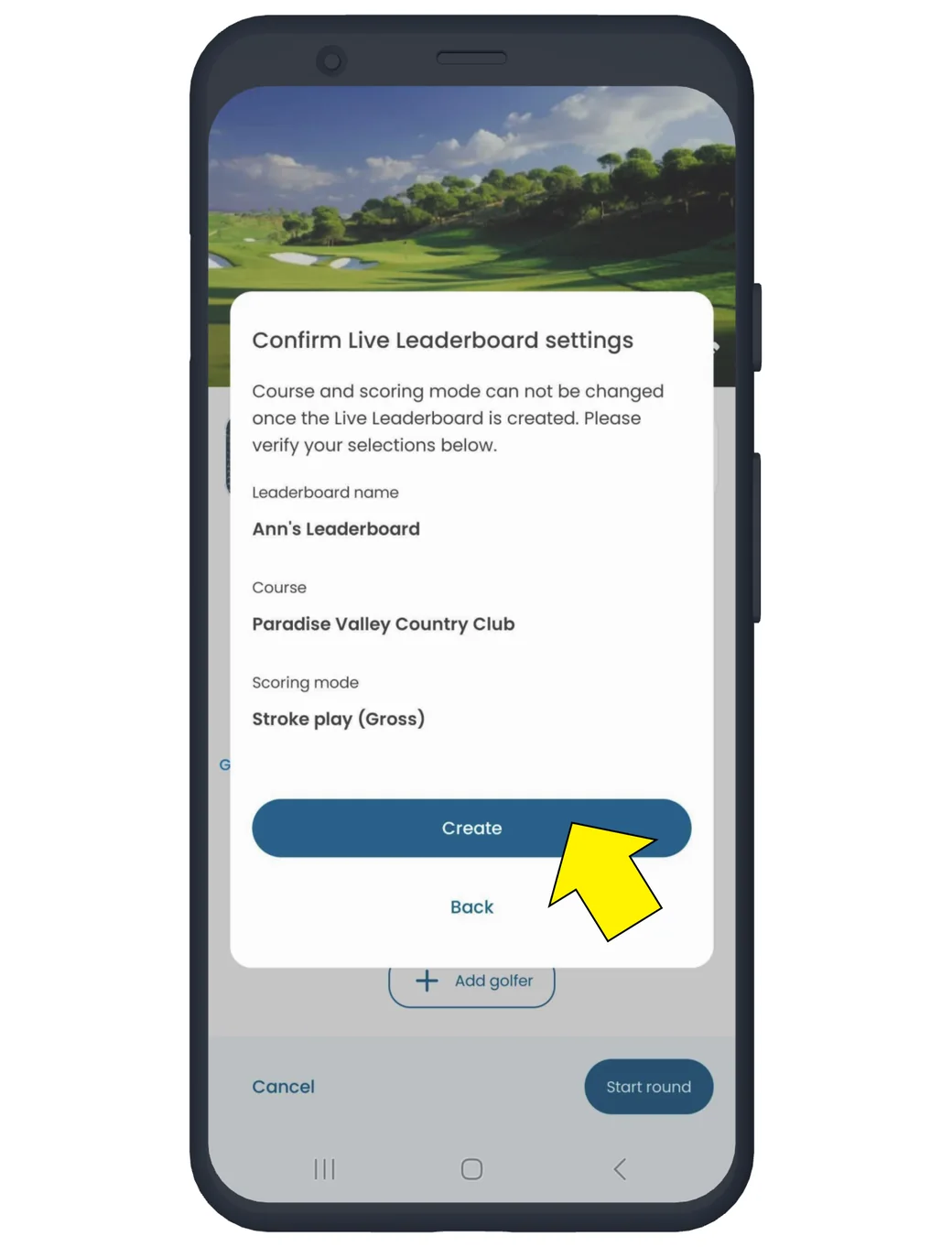
Confirm your Live Leaderboard settings, and select 'Create'.
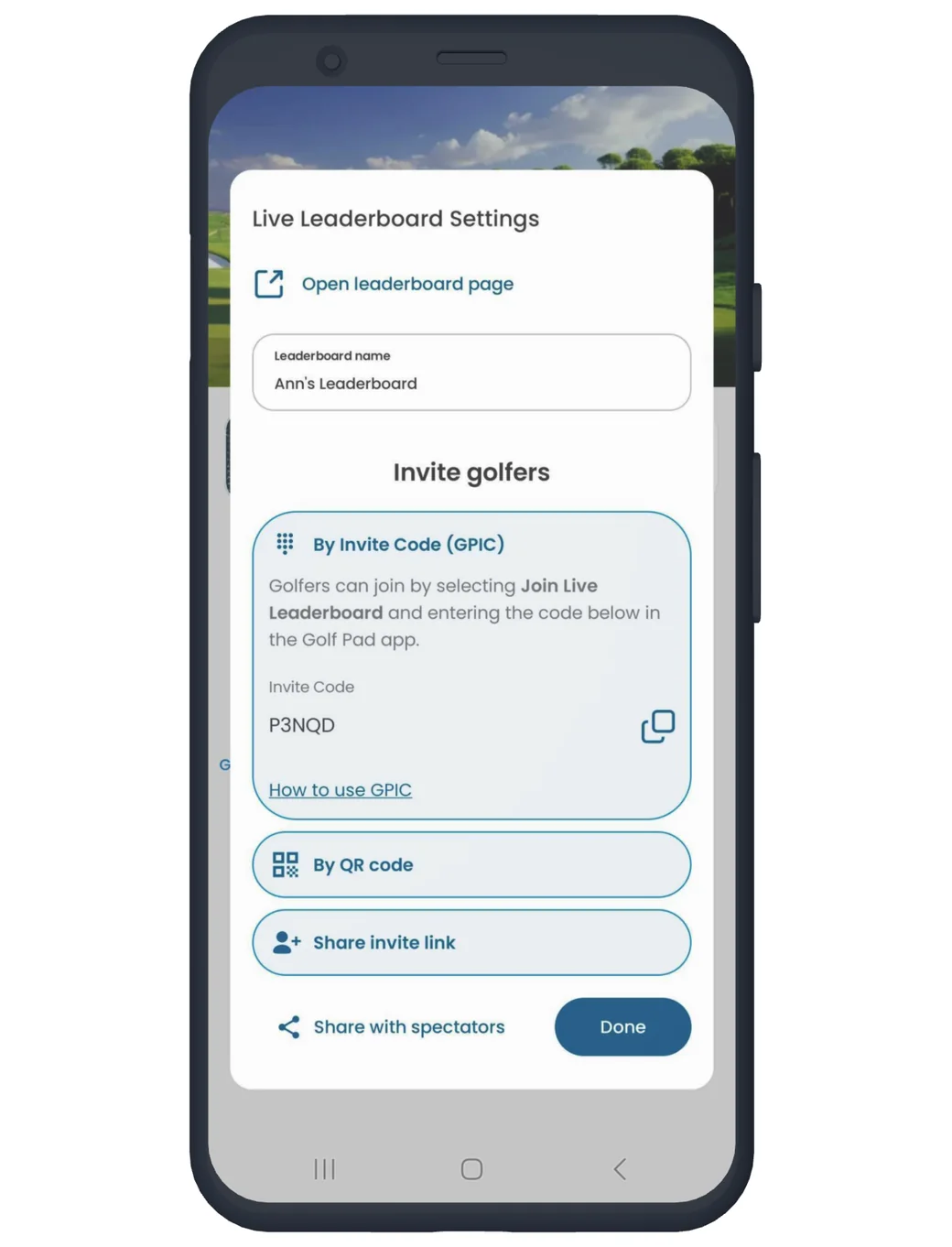
Invite other golfers to join your Live Leaderboard, or share a link so spectators can follow along. Both options will launch system sharing, so you can share the links or invitations via text, email, etc. Other golfers can join your Live Leaderboard by using the Golf Pad Invite Code (GPIC) or by scanning the QR code.
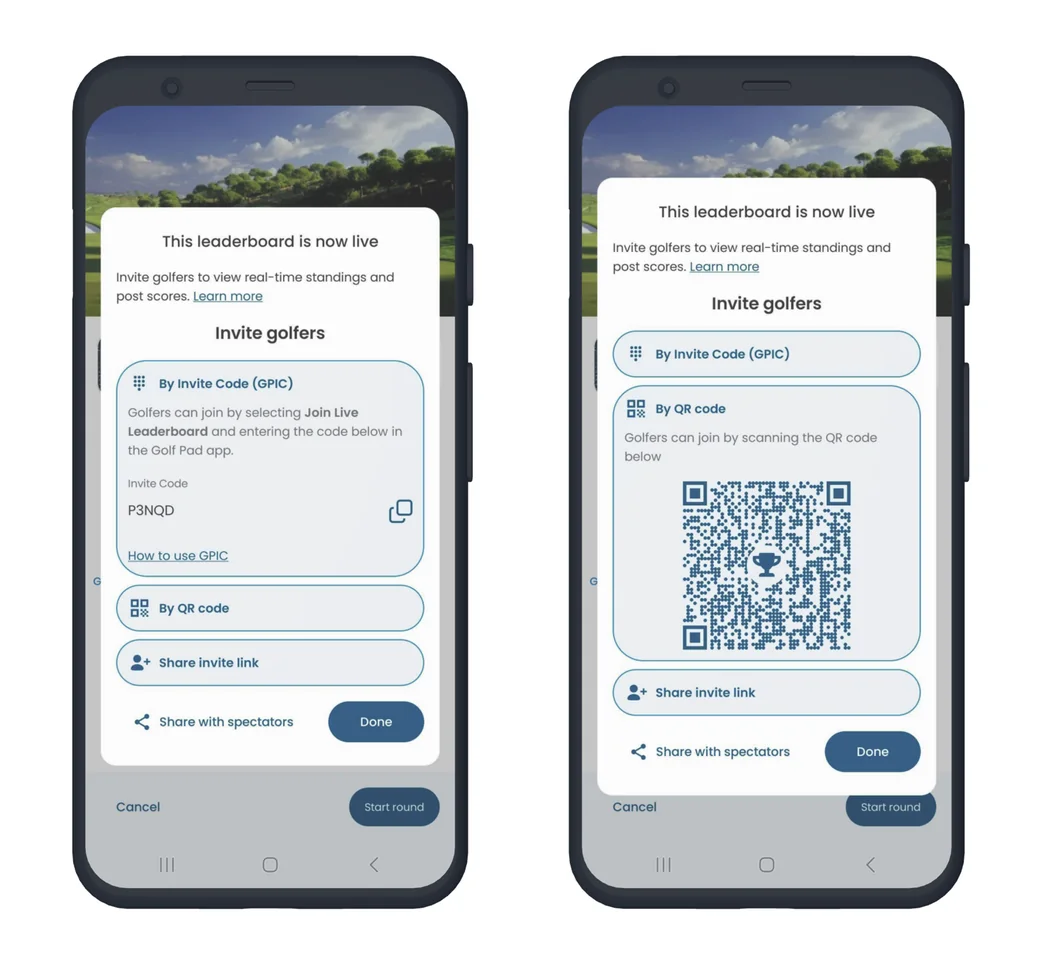
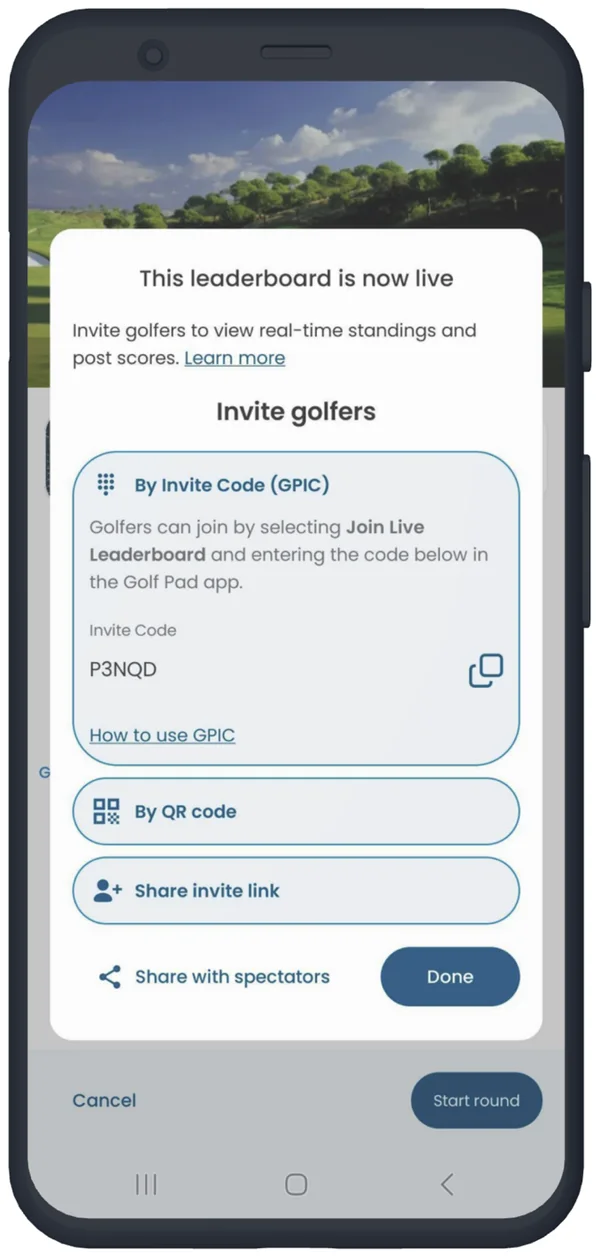
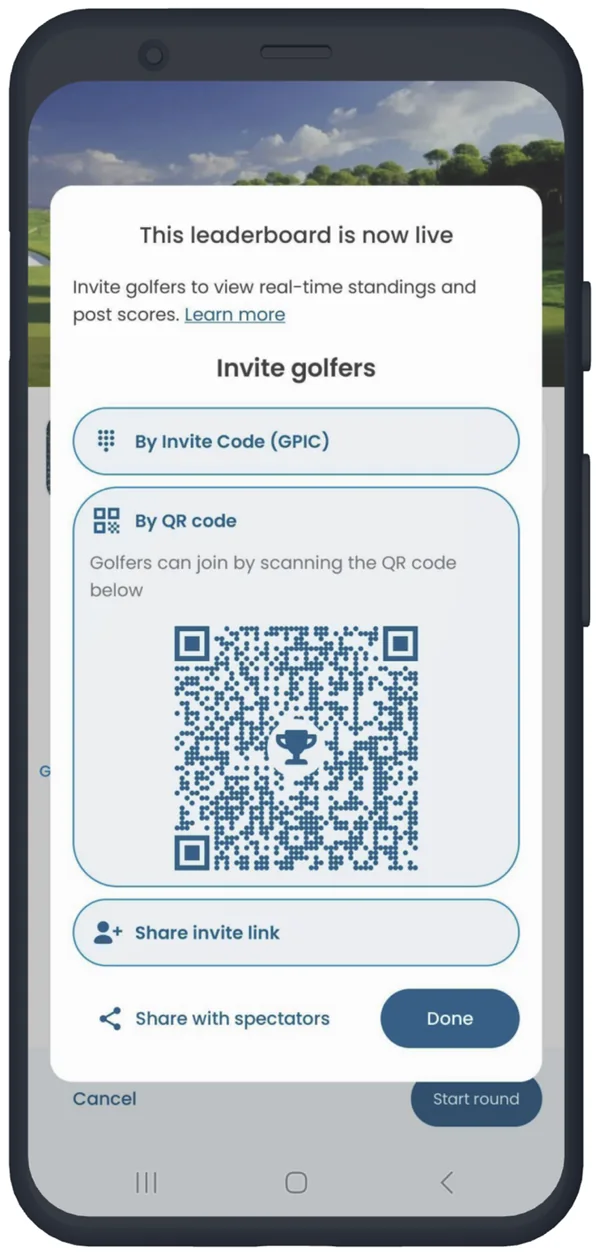
After you have sent your invitations, tap done to close the sharing options. Tap the 'Start round' button to begin your round.
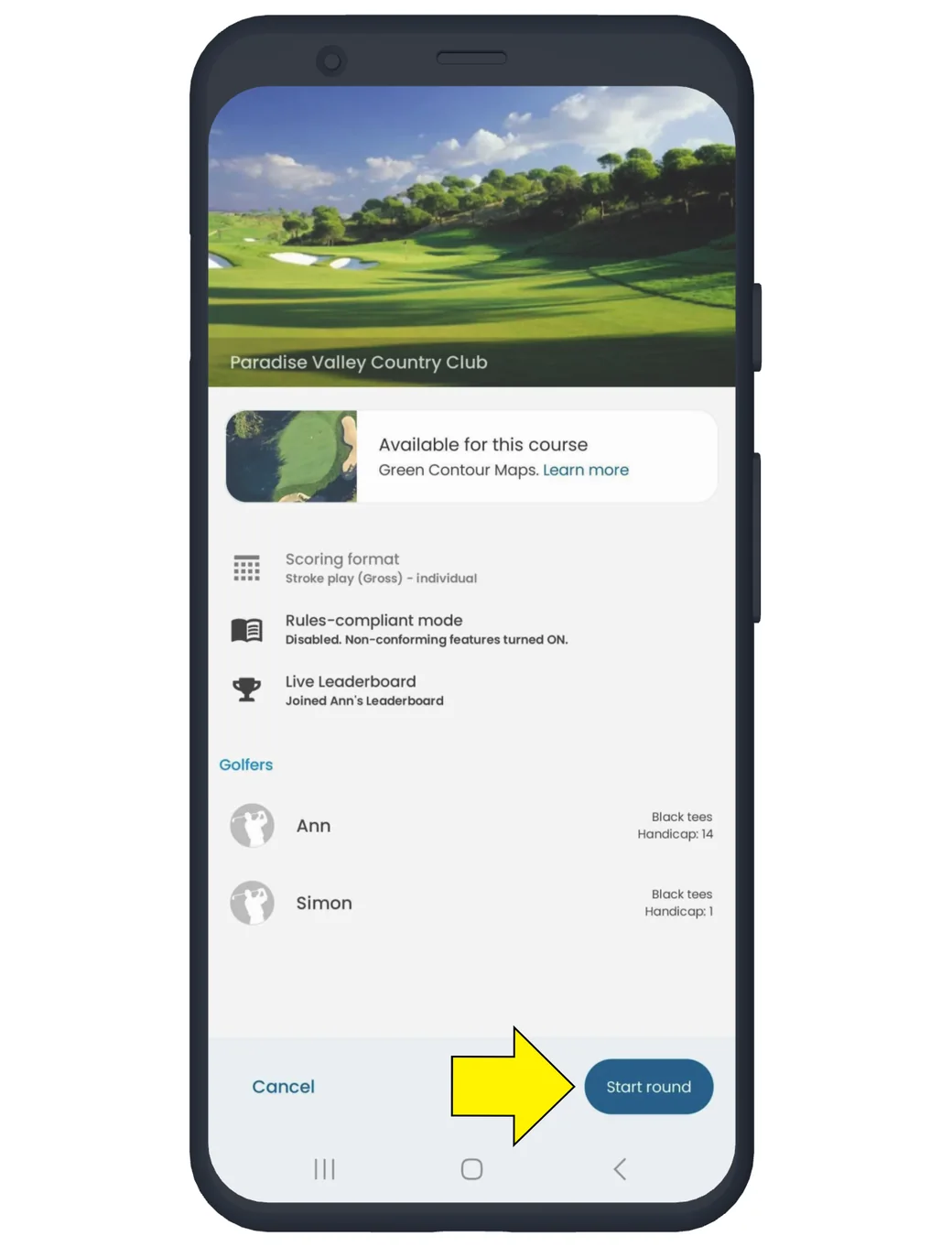
There are a couple of ways to invite golfers during an active round:
You can invite golfers to join your Live Leaderboard from the Trophy Menu (shown below)
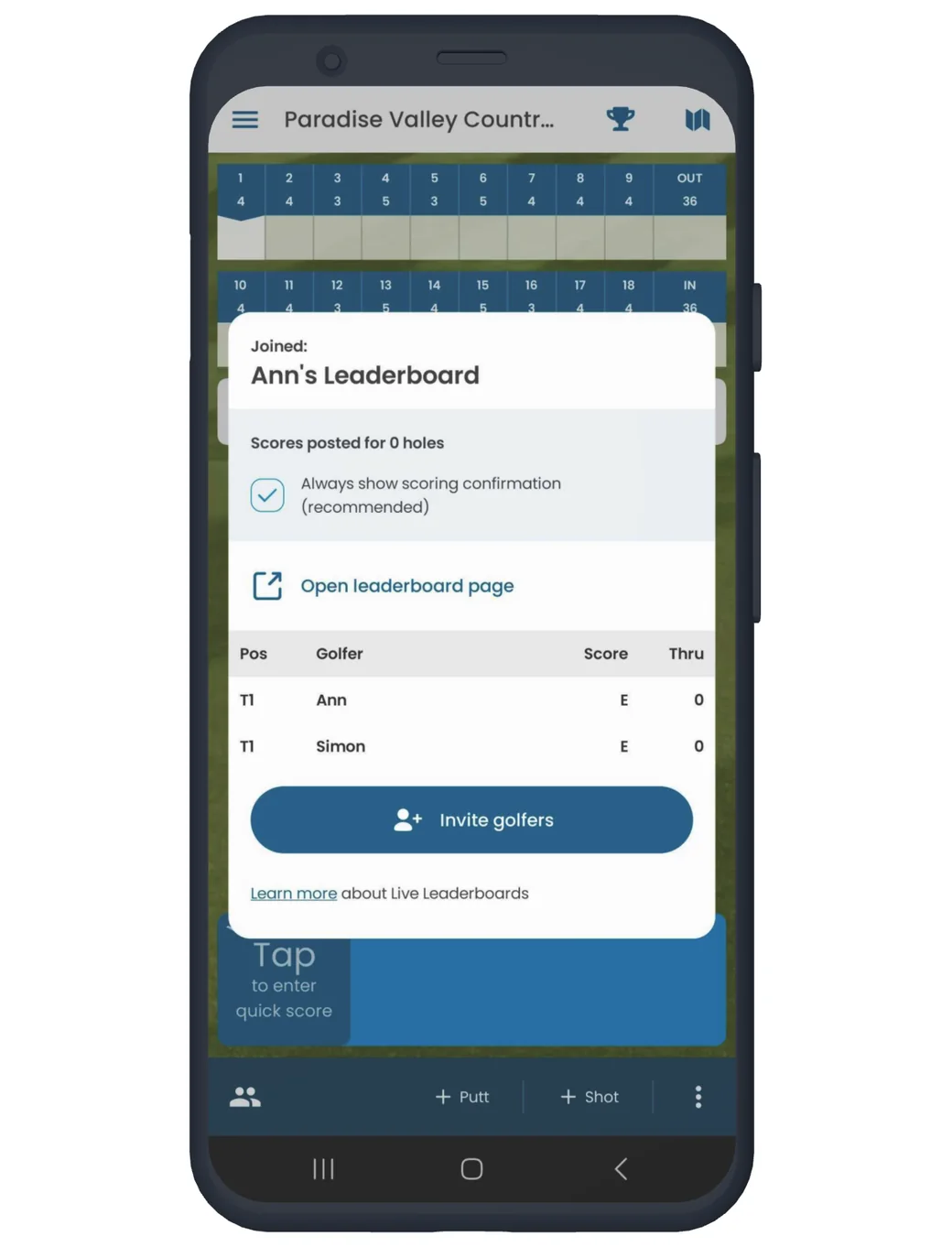
You can invite or share with spectators via round settings. Live Leaderboard settings can be found during an active round by navigating to Menu -> Round Settings -> Tap Live Leaderboard.
Learn more about accepting Live leaderboard invitations.


Subscribe for early access to promotions, feature announcements & more.