Help Center
›
General
›
Golf courses

How to Check if Contour Maps Are Available for My Course?

There are now 13,000 courses in the United States with contour maps, and this number is growing worldwide. Here's how you can check if contour maps are available for your course:
  • Start a new round by tapping "+ Start" and select a course as you usually do.
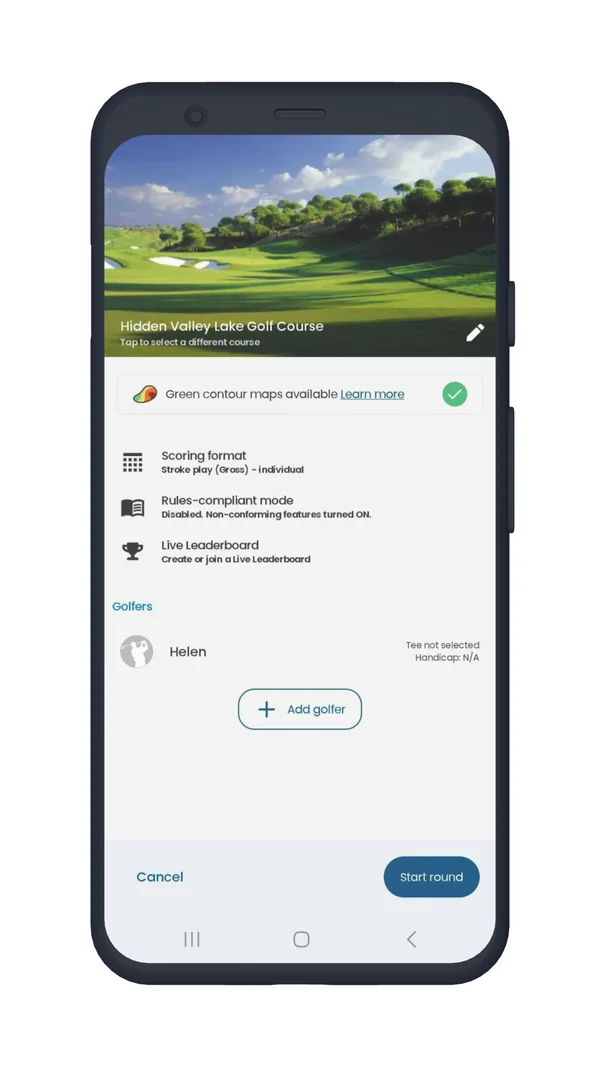
  • If green contours are available for the selected course, you'll see the following information in the Round Settings:
Round settings screen showing Green contour maps available
Contour maps available
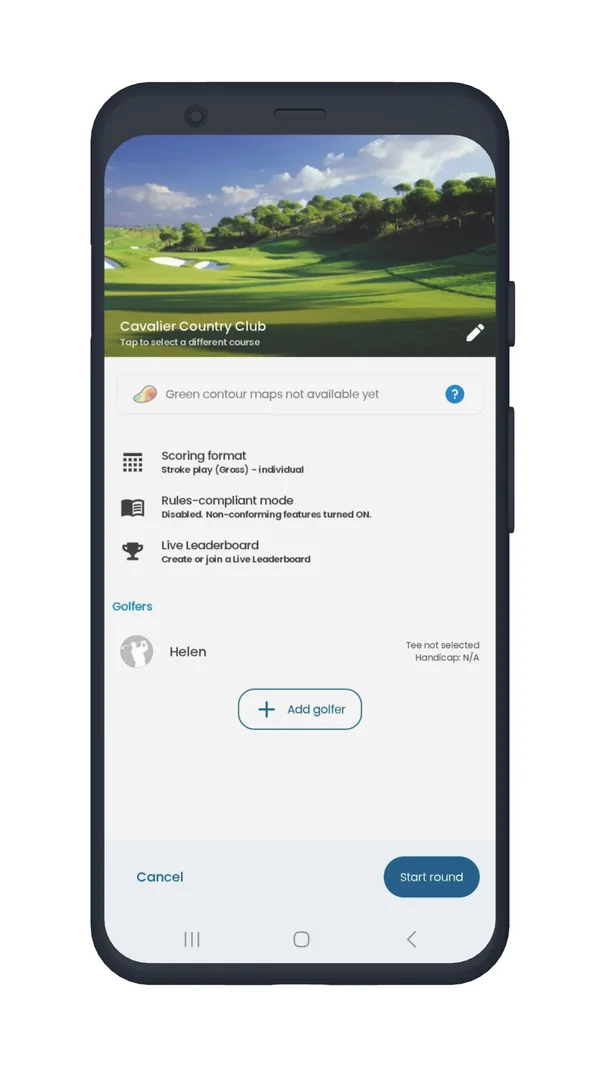
  • If contour maps are not added for your course, the screen will appear without the contour details:
Round settings screen showing Green contour maps not available yet
Contour maps not available yet

If you have any further questions, please contact us.

Was this article helpful?
Thank you for your feedback!

Sorry we couldn’t help

Tell us what was wrong, and our support team will look into it.

What was wrong?

Thank you! Your submission has been received!
Oops! Something went wrong while submitting the form.
how-to-check-if-contour-maps-are-available-for-my-course
golf-courses
general
September 11, 2025

Didn’t find an answer?

Send us a message and our support team will reply by email.

Contact support
Data source for the script: all help articles (for More in…). Hidden on the live page.