Help Center
›
App features
›
Features Overview

How to Set Layup Targets in the Golf Pad App?

One of the Premium features of the Golf Pad app is the ability to choose your favorite layup points. Golf Pad will put the targets in the middle of the fairway and automatically calculate your distance to layups.

  1. Select the preferences icon from the start screen:
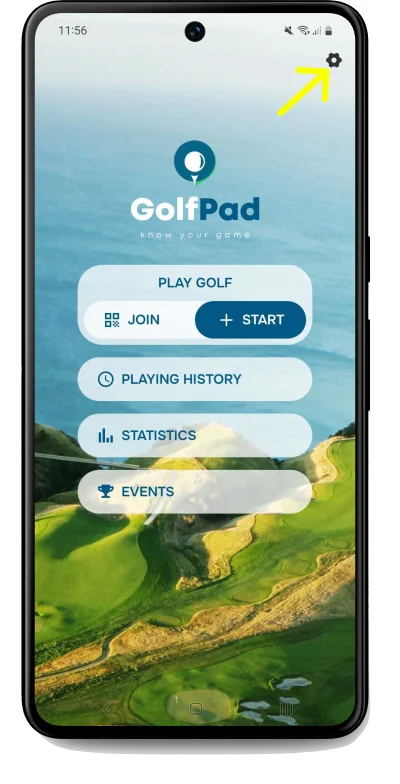
    Golf Pad start screen on Android with the Preferences gear icon highlighted
  2. Select "Maps settings" from the menu:
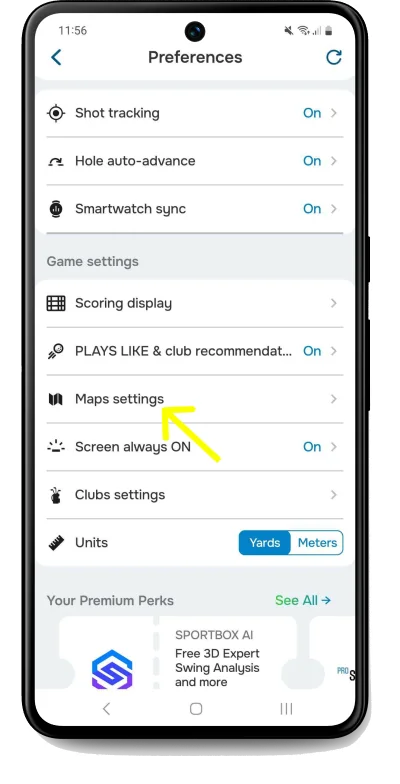
    Golf Pad Preferences on Android with Maps settings highlighted
  3. On the next screen, choose up to 3 layup points. Adjust distances:
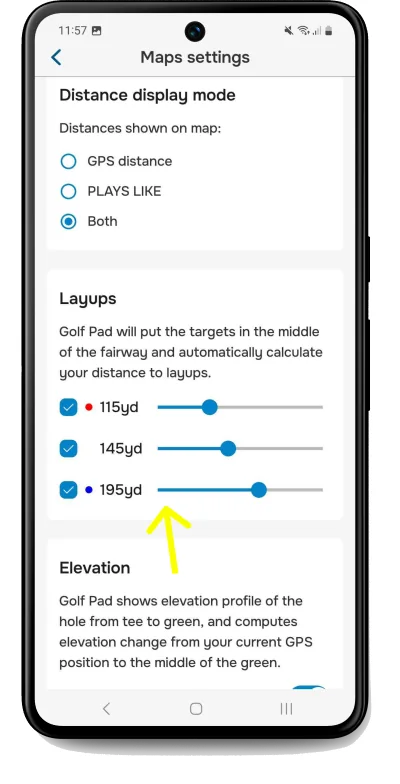
    Golf Pad Maps settings with three layup distances selected

Once set, your layup targets will automatically appear on the map view during a round. You can update your layups anytime by following the same steps.
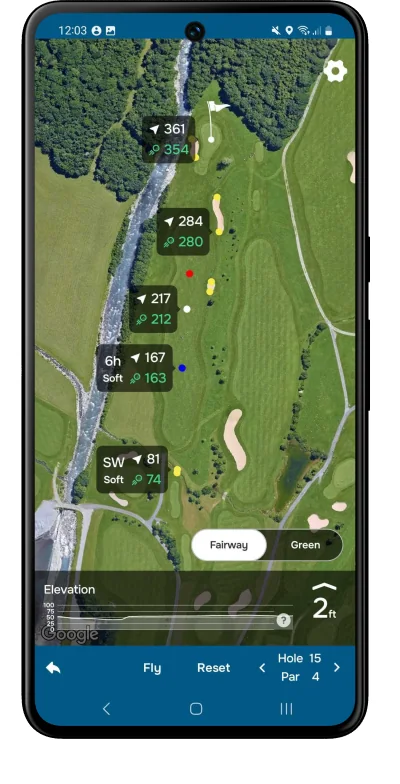
Golf Pad hole map with layup targets and distances shown

Enjoy smarter shot planning and better course management with layup targets!

Happy golfing! ⛳

Was this article helpful?
Thank you for your feedback!

Sorry we couldn’t help

Tell us what was wrong, and our support team will look into it.

What was wrong?

Thank you! Your submission has been received!
Oops! Something went wrong while submitting the form.
how-to-set-layup-targets-in-the-golf-pad-app
features-overview
app-features
November 13, 2026

Didn’t find an answer?

Send us a message and our support team will reply by email.

Contact support
Data source for the script: all help articles (for More in…). Hidden on the live page.