Help Center
›
App features
›
Keeping score

Keeping Score in Quick Score

Keeping track of your score has never been easier with the Quick Score feature. Follow the steps below to make scoring effortless during your round.

Start a new round, then tap the quick score box to enter the score.
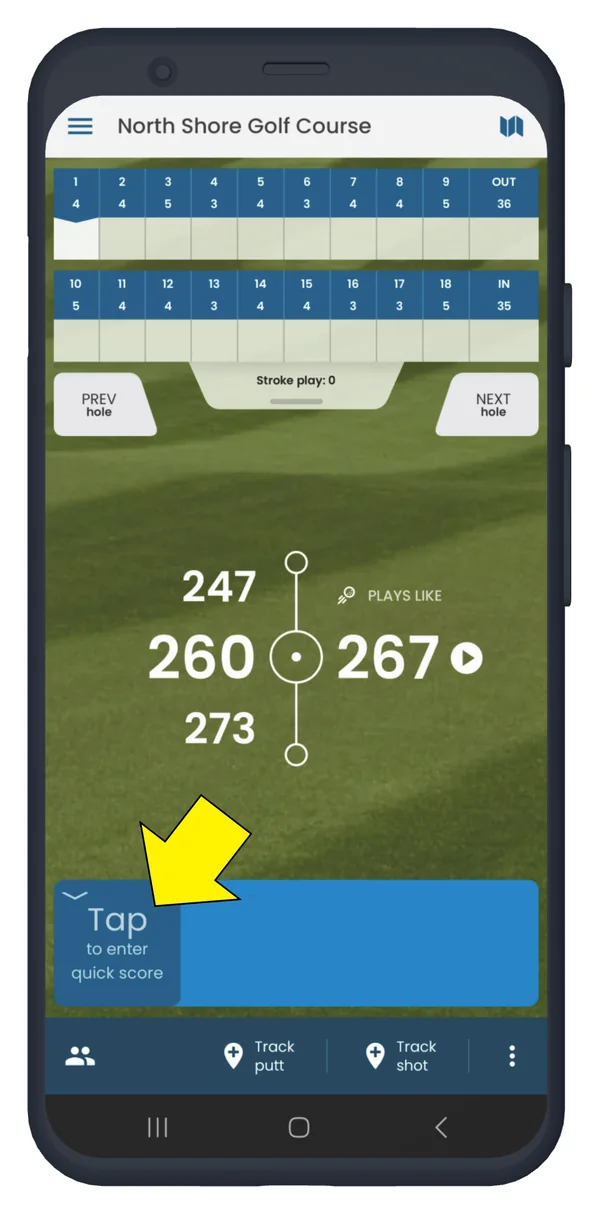
Golf Pad scorecard with the Quick score box highlighted

To score for multiple golfers, tap the player icon in the lower-left corner.
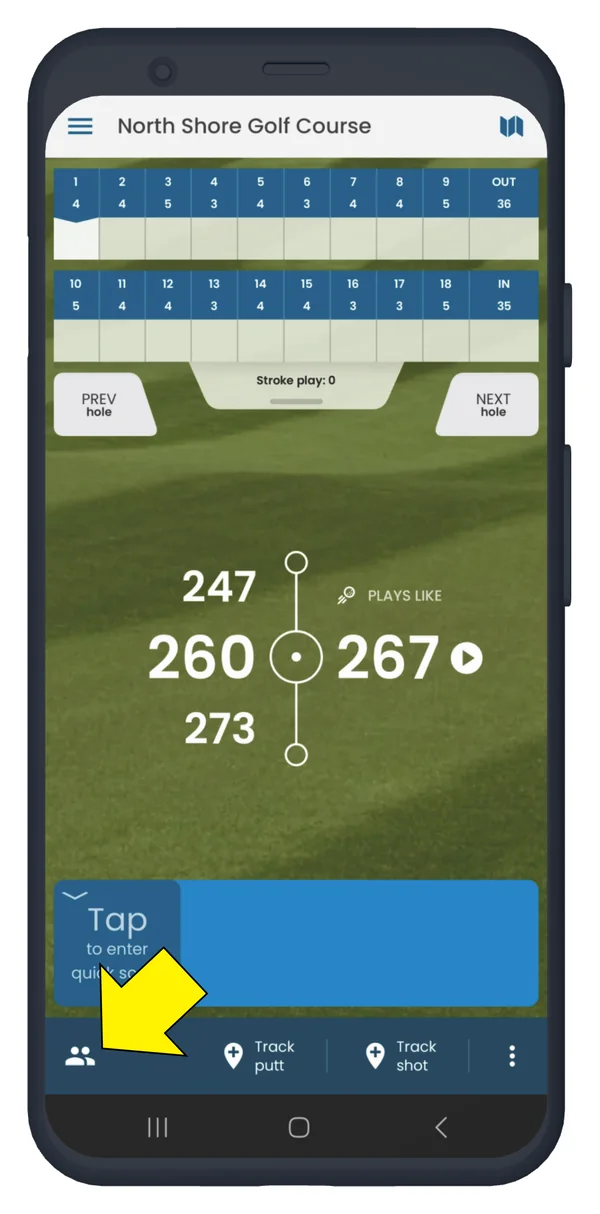
Golf Pad scorecard with the player icon in the lower left highlighted

Scroll down to add totals and putts for all players. Tap "No Score" to clear a total score.
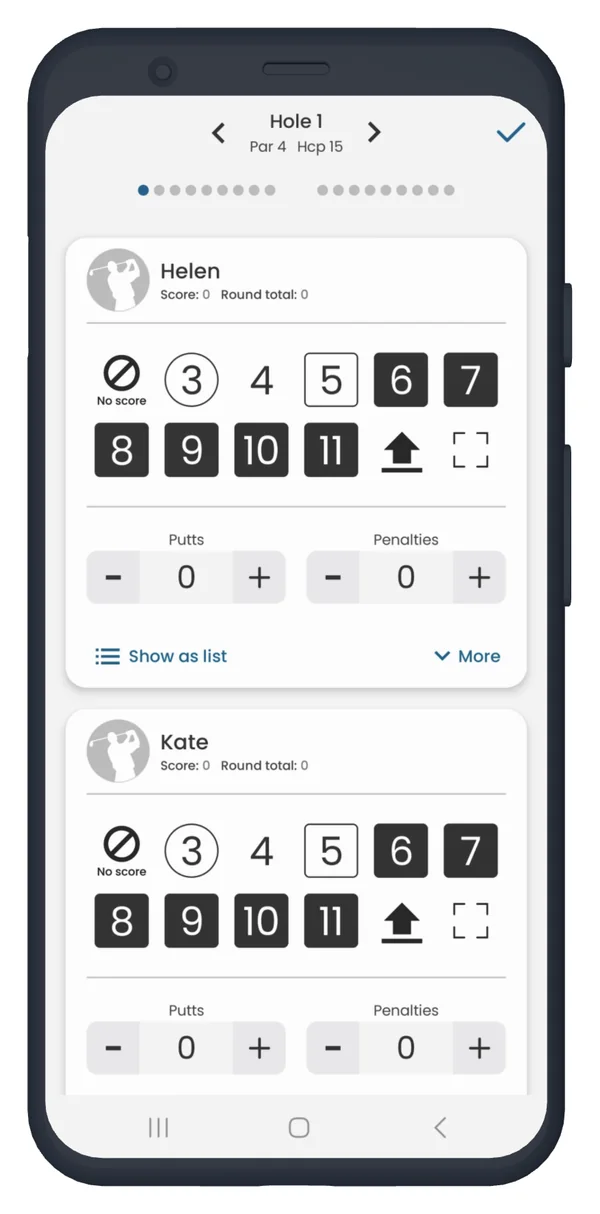
Golf Pad Quick score screen with scores and putts for all players

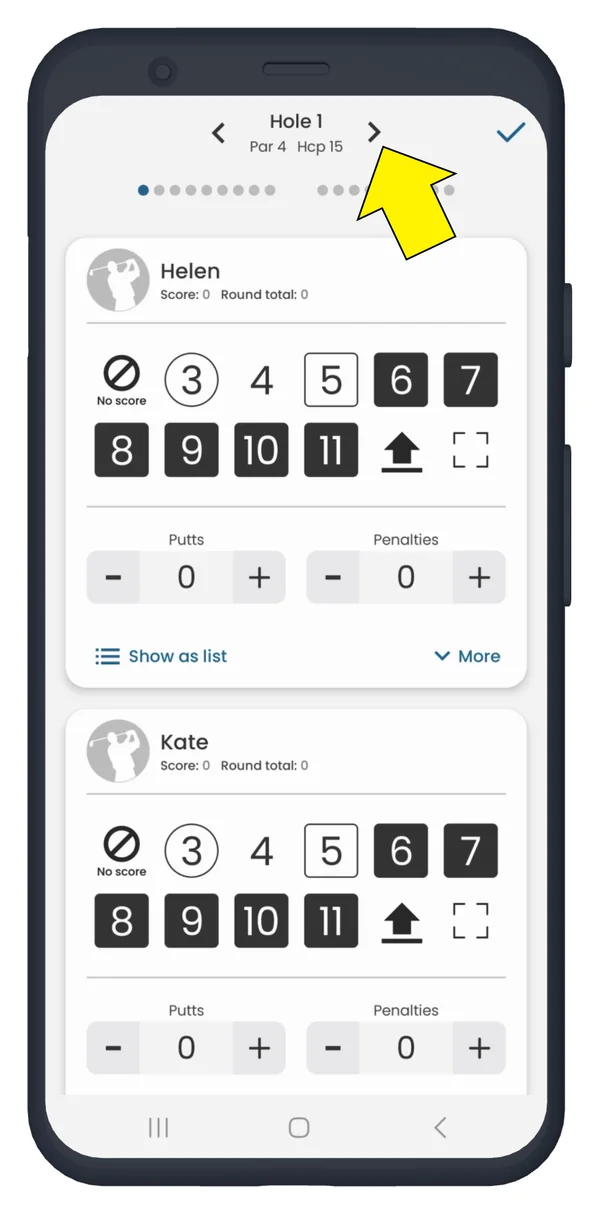
Swipe left/right or use the arrows at the top to switch between holes.
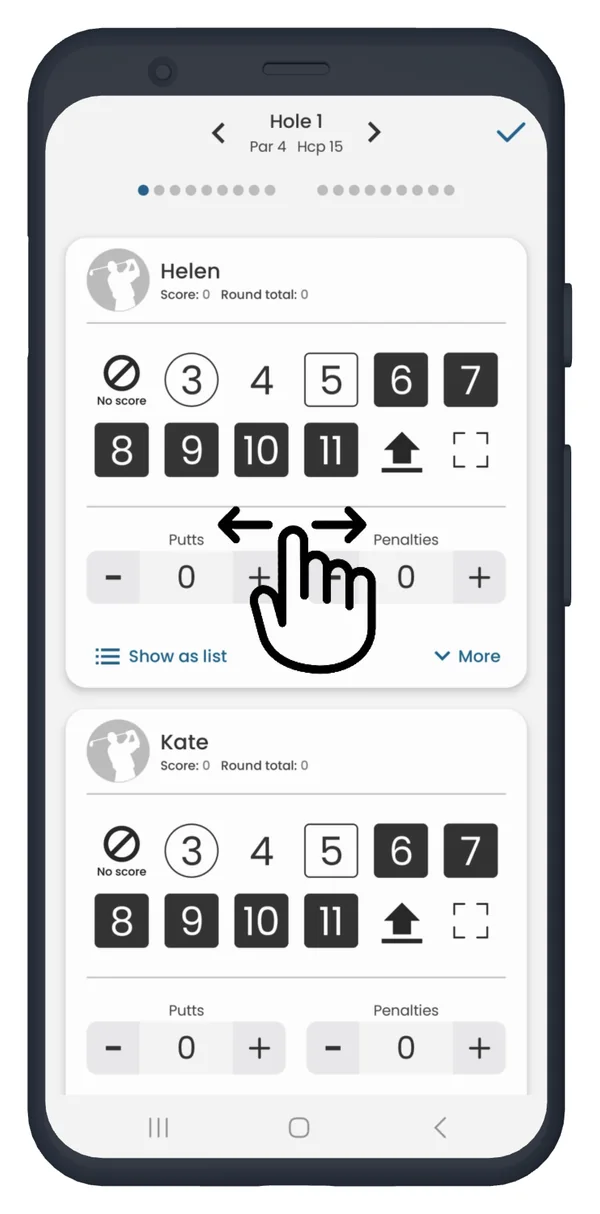
Golf Pad Quick score screen with a swipe gesture to switch holes
Golf Pad Quick score screen with the hole arrow at the top highlighted

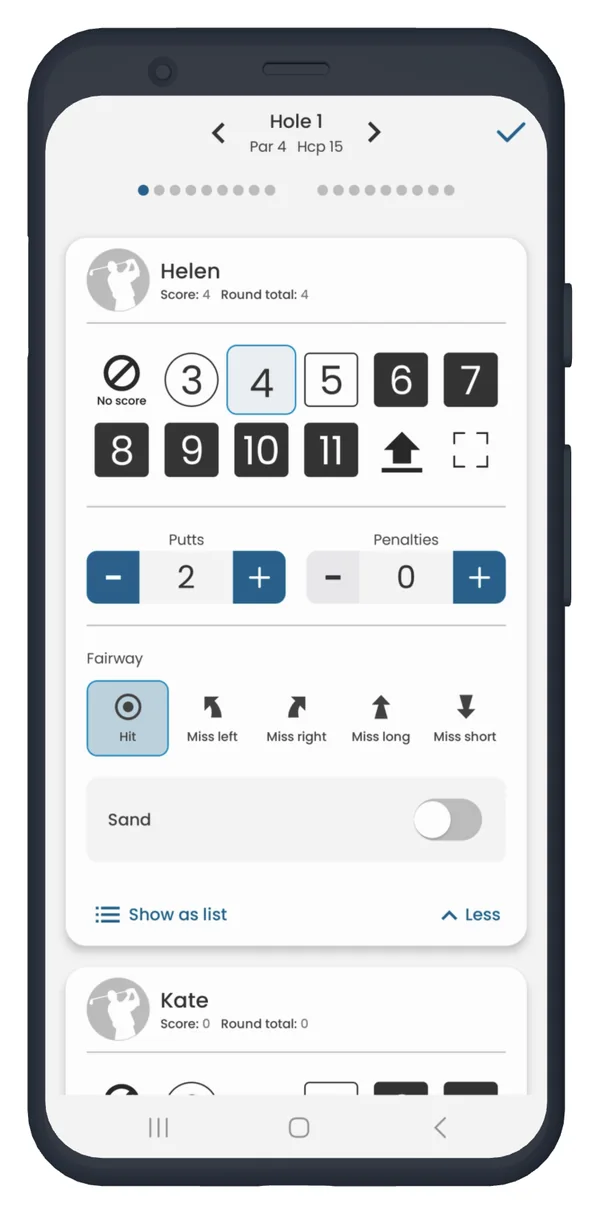
Tap 'MORE' to add penalties, select fairway hit, miss direction or sand shots.
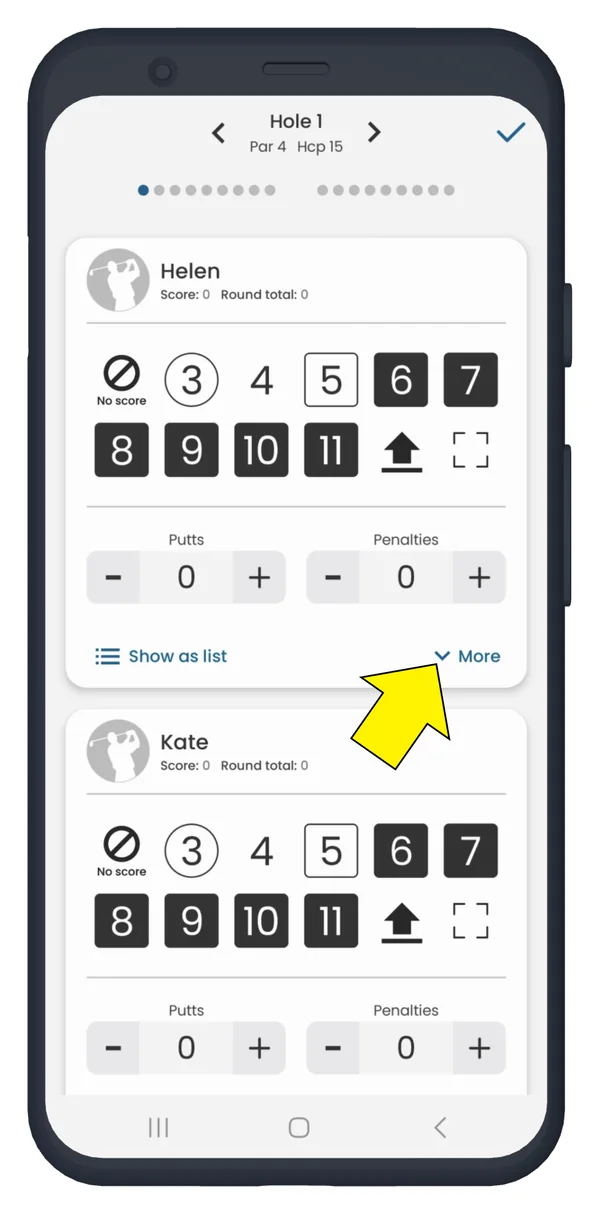
Golf Pad Quick score screen with More highlighted
Golf Pad Quick score expanded with penalties, fairway and Sand options

For other ways to keep score, check out this guide: Ways to keep score

Want to track your shots? Learn more here: Tracking shots on the phone (step-by-step tutorial)

Was this article helpful?
Thank you for your feedback!

Sorry we couldn’t help

Tell us what was wrong, and our support team will look into it.

What was wrong?

Thank you! Your submission has been received!
Oops! Something went wrong while submitting the form.
keeping-score-in-quick-score
keeping-score
app-features
November 13, 2026

Didn’t find an answer?

Send us a message and our support team will reply by email.

Contact support
Data source for the script: all help articles (for More in…). Hidden on the live page.