Help Center
›
General
›
Golf courses

Some Information About a Course Is Incorrect. How Can I Fix It?

It's easy to fix the golf course mapping within the Golf Pad app.

Here's how:
  1. Start a round on the course
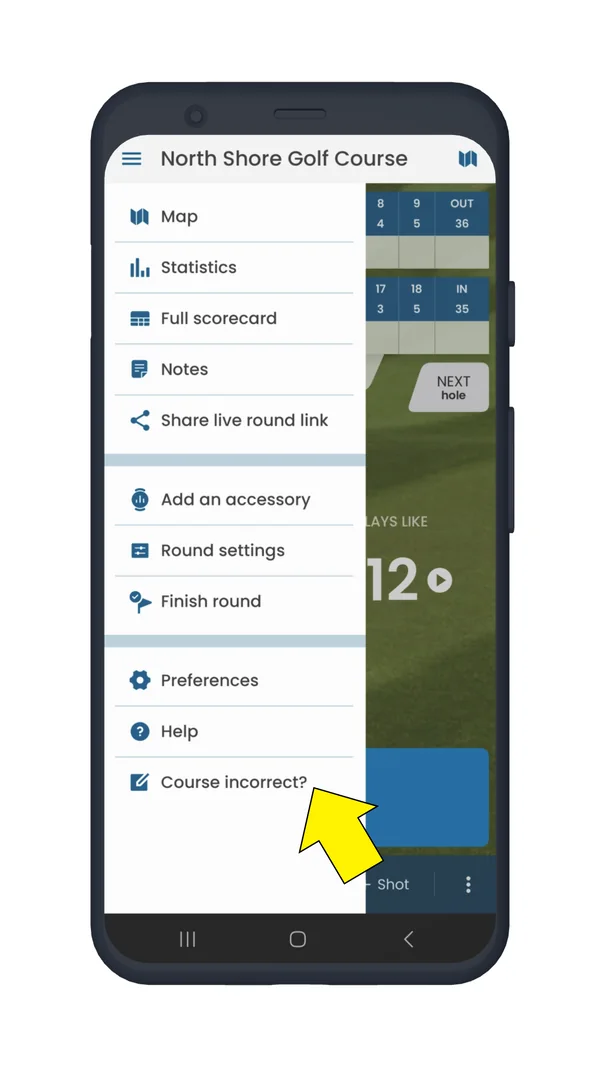
  2. Tap the menu button in the upper left corner
  3. Select "Course incorrect?"
  4. Follow the on-screen instructions
Round menu with Course incorrect highlighted
Select Course incorrect?
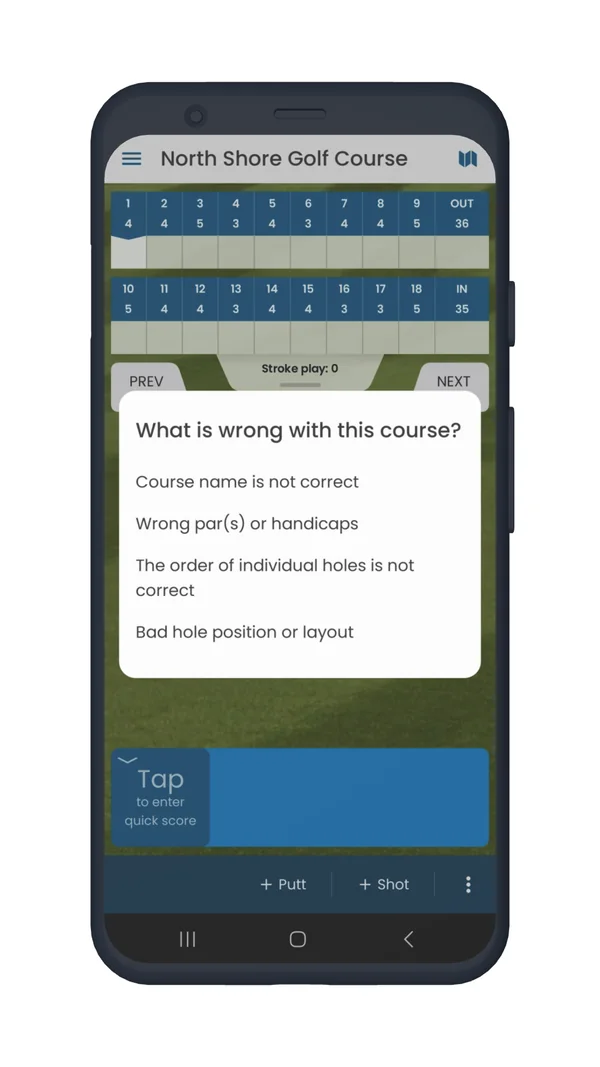
What is wrong with this course dialog with the list of fixes
Choose what to fix

You can easily change hole order, swap the front and back nines, edit course name or fix individual holes layout.
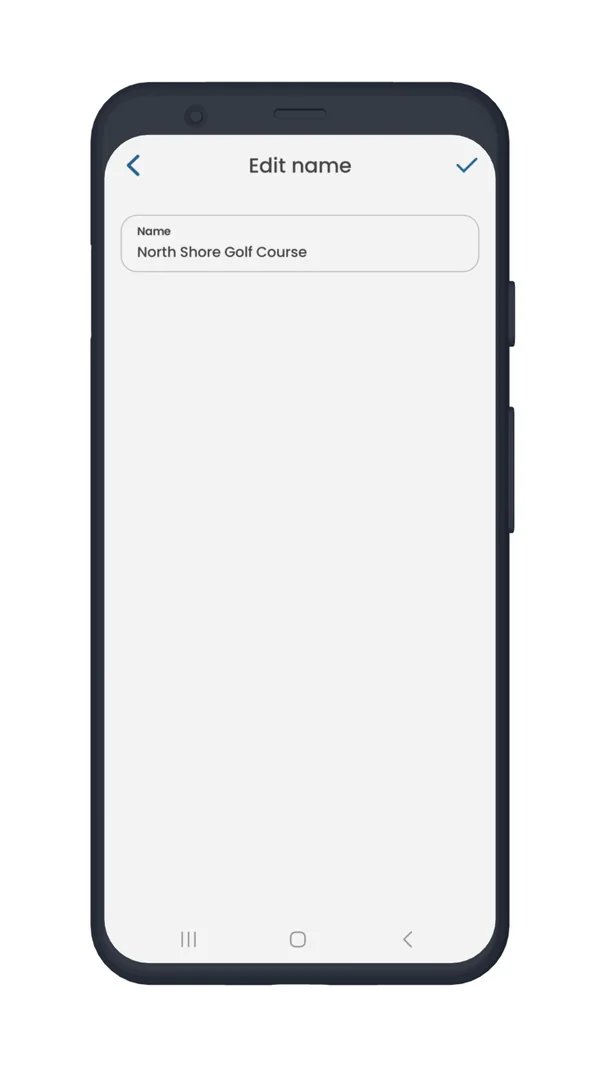
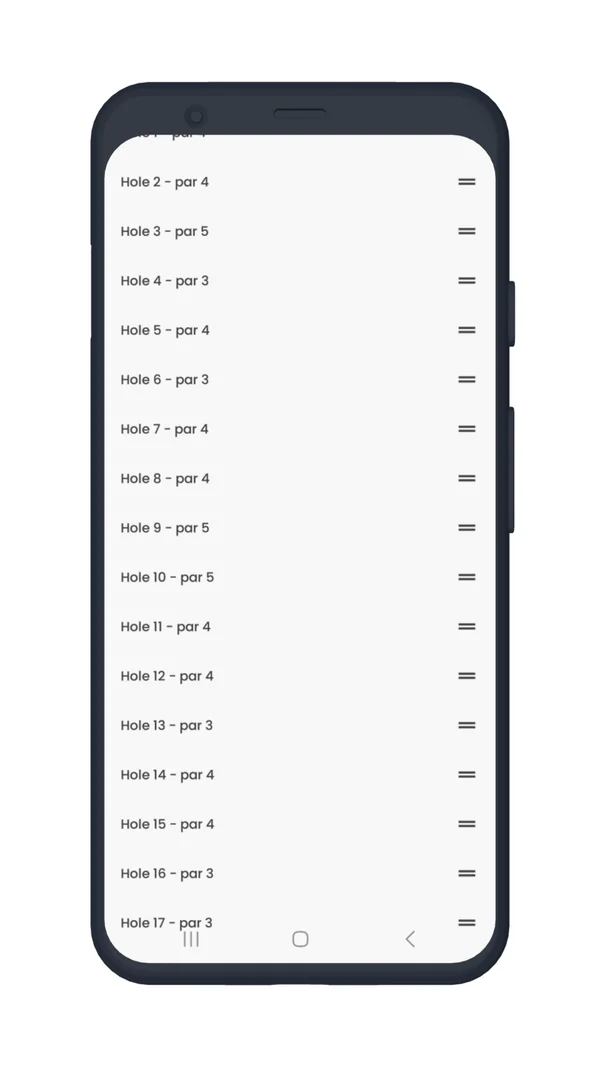
Edit name screen for the course name
Edit course name
List of holes that can be dragged to change their order
Change hole order
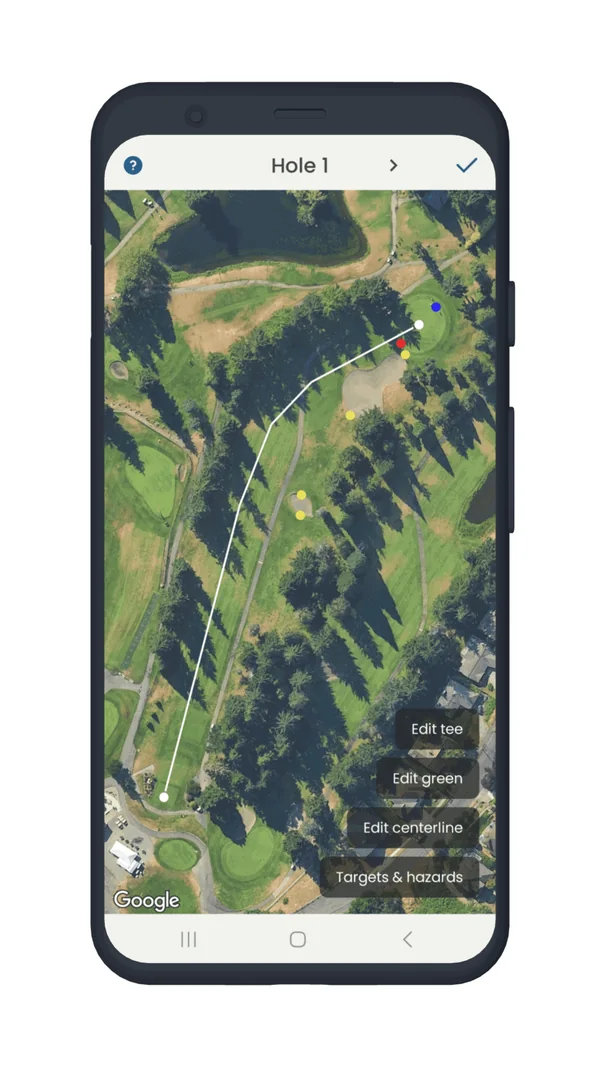
Hole layout editor on the aerial map
Fix hole layout
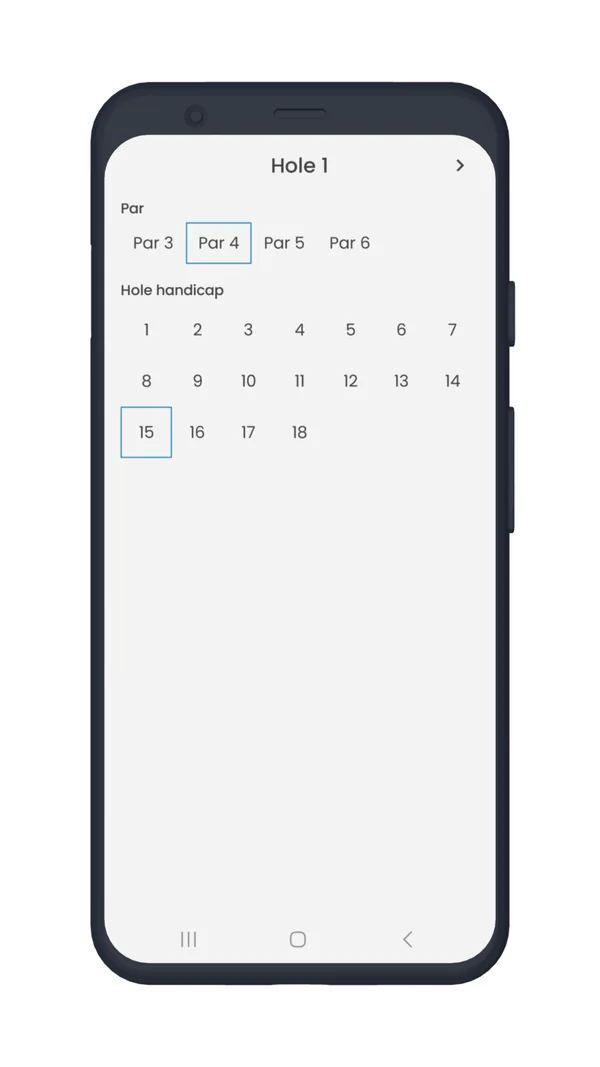
Hole editor with par and hole handicap options
Par and hole handicap

Updating Hazards

If you want to add new hazards, check out this guide: How to add new hazards?

Did a hole layout change and the aerial map was not yet updated?

You can fix the course using your own GPS location. For example, if a green got moved, walk to the middle of the green and mark the new middle of the green location in the app at your current location. Then repeat the same steps for the front and the back of the green.

After you finish the edits, your changes are saved under your Golf Pad account and will be visible to you immediately. Our data team reviews all edits and applies changes to the primary database. So, everyone who plays the course will benefit from your fixes!

You can also watch this video to learn more about how to edit a course:

Was this article helpful?
Thank you for your feedback!

Sorry we couldn’t help

Tell us what was wrong, and our support team will look into it.

What was wrong?

Thank you! Your submission has been received!
Oops! Something went wrong while submitting the form.
some-information-about-a-course-is-incorrect-how-can-i-fix-it
golf-courses
general
October 14, 2025

Didn’t find an answer?

Send us a message and our support team will reply by email.

Contact support
Data source for the script: all help articles (for More in…). Hidden on the live page.