Help Center
›
Smartwatch Sync
›
Android Wear OS

Troubleshooting Golf Pad on Wear OS Watches

  1. If there is no GPS while the smartwatch is connected to the phone, check the following:
    • Location services are enabled in Android settings. Make sure location has "While Using the App" access.
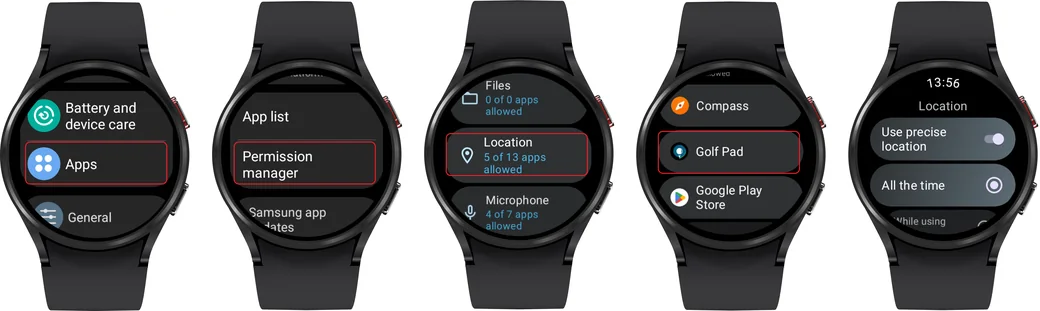
    • Location services are enabled in watch settings and location permissions are granted for Golf Pad app
    Wear OS watch settings for location and Golf Pad location permission
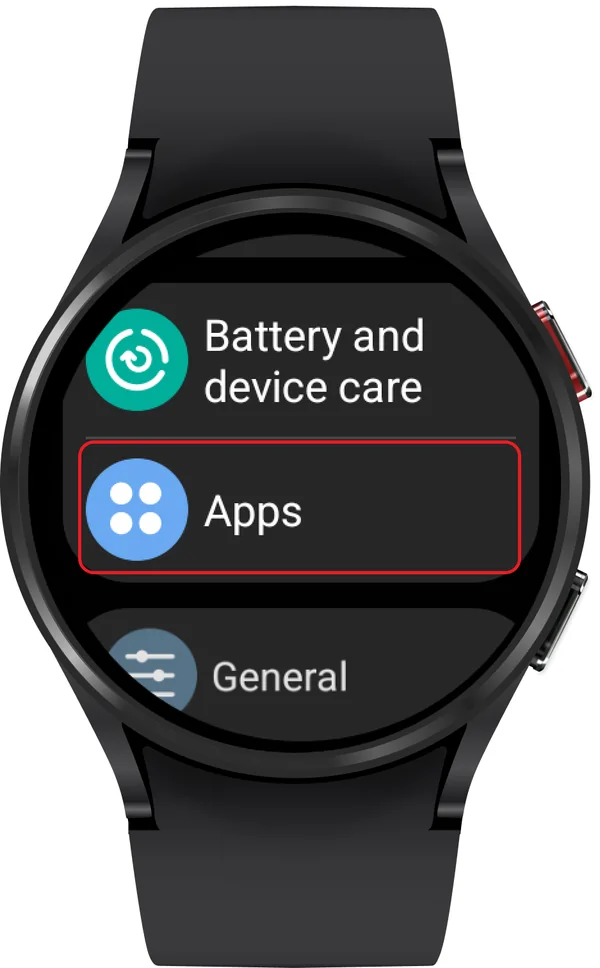
    Wear OS settings with Apps marked
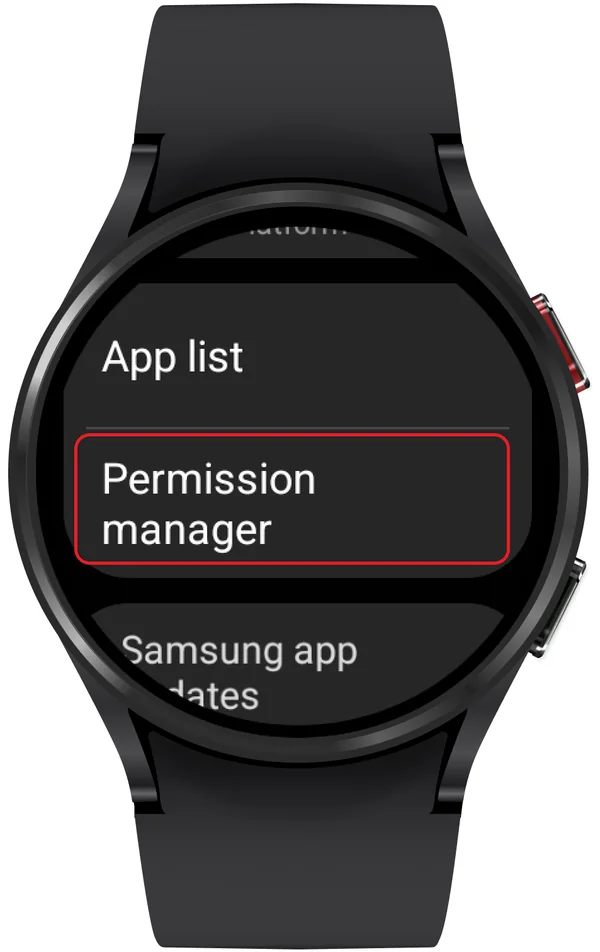
    Apps settings with Permission manager marked
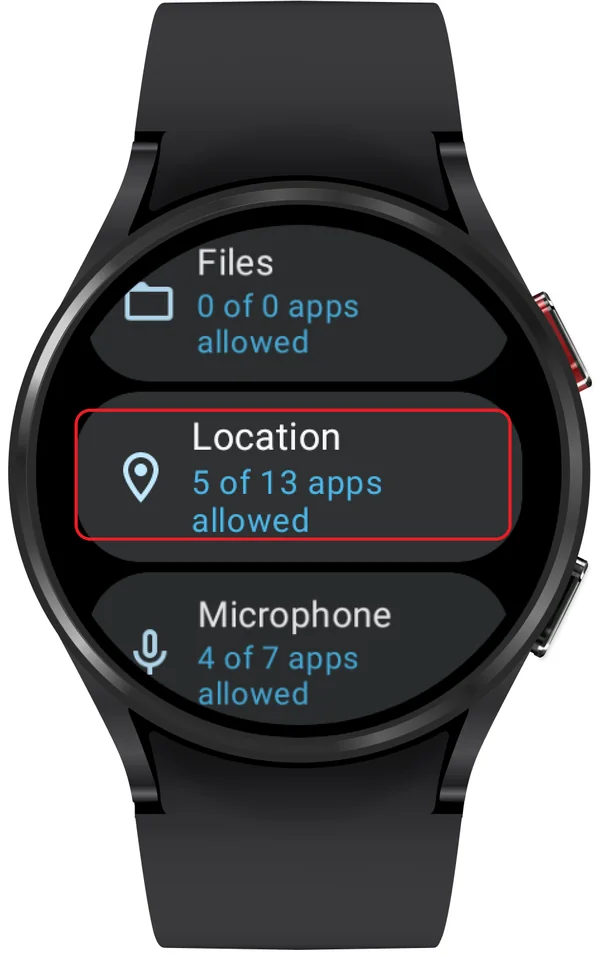
    Permission manager with Location marked
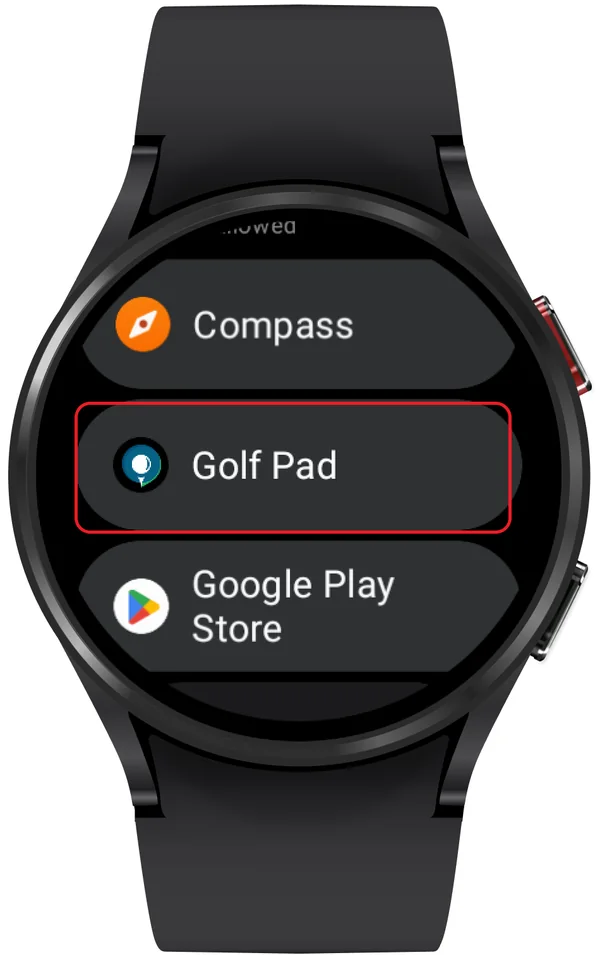
    Location permission list with Golf Pad marked
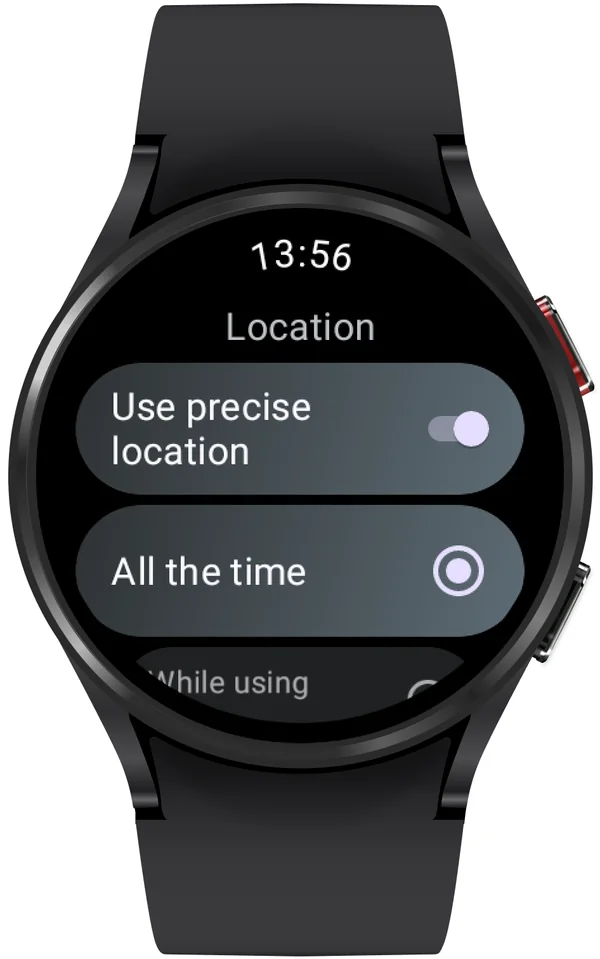
    Golf Pad location settings: Use precise location and All the time

    If the watch doesn't obtain or loses GPS while playing in Standalone mode (with Airplane mode enabled/Bluetooth disabled), check the following:

    • Location services are enabled in watch settings and location permissions are granted for Golf Pad app
    Wear OS watch settings for location and Golf Pad location permission
    Wear OS settings with Apps marked
    Apps settings with Permission manager marked
    Permission manager with Location marked
    Location permission list with Golf Pad marked
    Golf Pad location settings: Use precise location and All the time
    • If you're experiencing issues with GPS in Golf Pad, please follow these steps to verify the GPS signal on your watch:
    • Open Google Play on your watch
    • Install the "My GPS Coordinates" app: search for "My GPS Coordinates" in the Google Play Store
    • Tap install to download the app
    • Check GPS signal: open the "My GPS Coordinates" app once it's installed

    Important

    Check the GPS signal at the same moment when you notice there is no GPS in Golf Pad.

    • Ensure GPS is working properly by checking the coordinates displayed
    • Take a screenshot or photo of the GPS information displayed in the app
    • Send it to us: email or send the screenshot/photo to us so we can verify how the GPS is functioning on your watch

    Important test conditions

    When testing GPS, make sure:

    • Bluetooth is OFF
    • Wi-Fi is OFF
    • Mobile data is OFF

    This ensures the watch is using its own GPS, not location data from the phone.

  2. If Golf Pad app does not show in app list on Wear watch

    For Android Wear 3.0 watches and later, you will need to install the Golf Pad app from Play Store on the watch. Please follow the instructions on this page and search for Golf Pad to get the watch app:

    https://support.google.com/androidwear/answer/7314014?hl=en

    For detailed instructions on setting up the Golf Pad app on Android Wear 3.0 and later, please see this article: Setting up Golf Pad watch app on Android Wear OS.

Was this article helpful?
Thank you for your feedback!

Sorry we couldn’t help

Tell us what was wrong, and our support team will look into it.

What was wrong?

Thank you! Your submission has been received!
Oops! Something went wrong while submitting the form.
troubleshooting-golf-pad-on-wear-os-watches
android-wear-os
smartwatch-sync
November 6, 2026

Didn’t find an answer?

Send us a message and our support team will reply by email.

Contact support
Data source for the script: all help articles (for More in…). Hidden on the live page.