No items found.

Golf Pad GPS lets you keep score for 1 to 4 golfers in your group, including strokes, putts and penalties for every player. Upgrade to Golf Pad Premium to keep score for up to 8 golfers. Easily share your scorecard via email or Facebook.
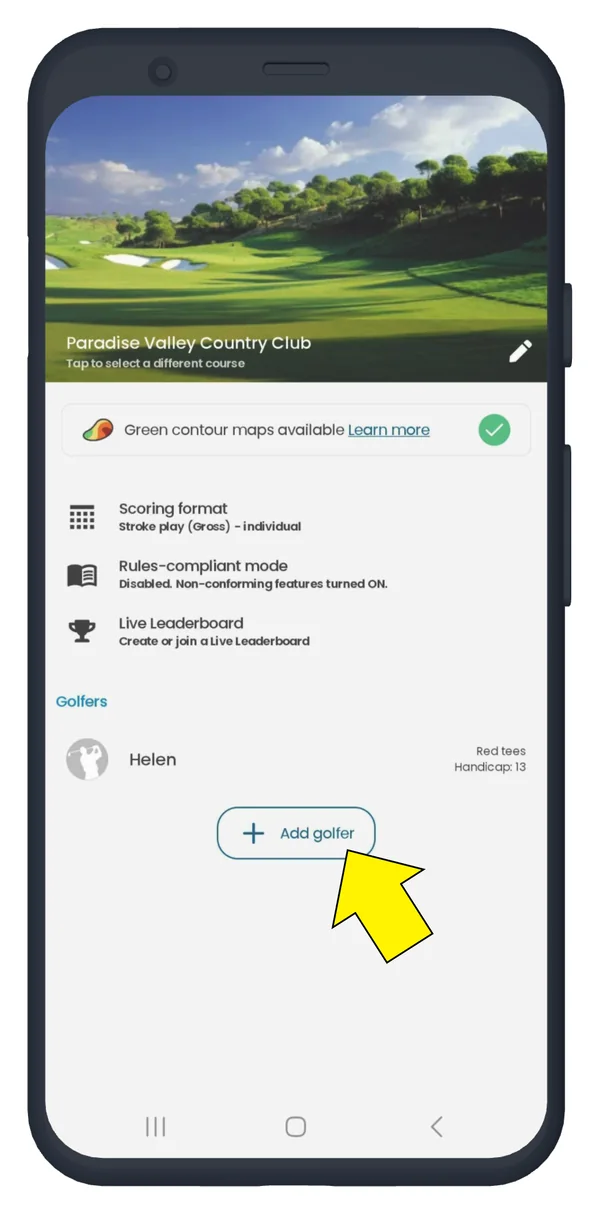
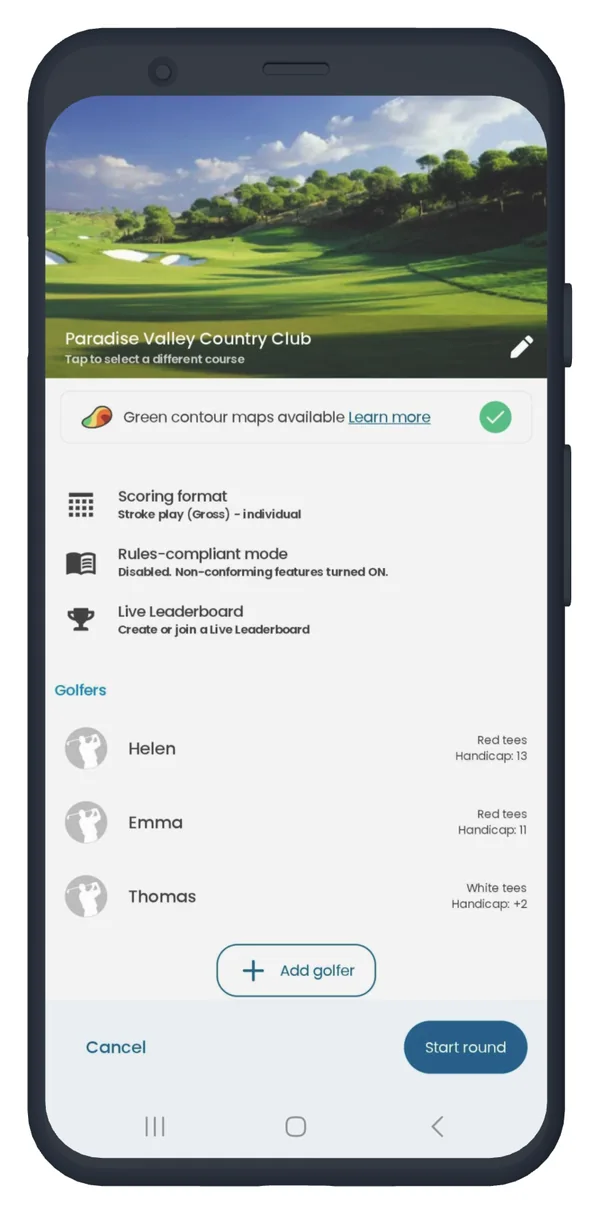
To add players, start a round, then click "+ Add golfer" at the bottom of the next screen.
Follow the steps and repeat for all golfers.
In addition, you can manually enter the handicap indexby tapping on the player’s name.
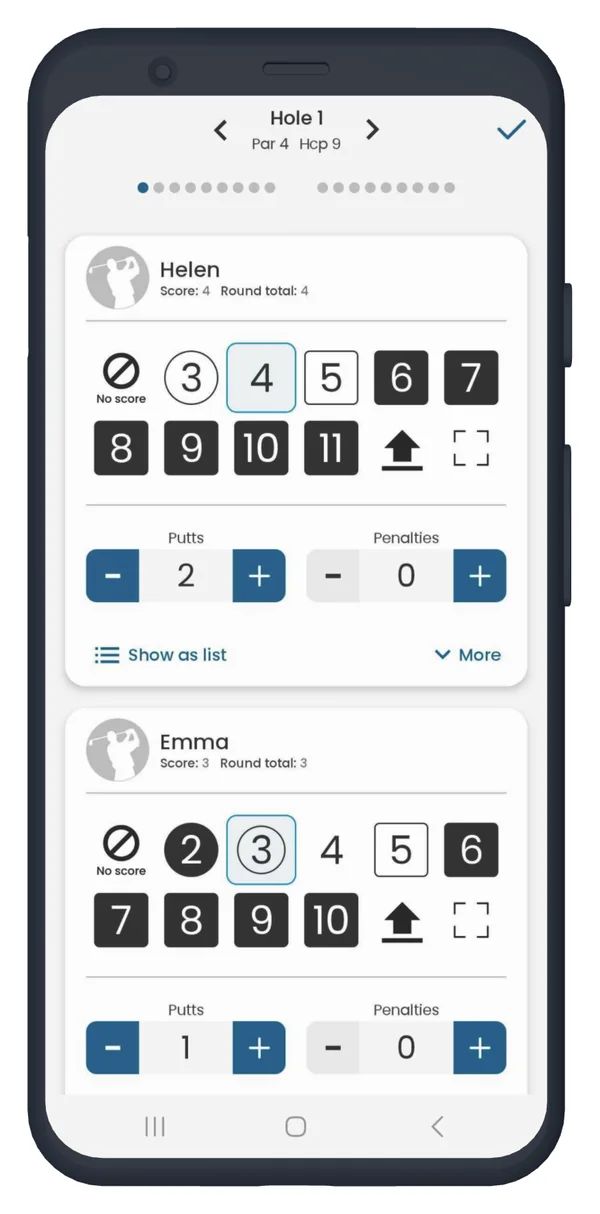
Once you have added all of the players to your scorecard, you can keep score for each player using our Quick score scoring option. Quick score allows you to track score, putts, penalties and fairways/sand traps hit for each player.
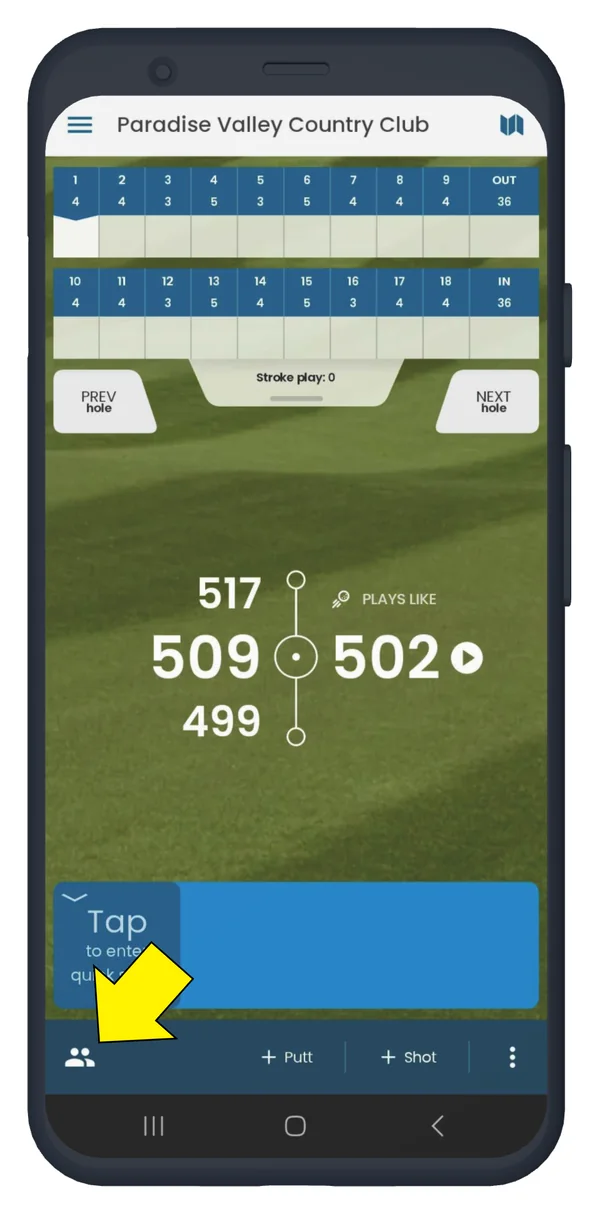
To access the multi-player Quick Score screen, select the button in the bottom left corner that shows two people.
You will then see the Quick score screen with each golfer listed. Select a golfer, then simply select the score, putt and penalty to reflect each golfer's play. You can also select the fairway and sand trap buttons to show where each player hit their shots for that hole.
That’s it! Now you can easily track multiple golfers' scores in Golf Pad GPS.


Subscribe for early access to promotions, feature announcements & more.