Help Center
›
Getting Started with GolfPad
›
Getting a Round Started

How Do I Start and Finish a Round in Golf Pad GPS?

Starting a Round

1) Open the Golf Pad App

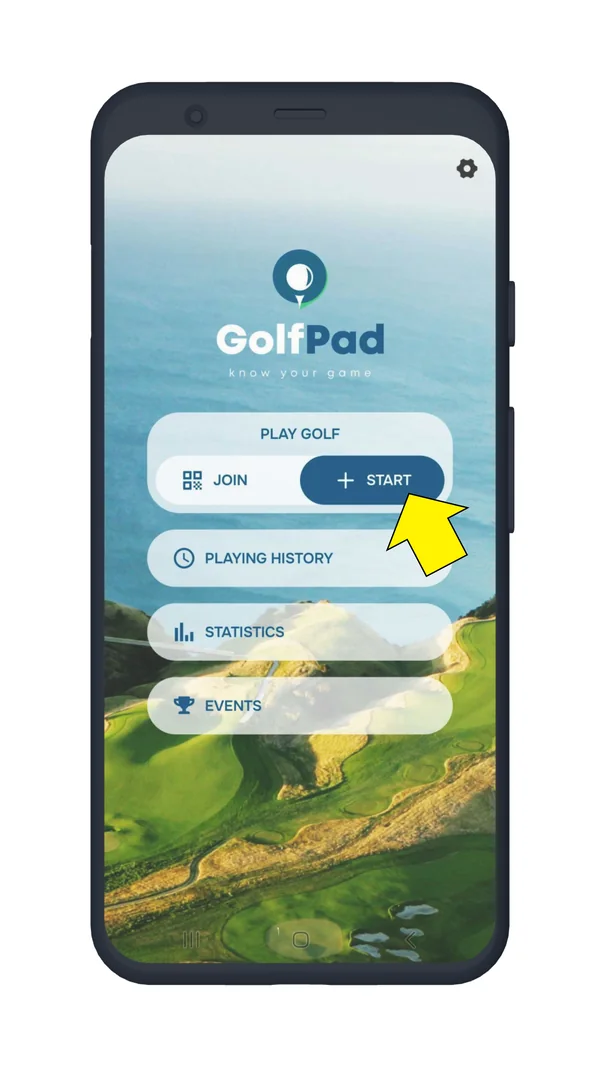
  • You'll see a list of vertical buttons on the home screen.
  • Tap “+ Start” to begin.
Golf Pad home screen with the Start button highlighted
Tap “+ Start”

2) Select a Course

  • The app will display a list of nearby courses automatically.
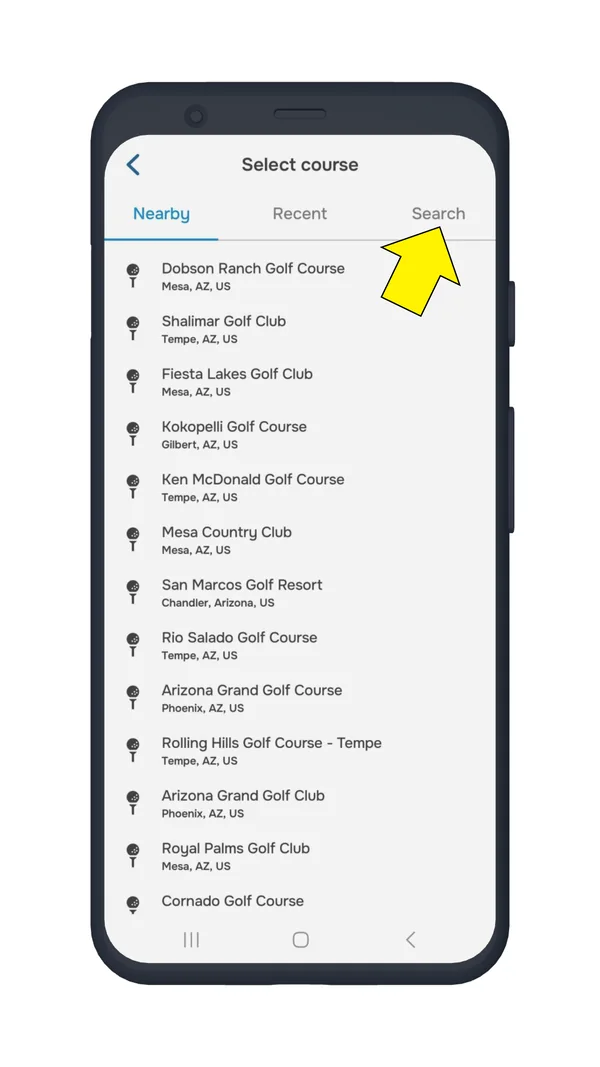
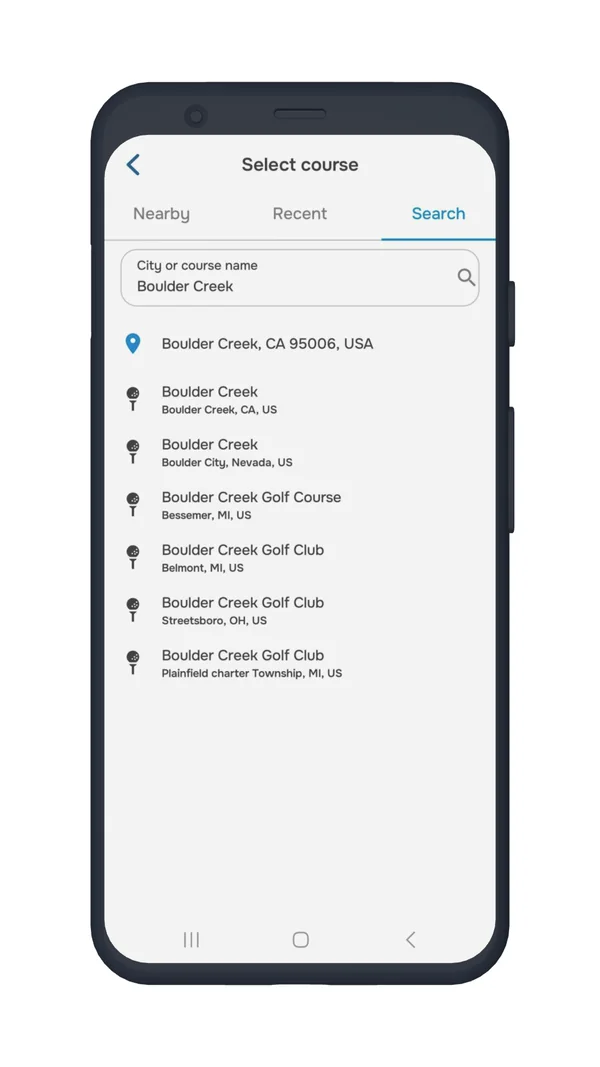
  • To search for a specific course:
    • Go to the Search tab.
    • Enter the city or course name to find it.
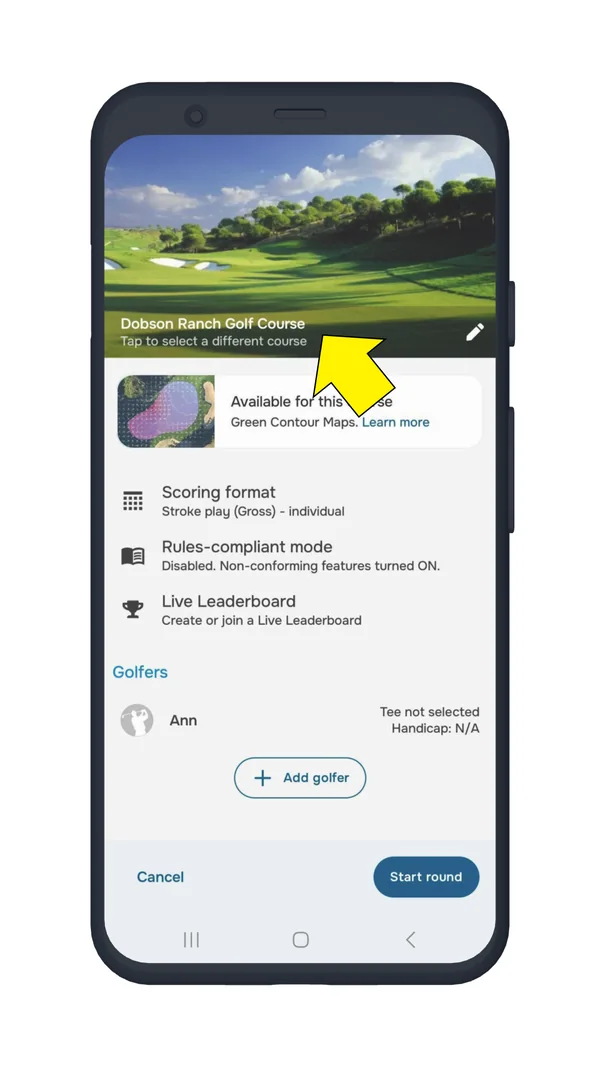
Round settings screen with the course name highlighted
Tap the course name
Select course screen with the Search tab highlighted
Search tab
Course search results for a course name
Search results

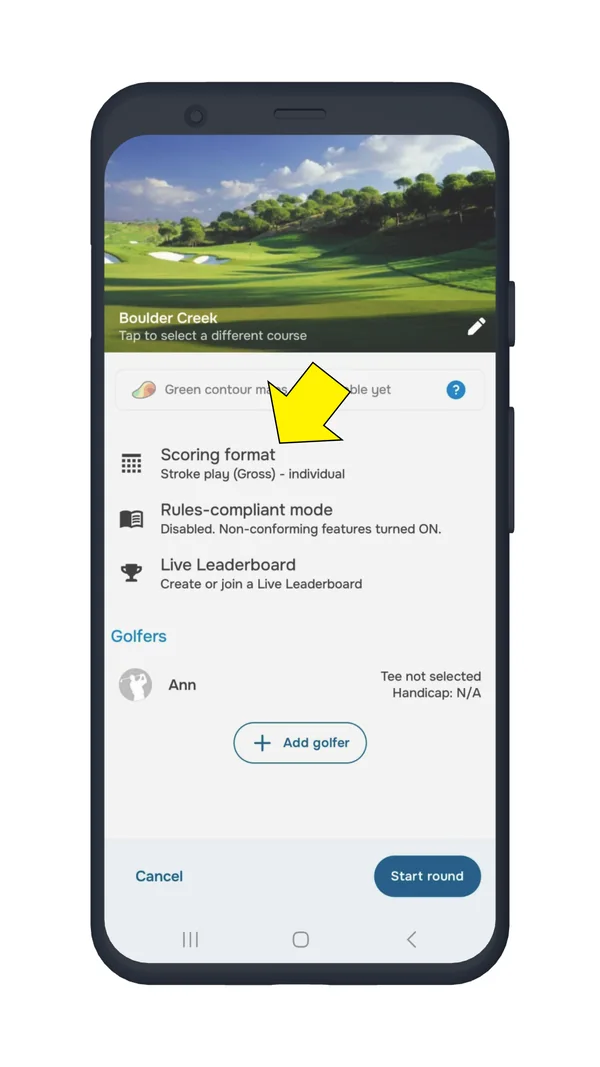
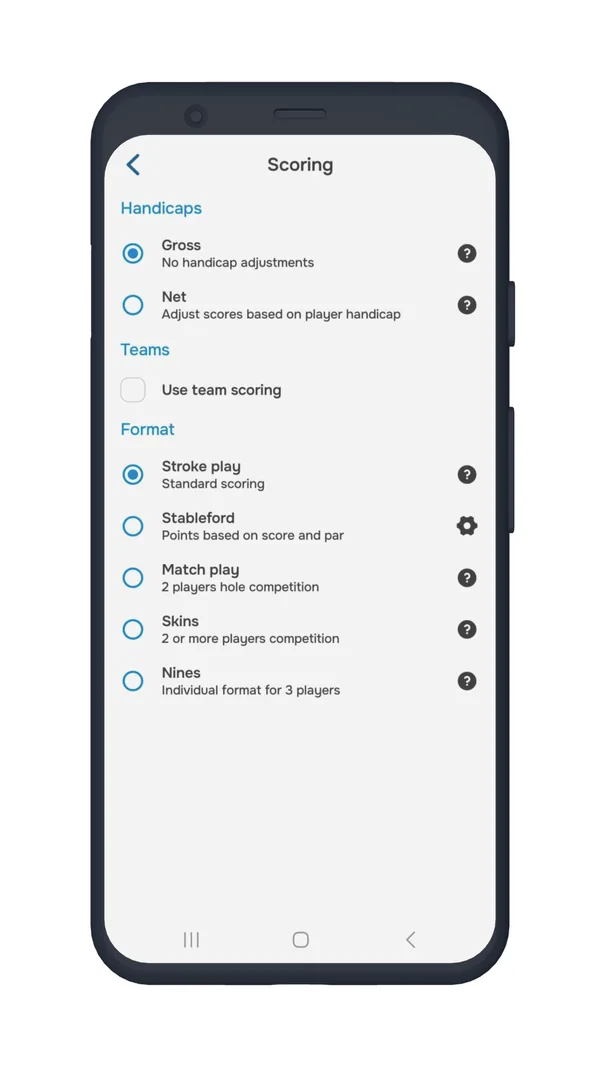
3) Choose a Scoring Format

Round settings screen with Scoring format highlighted
Tap Scoring format
Scoring screen with handicap, team and format options
Scoring options

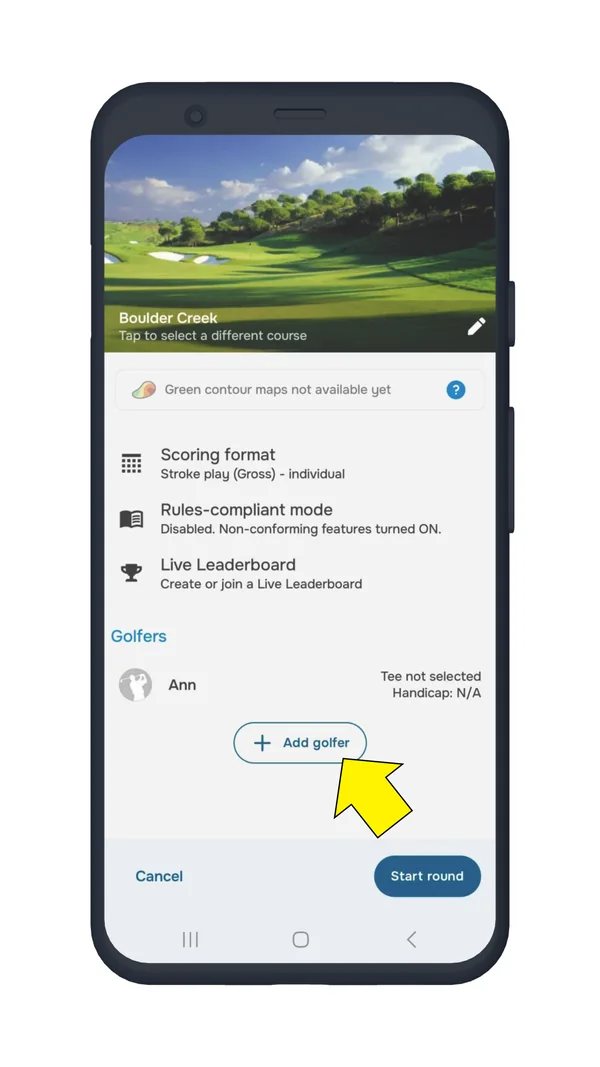
4) Add Additional Players (Optional)

  • Tap “+ Add Golfer” to include other players in your round.
Round settings screen with the Add golfer button highlighted
Tap “+ Add Golfer”

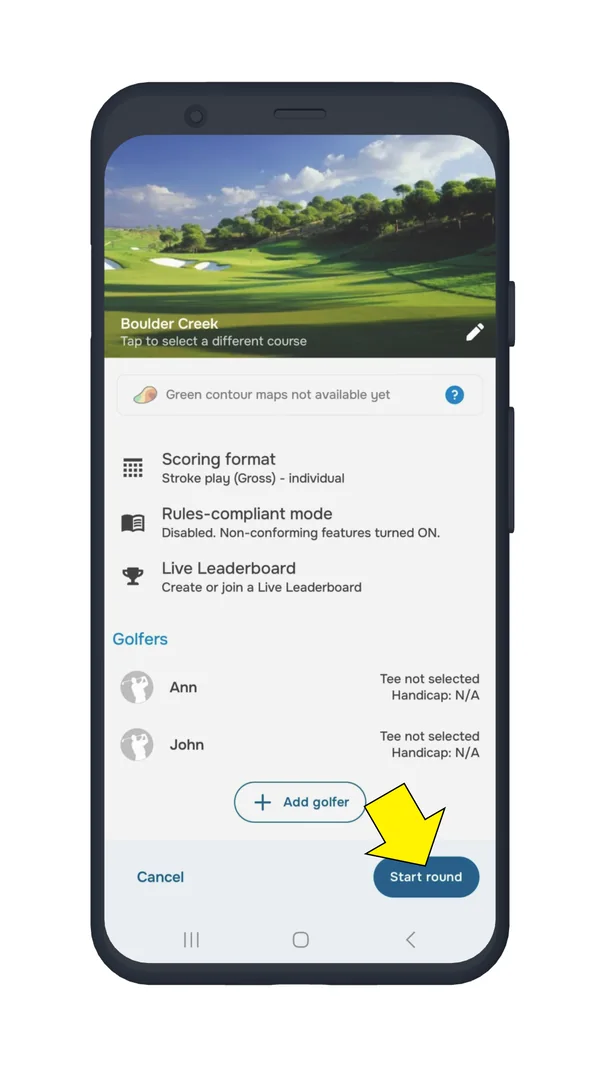
5) Start Your Round

  • Once everything is set, tap “Start Round” in the lower-right corner.
Round settings screen with the Start round button highlighted
Tap “Start Round”

Finishing and Saving Your Round

When you’re done playing:

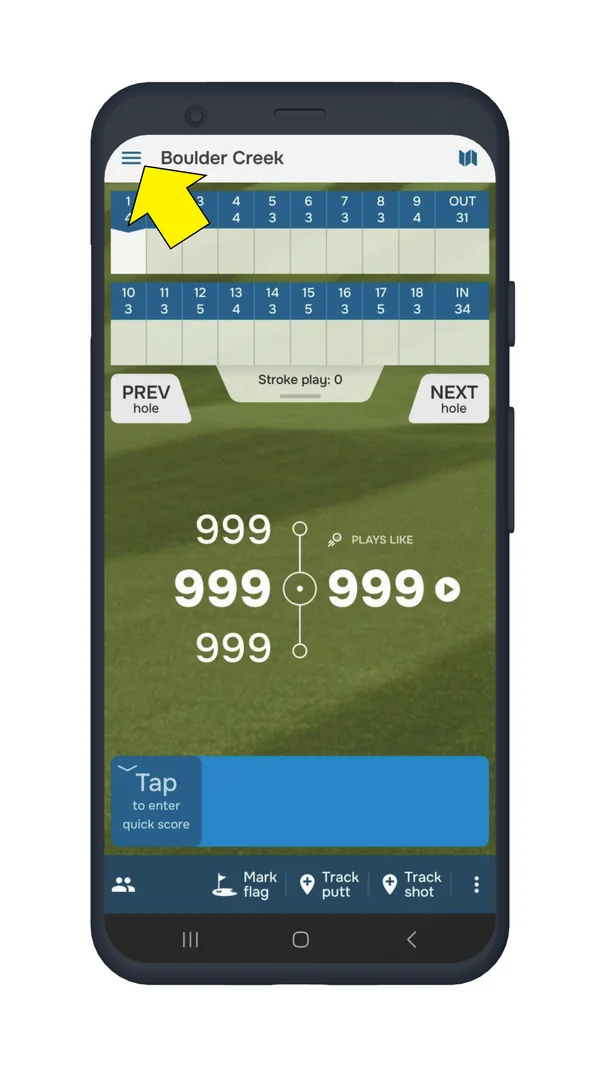
  • Open the settings menu.
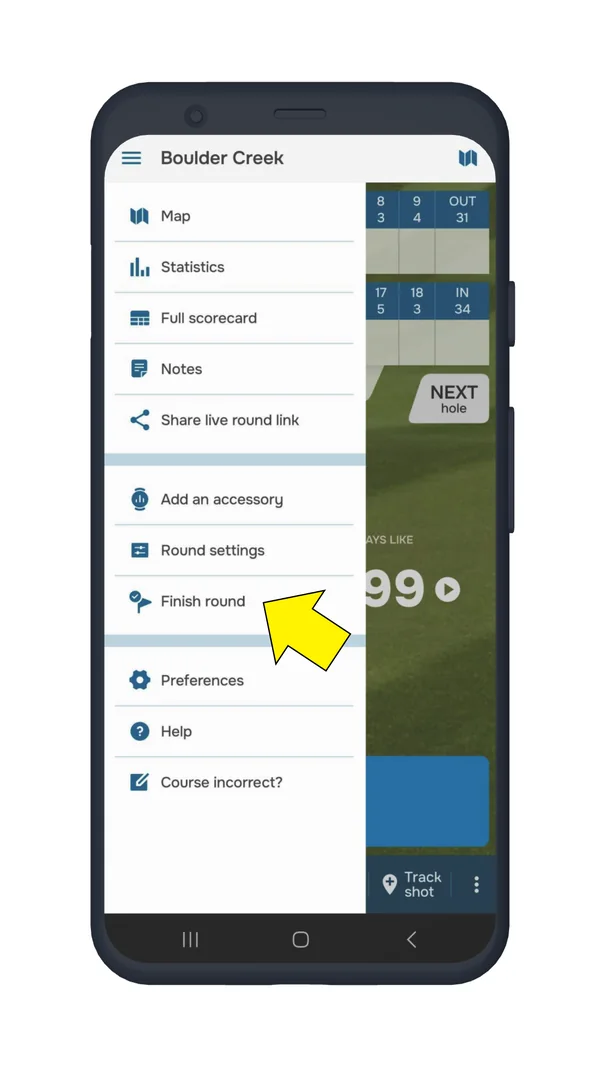
  • Tap “Finish Round”.
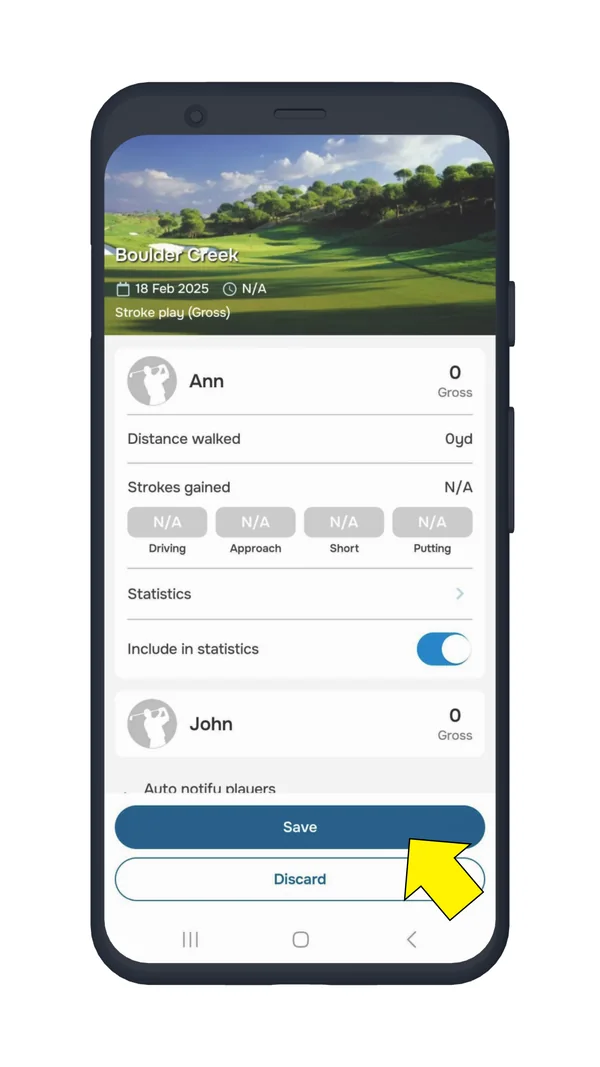
  • You’ll be given two options:
    • Save Round – Keeps your stats and game history.
    • Discard Round – Deletes the round without saving.

Saving your round allows you to track stats and analyze your performance over time!

Golf Pad scorecard with the menu button highlighted
Open the menu
Round menu with Finish round highlighted
Tap “Finish Round”
Finish round screen with the Save and Discard buttons
Save or Discard

Need help? Contact us here for assistance.

Was this article helpful?
Thank you for your feedback!

Sorry we couldn’t help

Tell us what was wrong, and our support team will look into it.

What was wrong?

Thank you! Your submission has been received!
Oops! Something went wrong while submitting the form.
how-do-i-start-and-finish-a-round-in-golf-pad-gps
getting-a-round-started
getting-started
October 15, 2025

Didn’t find an answer?

Send us a message and our support team will reply by email.

Contact support
Data source for the script: all help articles (for More in…). Hidden on the live page.