No items found.

Golf Pad offers multiple scoring modes to suit different game types. Here's how to choose the one that works best for you.
To change scoring modes, start a round. Add players as needed. Select "Scoring format".
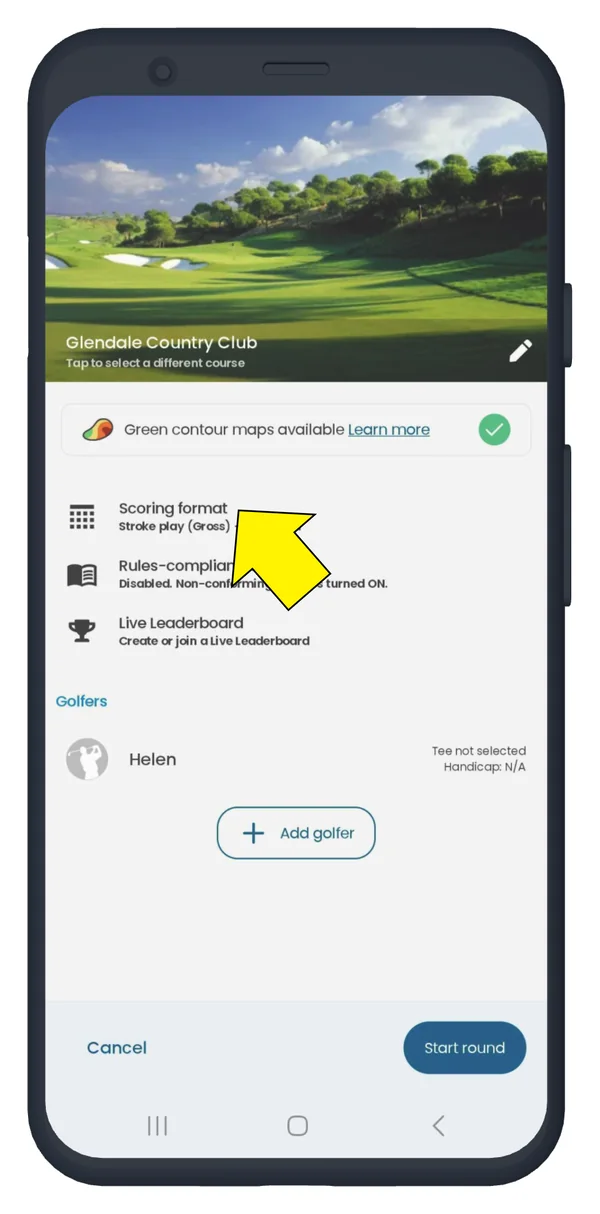
On the next screen, select the golf scoring mode (game) you want from the list.
Tap the "?" for details about each game.
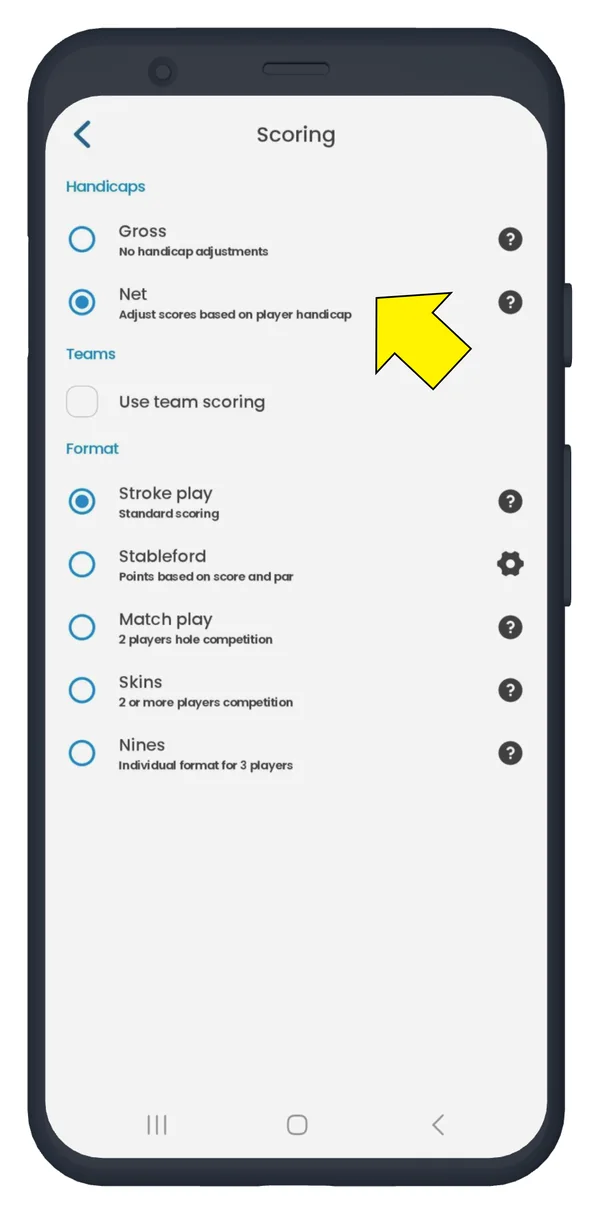
Golf Pad supports multiple scoring modes.
Golf Pad GPS (the free version of the app) gives you Gross scoring without adjustments. Gross scoring is a total of all strokes plus penalty strokes. It's a good, simple scoring method for golfers just starting out or those playing by themselves.
To access all scoring modes and teams scoring, upgrade to Golf Pad Premium. These are perfect for playing golf with friends:
More details about each scoring format you can find here.


Subscribe for early access to promotions, feature announcements & more.