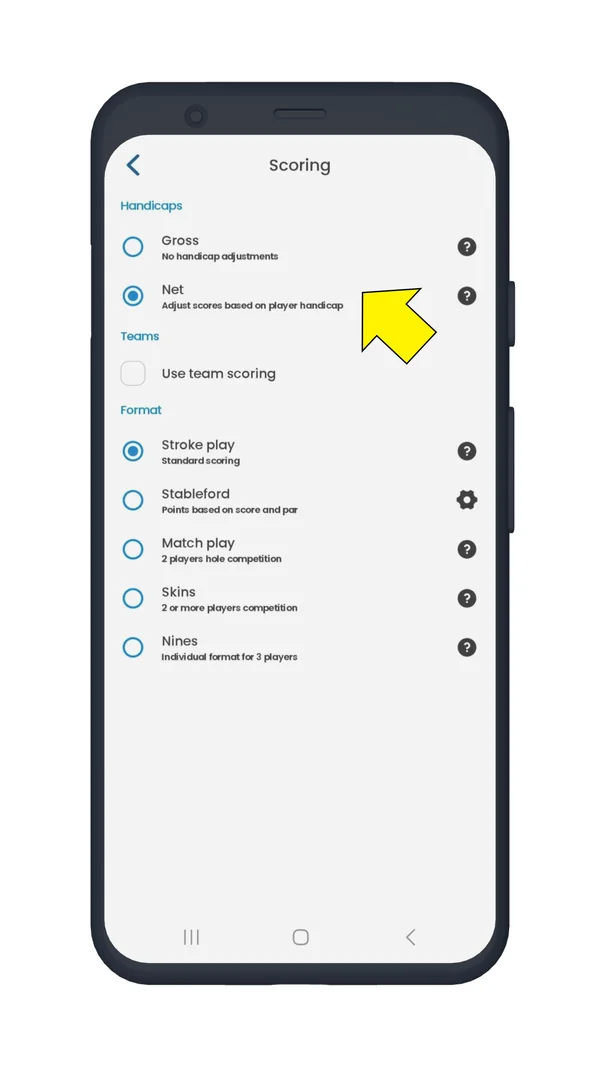
How Do I Start a Round Using Handicap-Adjusted (Net) Scoring?

Handicap-adjusted (net) scoring and additional scoring modes are a Golf Pad Premium feature.

Click to learn how to upgrade to Premium

First, start a round, then tap Scoring format.
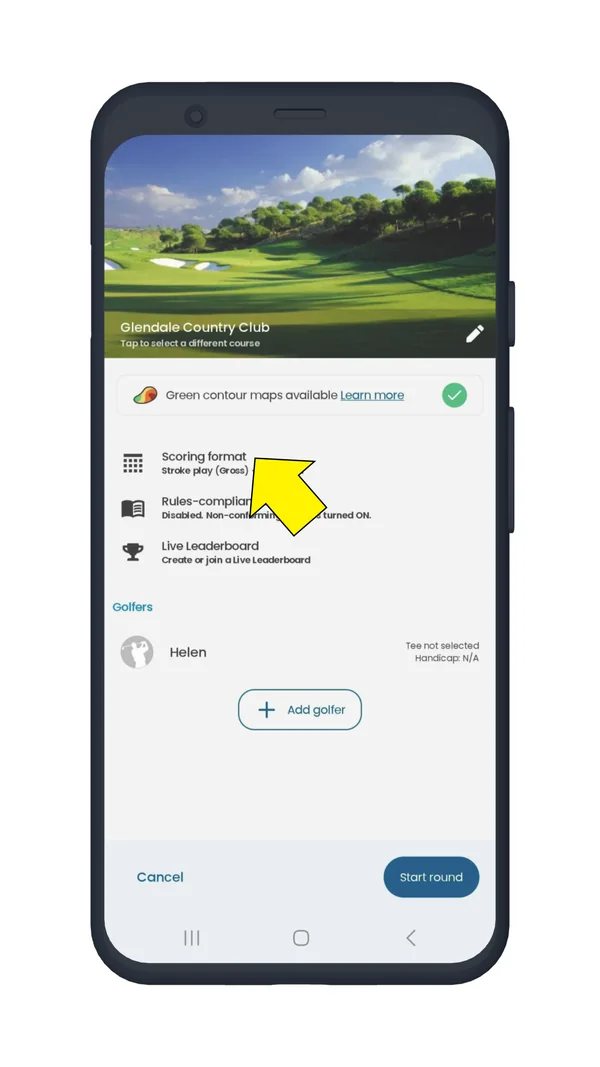
Golf Pad round settings on Android with Scoring format highlighted

Next, select Net scoring method.

Golf Pad Scoring screen on Android with the Net handicap option selected

You can use net scoring with Stroke Play, Stableford, Modified Stableford and Match Play.

You can specify the tee and the handicap index for each player.

Was this article helpful?
Thank you for your feedback!

Sorry we couldn’t help

Tell us what was wrong, and our support team will look into it.

What was wrong?

Thank you! Your submission has been received!
Oops! Something went wrong while submitting the form.
how-do-i-start-a-round-using-handicap-adjusted-net-scoring
handicaps
app-features
November 13, 2026

Didn’t find an answer?

Send us a message and our support team will reply by email.

Contact support
Data source for the script: all help articles (for More in…). Hidden on the live page.