No items found.

We're excited to introduce a highly requested feature that will allow you to post your scores directly to the USGA® Handicap Index™ through Golf Pad! Whether you're a seasoned pro or just starting out, this update streamlines the process and ensures your scores are posted with just a few taps.
Note
USGA® score posting requires a Premium subscription.
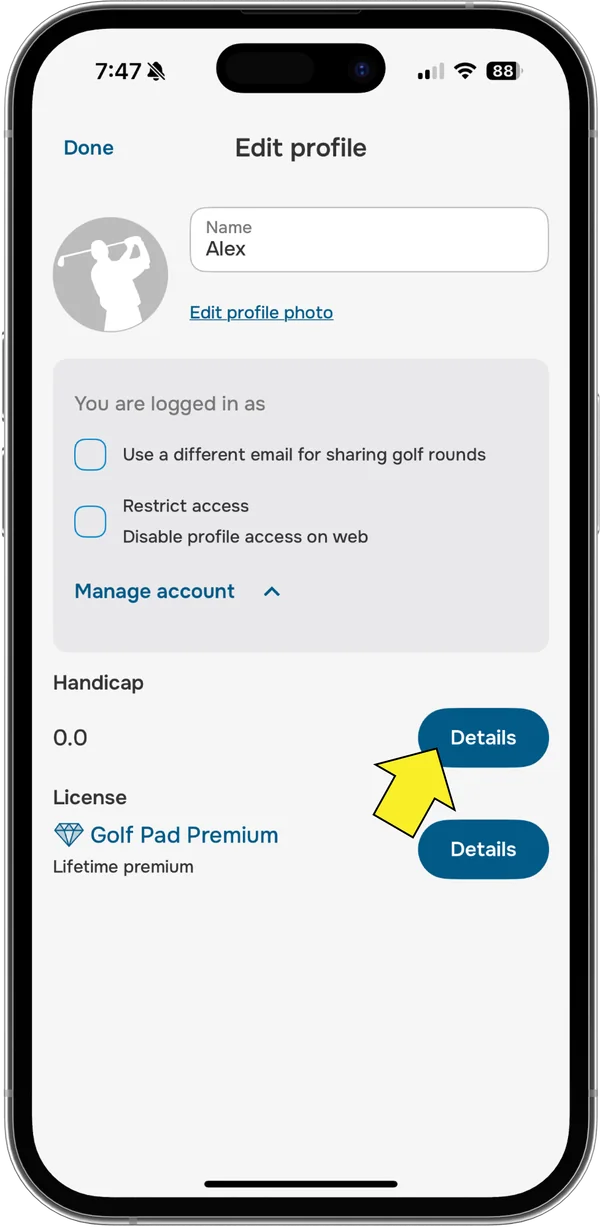
To get started, you'll need to give Golf Pad permission to access your USGA® Handicap ID (GHIN® #). You can do this from your profile's handicap settings.
Go to Preferences > Handicap - Details.
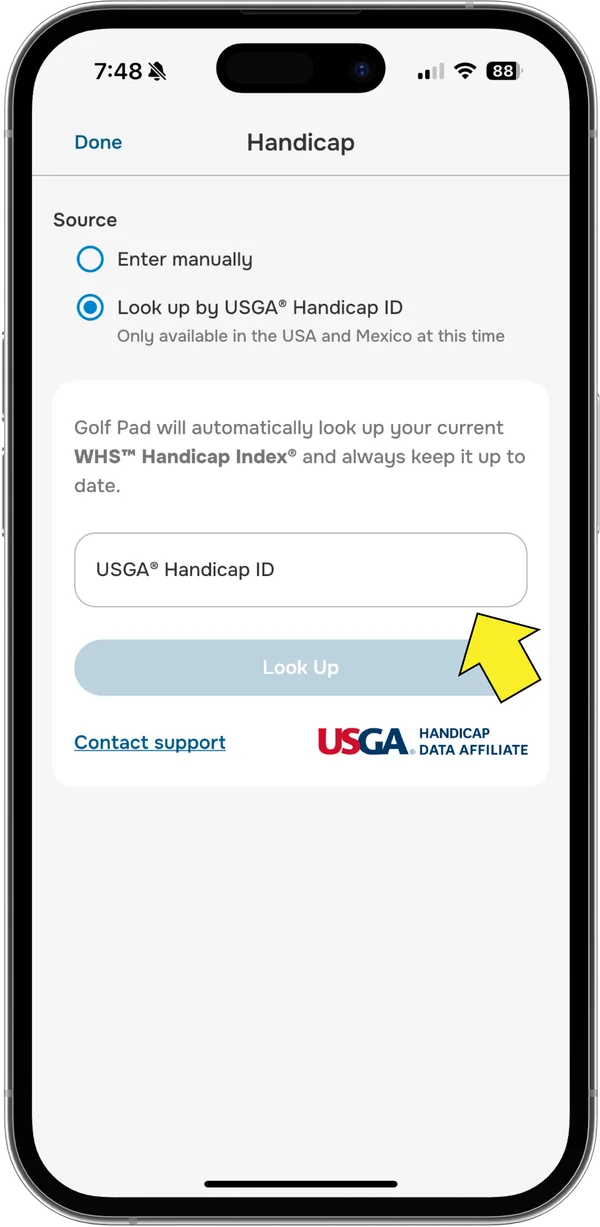
Under the Source section, select the option Look up by USGA® Handicap ID.
Enter your USGA® Handicap ID and tap Look up.
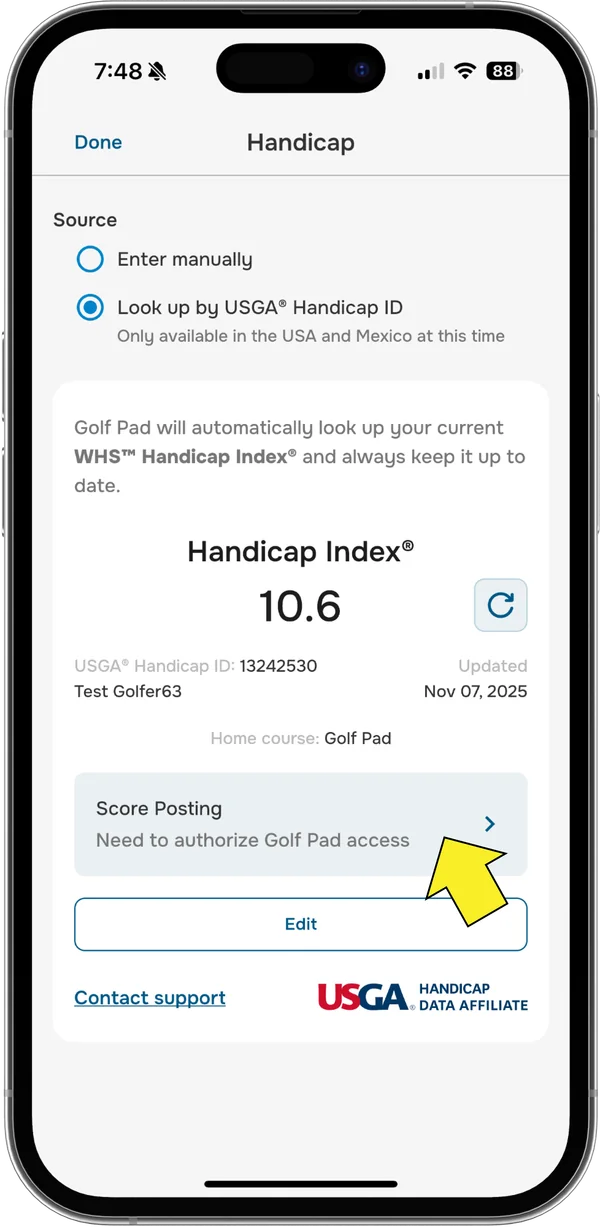
Once the lookup is complete, go to Score Posting.
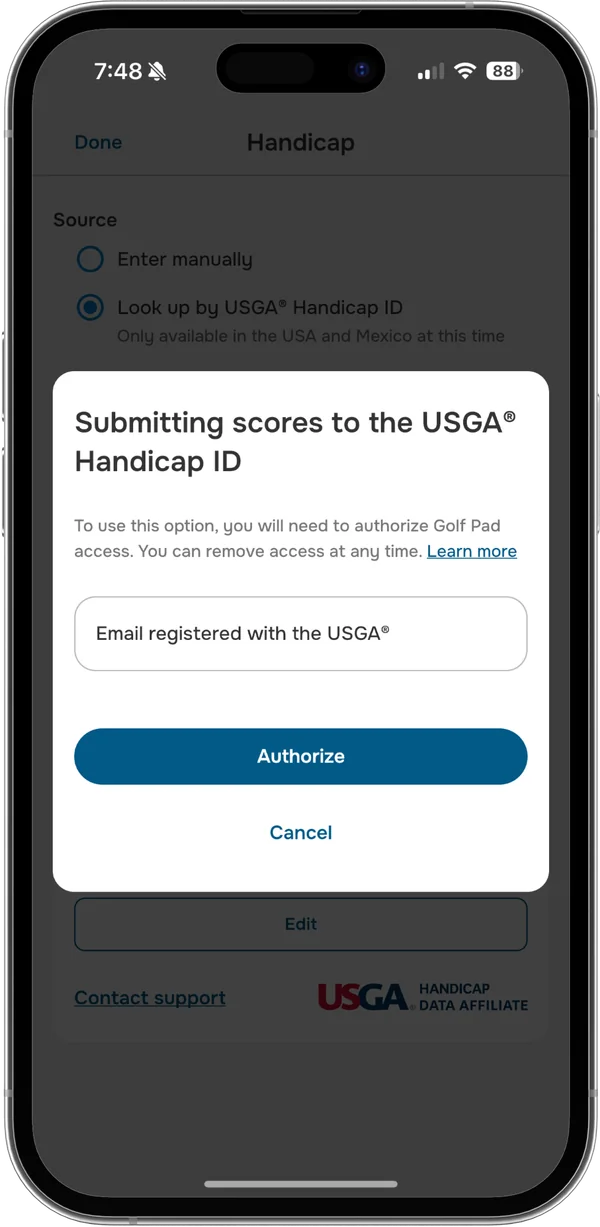
Enter the email address you used to register with the USGA® and tap Authorize.
Check your inbox for an email with a confirmation link. Tap Acknowledge to confirm.
Note
If you don't see the email, please check your spam folder and confirm that the email address you provided matches the one used to register your USGA handicap account. If you're still unable to locate the email, click Resend Email to request another one.
Back in the Golf Pad app, tap Refresh - you should now see a confirmation that your account is authorized.
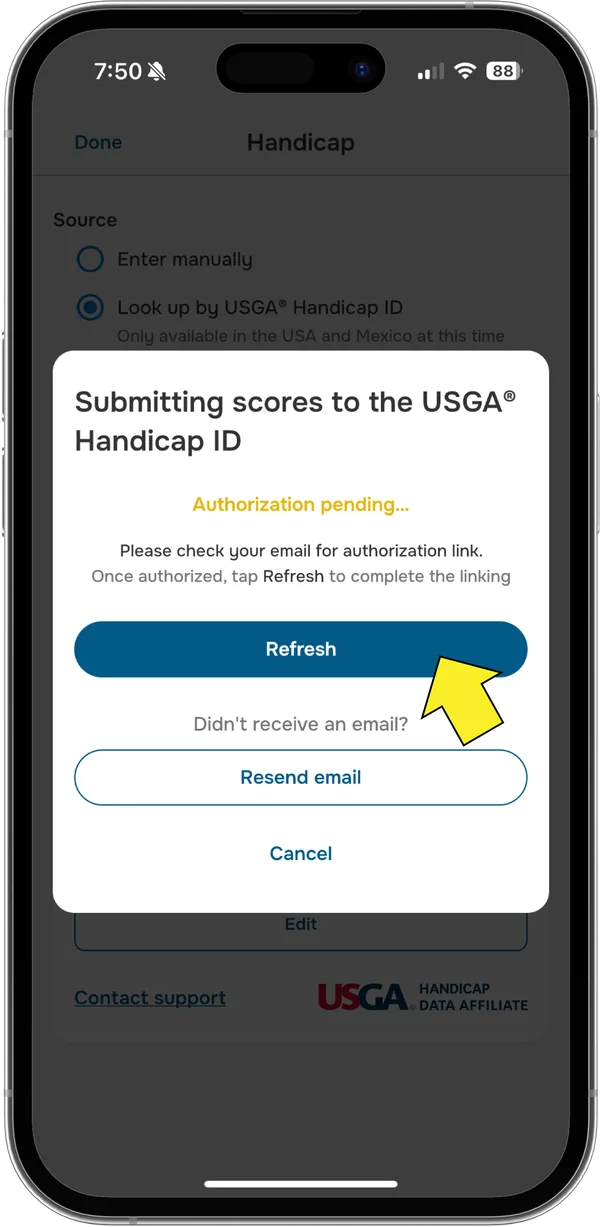
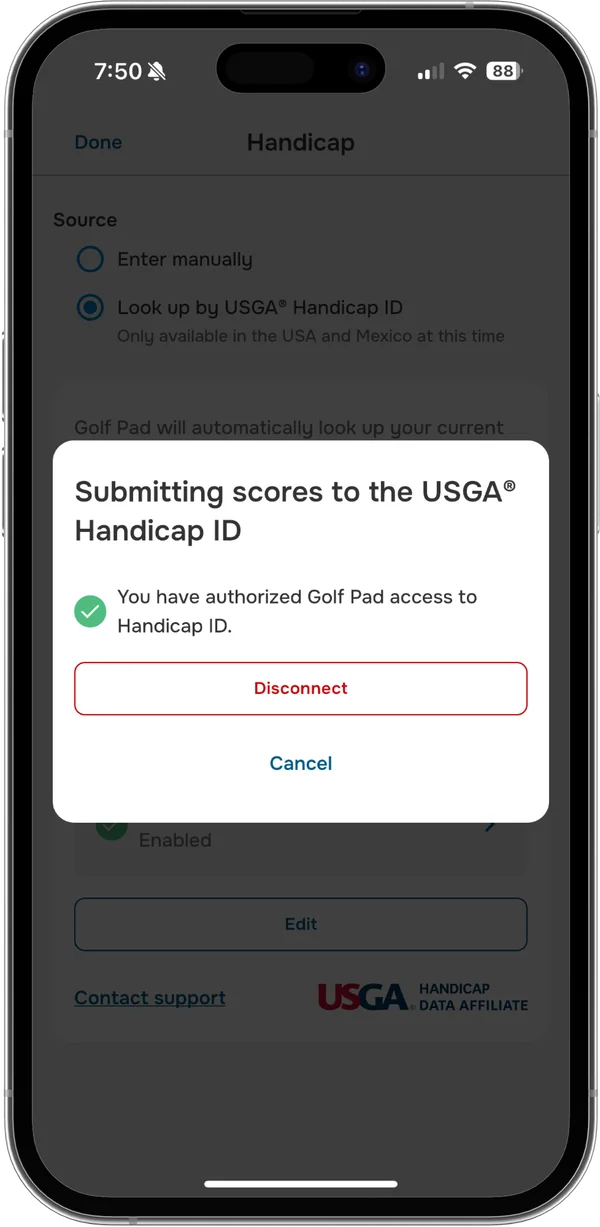
And that's it - score posting is now enabled!
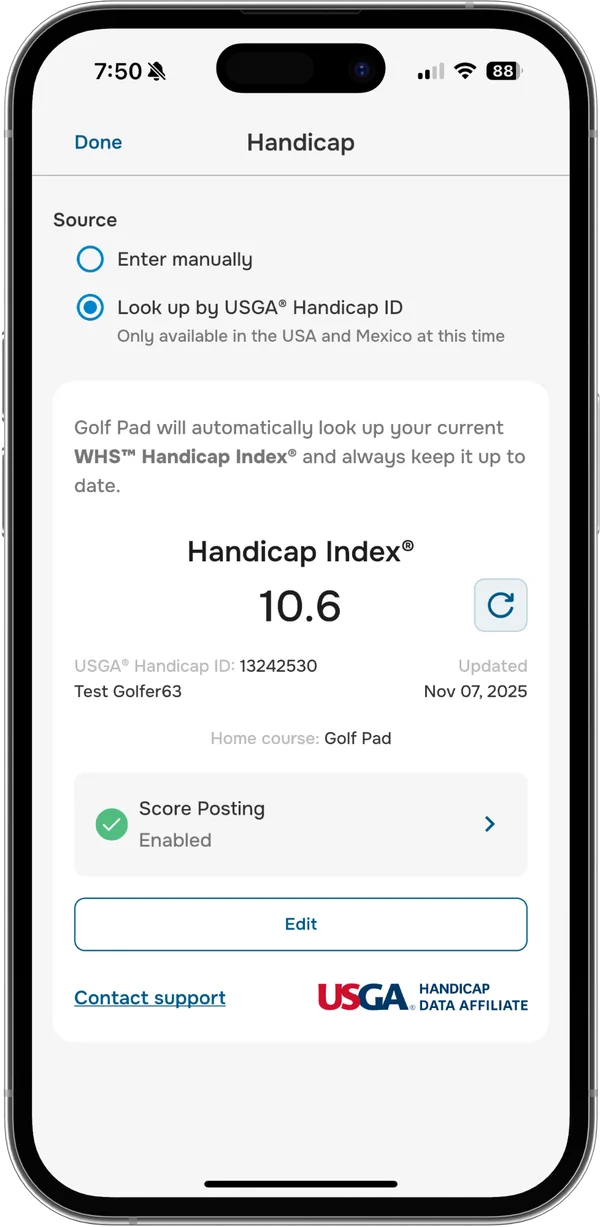
For detailed instructions on posting scores, please refer to this article.
If you need assistance or have any questions, feel free to submit a support request. We're here to help!


Subscribe for early access to promotions, feature announcements & more.