No items found.

This article guides you through the process of posting scores to your USGA® Handicap Index™. For detailed instructions on authorizing Golf Pad to access your USGA® Handicap ID (GHIN® #), please refer to this article.
Note
USGA® score posting requires a Premium subscription.
Posting your scores to the USGA® Handicap Index™ is quick and easy. Just follow these steps:
Track your score during your round as usual.
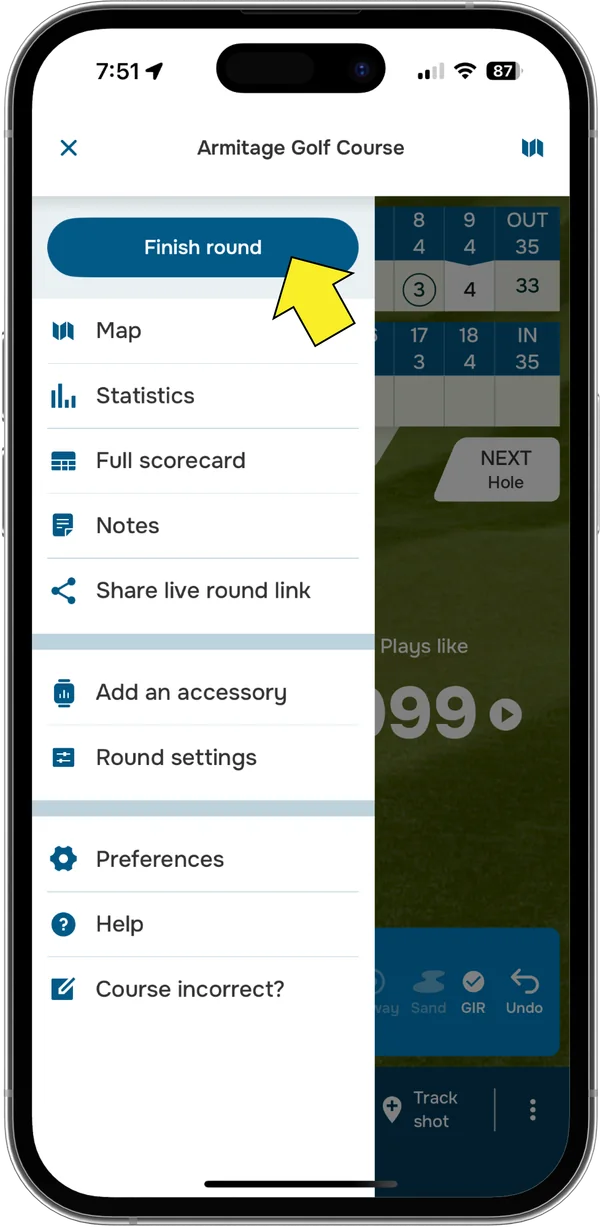
When you finish, tap the menu icon in the top-left corner and select Finish round.
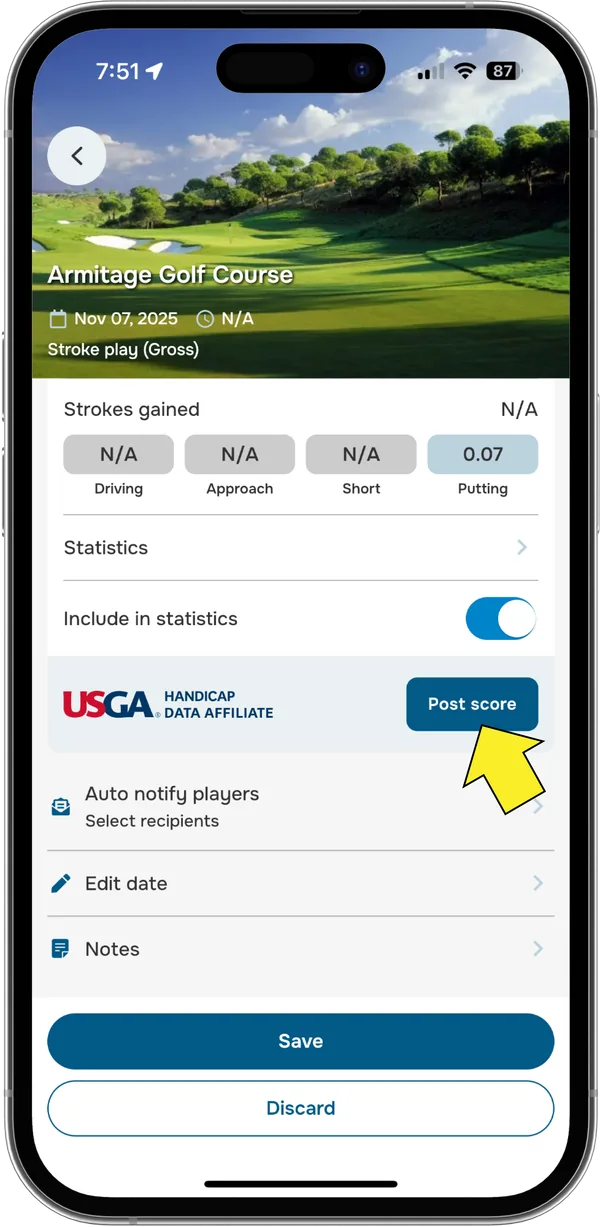
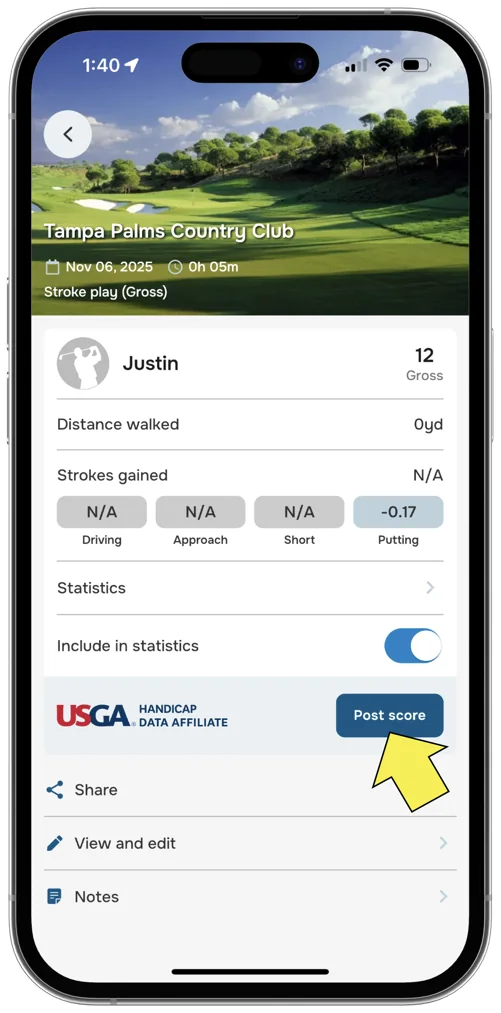
Tap the Post score button.
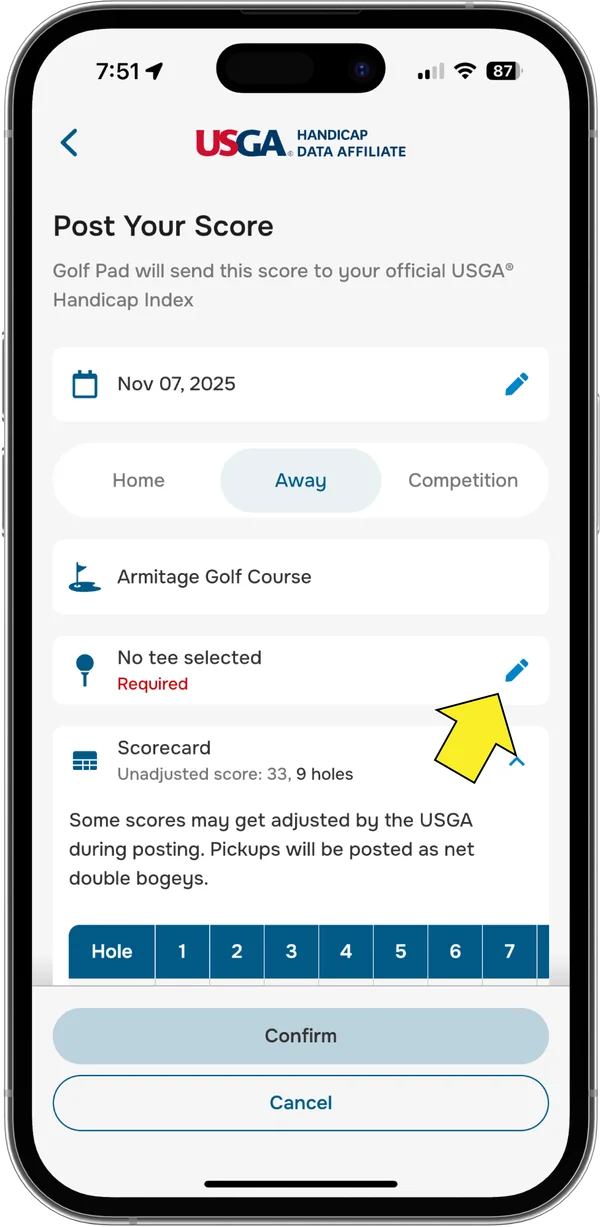
On the next screen, you'll have the option to edit your round details, including:
If the course you played is found in the USGA® database and your score is complete, you may just need to select the tee you played from (if it wasn't auto-selected).
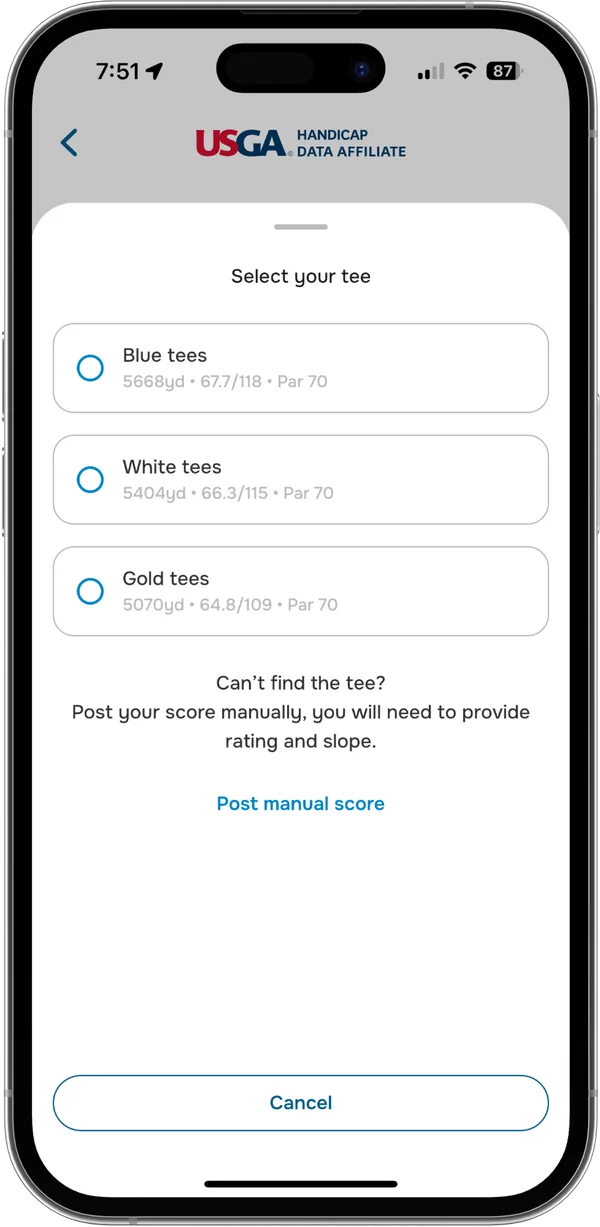
If needed, you can manually edit the Slope Rating®, Course Rating™, and adjusted score.
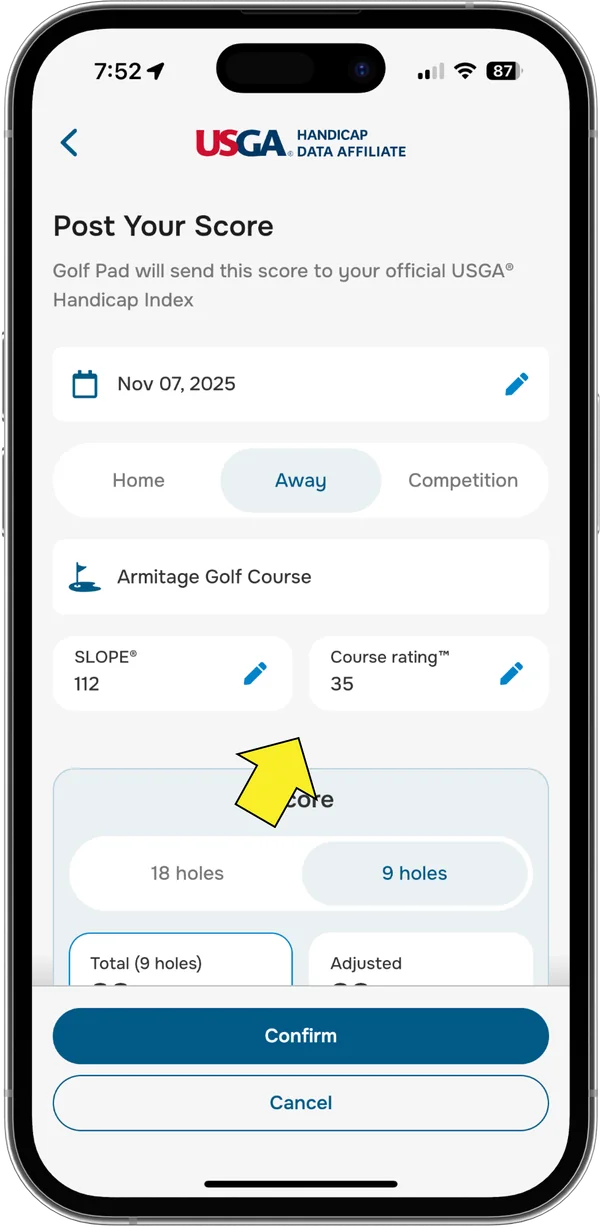
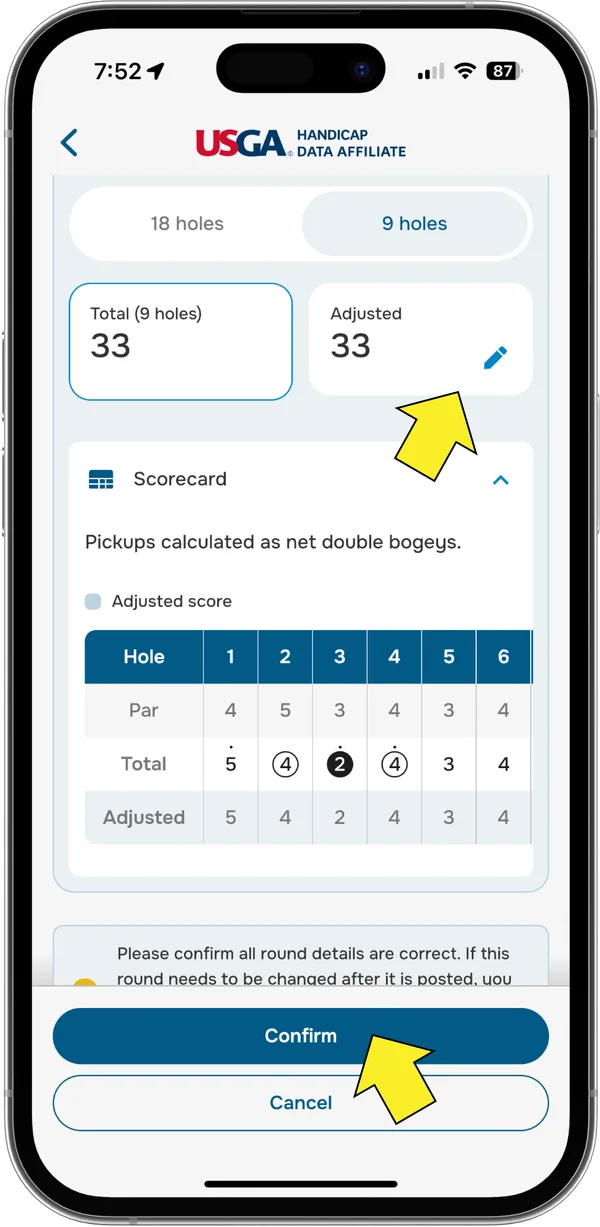
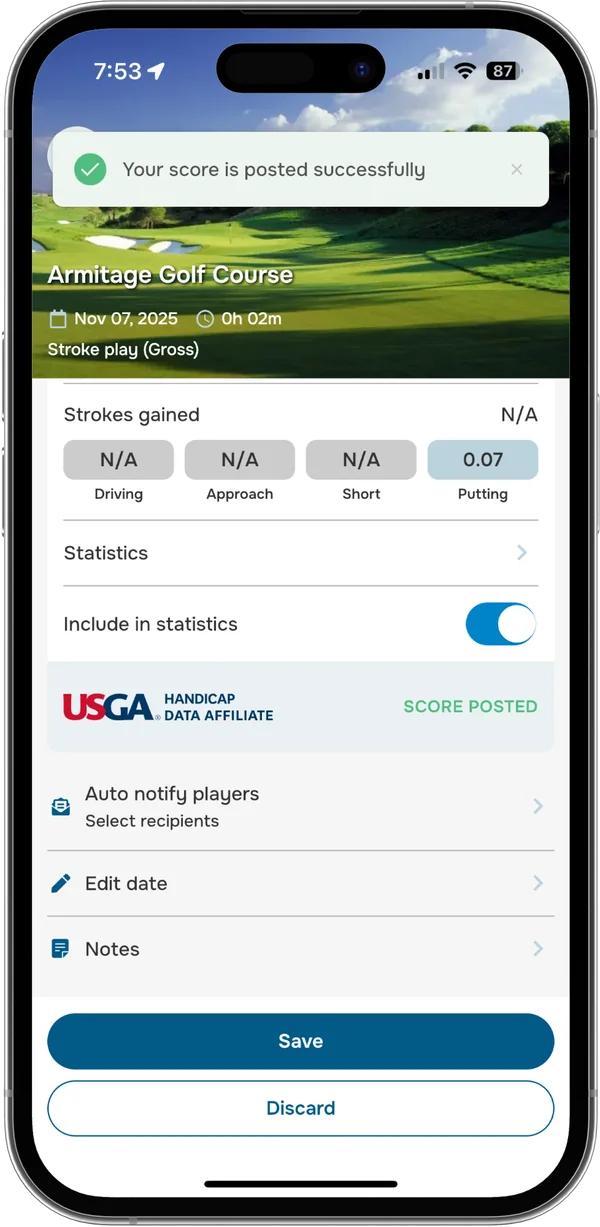
Tap Confirm, and your score is now posted!
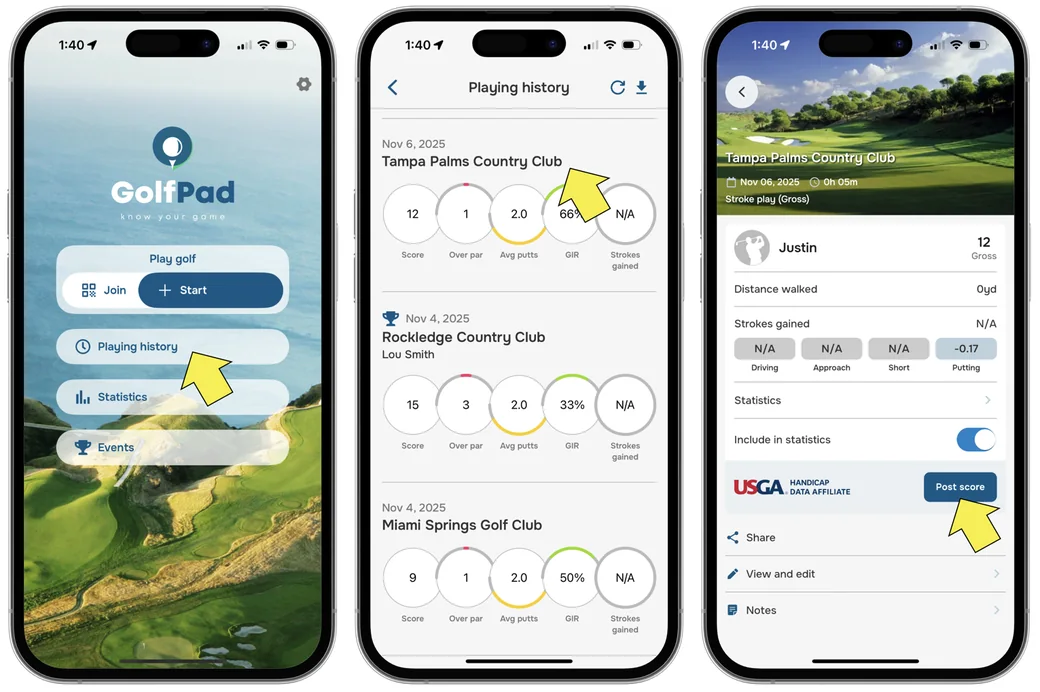
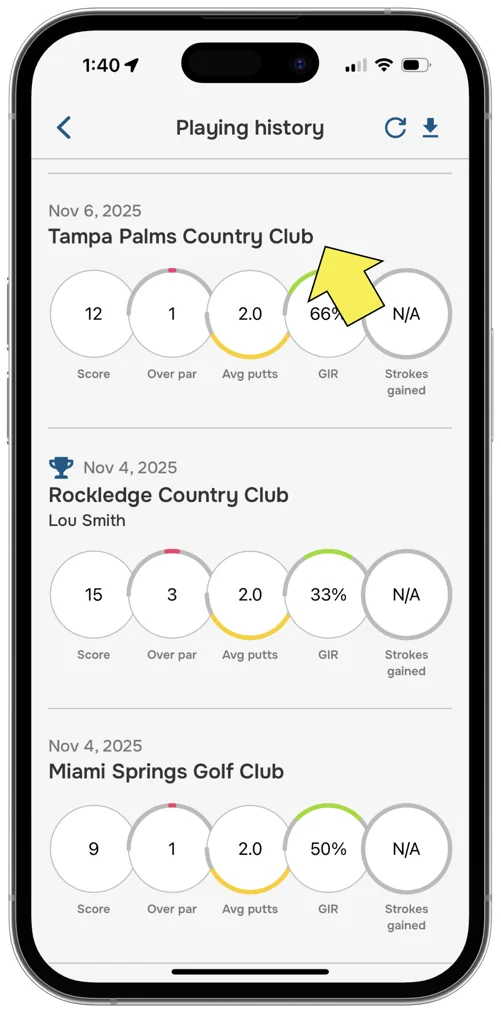
Missed posting your score at the end of the round? No problem - you can submit it anytime from your Playing history.

Need assistance? Contact our support team for help!


Subscribe for early access to promotions, feature announcements & more.