No items found.

If you're having trouble starting a round on your Apple Watch, check the following:
Enable smartwatch sync
The watch will not work with the Golf Pad app unless sync is enabled. To turn it on:
Verify your watch is connected
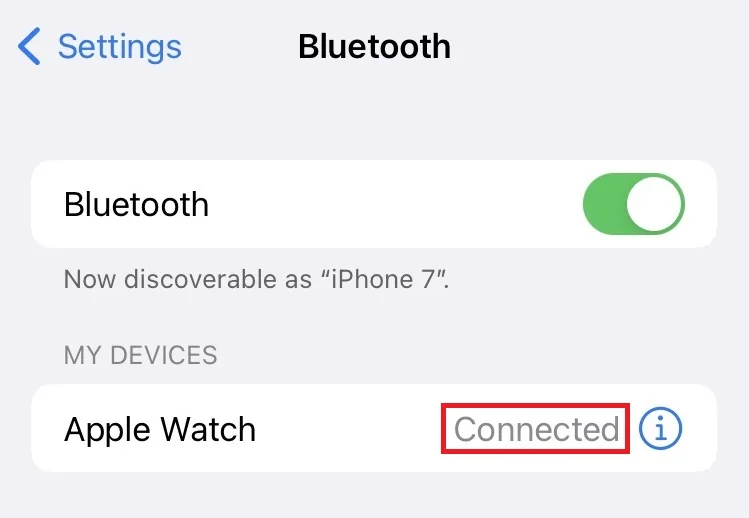
On your phone:
Open Settings > Bluetooth
Make sure your Apple Watch shows "Connected"
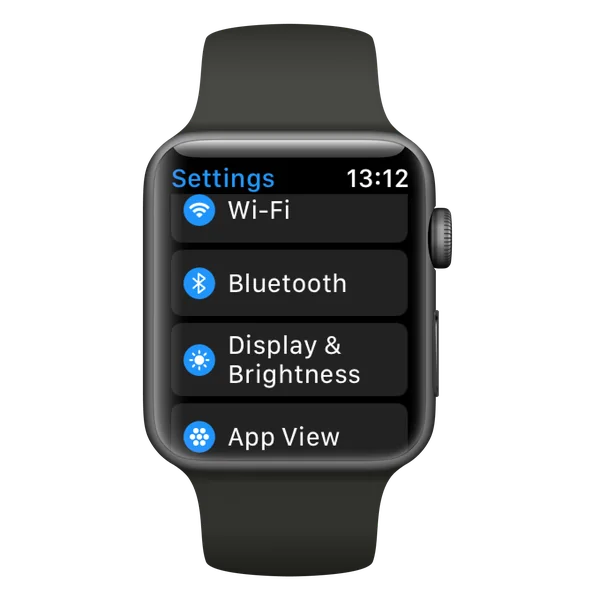
On your watch:
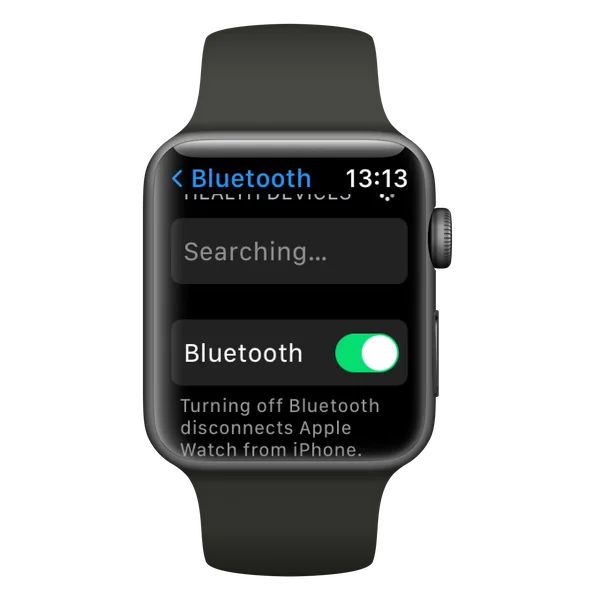
Open Settings > Bluetooth
Make sure Bluetooth is turned ON
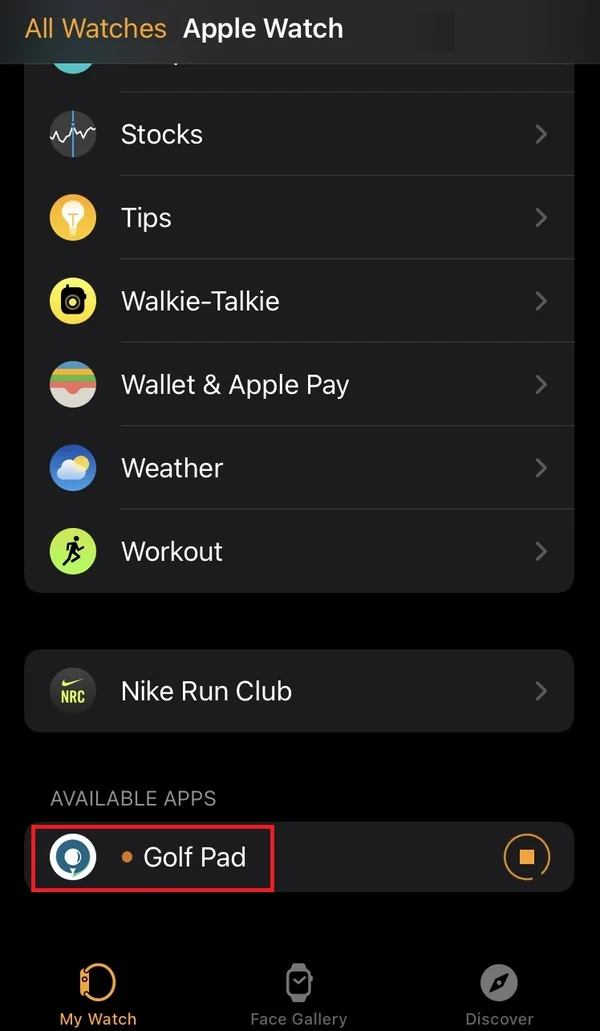
Make sure the app is installed on the watch
Grant Apple Health access
The Golf Pad Apple Watch app records each round as a Workout, which requires access to Apple Health. If it's turned off, the watch shows "Enable Health access to continue" and the round can't start until you grant it.
On your iPhone, open Settings > Apps > Health > Data Access & Devices > Golf Pad, and enable Workouts.
If you need more help, please contact us.


Subscribe for early access to promotions, feature announcements & more.