No items found.

Everything about Golf Pad is designed to help you on the course. Here's an overview of the most useful map features.
Visiting a course for the first time? The aerial map view is a great way to get familiar with your surroundings.
Aerial map view allows you to see a birds-eye view, take note of hazards and distances. After starting a round, choose the map icon in the upper right.
You’ll instantly see the aerial view of the course.
Use your fingers to move the map. Pinch to zoom out. Slide two fingers down the screen to change the perspective of the map. You can even rotate the map!
Want to accurately measure distances to hazards? It's easy with Golf Pad.
A simple tap from map view allows you to measure the distance from your location to any point on the map. With Golf Pad Premium, you’ll also see club recommendations based on your club averages.
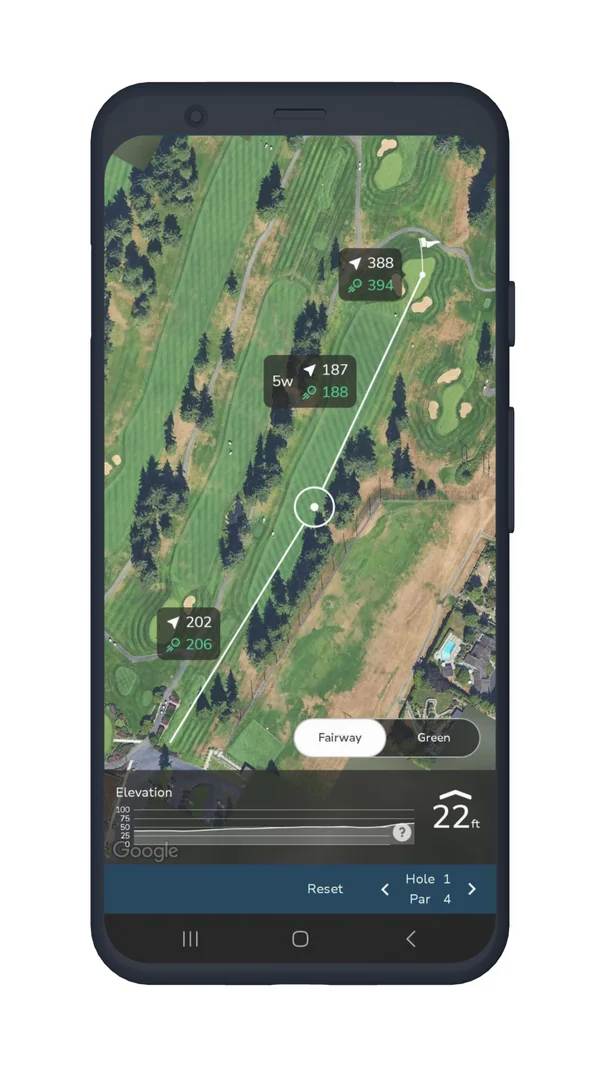
You can choose what distance the map shows. In Maps settings, pick one of:
Available with Golf Pad Premium
Choose up to 3 targets at your favorite shot distances. Here are step-by-step directions. Golf Pad will put the targets in the middle of the fairway, automatically calculate your distance to layups and give club recommendations.
Available with Golf Pad Premium
Golf Pad shows elevation profiles from tee to green, as well as elevation change from your location to the middle of the green.
To turn this feature on, select the Preferences icon from the start screen, then choose which settings you’d like to display on the map view.
Available with Golf Pad Premium
Easily view all course hazards directly on the map, including bunkers, water hazards, trees, and more. Tap on the map to see the distances to hazards on the course. If your course doesn't have hazards listed, let us know! Send us a support request and our team will add them to your course!
Learn more here: Hazards on the map
Available with Golf Pad Premium
In the map view, you can switch between Fairway and Green options. Tap Green to see green contours. The slope map will show the undulations and slopes on the green, and the elevation map will display elevation changes.
Tap here for details.
Available with Golf Pad Premium
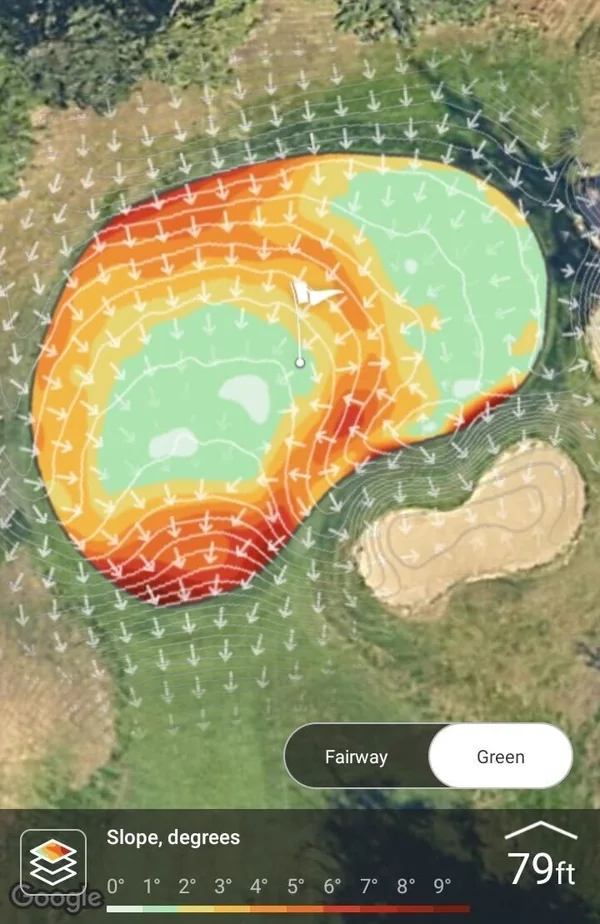
See your likely shot pattern for each club right on the map, based on the shots you've recorded - a more realistic picture of where your shots finish than distance alone. You can turn it on and customize how it looks (shots, heatmap, and ellipse) in Maps settings.
Learn more here: Club Dispersions
Available with Golf Pad Premium
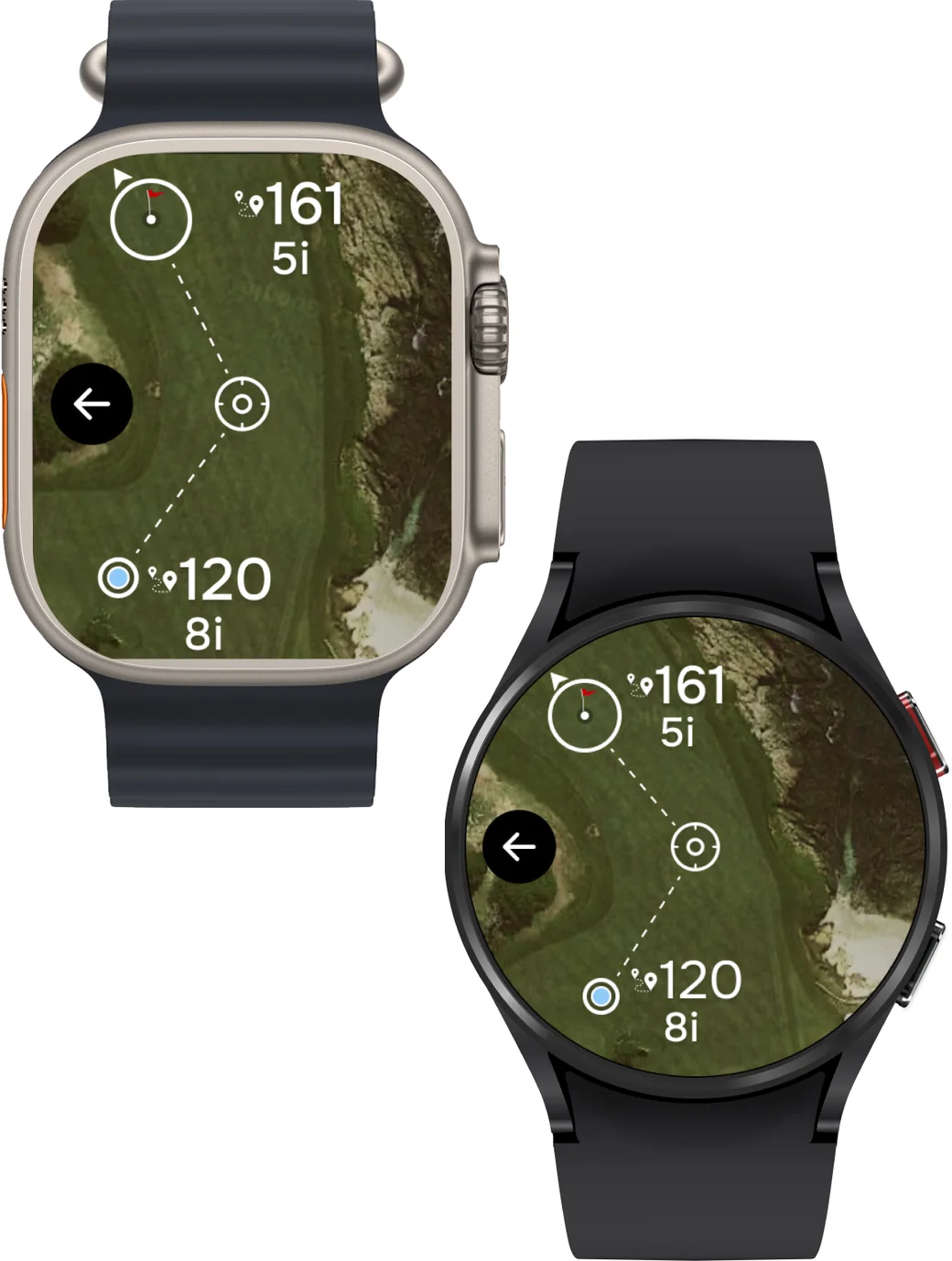
As of version 20.1.12 on Android and version 20.1.14 on iPhone, maps on the watch are now available in Golf Pad! You can see detailed course maps right on your wrist, making it easier than ever to navigate the course, plan your shots, and focus on your game — all without reaching for your phone!
More information about the new feature can be found here.
Available with Golf Pad Premium
Note
If you are having trouble finding a course, click here.


Subscribe for early access to promotions, feature announcements & more.